ตรวจพบภาษาของเบราว์เซอร์เป็นภาษาจีนคลิกที่นี่เพื่อเปลี่ยนเป็นหน้าภาษาจีน
ส่งไฟล์ไปยังทีวีใน 3 ขั้นตอนง่ายๆ
1
ติดตั้งแอป
Download and open the 1001 TVs app on all devices.
2
เชื่อมต่ออุปกรณ์
Make sure both devices are on the same Wi-Fi network. On the TV, open Files. On your phone, tap Send Files. Available devices will be detected automatically.
3
ส่งไฟล์
เลือกอุปกรณ์ปลายทางและส่งไฟล์ของคุณทันที
โอนไฟล์ง่าย ปลอดภัย
No Limits on Formats
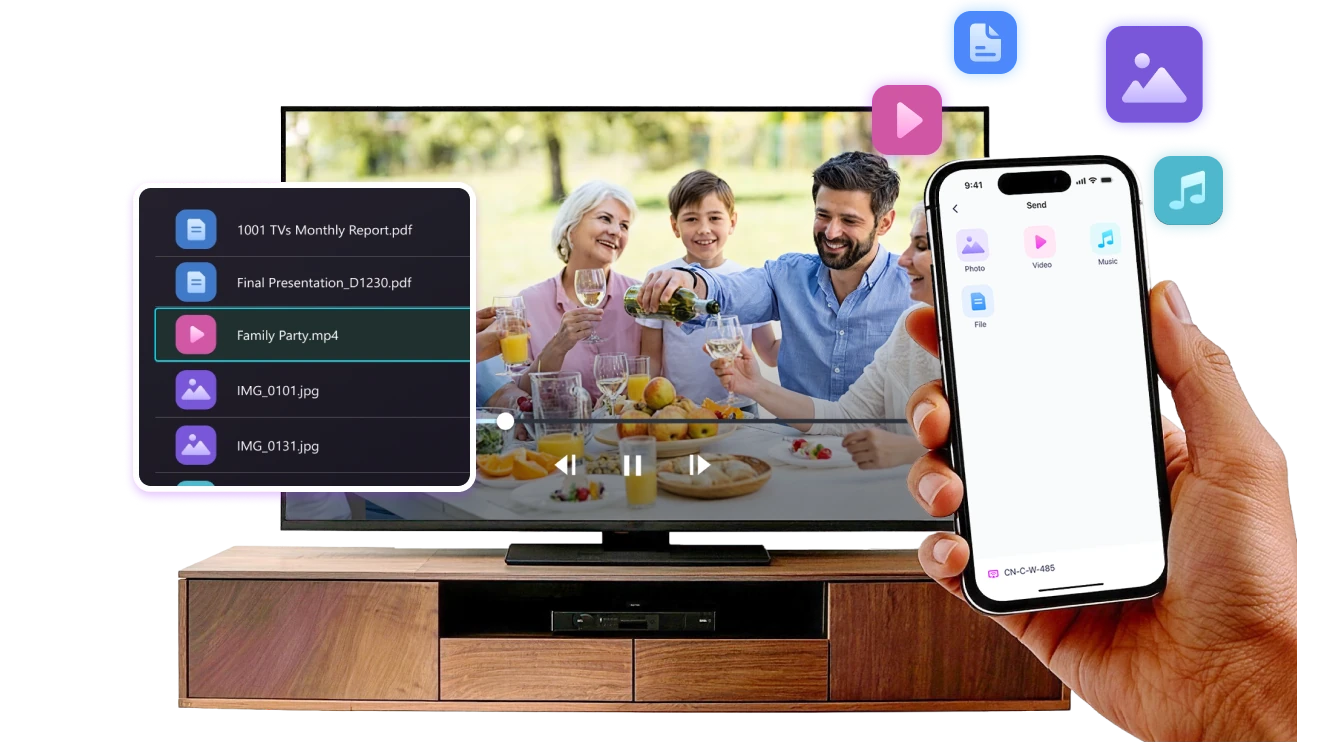
ส่งรูปภาพ วิดีโอ และไฟล์เสียงจากโทรศัพท์ไปยังทีวีของคุณได้โดยตรง
รองรับรูปแบบยอดนิยม เช่น JPG, PNG, MP4, MKV, AVI และ MP3 — ไม่ต้องแปลงไฟล์ให้ยุ่งยาก

ไม่ต้องใช้สาย USB ไม่มีขั้นตอนซับซ้อน

เพียงแค่เลือกไฟล์และส่งไปยังทีวีได้อย่างง่ายดาย
no-limits-on-formats
Local Transfer. No Data Usage.
การโอนไฟล์ทั้งหมดจะทำผ่านเครือข่ายภายใน — ไม่มีการอัปโหลดขึ้นคลาวด์และไม่เสียค่าเน็ต

เมื่อส่งไฟล์เรียบร้อยแล้ว ไฟล์จะเล่นบนทีวีโดยตรง

สายเรียกเข้า การล็อกหน้าจอ หรือการสลับแอปจะไม่รบกวนการเล่น คุณจึงรับชมได้อย่างสบายใจ
local-transfer-no-data-usage
กรณีการใช้งาน
การแชร์รูปภาพและวิดีโอ
การนำเสนอและสาธิต
การเรียนรู้และการสอน
แสดงภาพที่คุณถ่าย — ใหญ่ขึ้นและชัดเจนยิ่งขึ้น
รูปภาพและวิดีโอจะดูสวยงามยิ่งขึ้นบนทีวีเมื่อเทียบกับหน้าจอโทรศัพท์เล็กๆ หน้าจอขนาดใหญ่ช่วยให้เห็นรายละเอียดชัดเจนและให้คุณเพลิดเพลินกับช่วงเวลาดีๆ ร่วมกันได้ง่ายขึ้น

ส่งรูปภาพและวิดีโอจากโทรศัพท์ไปยังทีวีโดยตรงเพื่อการเล่นที่ราบรื่นและประสบการณ์การรับชมที่สบายตายิ่งขึ้น แบ่งปันช่วงเวลาของครอบครัว ทริปท่องเที่ยว หรือโอกาสพิเศษได้โดยไม่ต้องคอยส่งโทรศัพท์วนกันดูหรือจัดการกับสายเคเบิลให้ยุ่งยาก

ด้วย 1001 TVs ภาพและวิดีโอทั่วไปจะกลายเป็นความสุขบนจอใหญ่ที่ทุกคนในห้องสัมผัสได้
photo-video-sharing
นำเสนออย่างมั่นใจ — ชัดเจนและไร้สิ่งรบกวน
การนำเสนอจะเข้าใจได้ง่ายขึ้นเมื่อทุกคนมองเห็นเนื้อหาได้อย่างชัดเจน
หน้าจอขนาดใหญ่ช่วยดึงดูดความสนใจและทำให้จุดสำคัญโดดเด่นยิ่งขึ้น

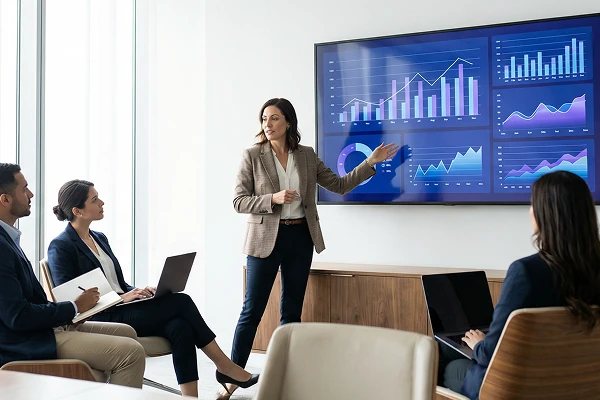
แชร์สไลด์ ภาพประกอบ หรือการสาธิตจากอุปกรณ์ของคุณไปยังทีวีได้โดยตรง เพื่อการนำเสนอที่ลื่นไหลและต่อเนื่อง ไม่มีสายเกะกะบนโต๊ะ ไม่ต้องมุงดูหน้าจอแล็ปท็อปเล็กๆ อีกต่อไป

1001 TVs ช่วยให้การนำเสนอบนจอใหญ่เป็นเรื่องง่ายและดูเป็นมืออาชีพในทุกสถานที่
presentations-demos
ทำให้การเรียนรู้เห็นภาพชัดเจน — และน่าสนใจยิ่งขึ้น
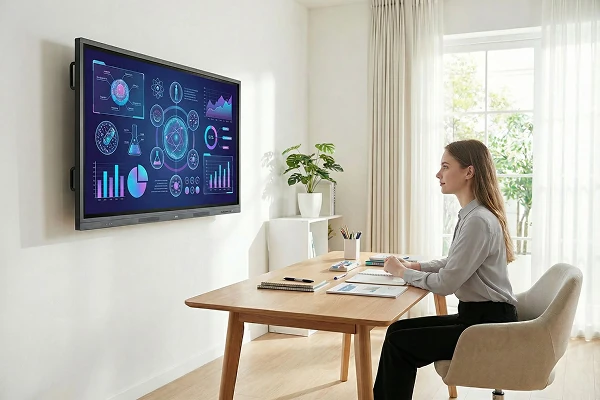
การเรียนรู้จะมีประสิทธิภาพมากขึ้นเมื่อมองเห็นและทำความเข้าใจเนื้อหาได้ง่าย หน้าจอขนาดใหญ่ช่วยให้นักเรียนมีสมาธิและเข้าใจคอนเซปต์ต่างๆ ได้ชัดเจนยิ่งขึ้น

แสดงบทเรียน แบบฝึกหัด หรือการสาธิตบนทีวีเพื่อสร้างประสบการณ์การเรียนรู้ร่วมกัน ทุกคนสามารถเรียนรู้ไปพร้อมๆ กันได้โดยไม่มีสิ่งรบกวน

1001 TVs ช่วยให้การเรียนรู้บนหน้าจอขนาดใหญ่มีความโต้ตอบและน่าสนใจขึ้นโดยธรรมชาติ
learning-teaching
ดาวน์โหลด
คำถามที่พบบ่อย
Which phones and TVs support file transfer?
1001 TVs supports sending files from compatible iPhones and Android phones to TVs that can run the 1001 TVs app. Install the latest app version on both devices and connect them to the same local network.
What types of files can I send to my TV?
You can send common photo, video, and audio files, including JPG, PNG, MP4, MKV, AVI, and MP3. Successful playback depends on whether the TV or its media player supports the file's container, video codec, and audio codec..
Can I send large files to my TV?
Yes. 1001 TVs transfers files directly over the local network and supports large photos and videos without a fixed transfer-size limit. Transfer time depends on file size, Wi-Fi speed, network traffic, device performance, and available TV storage.
Where are received files stored on the TV?
Received files are available from the file-receiving area in the 1001 TVs app and are saved to storage accessible to the app. The exact folder and available file-management options depend on the TV platform and its storage permissions.
How does the 1001 TVs Send Files to TV subscription work?
1001 TVs offers a limited-time free trial for Send Files to TV. After the trial, weekly, monthly, yearly, and lifetime plans are available; paid membership is only needed on the sending device, while the receiving TV does not need a separate subscription. Local prices are shown in the app, and recurring subscriptions can be managed or canceled through the store or account used for purchase.
Are files compressed or uploaded to the cloud?
No. Files are transferred directly over the local network without being uploaded to cloud storage, and 1001 TVs is designed to preserve the original file without media compression.
ฉันสามารถติดต่อฝ่ายสนับสนุนหรือขอความช่วยเหลือได้อย่างไร?
กรุณาติดต่อเราที่ 1001tvs@nero.com.