ตรวจพบภาษาของเบราว์เซอร์เป็นภาษาจีนคลิกที่นี่เพื่อเปลี่ยนเป็นหน้าภาษาจีน
แชร์ไฟล์ใน 3 ขั้นตอนง่าย ๆ
1
ติดตั้งแอป
ดาวน์โหลดและเปิดใช้งานแอป 1001 TVs บนอุปกรณ์ทั้งสองเครื่อง
2
เชื่อมต่ออุปกรณ์
Tap "Send Files" on your phone and connect to your PC.
3
ส่งไฟล์
เลือกสิ่งที่คุณต้องการแชร์ — ไม่ต้องใช้สาย ไม่มีข้อจำกัดเรื่องขนาด และไม่ต้องรอ
แชร์ไฟล์แบบเป็นส่วนตัว รวดเร็ว และยืดหยุ่น
การส่งไฟล์ความเร็วสูง
ส่งไฟล์ขนาดใหญ่ผ่าน Wi-Fi ได้อย่างรวดเร็ว — ไม่ต้องใช้สาย ไม่ผ่านคลาวด์ และไม่มีความล่าช้า ไฟล์จะอยู่ภายในเครือข่ายท้องถิ่นของคุณ
fast-transfers
แชร์ข้ามอุปกรณ์ได้อย่างไร้ขีดจำกัด
ปลอดภัย ใช้งานได้ทุกระบบ แชร์ไฟล์ระหว่าง Windows/macOS และ Android/iOS ได้ง่าย ๆ ผ่าน Wi-Fi เดียวกัน
zero-barriers
กรณีการใช้งาน
สำรองรูปภาพ
ส่งออกวิดีโอ
การโอนย้ายไฟล์
สำรองรูปภาพได้อย่างปลอดภัยและง่ายดาย
เพิ่มพื้นที่ในโทรศัพท์ และเก็บภาพความทรงจำให้ปลอดภัย — ไม่ต้องใช้คลาวด์ ไม่ต้องล็อกอิน

ไม่ว่าจะเป็นรูปภาพ วิดีโอ เพลง หรืออื่น ๆ คุณสามารถใช้ 1001 TVs สำรองข้อมูลแบบไร้สายไปยัง Windows หรือ Mac ได้ด้วยการแตะเพียงครั้งเดียว

ไม่ต้องใช้อินเทอร์เน็ต ไม่จำกัดขนาด ส่งไว เป็นส่วนตัว บนเครือข่าย Wi-Fi ของคุณ
photos-backup
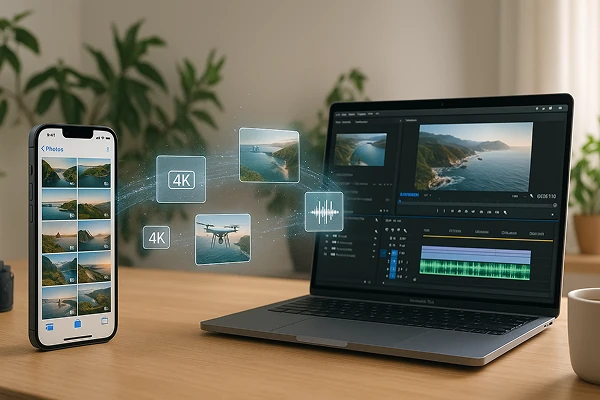
ส่งออกวิดีโอได้อย่างเสถียร — แม้เป็นไฟล์ 4K ขนาดใหญ่
เมื่อคุณภาพวิดีโอดีขึ้น ไฟล์ก็จะมีขนาดใหญ่ขึ้น — ทำให้การย้ายหรือแชร์คลิปยากขึ้น

ไม่ว่าจะเป็นคลิปจากโดรน การบรรยาย หรือวิดีโอ Vlog แบบ 4K ไฟล์ขนาดใหญ่ก็มักส่งผ่าน AirDrop ไม่สำเร็จ หรือใช้เวลานานมากกับสาย USB

1001 TVs มีทางเลือกที่ดีกว่า: ส่งวิดีโอจากโทรศัพท์ไปยังคอมพิวเตอร์แบบไร้สายโดยไม่บีบอัด ไม่ต้องใช้คลาวด์ ไม่ต้องใช้สาย ไม่ต้องกลัวส่งไม่ผ่าน — แค่ใช้ Wi-Fi ภายในบ้าน ก็ส่งได้เร็วและปลอดภัย
video-export
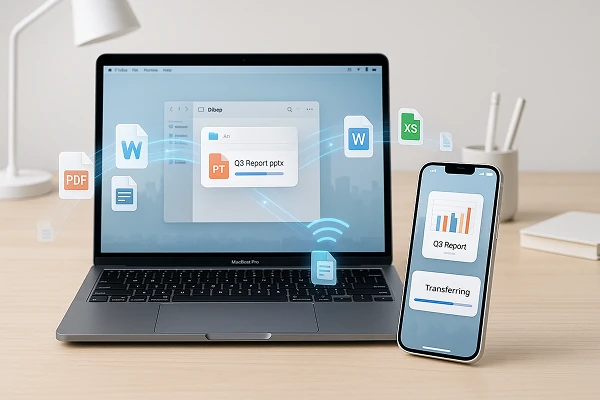
ส่งไฟล์แบบชุด — ส่งทั้งหมดในครั้งเดียว
คุณต้องการส่งโฟลเดอร์ที่เต็มไปด้วยรูป วิดีโอ หรือเอกสารใช่ไหม?

1001 TVs ช่วยให้คุณส่งไฟล์จำนวนมากได้ในคราวเดียว — ไม่มีข้อจำกัดเรื่องขนาดหรือจำนวนไฟล์ ขอแค่เครื่องปลายทางมีพื้นที่ว่างเพียงพอ

ไม่ว่าจะเป็นรูปภาพ วิดีโอ เสียง หรือไฟล์งาน ทุกอย่างจะถูกส่งแบบไร้สายผ่านเครือข่ายภายในบ้าน — รวดเร็ว ปลอดภัย และไม่มีการลดคุณภาพ
file-transfer
ดาวน์โหลด
คำถามที่พบบ่อย
Which devices can transfer files with 1001 TVs?
1001 TVs supports local file transfer across Windows, macOS, iOS, and Android devices. Both devices should use the latest app version; the available send and receive directions can vary by platform.
What kinds of files can I transfer?
You can transfer photos, videos, music, documents, and other common file types between supported devices. This is useful for backing up a phone, exporting large videos, or moving work files without a cable.
Can I transfer large files or multiple files at once?
Yes. 1001 TVs supports large files and batch transfers without a fixed file-size or quantity limit, provided the receiving device has enough available storage. Transfer time depends on the total file size, network conditions, and device performance.
Does file transfer reduce photo or video quality?
No. File Transfer is designed to move the original file without media compression, so photos and videos retain their original quality and resolution.
How does the 1001 TVs File Transfer subscription work?
1001 TVs offers a limited-time free trial for File Transfer. After the trial, weekly, monthly, yearly, and lifetime plans are available; paid membership is only needed on the sending device. Local prices are shown in the app, and recurring subscriptions can be managed or canceled through the store or account used for purchase.
Are my files sent through the cloud?
No. Your files are transferred directly between devices over the local network and are not sent through cloud storage by 1001 TVs.
ฉันสามารถติดต่อฝ่ายสนับสนุนหรือขอความช่วยเหลือได้อย่างไร?
กรุณาติดต่อเราที่ 1001tvs@nero.com.