检测到浏览器语言为中文،点此切换到中文页面
اپنے پی سی اور میک سے ٹی وی پر فائلیں کیسے بھیجیں؟
1
ایپ انسٹال کریں۔
تمام آلات پر 1001 TVs ایپ ڈاؤن لوڈ اور کھولیں۔.
2
کنیکٹ ڈیوائسز
Connect your PC or Mac and TV to the same Wi-Fi network. Available devices will be detected automatically.
3
فائلیں بھیجیں۔
اپنا TV منتخب کریں اور تیز، مقامی منتقلی کے لیے فوری طور پر فائلیں بھیجیں۔.
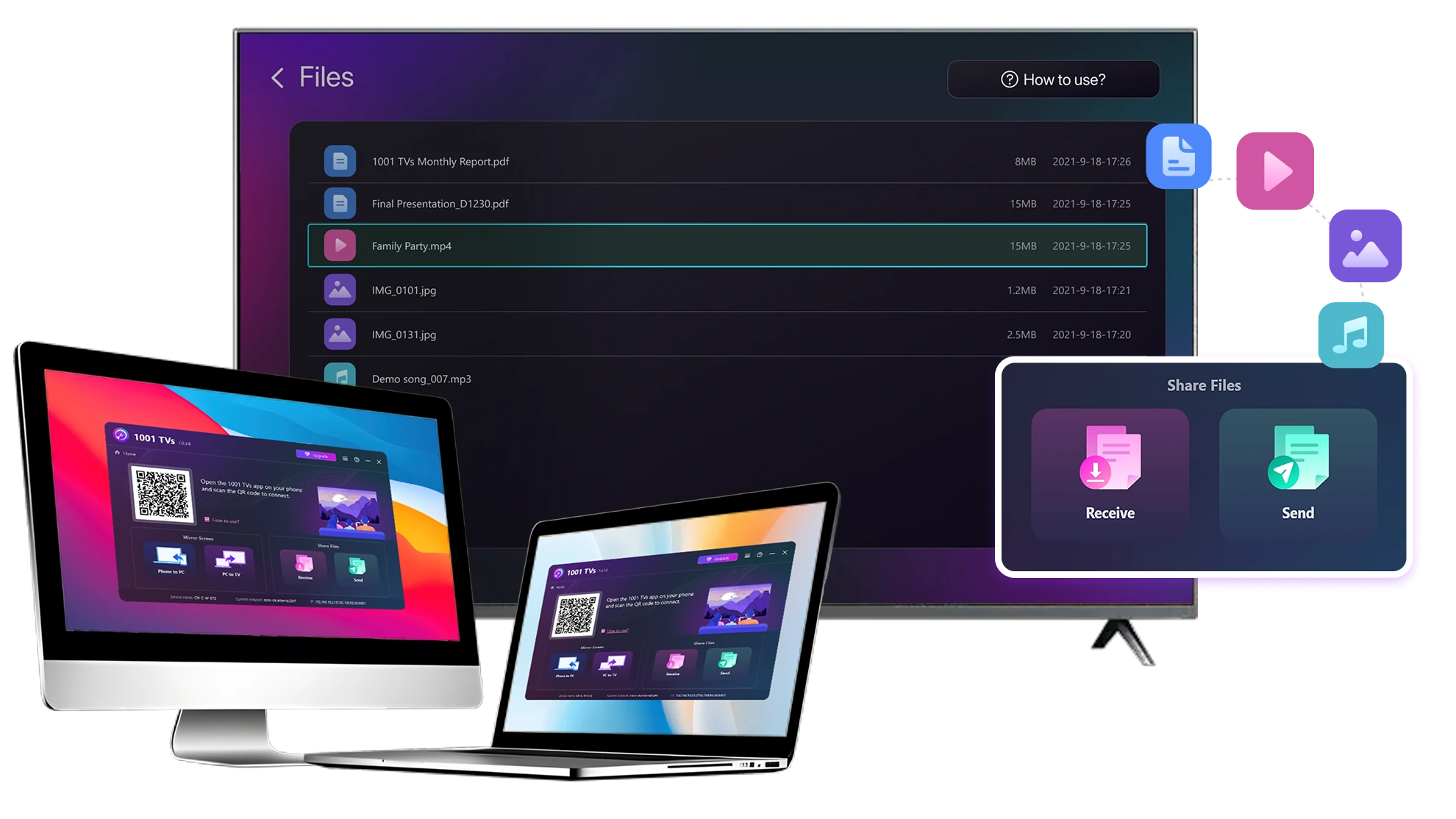
مستحکم مقامی بڑی فائل ٹرانسفر۔.
Large Files & Any Format
Transfer large files from your PC or Mac to your TV, including full-length videos and 4K movies.

Supports major file types such as MKV, MP4, AVI, and MP3, as well as documents and other desktop files.

کوئی USB ڈرائیوز نہیں ہیں۔ HDMI کیبلز نہیں ہیں۔.
اپنے کمپیوٹر پر فائلیں منتخب کریں اور انہیں وائرلیس طور پر TV پر بھیجیں۔.
large-files-any-format
Local Transfer. Reliable Playback.
تمام منتقلیاں آپ کے مقامی نیٹ ورک پر ہوتی ہیں — کوئی کلاؤڈ اپ لوڈ نہیں اور ڈیٹا کا کوئی استعمال نہیں۔.

جب آپ کام کرتے رہیں تو پس منظر میں فائلیں منتقل کریں۔.

مستحکم، طویل عرصے تک چلنے والی منتقلی کے لیے ڈیزائن کیا گیا — یہاں تک کہ بڑی فائلوں کے ساتھ۔.
local-transfer-reliable-playback
کیسز استعمال کریں۔
ہوم تھیٹر اور فلمیں
خاندانی تصاویر اور ویڈیوز
پریزنٹیشنز اور ڈیمو
اپنی فلموں سے لطف اندوز ہوں — بڑی اور ہموار
آپ کے پی سی یا میک پر محفوظ فلمیں ٹی وی پر بہترین نظر آتی ہیں۔ ایک بڑی اسکرین مزید تفصیلات سامنے لاتی ہے اور لمبی فلموں کو دیکھنے میں کہیں زیادہ آرام دہ بناتی ہے۔.

ہموار، مقامی پلے بیک کے لیے اپنے کمپیوٹر سے براہ راست اپنے TV پر مکمل طوالت اور 4K ویڈیوز سمیت بڑی مووی فائلز کو اسٹریم کریں—کوئی USB ڈرائیوز، کوئی HDMI کیبلز، اور کوئی رکاوٹ نہیں۔.

With 1001 TVs, your personal movie library turns into a true home-theater experience on the big screen.
home-theater-movies
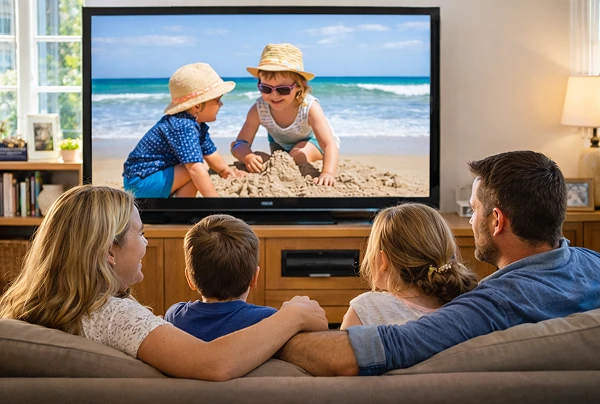
بڑی ٹی وی اسکرین پر خاندانی یادیں تازہ کریں۔
آپ کی بہترین تصاویر اور ویڈیوز اکثر آپ کے کمپیوٹر پر رہتے ہیں۔ لیپ ٹاپ اسکرین پر نظریں جمانا بند کریں یا کلاؤڈ اپ لوڈز کے ساتھ اپنی رازداری کو خطرے میں ڈالیں۔.

اپنے پی سی یا میک سے براہ راست ٹی وی پر فیملی کی تصاویر اور ویڈیوز بھیجیں۔ کوئی انٹرنیٹ، کوئی سائن اپ، اور کوئی انتظار نہیں — فائلیں مقامی طور پر براہ راست آپ کے TV پر جاتی ہیں۔.

With 1001 TVs, your memories stay safely on the local, while the joy of sharing them fills the room.
family-photos-videos
ایک پرو کی طرح پیش کریں - وائرلیس اور قابل اعتماد
Your presentation lives on your PC. Showing it on a TV shouldn’t depend on cables, adapters, or last-minute fixes.

اپنے کمپیوٹر سے ٹی وی پر وائرلیس طور پر سلائیڈز، ڈیمو ویڈیوز اور دیگر فائلیں بھیجیں۔ کنکشن مستحکم رہتا ہے، لہذا آپ کی پیشکش بغیر کسی رکاوٹ کے چلتی ہے۔.

سیٹ اپ میں کوئی تاخیر نہیں۔ کوئی غیر متوقع خرابیاں نہیں۔.
آپ اپنے مواد پر توجہ مرکوز کرتے ہیں — TV اسے آسانی سے دکھاتا ہے۔.
presentations-demos
ڈاؤن لوڈ کریں۔
اکثر پوچھے گئے سوالات
Which computers and TVs support file transfer?
1001 TVs supports sending files from compatible Windows PCs and Macs to TVs that can run the 1001 TVs app. Install the latest app version on the computer and TV, then connect them to the same local network.
Which file types can I transfer from a computer?
You can transfer a wide range of files — videos (MKV, MP4, AVI), audio (MP3), images (JPG, PNG), documents, and other common desktop files. A successful transfer does not guarantee that the TV can open every format; playback or viewing depends on the TV's apps and codec support.
Can I send large videos or 4K movie files?
Yes. 1001 TVs supports large files, full-length videos, and 4K movie files without a fixed transfer-size limit. Transfer time depends on file size and local-network speed, while playback depends on the TV's supported video and audio codecs.
Where can I find the transferred file on my TV?
Transferred files are available from the file-receiving area in the 1001 TVs app and are saved to storage accessible to the app. The exact folder and available file-management options depend on the TV platform and its storage permissions.
How does the 1001 TVs Send Files to TV subscription work?
1001 TVs offers a limited-time free trial for Send Files to TV. After the trial, weekly, monthly, yearly, and lifetime plans are available; paid membership is only needed on the sending device, while the receiving TV does not need a separate subscription. Local prices are shown in the app, and recurring subscriptions can be managed or canceled through the store or account used for purchase.
Are files uploaded to cloud storage?
No. Files are sent directly from the computer to the TV over the local network and are not uploaded to cloud storage by 1001 TVs.
میں سپورٹ سے کیسے رابطہ کر سکتا ہوں یا مدد کیسے حاصل کر سکتا ہوں؟
پر ہم سے رابطہ کریں 1001tvs@nero.com.