[1001 TVs] iOS/Android سىستېمىسىدا راۋان ھالەتنى قانداق ئېتىۋېتىش كېرەك
ئەگەر تېلېفونىڭىز “ئۇلانغان” دەپ كۆرسىتىلسە، ئەمما تېلېۋىزور ياكى كومپيۇتېرىڭىزنىڭ ئېكرانى يۈكلەنمىسە، ئۇنى ئېتىۋېتىپ كۆرۈڭ. “راۋان ھالەت”.
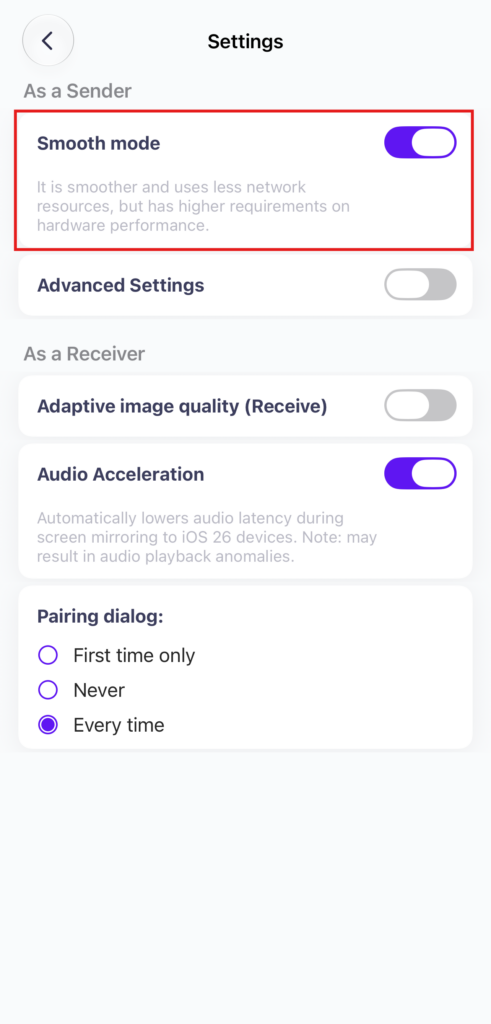
سىلىق ھالەت ئۆزلۈكىدىن قوزغىتىلغان. لازىم بولسا تەڭشەكلەردىن ئېتىۋەتسىڭىز بولىدۇ.
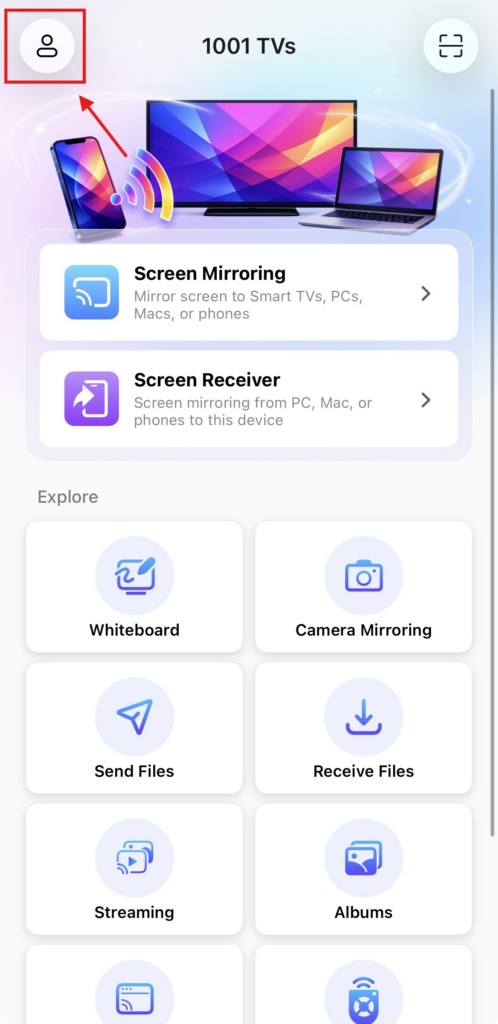
1. Tap “پروفىل” at the top of the homepage.
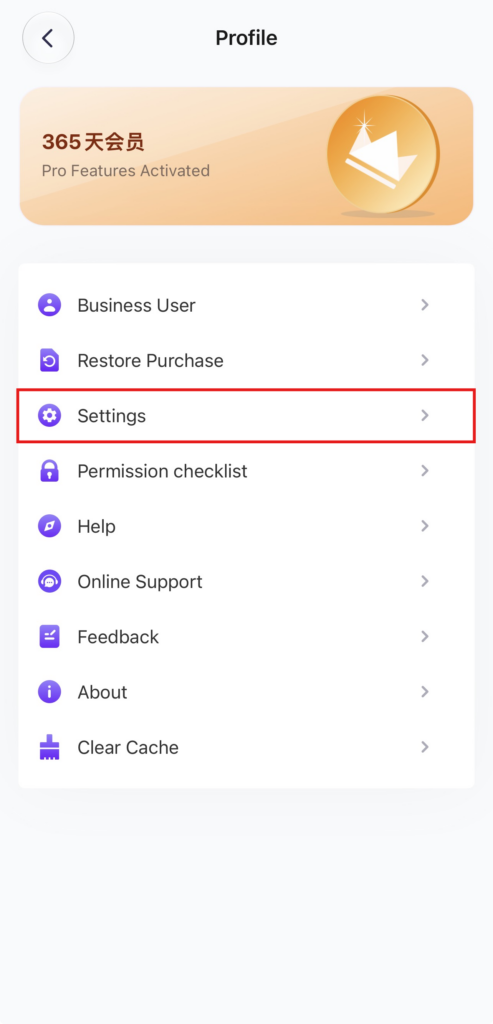
2. “باس»تەڭشەكلەر“.
3. “راۋان ھالەت” تاللانمىسىنى تېپىپ (ئۆزلۈكىدىن قوزغىتىلغان) ئېتىۋېتىڭ.
4. Try mirroring your screen again!

Read More
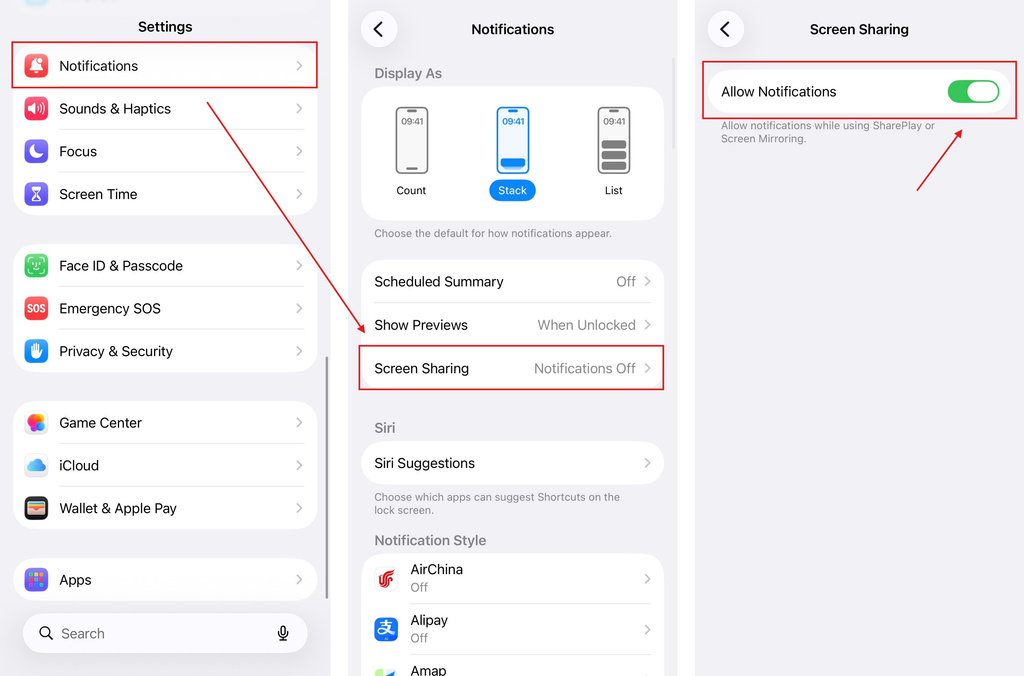 iOS: How to Fix Missing App Notifications During Screen Mirroring
Why Notifications Are Missing When you mirror your iPhone screen, notifications from other apps may not appear on the mirrored screen. This can happen…
iOS: How to Fix Missing App Notifications During Screen Mirroring
Why Notifications Are Missing When you mirror your iPhone screen, notifications from other apps may not appear on the mirrored screen. This can happen…
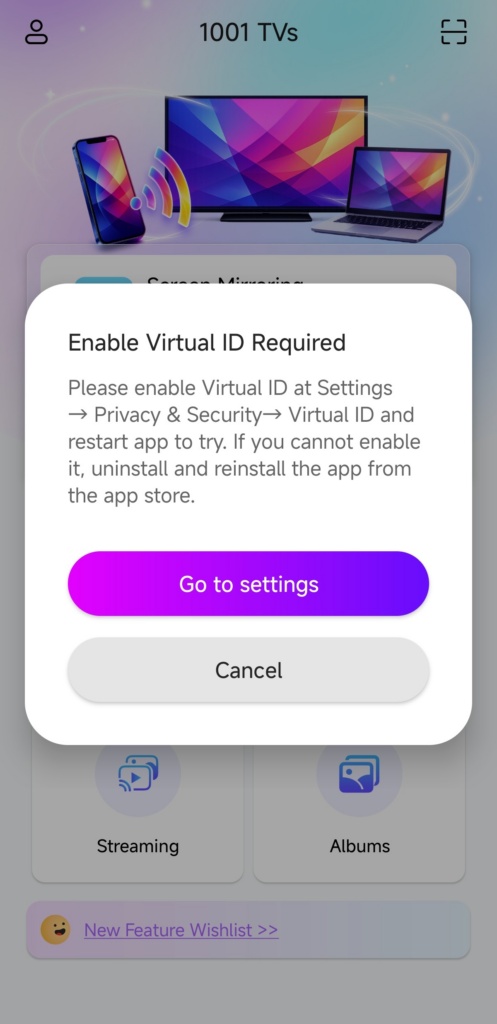 How to Fix the Enable Virtual ID Required Pop-Up
If you're using a Xiaomi or Redmi phone or tablet, you might see a pop-up that says "Enable Virtual ID Required" when you launch…
How to Fix the Enable Virtual ID Required Pop-Up
If you're using a Xiaomi or Redmi phone or tablet, you might see a pop-up that says "Enable Virtual ID Required" when you launch…

