[1001 TVs] How to Request a Refund
Request a refund on your iOS
Reference: https://support.apple.com/en-us/118223
2. Open the Settings app.
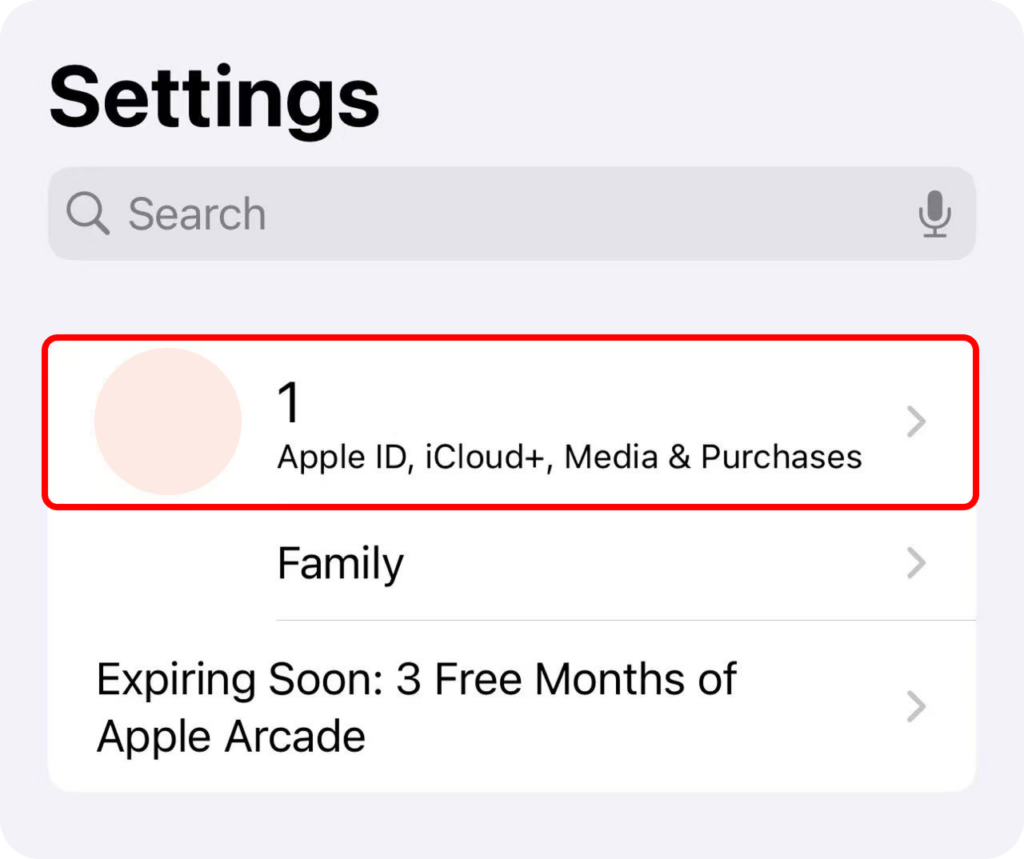
3. Tap your name.
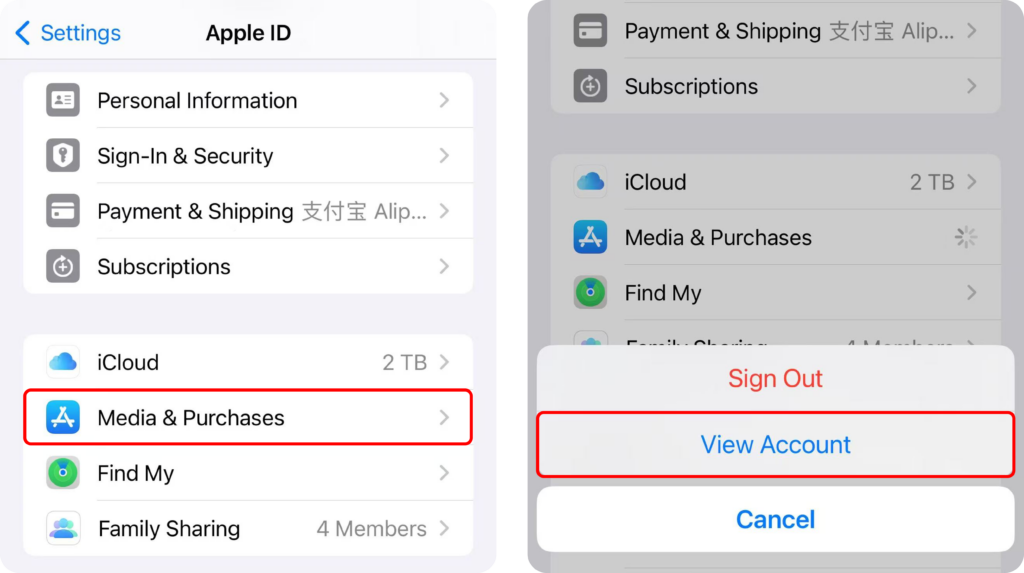
4. Tap Media & Purchases ➜ View Account.
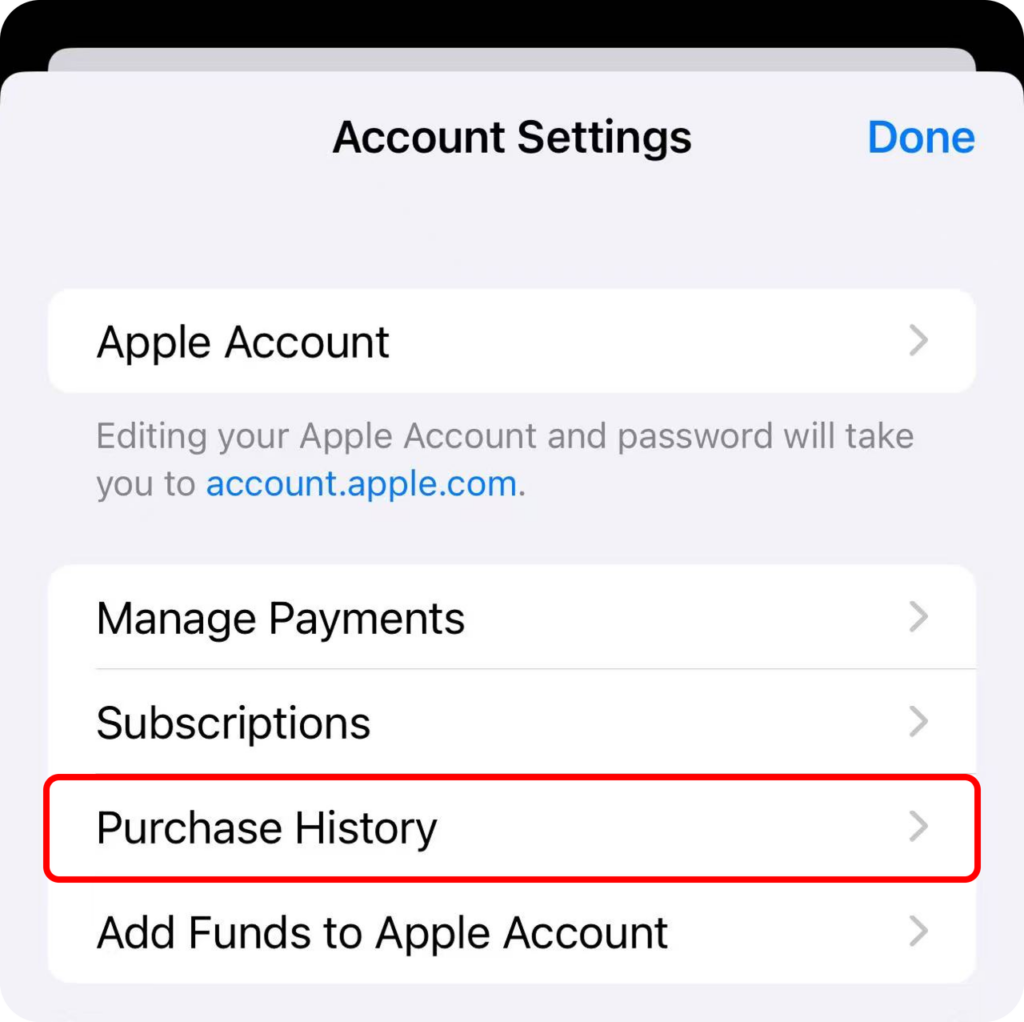
5. Tap Purchase History ➜ Tap the subscription.
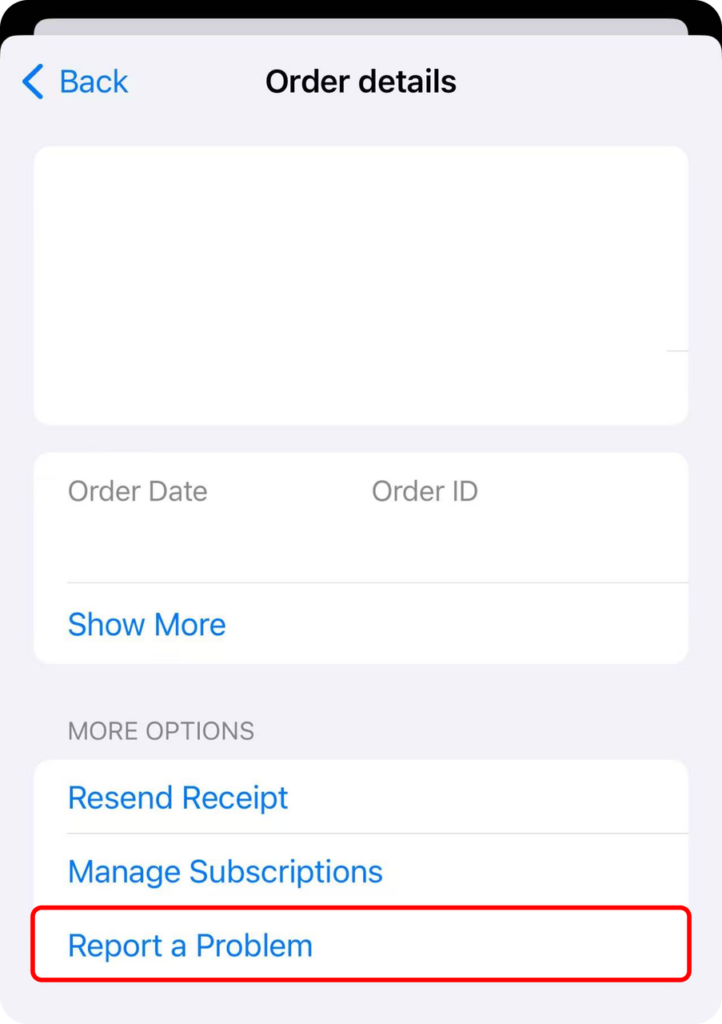
6. Tap Report a Problem
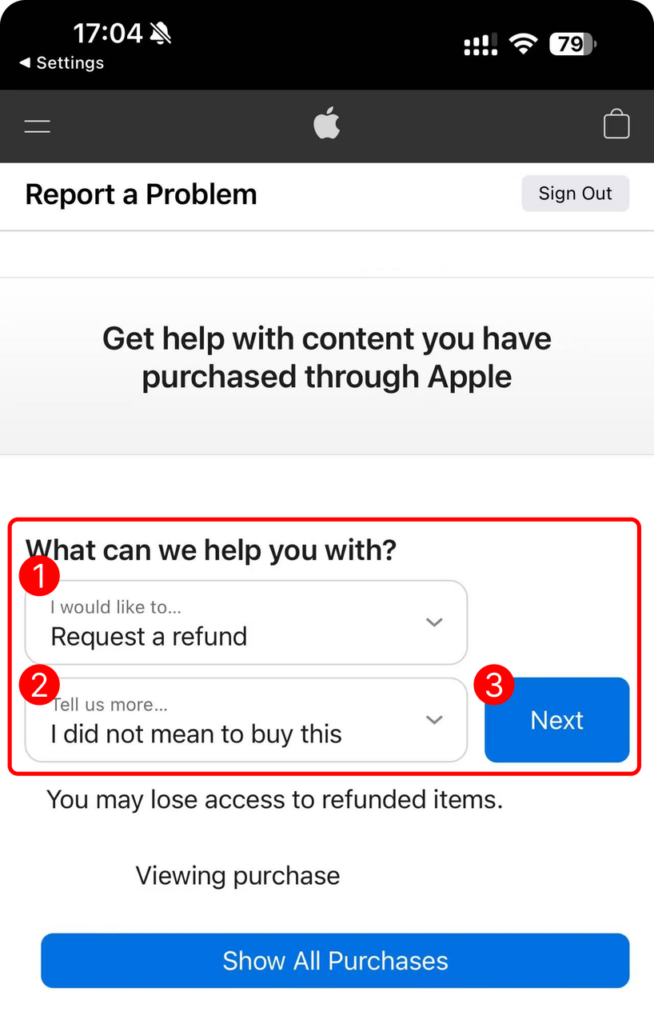
7. Select Request a Refund and Reason
8. Wait 24 to 48 hours for the latest information requested. If your request has been approved by Apple, you may need to wait a little longer for the funds to be refunded to your payment method.
Request a refund on Google Play
Reference: https://support.google.com/googleplay/answer/15574897?hl=en
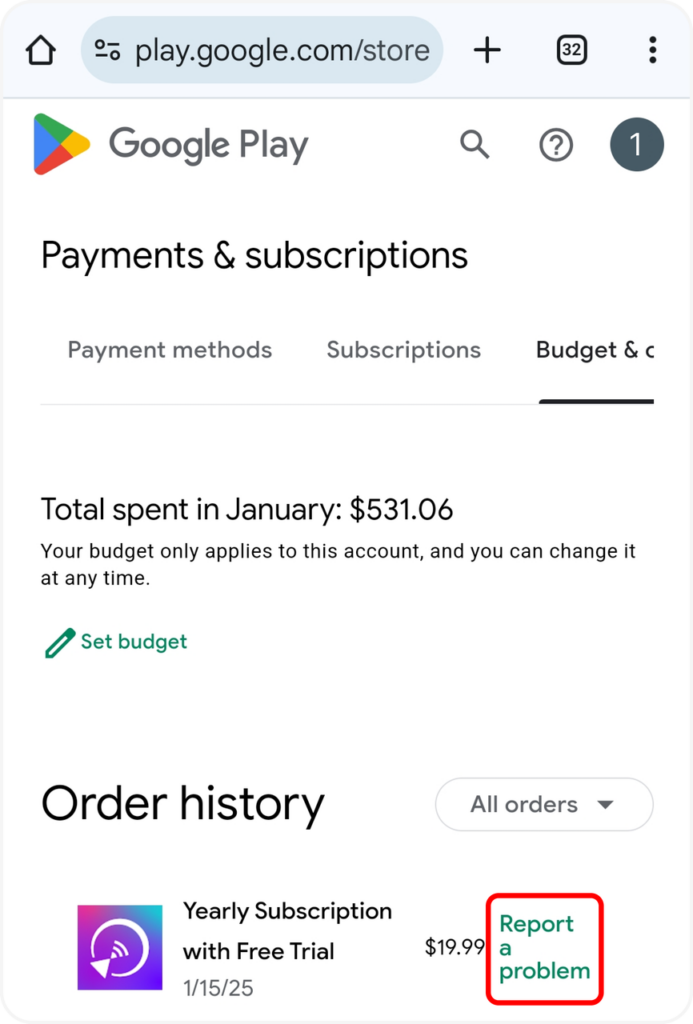
1. Go to play.google.com.
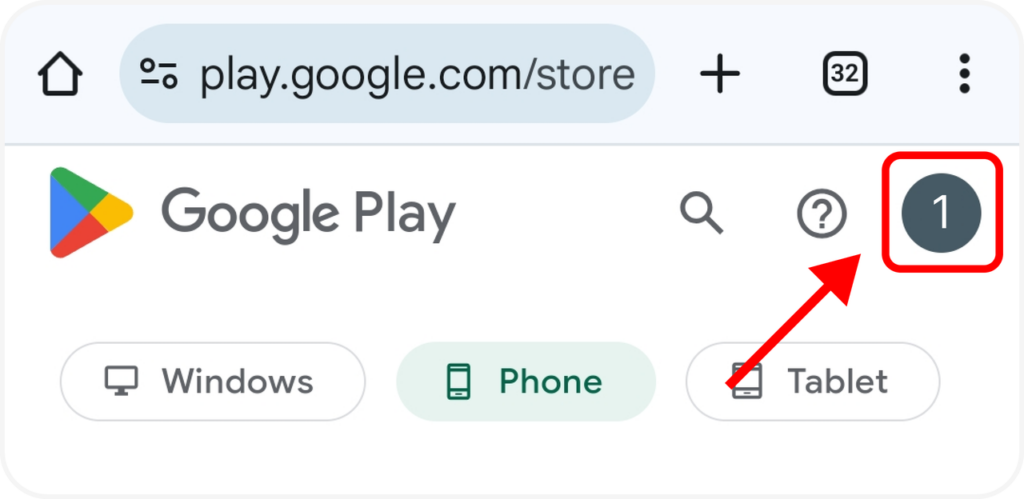
2. Tap your Profile picture on top right to check that you’re signed in to the correct Google account.
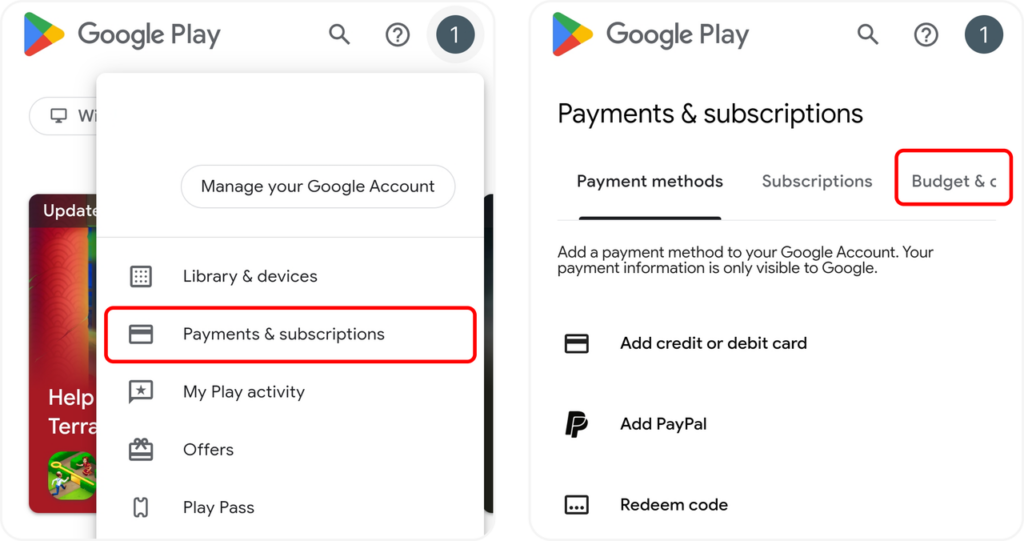
3. Tap Payments & subscriptions ➜ Budget & order history.
4. For the order you want to return, Tap Report a problem.
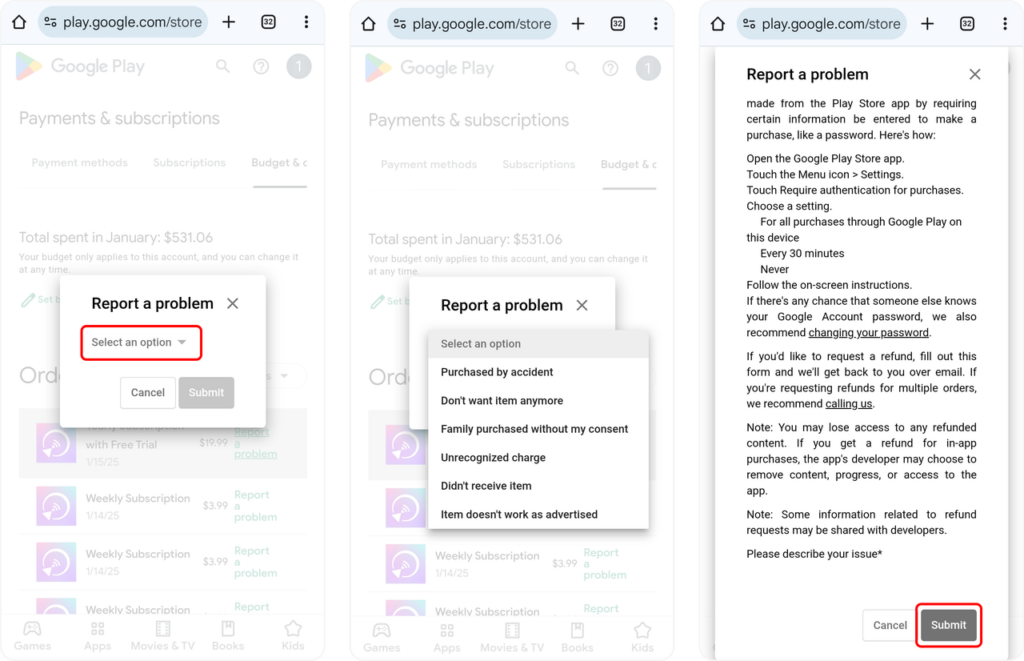
5. Select the option that describes your situation. Tap Submit.
Contact US
We welcome your feedback on our app or any questions you may have. Please feel free to contact us.
Mail US: 1001tvs@nero.com

Read More
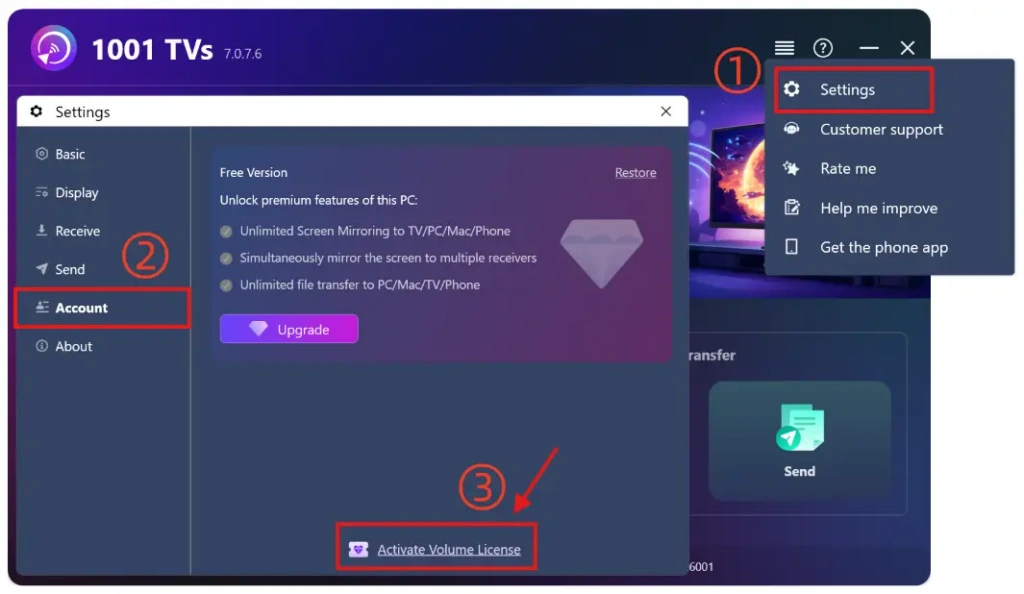 For Enterprise Members: How to Activate a Volume License
This guide is for customers who wish to purchase and activate a volume license for 1001 TVs membership. Please note that this feature is…
For Enterprise Members: How to Activate a Volume License
This guide is for customers who wish to purchase and activate a volume license for 1001 TVs membership. Please note that this feature is…
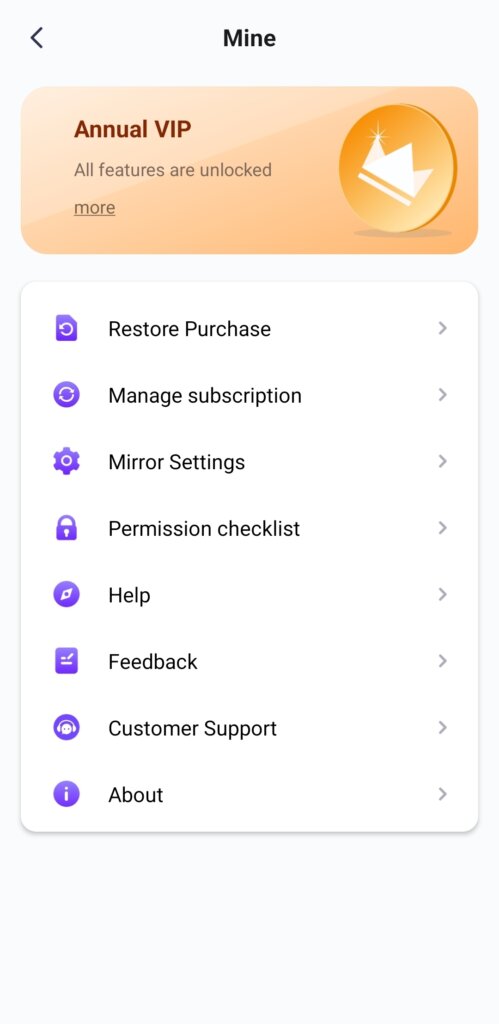 Unlock All Premium Features: How to Get a Membership
🥳 Premium Performance Mirror your screen for hours, not minutes. Cast multiple devices to one PC/Mac — phones, computers, tablets, all at the same time.…
Unlock All Premium Features: How to Get a Membership
🥳 Premium Performance Mirror your screen for hours, not minutes. Cast multiple devices to one PC/Mac — phones, computers, tablets, all at the same time.…

