📌 How to Access Video Help
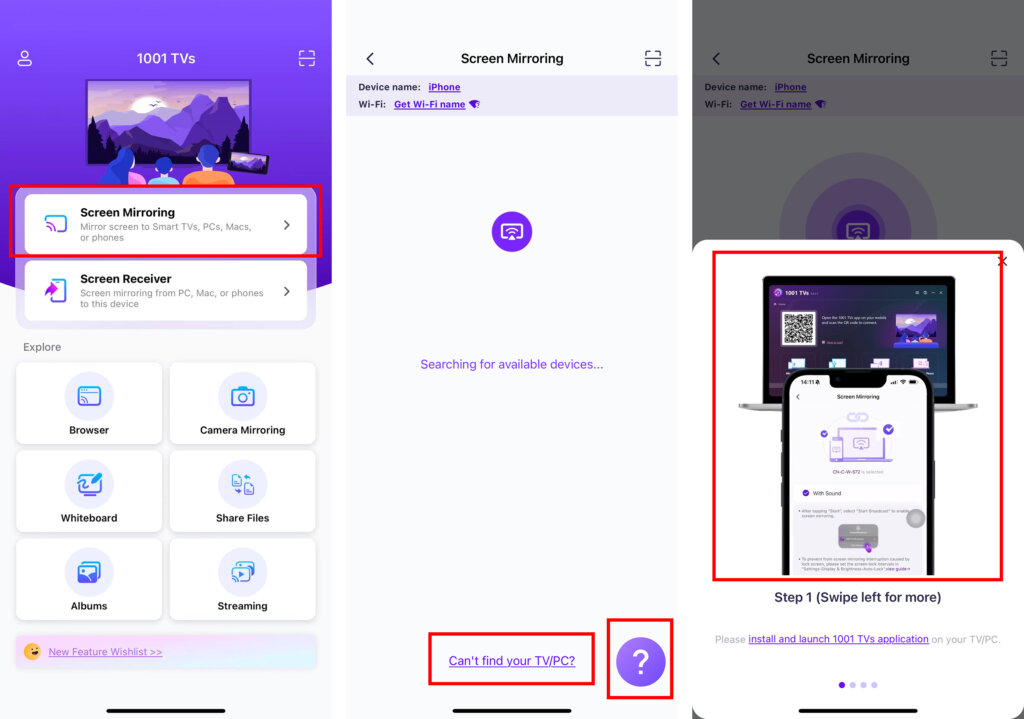
Video Help is built directly into the app, so you can get guidance exactly when and where you need it—without leaving the current screen.
How it works:
• Open any feature screen in the app
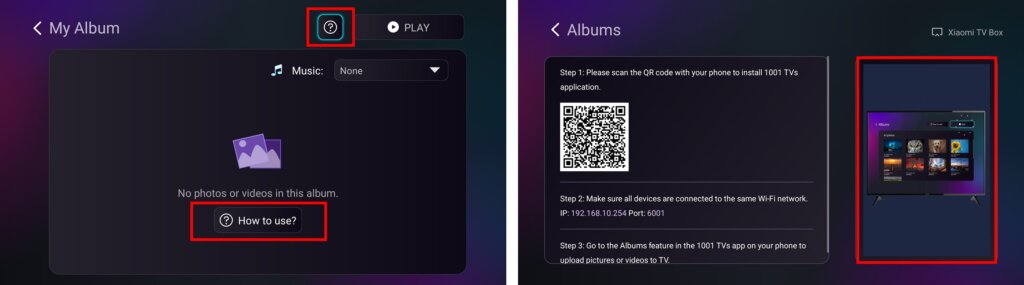
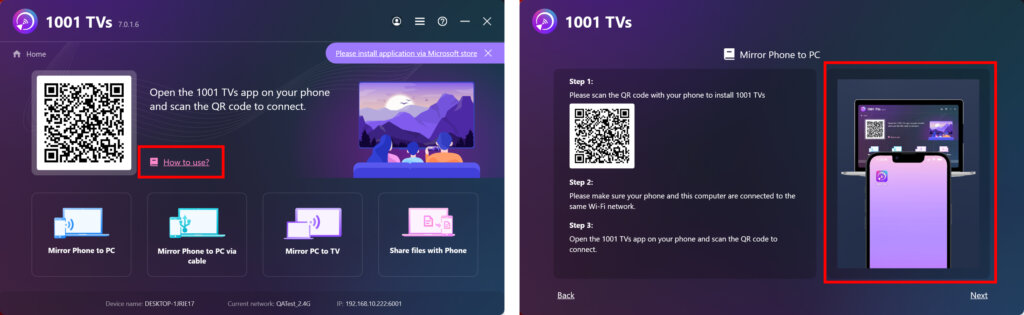
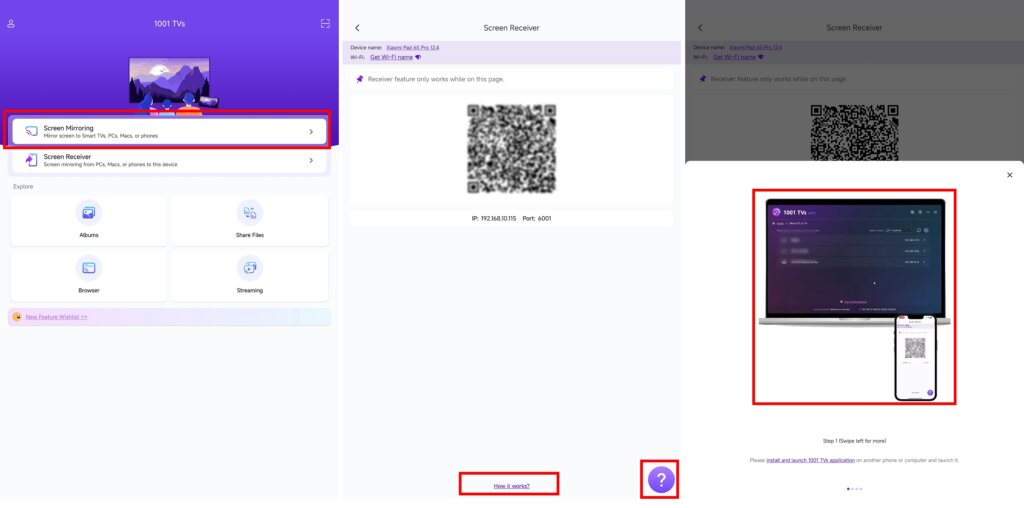
• Look for help options such as:
– ?
– How to use?
– Can’t find my TV / PC?
• Tap or click to open a feature-specific help window
▶ What Happens Next
• The relevant tutorial video plays automatically
• Clear step-by-step instructions are shown alongside
• Complete the task without leaving the current screen
1.Mobile devices
2.Smart TV
3.Windows / Mac
4.Tablet
Need Help?
If you encounter any issues, feel free to contact our support team:
- More Guides: Guidance
- Email: 1001tvs@nero.com
- Website: www.1001tvs.com

Read More
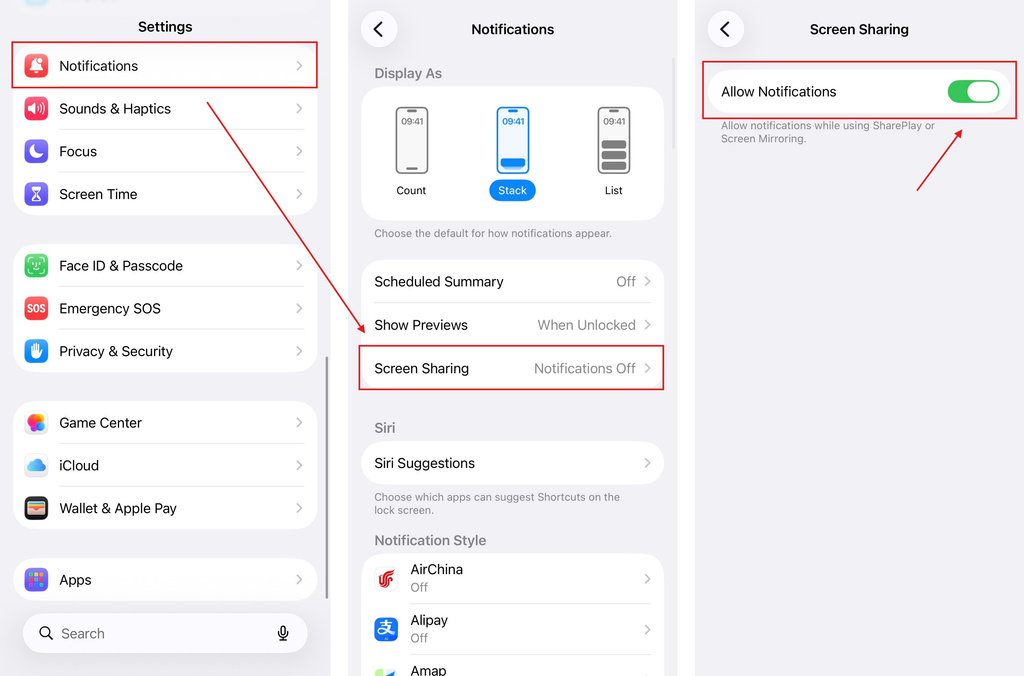 iOS: How to Fix Missing App Notifications During Screen Mirroring
Why Notifications Are Missing When you mirror your iPhone screen, notifications from other apps may not appear on the mirrored screen. This can happen…
iOS: How to Fix Missing App Notifications During Screen Mirroring
Why Notifications Are Missing When you mirror your iPhone screen, notifications from other apps may not appear on the mirrored screen. This can happen…
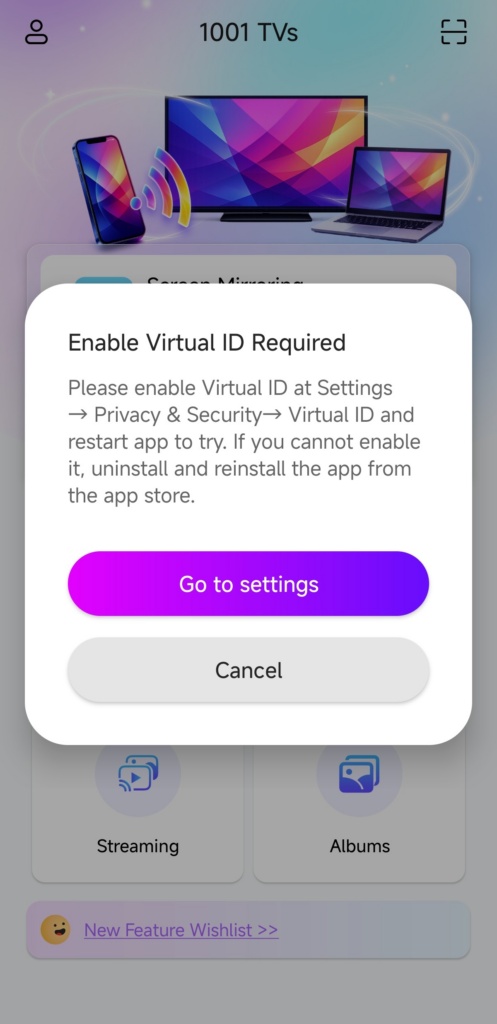 How to Fix the Enable Virtual ID Required Pop-Up
If you're using a Xiaomi or Redmi phone or tablet, you might see a pop-up that says "Enable Virtual ID Required" when you launch…
How to Fix the Enable Virtual ID Required Pop-Up
If you're using a Xiaomi or Redmi phone or tablet, you might see a pop-up that says "Enable Virtual ID Required" when you launch…

