
Hur du utökar din Mac-skärm med hjälp av macOS-inställningar med 1001 TVs
Med macOS kan du utöka skrivbordet till en extern skärm med hjälp av systemets skärminställningar.
Med hjälp av 1001 TVs, kan denna funktion utökas ytterligare, vilket gör att du kan utöka din Mac-skärm till en fysisk bildskärm och flera virtuella bildskärmar för en mer flexibel installation med flera skärmar.
Alla anslutna skärmar visar samma utökade skrivbord och är helt styrbara med musen, så det känns precis som att lägga till ytterligare en användbar skärm samtidigt som din huvudskärm förblir privat.
1. Anslut en fysisk skärm med hjälp av macOS
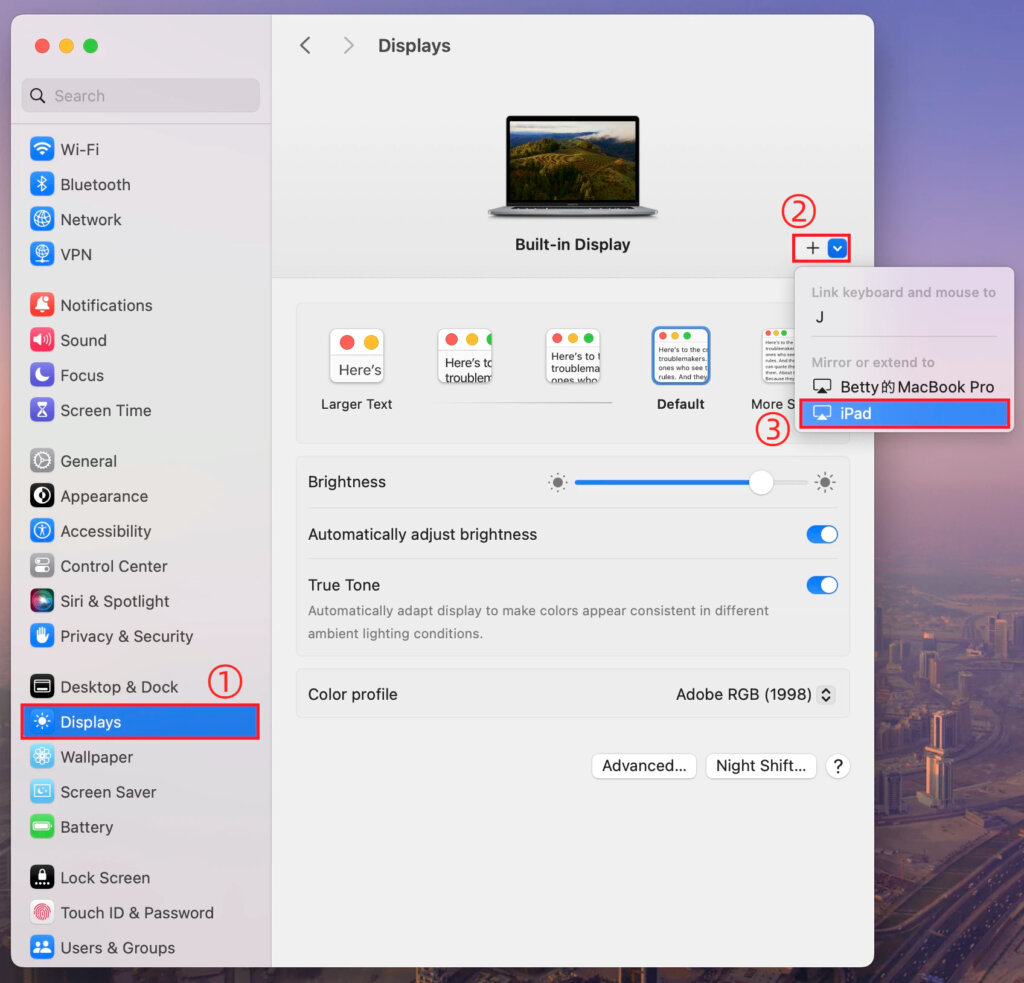
På din Mac går du till Inställningar > Displayer, klickar du på + ikon, och lägg till din fysiska display.
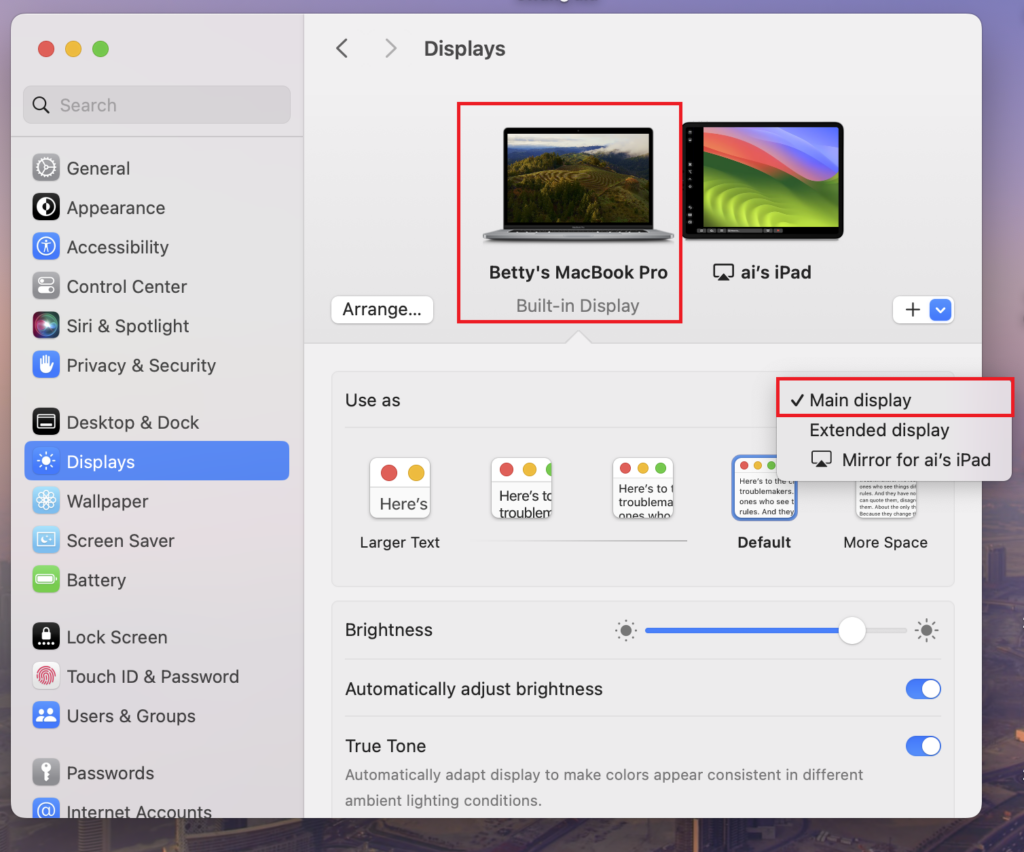
Du kan ställa in en av skärmarna som huvudskärm, och den andra blir automatiskt den utökade skärmen.
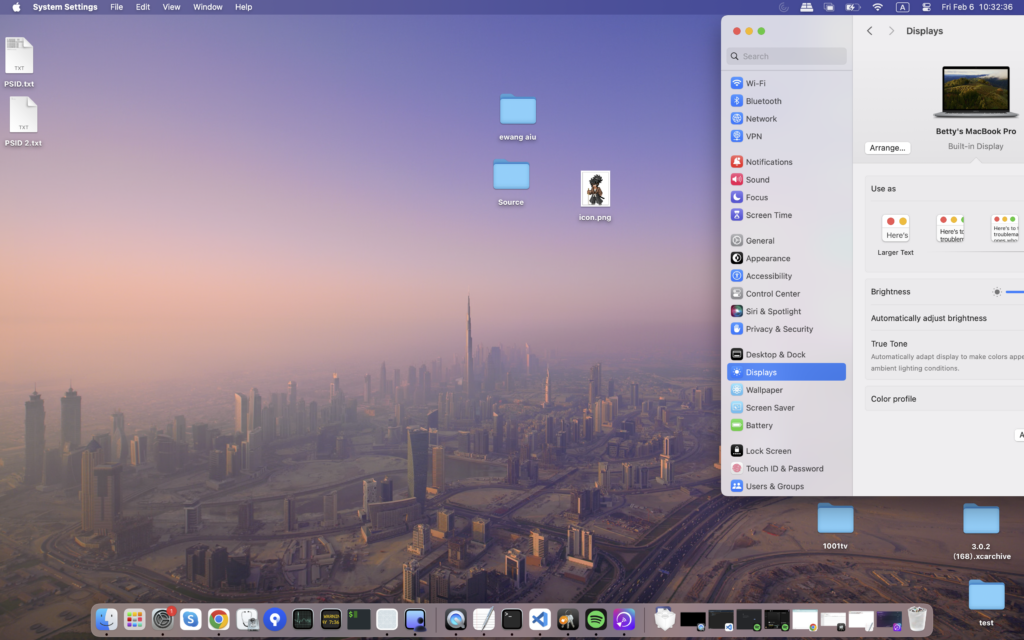
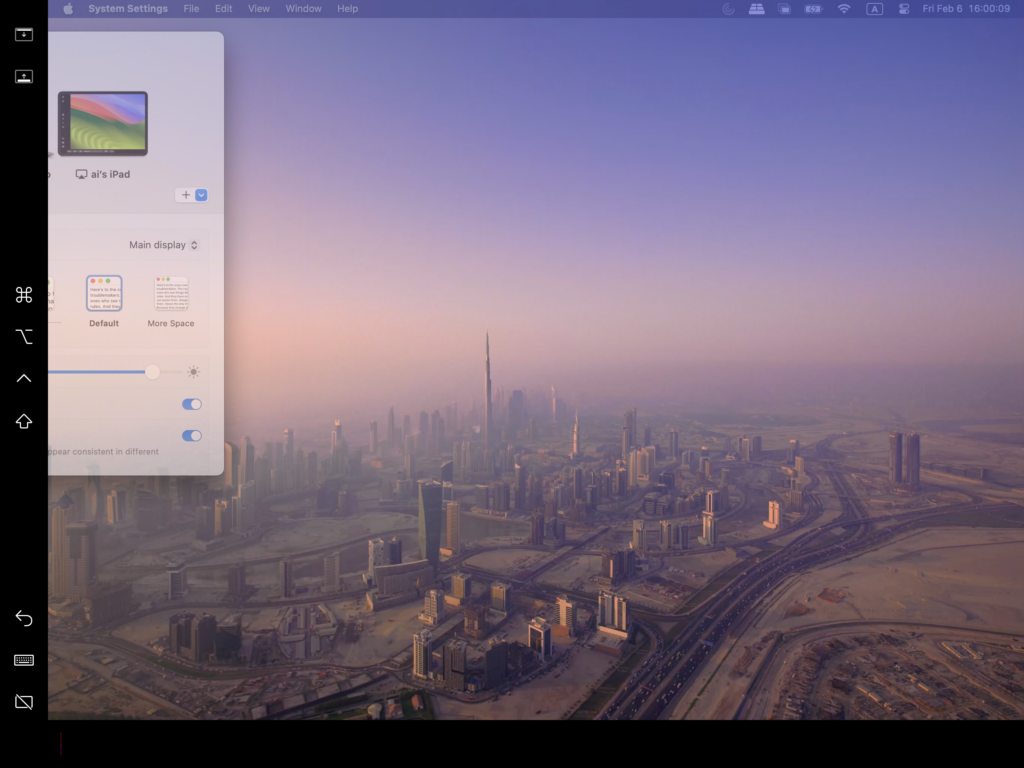
När detta är klart kommer skrivbordet på din Mac att utökas till en andra skärm.
2. Lägg till flera virtuella skärmar med 1001 TVs
När du har utökat din Mac till en fysisk skärm kan du använda 1001 TVs för att förlänga samma skrivbord till ytterligare enheter som virtuella skärmar.
1) Anslut till samma Wi-Fi-nätverk
Kontrollera att din Mac och alla målenheter är anslutna till samma Wi-Fi-nätverk.
För bästa prestanda bör en 5 GHz Wi-Fi-nätverk rekommenderas.
2) Installera och öppna 1001 TVs
Installera och starta 1001 TVs på din Mac och på alla enheter som du vill använda som virtuella skärmar.
📥 Mac App: Ladda ner från App Store
📥 PC-app: Ladda ner från Microsoft Store
För detaljerade steg, se Installationshandbok för PC.
📥 TV-app: Så här installerar du 1001 TVs på din TV
3) Starta Extend Display-läge
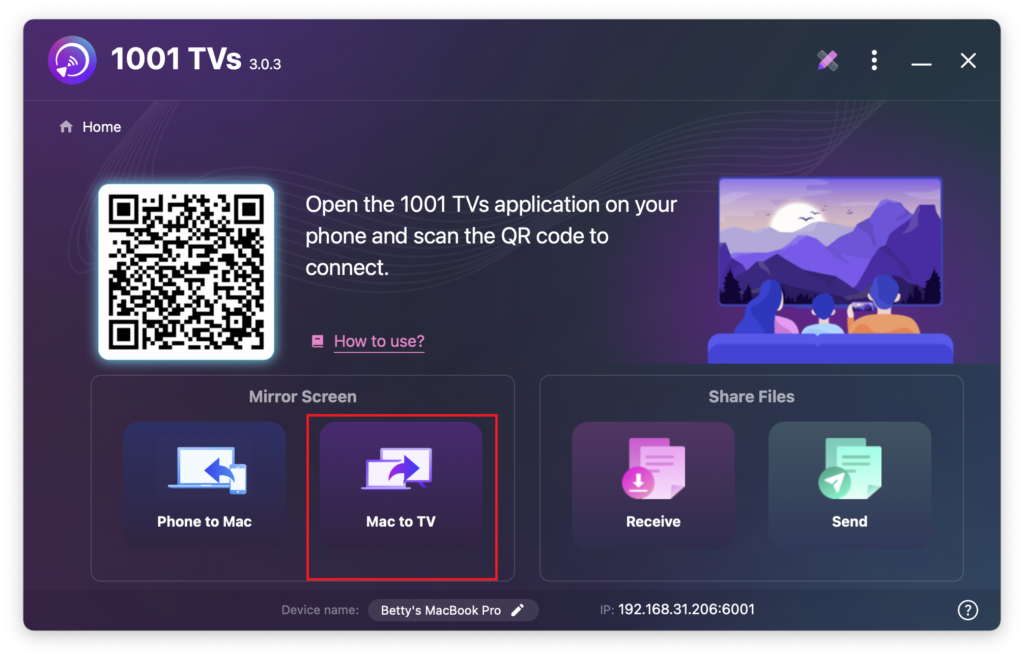
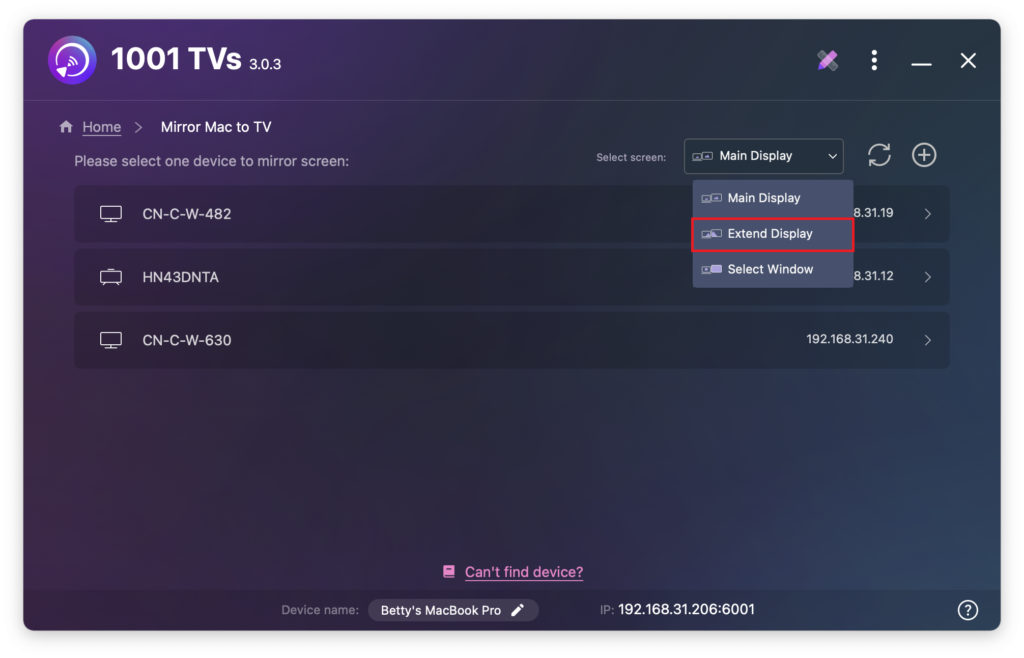
I 1001 TVs på din Mac väljer du Mac till TV, välj Utöka skärmen, och välj sedan dina målenheter (t.ex. PC, Mac, telefon eller TV).
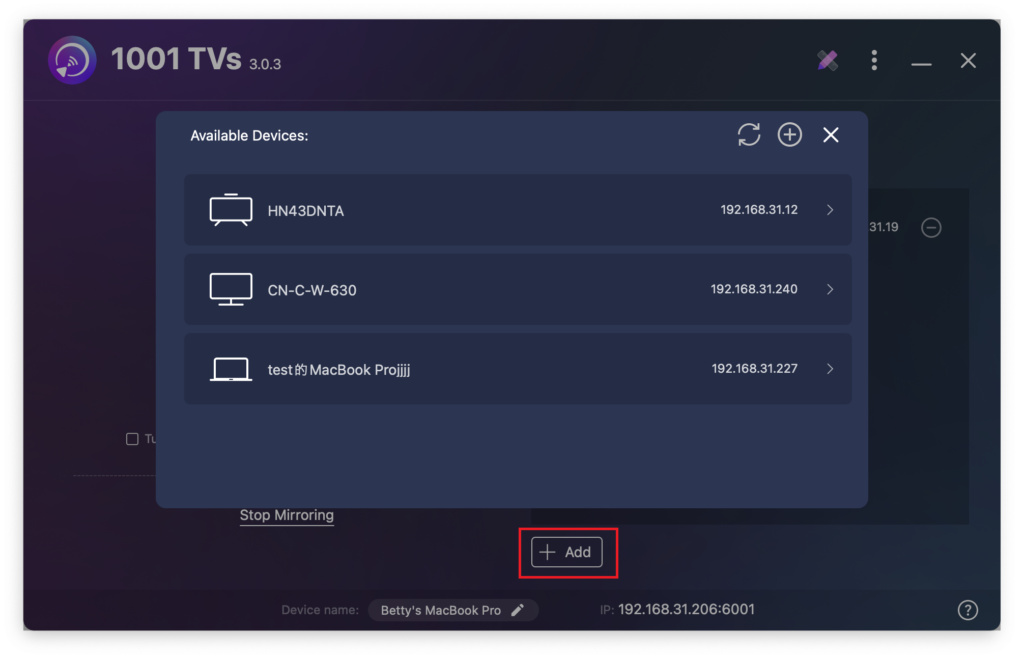
Du kan klicka på + Lägg till knappen för att ansluta fler enheter efter behov.
Endast Mac-skärmen och den primära utökade skärmen är interaktiva.
Alla andra anslutna enheter speglar den utökade skärmen och visar samma innehåll.
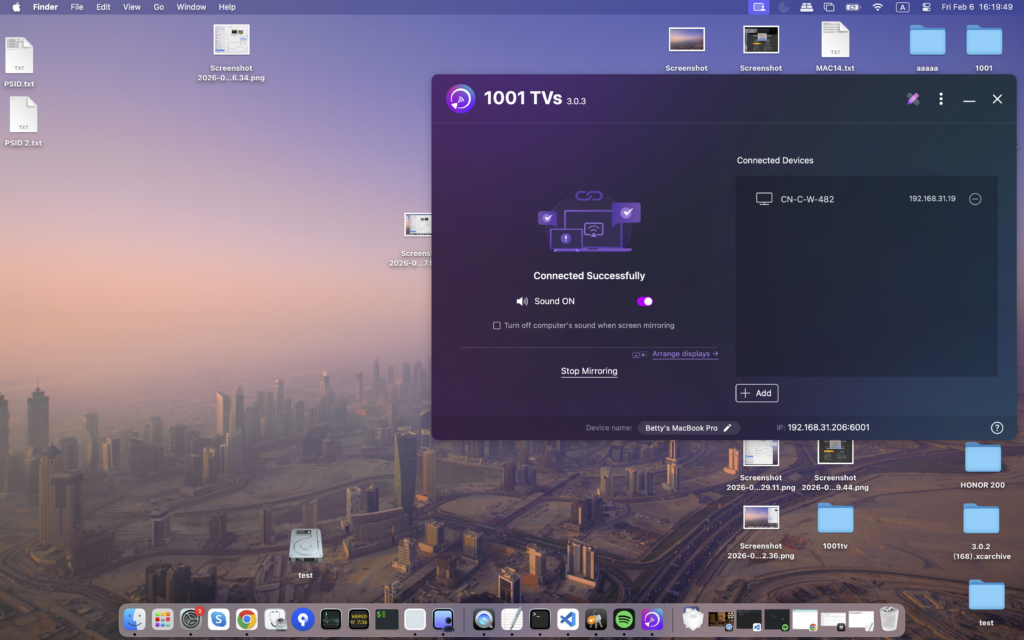
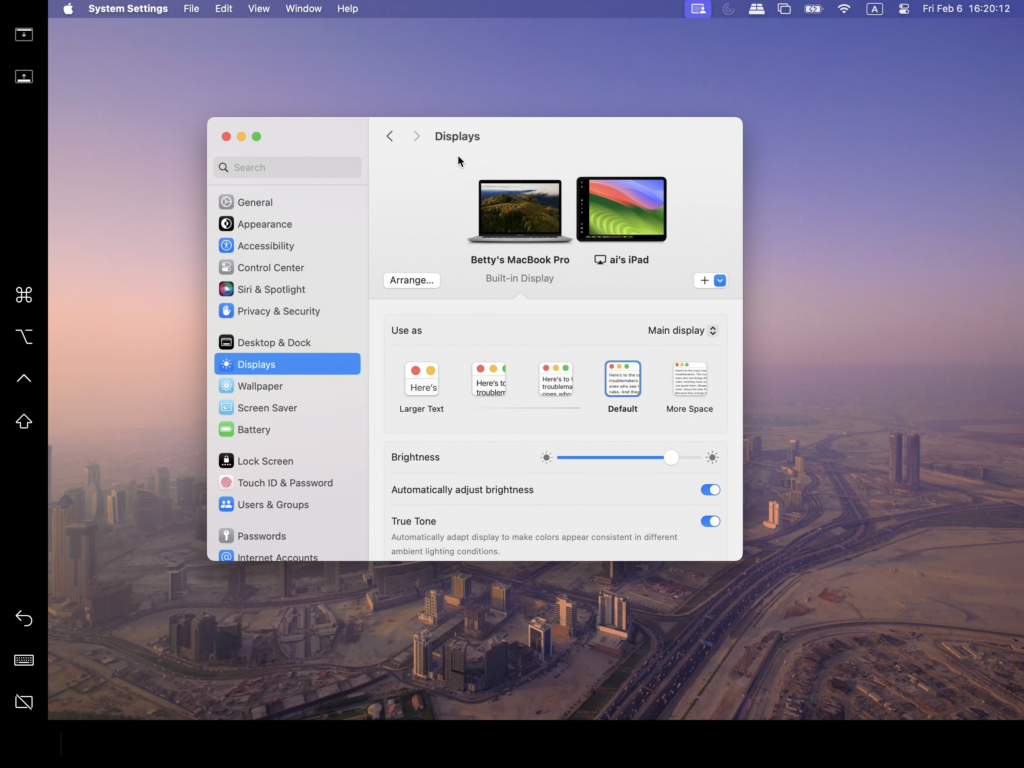
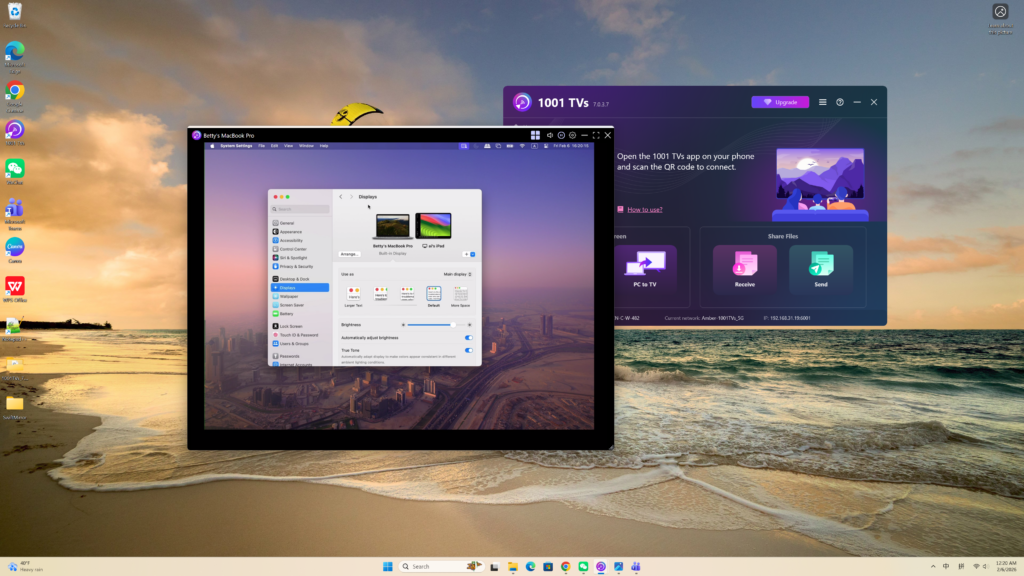
Den här inställningen ger en upplevelse av ett utökat skrivbord, så att du kan flytta fönster mellan din Mac och den primära utökade skärmen, samtidigt som innehållet på huvudskärmen förblir privat.