
No Sound During Screen Mirroring – How to Resolve?
1. For Android phone/pad
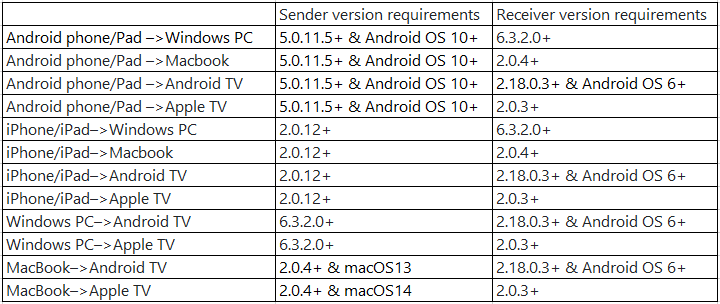
Audio streaming was supported starting from version 5.0.11.5. Please update to 1001 TVs version 5.0.52.19+ for screen mirroring with audio.
Requirements: Android 10 or above.
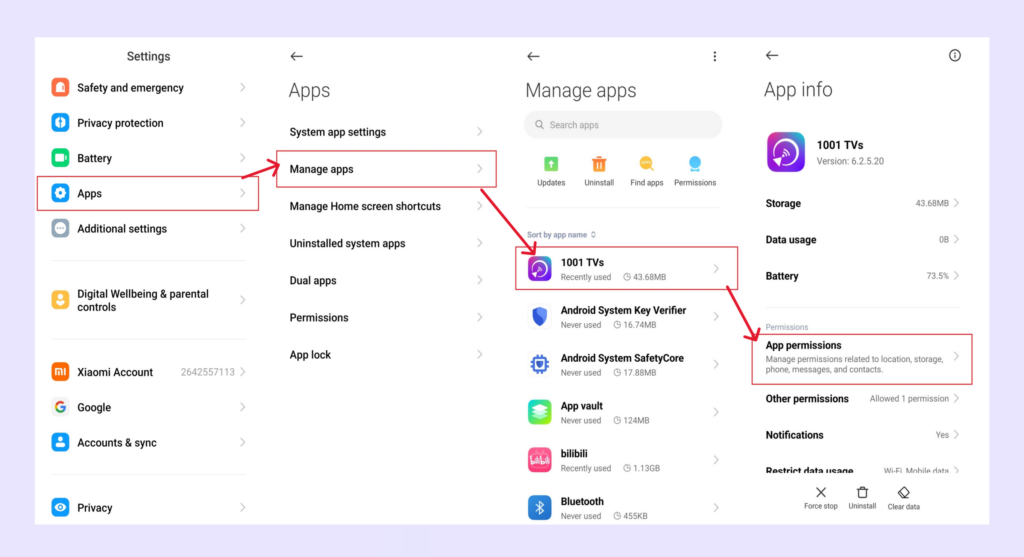
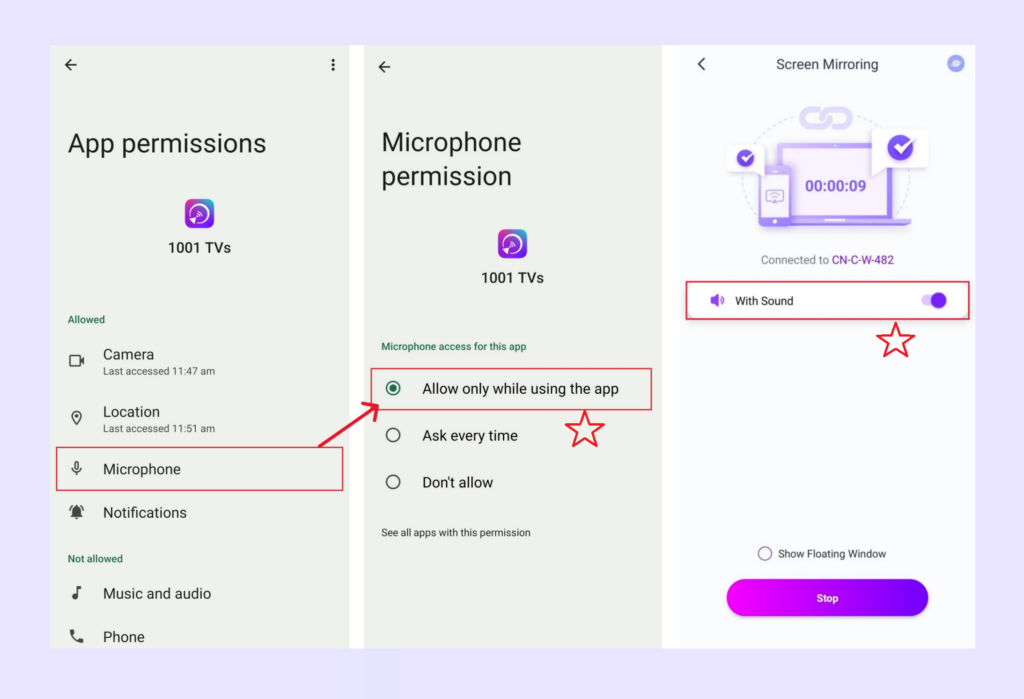
2) Go to Settings, grant microphone permission for the 1001 TVs app, and then turn on the sound option in the screen mirroring interface.
3) Due to copyright restrictions, some videos may not support audio casting.
4) After playing a copyrighted video on , even subsequent non-copyrighted videos may have no sound when casting or recording the screen.
To resolve this, try clearing the cache, restarting the app, or restarting your phone.
対応デバイス: Audio streaming works with Windows PCs, Macs, Android TVs, and Apple TV.
2. For iPhone/iPad
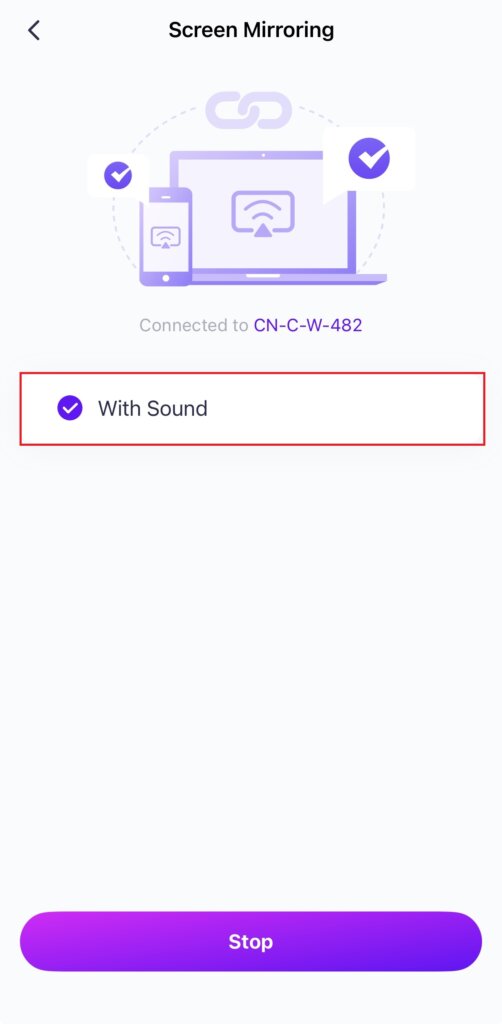
Audio streaming was supported starting from version 2.0.12, please update to 1001 TVs version 3.0.0+ for screen mirroring with audio.
対応デバイス オーディオ・ストリーミングはWindows PC、Mac、Android TV、Apple TVで動作する。
3. For Windows PC
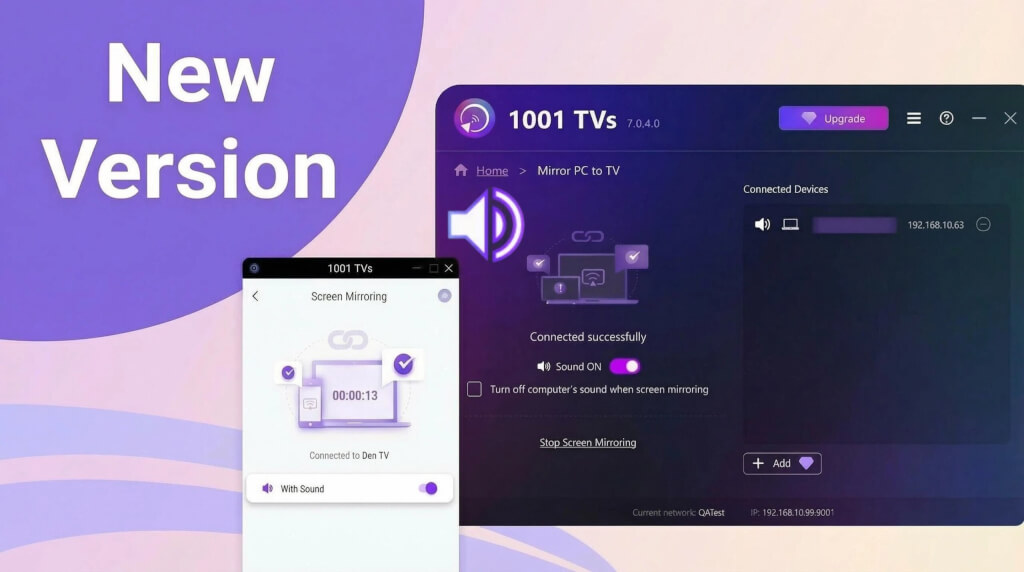
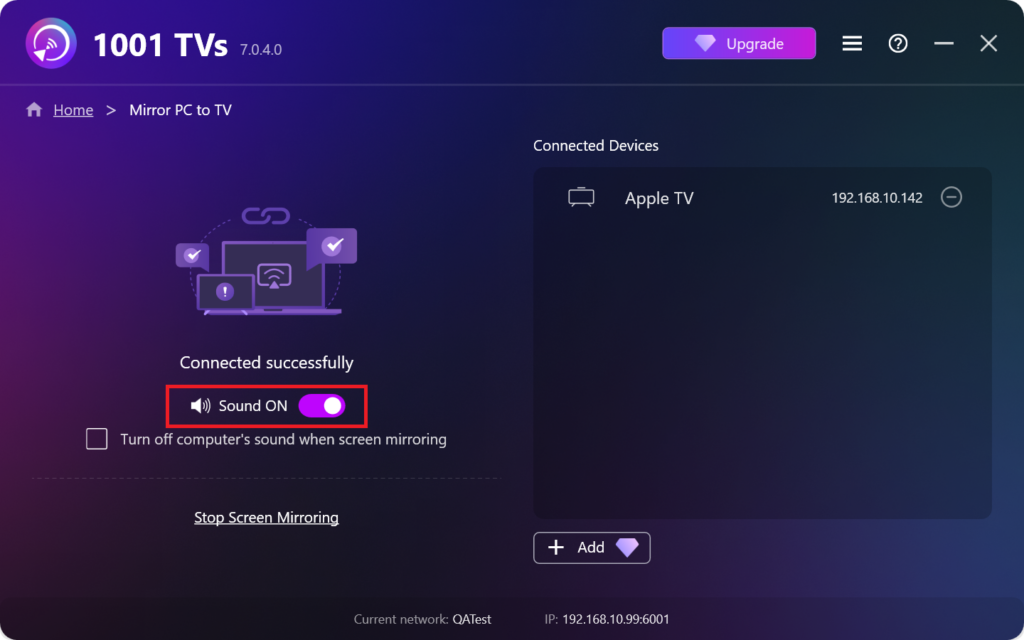
1) Audio streaming was supported starting from version 6.3.2.0, please update to 6.9.0.2+.
2) Check if the video source is muted.
For example, videos are often muted by default in the browser — unmute the video player itself (not your computer’s volume), and sound will work.
対応デバイス オーディオ・ストリーミングはAndroid TV、Apple TVで動作する。
4. For MacBook
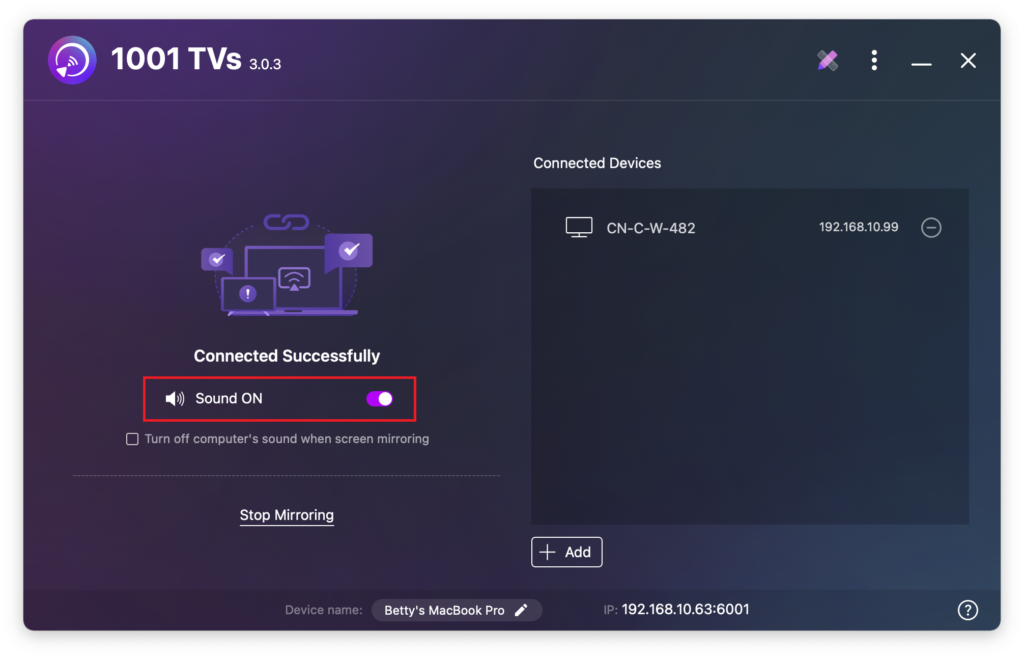
1) Audio streaming was supported starting from version 2.0.4, please update to 2.0.33+.
2) Check if the video source is muted.
For example, videos are often muted by default in the browser — unmute the video player itself (not your computer’s volume), and sound will work.
macOS 13以降: Android TVやApple TVへのサウンド付きミラーリングに対応。
macOS バージョン 13: ミラーリングは可能だが、サウンドはない。
5. For Android TV
オーディオストリーミングは、バージョン2.18.0.3から完全にサポートされています。
対応デバイス Mac、Windows、Android、iOSデバイスがAndroid TVにサウンド付きでミラーリングできるようになった。
6. For Apple TV
オーディオストリーミングはバージョン2.0.3から完全にサポートされています。
対応デバイス Mac、Windows、Android、iOSデバイスがApple TVにサウンド付きでミラーリングできるようになった。
サウンドサポート表:
何か問題が発生した場合は、お気軽にカスタマーサポートまでご連絡ください。ご協力ありがとうございました!