
Nessun suono durante il mirroring dello schermo - Come risolvere?
1. Per gli utenti Android:
1) Presunto BUG nelle applicazioni video
Alcune app (come Bilibili, TikTok) perdono improvvisamente l'audio durante il mirroring dello schermo, mentre altre app possono eseguire il mirroring normalmente. In precedenza, queste app funzionavano bene durante il mirroring dell'audio.
In questo caso, si consiglia di spegnere il telefono, attendere 5 minuti, riavviarlo e riprovare il mirroring dello schermo.
Se è disponibile un aggiornamento del sistema, si consiglia di aggiornare il sistema e riprovare.
2) Restrizioni relative al diritto d'autore
Alcuni video, a causa dei requisiti imposti dai detentori dei diritti d'autore, non possono essere registrati sullo schermo o con l'audio, quindi il mirroring dello schermo non avrà né immagini né audio. Ad esempio, i film Disney.
Alcune applicazioni bloccano la registrazione dello schermo o dell'audio da parte di altre applicazioni, rendendo impossibile il mirroring dell'immagine e del suono. Un esempio è il browser Chrome sui telefoni cellulari.
L'applicazione 1001 TVs Screen Mirroring non distingue da quale applicazione provenga il suono, né limita deliberatamente il mirroring del suono per applicazioni specifiche.
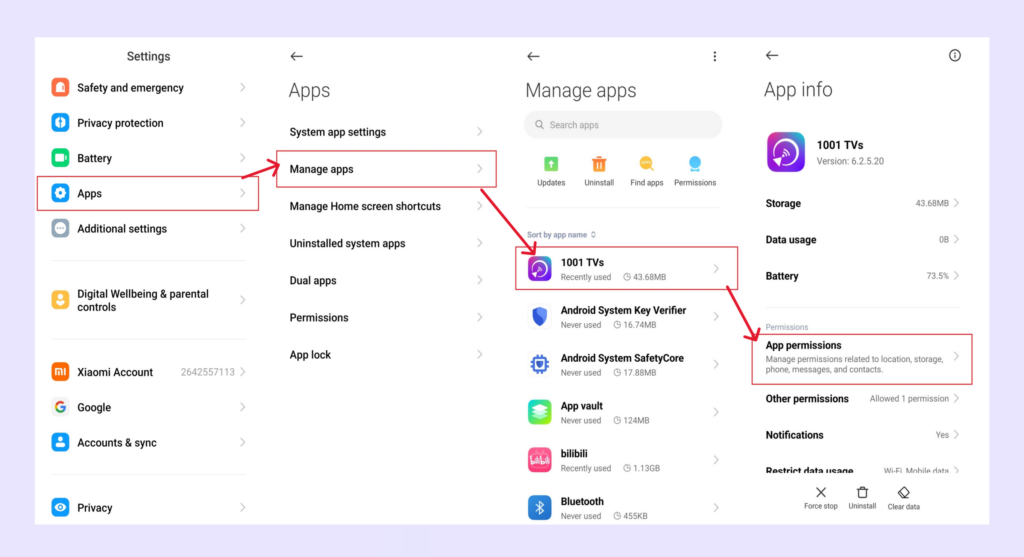
4. Concedere l'autorizzazione al microfono sul telefono/pad Android
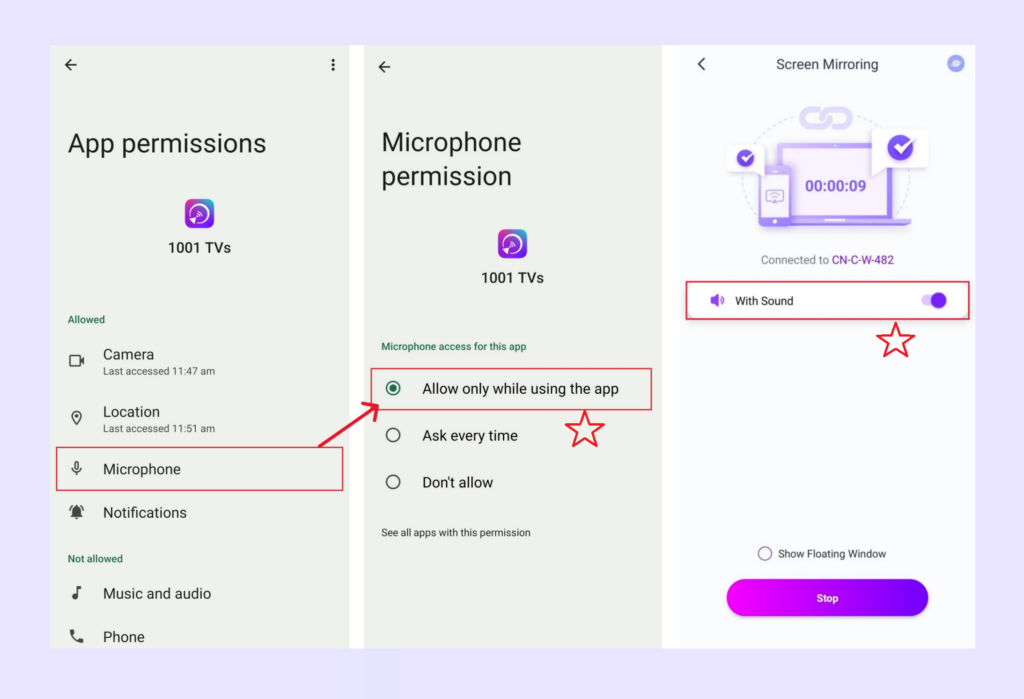
2) Accedere alle Impostazioni, concedere l'autorizzazione al microfono per l'app 1001 TVs e quindi attivare l'opzione audio nell'interfaccia di screen mirroring.
2. Per PC Windows/Mac
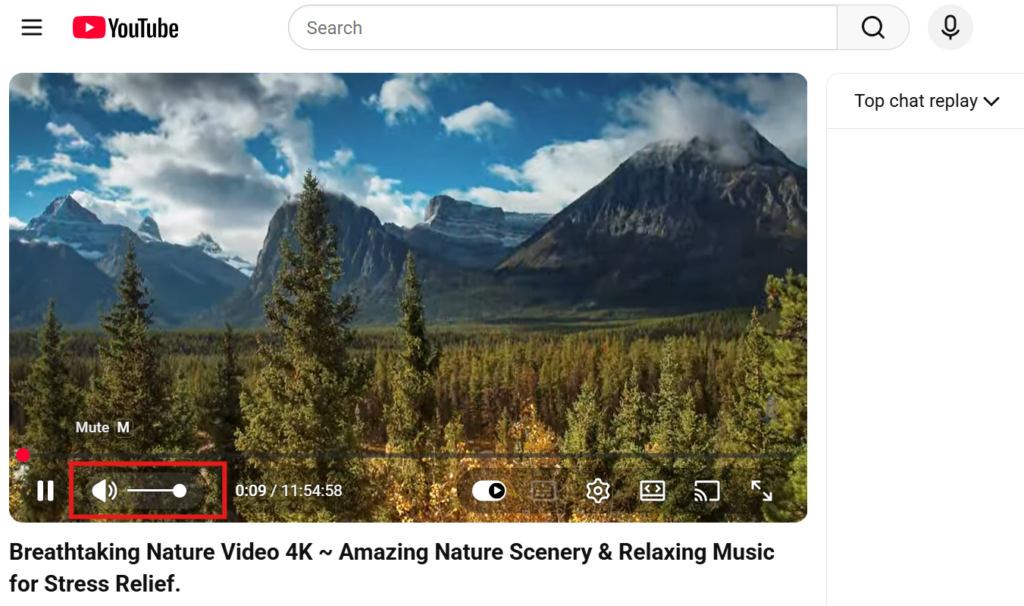
Controllare se la sorgente video è disattivata.
Ad esempio, i video sono spesso silenziati per impostazione predefinita nel browser: disattivate il lettore video stesso (non il volume del computer) e l'audio funzionerà.
3. Restrizioni di sistema iOS
Sui dispositivi iOS, alcune app potrebbero presentare un problema di “solo video, nessun audio” durante il mirroring dello schermo o la trasmissione.
Per risolvere il problema, puoi:
- Prova a eseguire il casting da un'altra app per verificare se il problema è specifico di quell'app;
- Oppure spegni il dispositivo e attendi 5 minuti, quindi riavviarlo e riprovare a eseguire il casting.
4. Abilita l'opzione audio
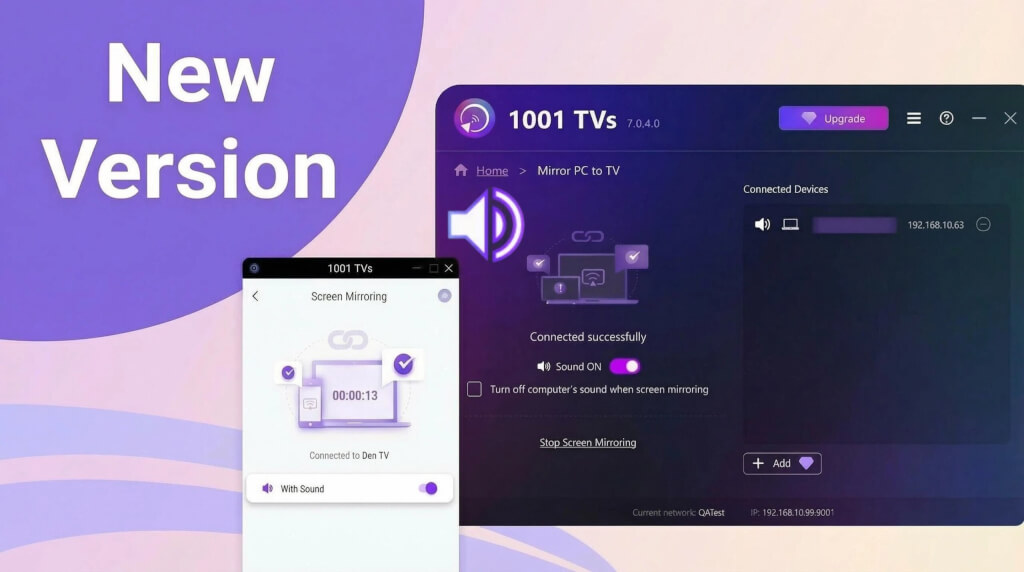
Assicurarsi che l'opzione audio sia attivata nella pagina del mirroring dello schermo.
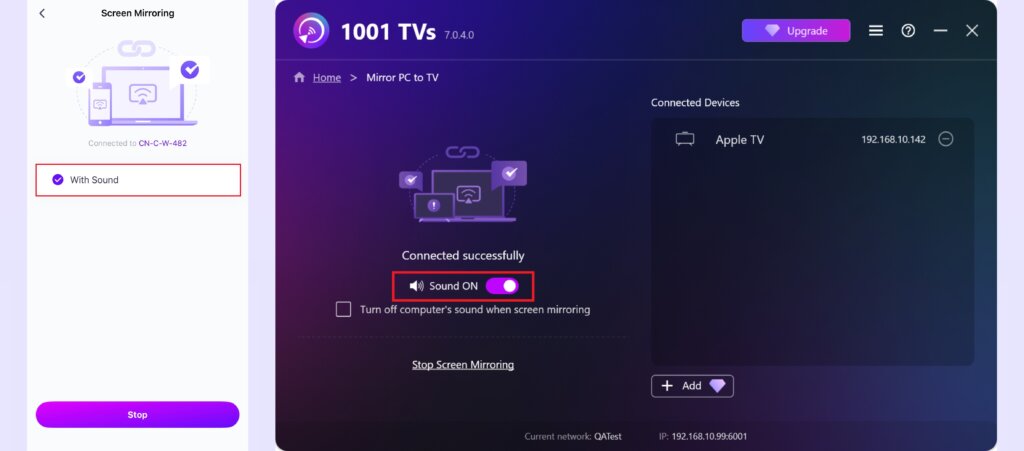
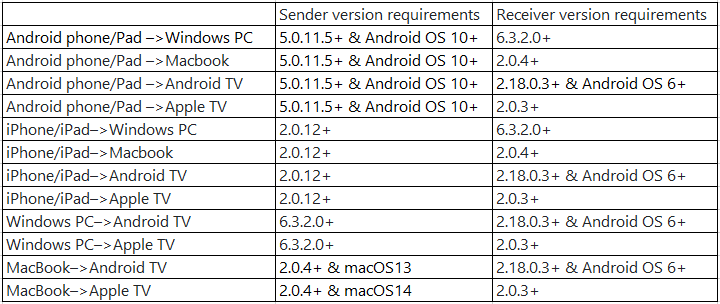
5. Si prega di aggiornare l'app 1001 TVs all'ultima versione
Requisiti minimi della versione:
In caso di problemi, non esitate a contattarci all'indirizzo 1001tvs@nero.com.