
Brak dźwięku podczas dublowania ekranu - jak rozwiązać?

1. Dla użytkowników systemu Android:
1) Podejrzenie błędu w aplikacjach wideo
Niektóre aplikacje (takie jak Bilibili, TikTok) nagle tracą dźwięk podczas dublowania ekranu, podczas gdy inne aplikacje mogą normalnie dublować dźwięk. Wcześniej aplikacje te działały poprawnie podczas dublowania dźwięku.
W takim przypadku zalecamy wyłączenie telefonu, odczekanie 5 minut, ponowne uruchomienie i ponowne wypróbowanie dublowania ekranu.
Jeśli dostępna jest aktualizacja systemu, zaleca się zaktualizowanie systemu i ponowną próbę.
2) Ograniczenia wynikające z praw autorskich
Niektóre filmy, ze względu na wymagania właścicieli praw autorskich, nie mogą być nagrywane na ekranie lub nagrywane audio, więc dublowanie ekranu również nie będzie miało obrazu ani dźwięku. Dotyczy to na przykład filmów Disneya.
Niektóre aplikacje blokują innym aplikacjom możliwość nagrywania ekranu lub dźwięku, uniemożliwiając kopiowanie obrazu i dźwięku. Przykładem może być przeglądarka Chrome na telefonach komórkowych.
Aplikacja 1001 TVs Screen Mirroring nie rozróżnia, z której aplikacji pochodzi dźwięk, ani celowo nie ogranicza dublowania dźwięku dla określonych aplikacji.
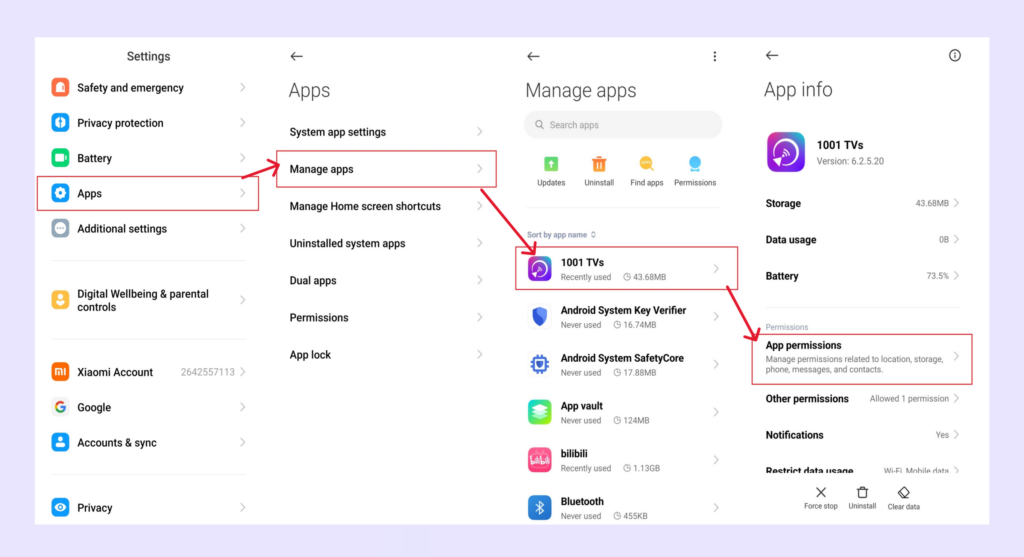
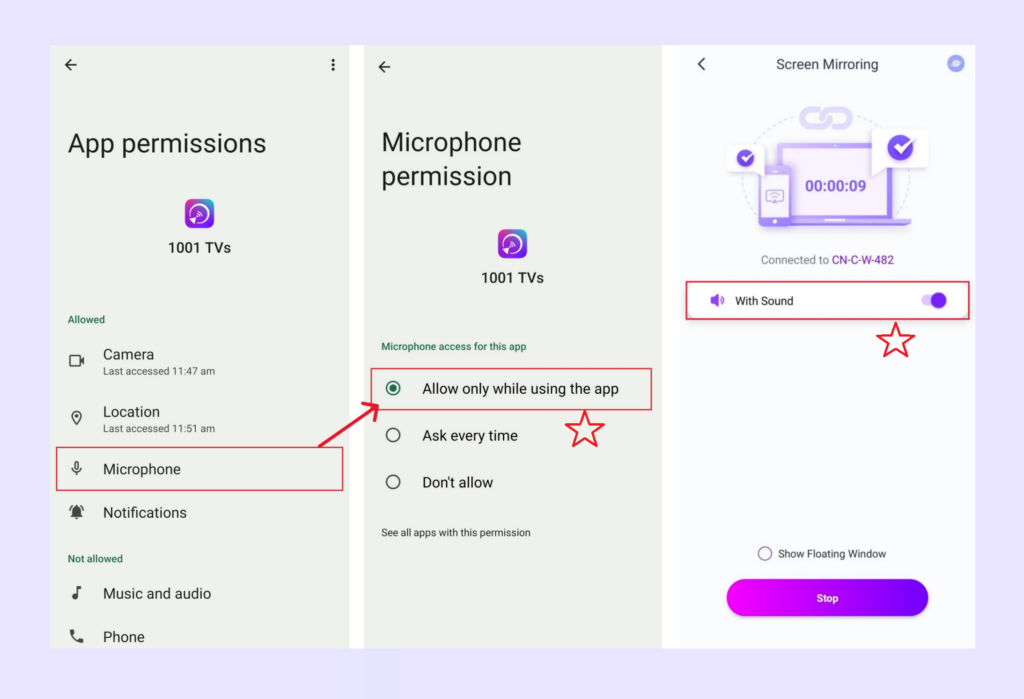
4. Przyznanie uprawnień do mikrofonu na telefonie/pad Android
2) Przejdź do Ustawień, nadaj uprawnienia mikrofonu aplikacji 1001 TVs, a następnie włącz opcję dźwięku w interfejsie dublowania ekranu.
2. Dla komputerów z systemem Windows/Mac
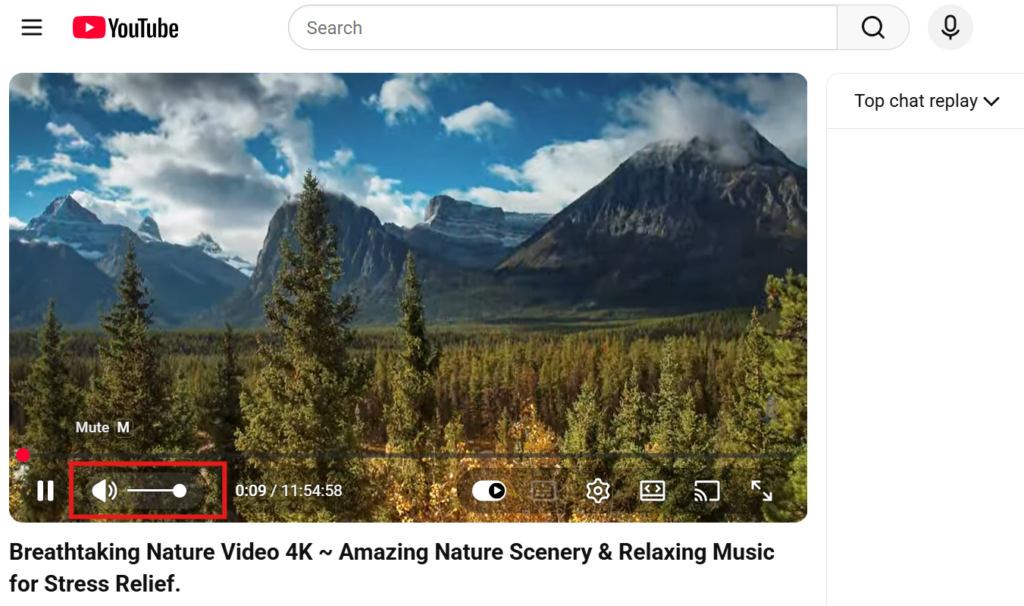
Sprawdź, czy źródło wideo jest wyciszone.
Na przykład filmy są często domyślnie wyciszone w przeglądarce - wyłącz wyciszenie samego odtwarzacza wideo (nie głośności komputera), a dźwięk będzie działał.
3. Ograniczenia systemu iOS
Na urządzeniach z systemem iOS w niektórych aplikacjach może występować problem polegający na tym, że podczas kopiowania ekranu lub przesyłania obrazu wyświetlany jest tylko obraz, a nie słychać dźwięku.
Aby rozwiązać ten problem, możesz:
- Spróbuj przeprowadzić przesyłanie z innej aplikacji, aby sprawdzić, czy problem dotyczy konkretnej aplikacji;
- Albo wyłącz urządzenie i poczekaj 5 minut, a następnie uruchom go ponownie i spróbuj wykonać rzut jeszcze raz.
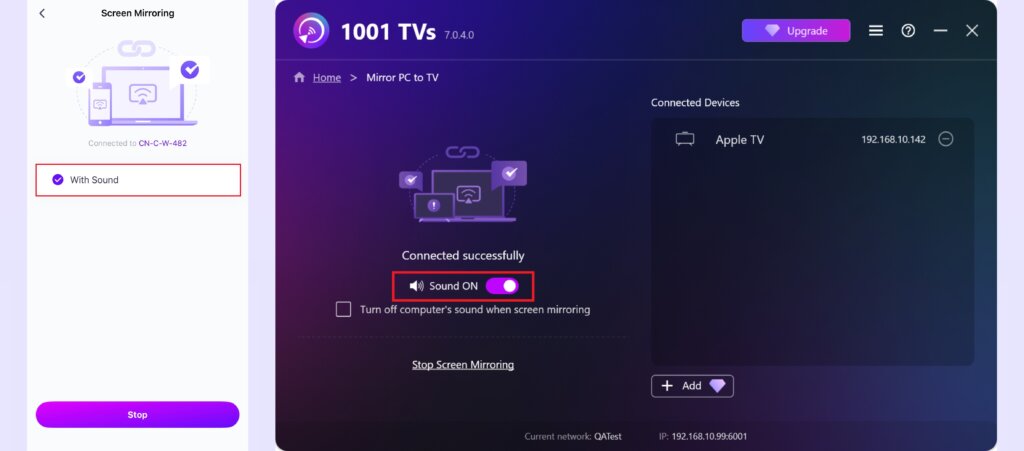
4. Włącz opcję dźwięku
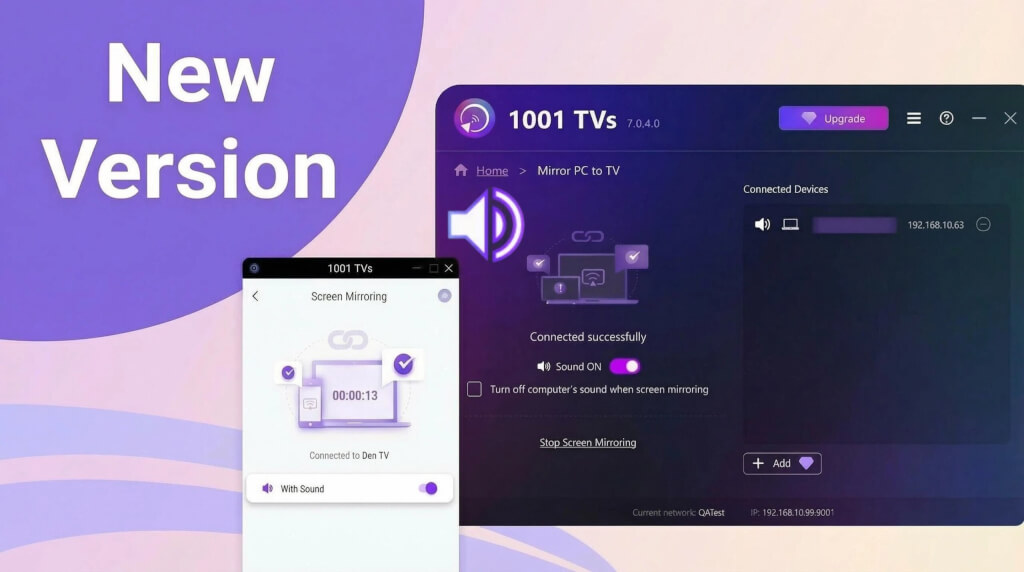
Upewnij się, że opcja dźwięku jest włączona na stronie dublowania ekranu.
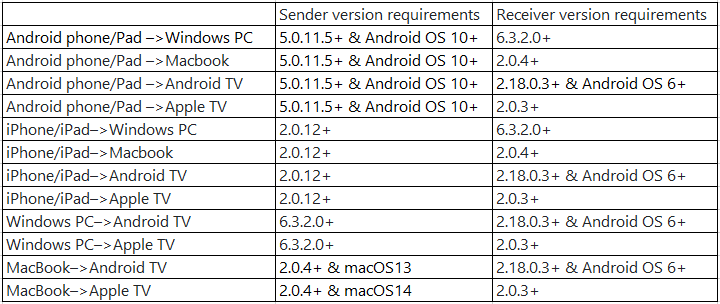
5. Proszę zaktualizować aplikację 1001 TVs do najnowszej wersji
Minimalna wymagana wersja:
W razie jakichkolwiek problemów prosimy o kontakt pod adresem 1001tvs@nero.com.