
Sem som durante o Screen Mirroring - Como resolver?

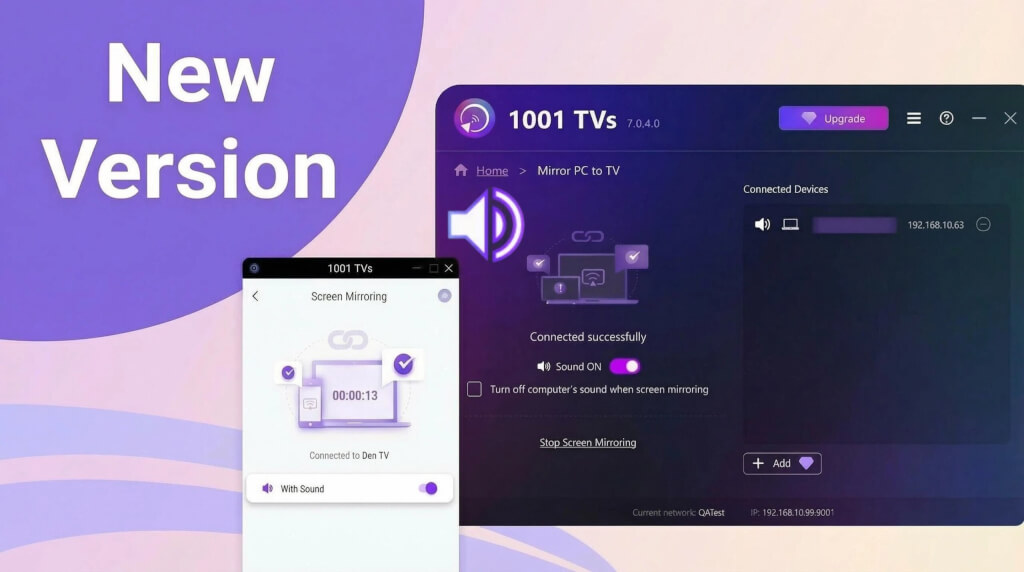
1. Para utilizadores do Android:
1) Suspeita de erro em aplicações de vídeo
Algumas aplicações (como o Bilibili e o TikTok) perdem subitamente o som durante o espelhamento de ecrã, enquanto outras aplicações conseguem espelhar o som normalmente. Anteriormente, estas aplicações funcionavam bem quando espelhavam o som.
Neste caso, recomendamos que desligue o telemóvel, aguarde 5 minutos, reinicie-o e tente novamente o espelhamento de ecrã.
Se houver uma atualização do sistema disponível, recomenda-se que actualize o sistema e tente novamente.
2) Restrições de direitos de autor
Alguns vídeos, devido a requisitos dos detentores de direitos de autor, não podem ser gravados no ecrã nem gravados com áudio, pelo que o espelhamento de ecrã também não terá imagem nem som. Por exemplo, os filmes da Disney.
Algumas aplicações impedem que outras aplicações gravem o ecrã ou o áudio, tornando impossível espelhar a imagem e o som. Um exemplo é o navegador Chrome nos telemóveis.
A aplicação 1001 TVs Screen Mirroring não distingue de que aplicação provém o som, nem restringe deliberadamente o espelhamento de som a aplicações específicas.
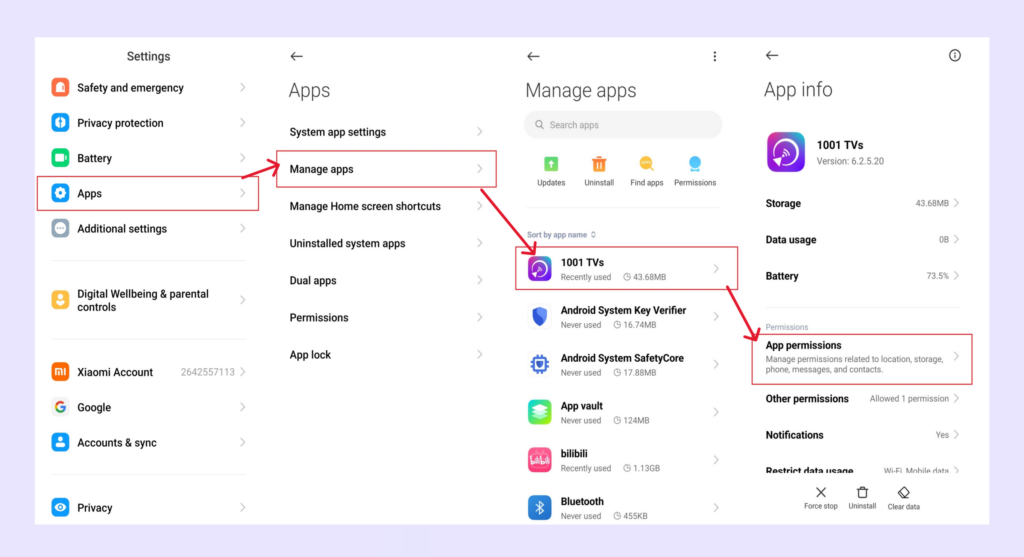
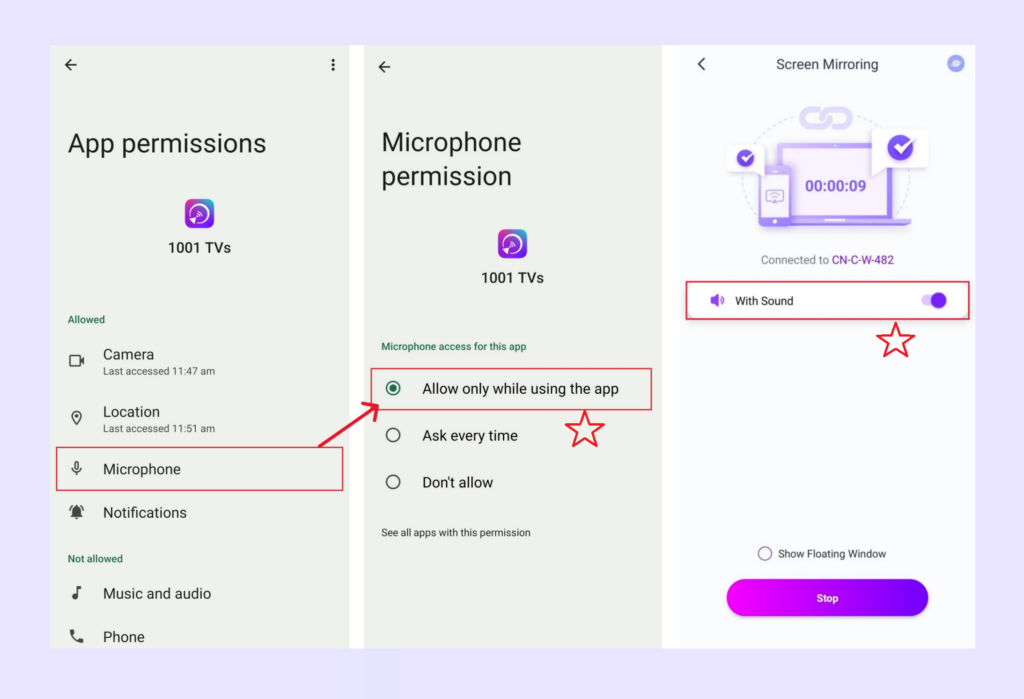
4. Conceder permissão de microfone no telemóvel/pad Android
2) Vá a Definições, conceda permissão de microfone à aplicação 1001 TVs e, em seguida, active a opção de som na interface de espelhamento de ecrã.
2. Para PC com Windows/Mac
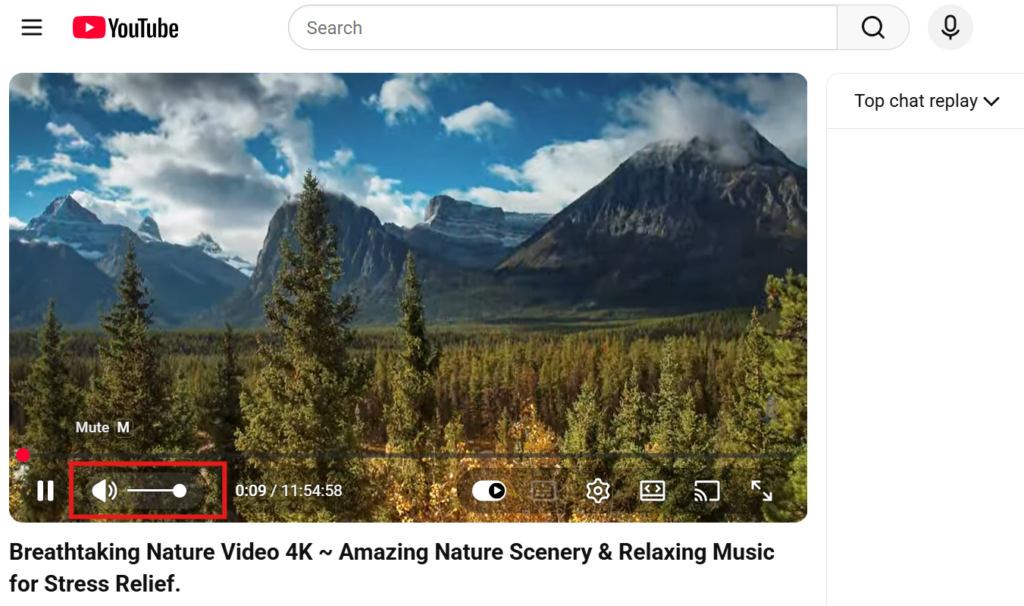
Verifique se a fonte de vídeo está sem som.
Por exemplo, os vídeos são muitas vezes silenciados por predefinição no browser - desactive o próprio leitor de vídeo (não o volume do seu computador) e o som funcionará.
3. Restrição do sistema iOS
Nos dispositivos iOS, algumas aplicações podem apresentar um problema de “apenas vídeo, sem áudio” durante a duplicação de ecrã ou a transmissão.
Para resolver o problema, pode:
- Experimente fazer o casting a partir de uma aplicação diferente para determinar se o problema é específico dessa aplicação;
- Ou desligue o seu dispositivo e aguarde 5 minutos, depois reinicie-o e tente efetuar a transmissão novamente.
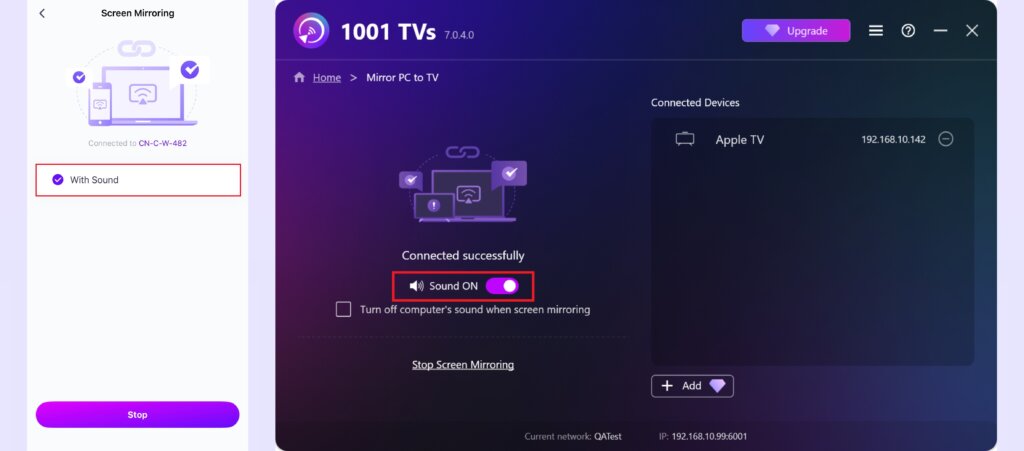
4. Ativar a opção de som
Certifique-se de que a opção de som está activada na página de espelhamento de ecrã.
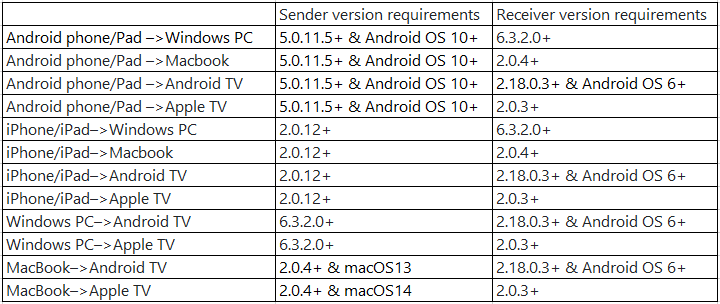
5. Por favor, atualize a aplicação 1001 TVs para a versão mais recente
Requisito de versão mínima:
Se tiver algum problema, não hesite em contactar-nos através do endereço 1001tvs@nero.com.