No Sound During Screen Mirroring – How to Resolve?
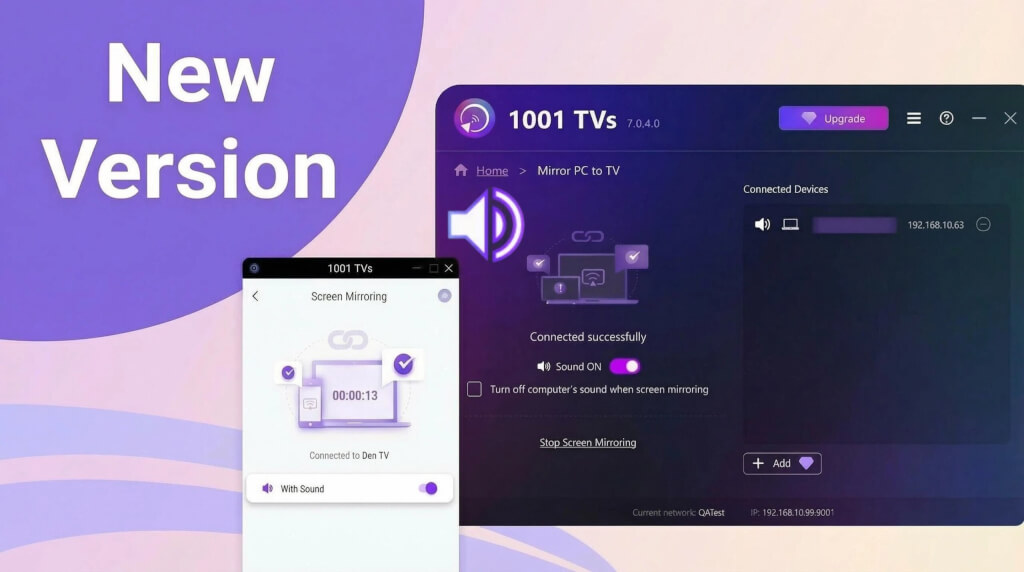
1. For Android users:
1) Suspected BUG in video applications
Some apps (such as Bilibili, TikTok) suddenly lose sound during screen mirroring, while other apps can mirror sound normally. Previously, these apps worked fine when mirroring sound.
In this case, we recommend turning off your phone, waiting for 5 minutes, then restarting it, and trying screen mirroring again.
If there is a system update available, it is recommended to update the system and try again.
2) Copyright Restrictions
Some videos, due to requirements from copyright holders, cannot be screen-recorded or audio-recorded, so screen mirroring will also have no picture or sound. For example, Disney movies.
Some apps block other apps from screen-recording or audio-recording them, making it impossible to mirror the picture and sound. An example is the Chrome browser on mobile phones.
1001 TVs Screen Mirroring App does not distinguish which app the sound comes from, nor does it deliberately restrict sound mirroring for specific apps.
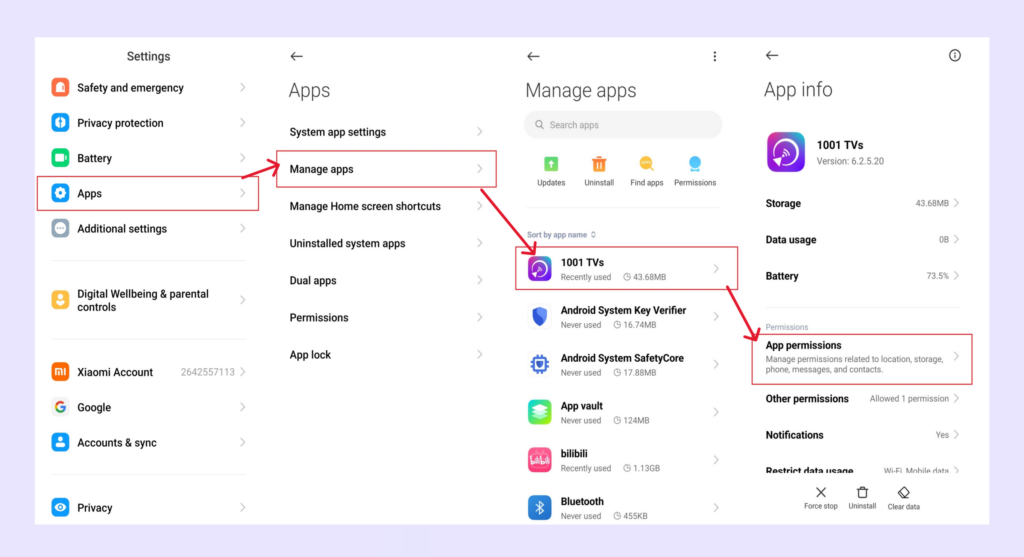
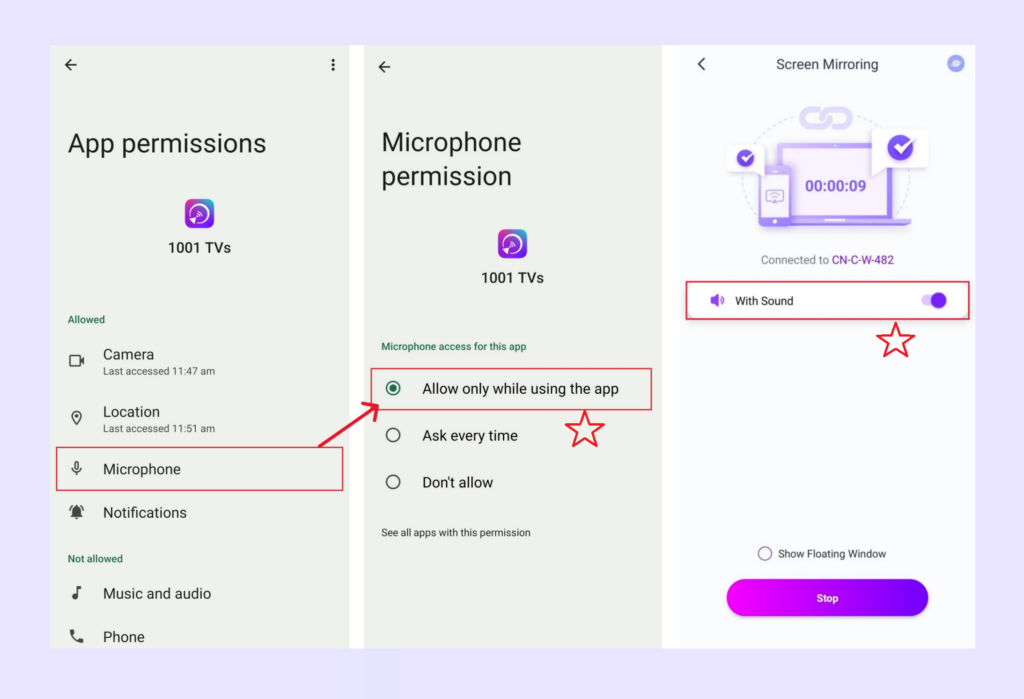
3) Grant microphone permission on Android phone/pad
Go to Settings, grant microphone permission for the 1001 TVs app, and then turn on the sound option in the screen mirroring interface.
2. For Windows PC/Mac
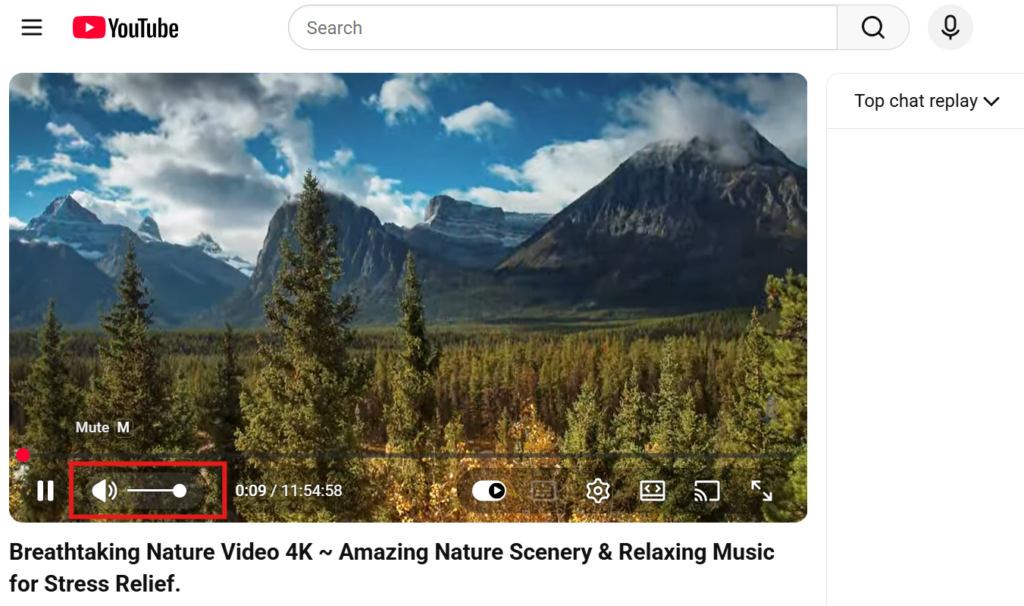
Check if the video source is muted.
For example, videos are often muted by default in the browser — unmute the video player itself (not your computer’s volume), and sound will work.
3. iOS System Restriction
On iOS devices, some apps may exhibit a “video only, no audio” issue during screen mirroring or casting.
To troubleshoot, you can:
- Try casting from a different app to determine whether the issue is app-specific;
- Or power off your device, wait 5 minutes, then restart it and attempt casting again.
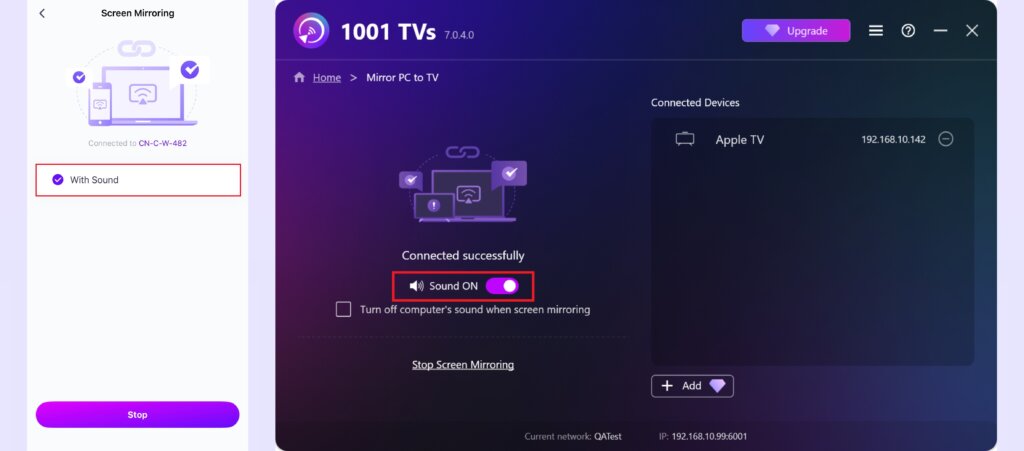
4. Enable sound option
Make sure the sound option is enabled on the screen mirroring page.
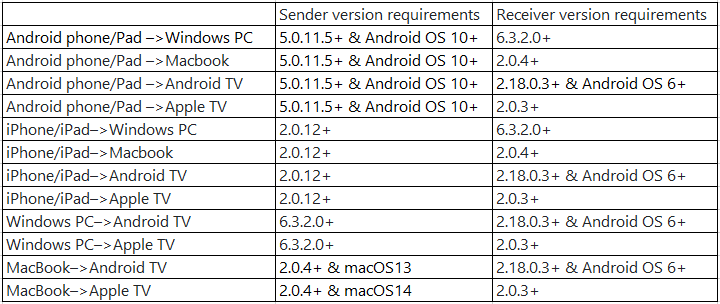
5. Please update 1001 TVs app to the latest version
Minimum Version Requirement:
If you encounter any issues, feel free to contact us at 1001tvs@nero.com.

Read More
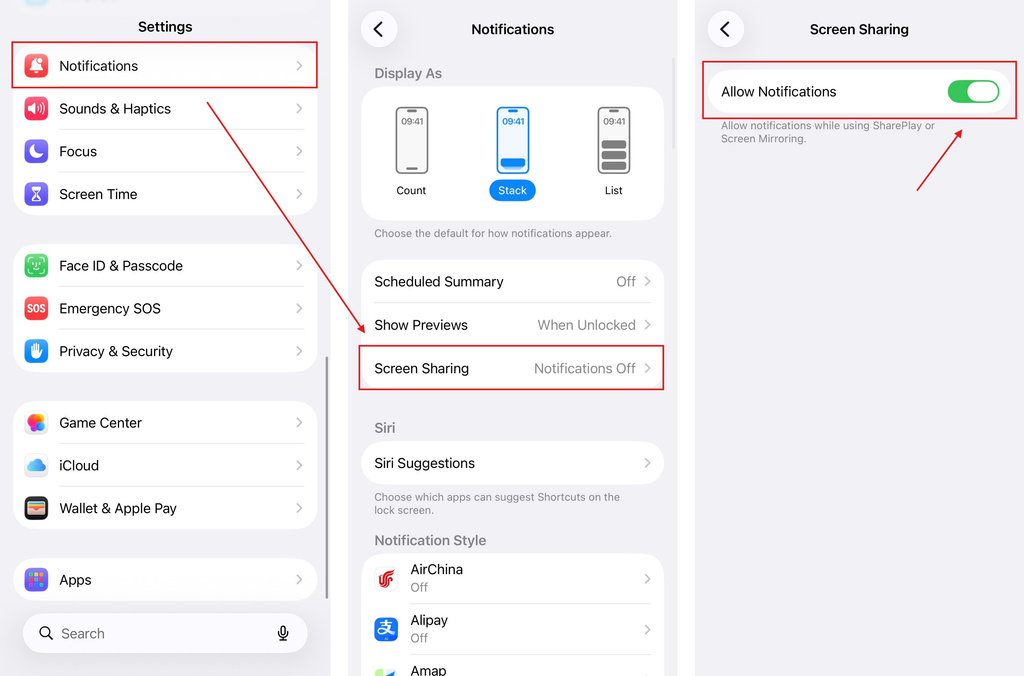 iOS: How to Fix Missing App Notifications During Screen Mirroring
Why Notifications Are Missing When you mirror your iPhone screen, notifications from other apps may not appear on the mirrored screen. This can happen…
iOS: How to Fix Missing App Notifications During Screen Mirroring
Why Notifications Are Missing When you mirror your iPhone screen, notifications from other apps may not appear on the mirrored screen. This can happen…
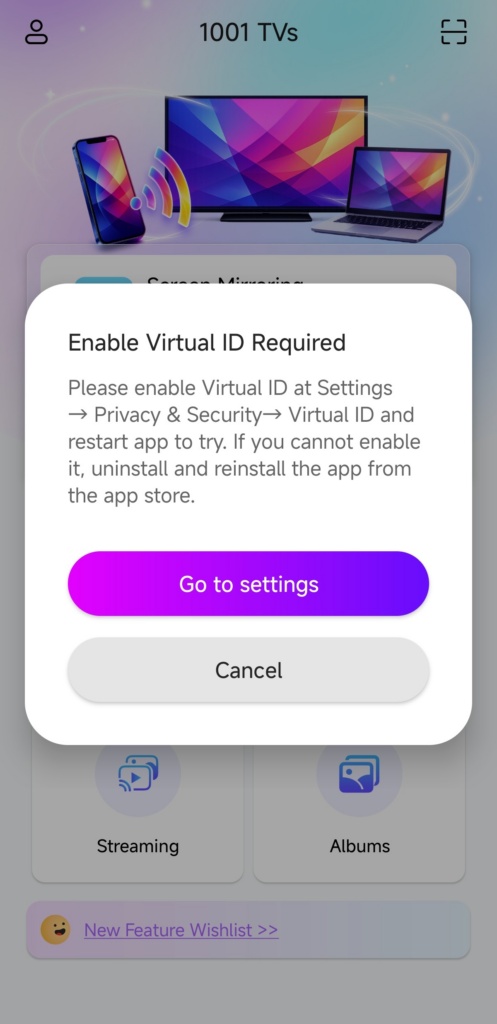 How to Fix the Enable Virtual ID Required Pop-Up
If you're using a Xiaomi or Redmi phone or tablet, you might see a pop-up that says "Enable Virtual ID Required" when you launch…
How to Fix the Enable Virtual ID Required Pop-Up
If you're using a Xiaomi or Redmi phone or tablet, you might see a pop-up that says "Enable Virtual ID Required" when you launch…

