
Odstranění černých pruhů: Zrcadlení na výšku a na šířku

Vidíte při zrcadlení obrazovky černé pruhy? Ať už jste v režimu na výšku s pruhy po stranách, nebo v režimu na šířku s pruhy nahoře, dole či po stranách – nedělejte si starosti. Obojí lze vyřešit několika jednoduchými úpravami v aplikaci 1001 TVs TV.
Pro zrcadlení na výšku je k dispozici speciální nastavení, které odstraní boční pruhy. (Podívejte se, jak nastavit vertikální zrcadlení 👉Vertikální zrcadlení obrazovky)
V případě zrcadlení na šířku existuje také způsob, jak výrazně zmenšit černé pruhy.
Postupujte podle následujících kroků, aby byl váš obsah skutečně zobrazen na celé obrazovce a poskytoval plně pohlcující zážitek.
Pro zrcadlení na výšku
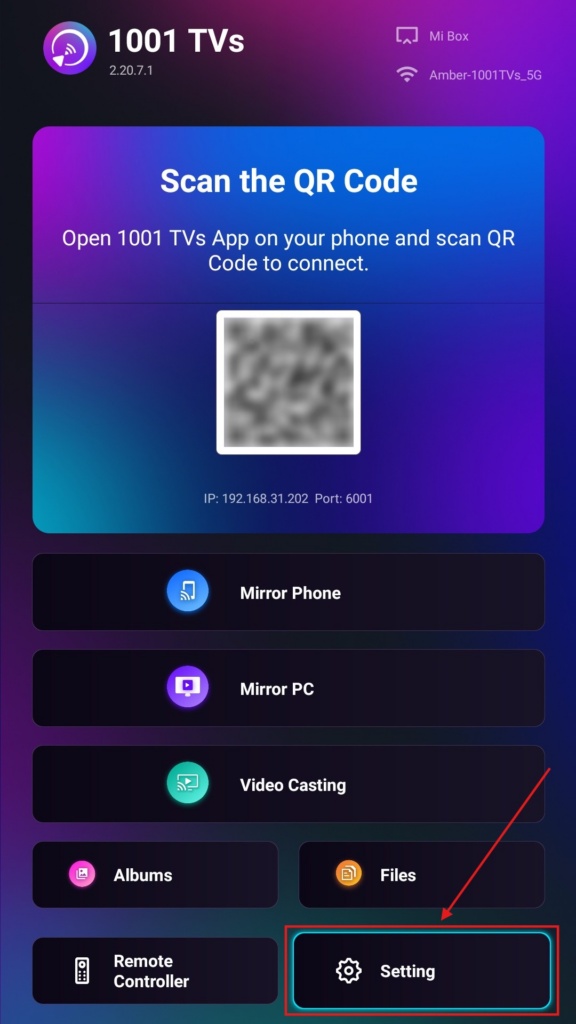
Krok 1. Na televizoru otevřete aplikaci 1001 TVs a přejděte do části “Nastavení".
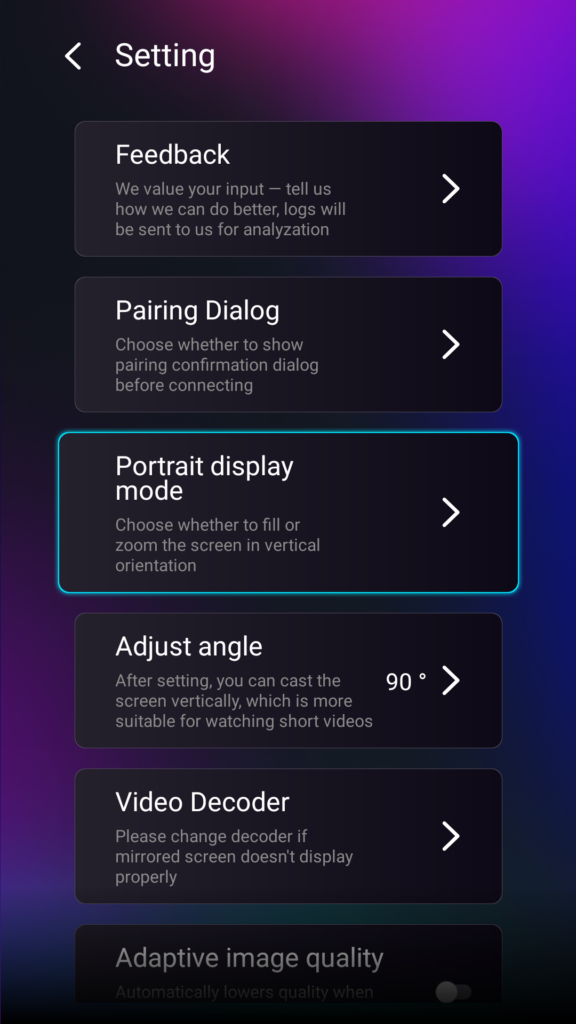
Krok 2. Vyberte možnost “Režim zobrazení na výšku”.
Krok 3. Stačí si vybrat režim, který vám nejvíce vyhovuje pro zobrazení na televizoru.
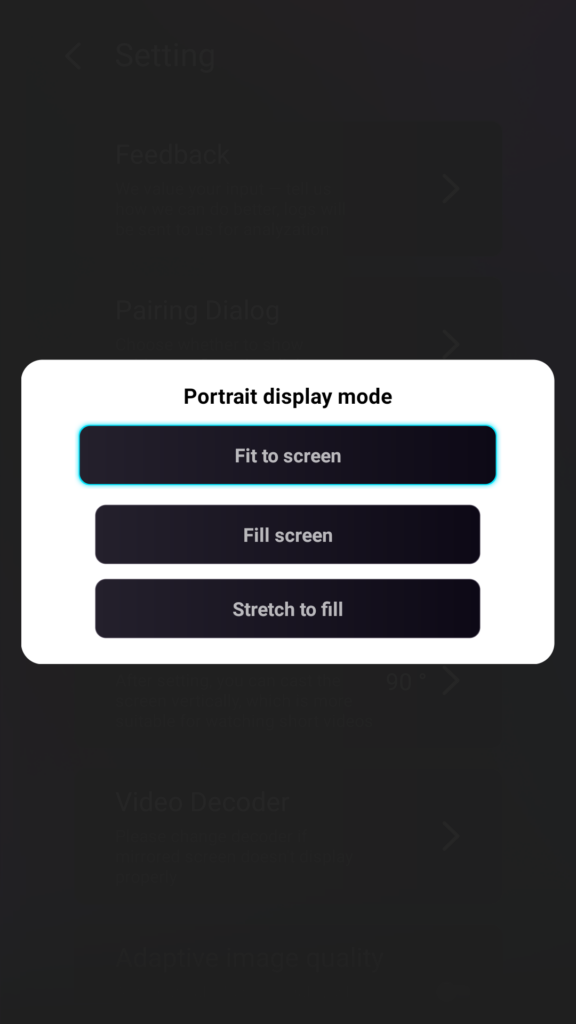
Tipy k režimům zobrazení na výšku
- Přizpůsobit obrazovce
Rozšíří obsah tak, aby zcela vyplnil výšku vaší televize. Po zapnutí této funkce uvidíte při příštím zrcadlení obrazu zcela odlišný výsledek. - Vyplnit obrazovku
Zachovává původní poměr stran. V závislosti na vašem zařízení se po stranách mohou i nadále objevovat černé pruhy. - Roztažení pro vyplnění
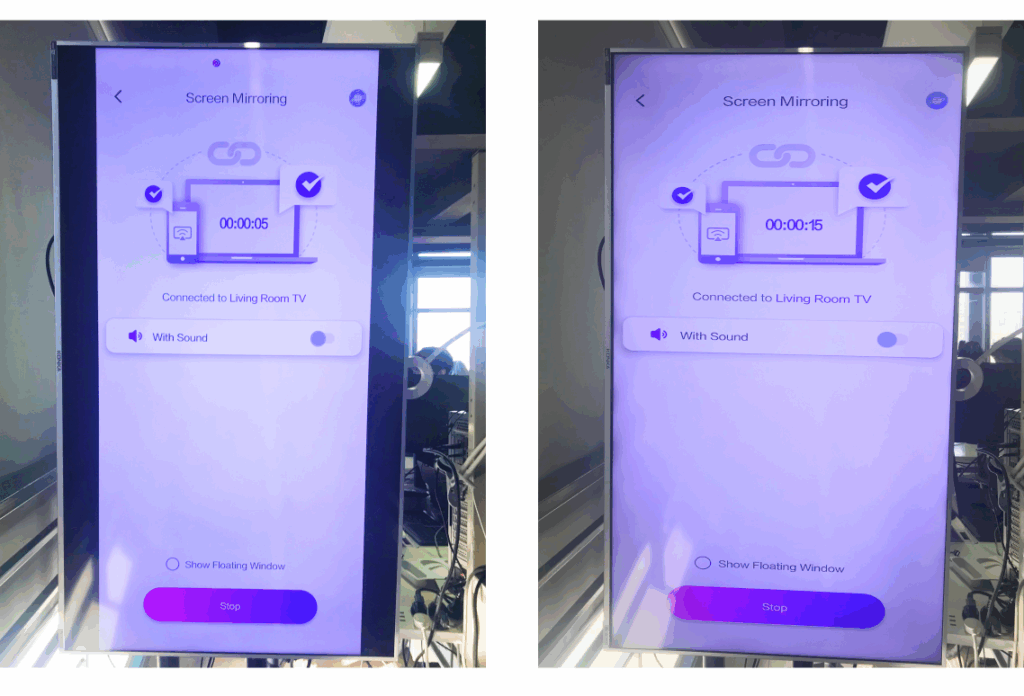
Vyplní jednu stranu a zároveň zachová správné proporce.
Podívejte se na níže uvedené srovnání vedle sebe (Roztažení pro vyplnění (zobrazený režim):
Kdy je tato funkce užitečná?
Toto nastavení je ideální pro:
- Maloobchodní prodejny využívající vertikální digitální značení
- Domácí uživatelé vytvářející vertikální atmosféru obrazovky
- Učitelé vystavují materiály pro vertikální výuku
- Zobrazení fotografií na výšku nebo videí v režimu na výšku
- Přehrávání šortek TikTok/YouTube na celou obrazovku
- Nastavení ateliéru, galerie nebo umělecké expozice
Pro zrcadlení na šířku
Krok 1. Na televizoru otevřete aplikaci 1001 TVs a přejděte do části “Nastavení”.
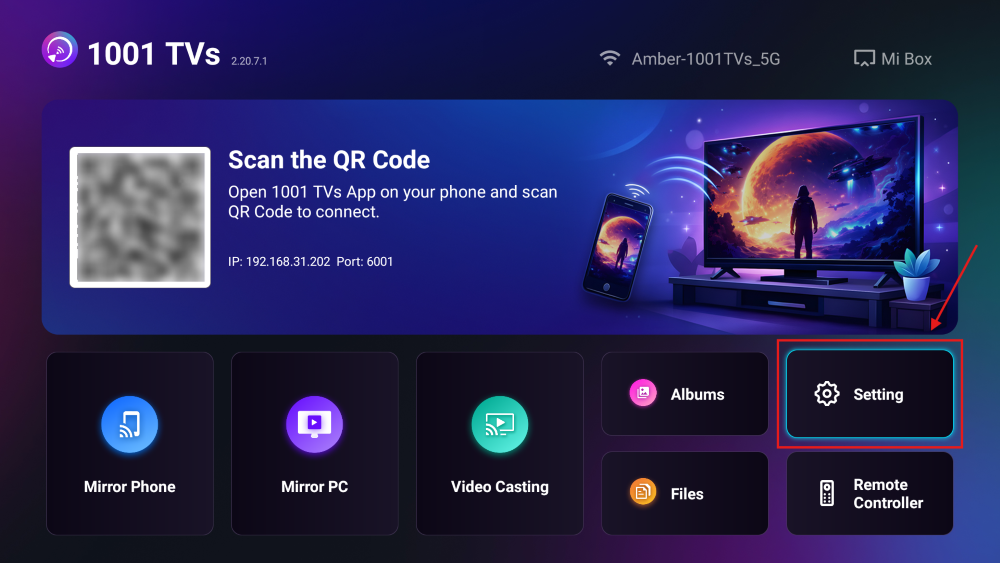
Krok 2. Zapněte “Režim vyplnění”.
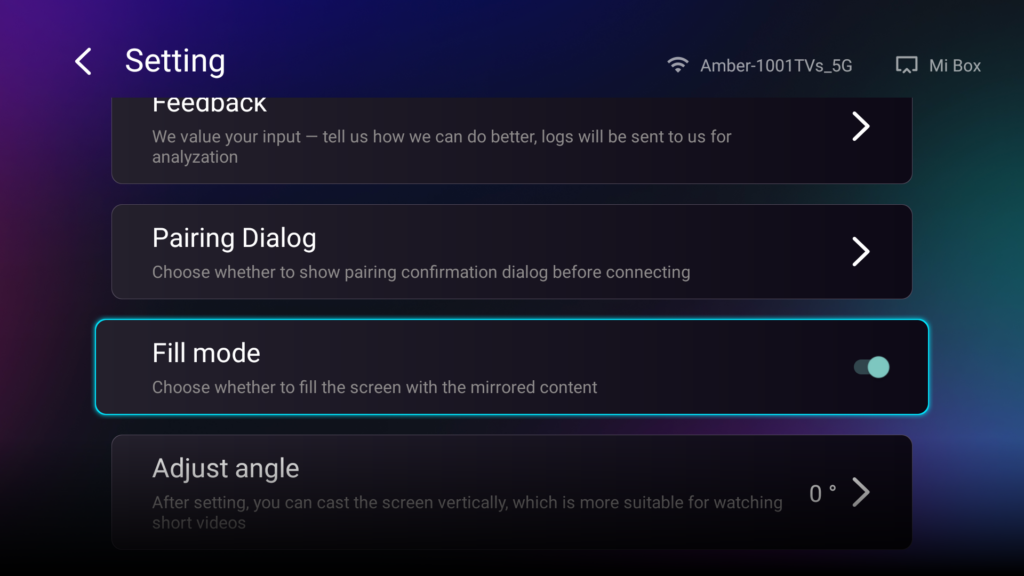
Po zapnutí této funkce můžete pomocí tlačítek nahoru/dolů na dálkovém ovladači televizoru přepínat mezi dostupnými režimy škálování: 1×, 2×, 3× a Přizpůsobit obrazovce.
- 1× / 2× / 3×
přiblížit v pevných krocích - Přizpůsobit obrazovce
automaticky přizpůsobí velikost obsahu tak, aby vyplnil celou obrazovku televizoru
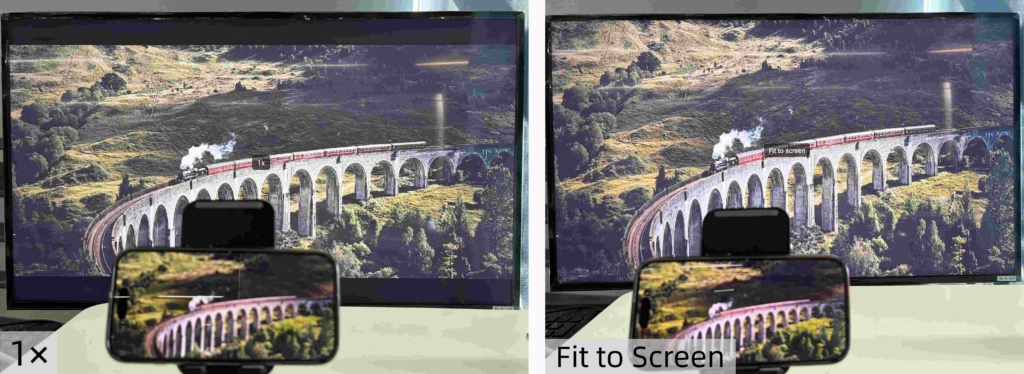
Teď se můžete pohodlně usadit a vychutnat si svůj obsah – na celé obrazovce, bez černých pruhů, s plným zážitkem.
Více tipů a návodů: