
Fjern sorte bjælker: Spejling i stående og liggende format

Kan du se sorte bjælker, når du spejler din skærm? Uanset om du er i stående format med bjælker i siderne eller i liggende format med bjælker øverst, nederst eller i siderne – så skal du ikke bekymre dig. Begge problemer kan løses med et par enkle justeringer i 1001 TVs TV-appen.
Til spejling i stående format findes der en særlig indstilling, der fjerner sidemenuerne. (Se, hvordan du indstiller lodret spejling 👉Vertikal skærmspejling)
Når det gælder spejling i liggende format, findes der også en måde at reducere de sorte bjælker betydeligt på.
Følg nedenstående trin for at gøre dit indhold til en ægte fuldskærmsoplevelse, der virkelig trækker dig ind i indholdet.
Til spejling af portrætter
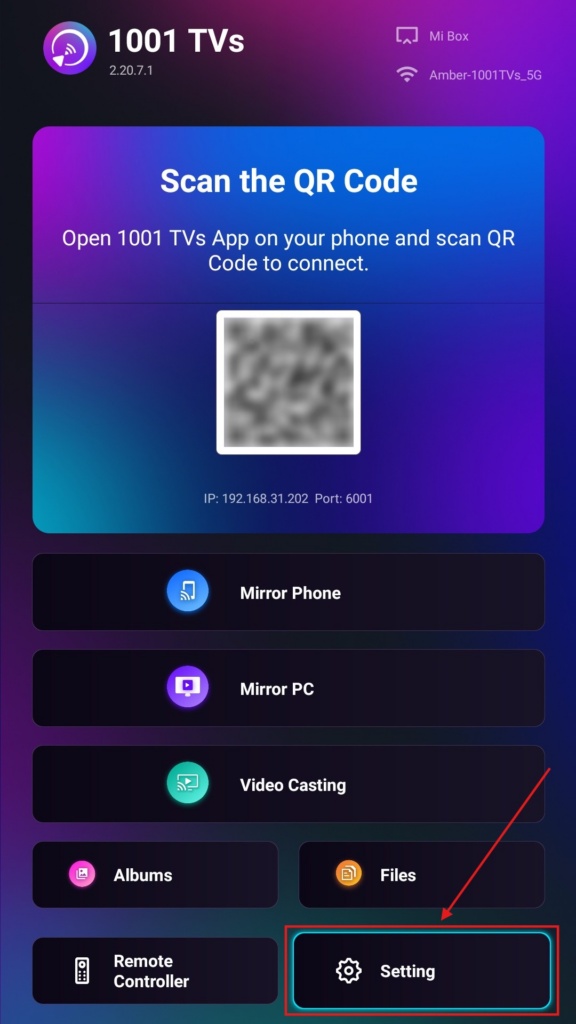
Trin 1. Åbn 1001 TVs-appen på dit tv, og gå til “Indstilling".
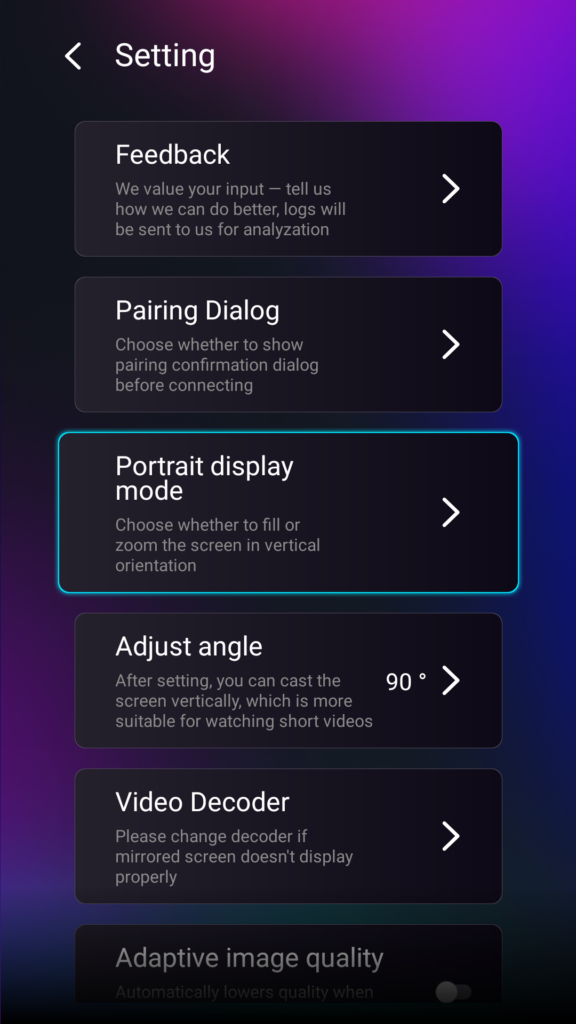
Trin 2. Vælg “Portrætvisning”.
Trin 3. Du skal blot vælge den tilstand, du foretrækker til visning på dit tv.
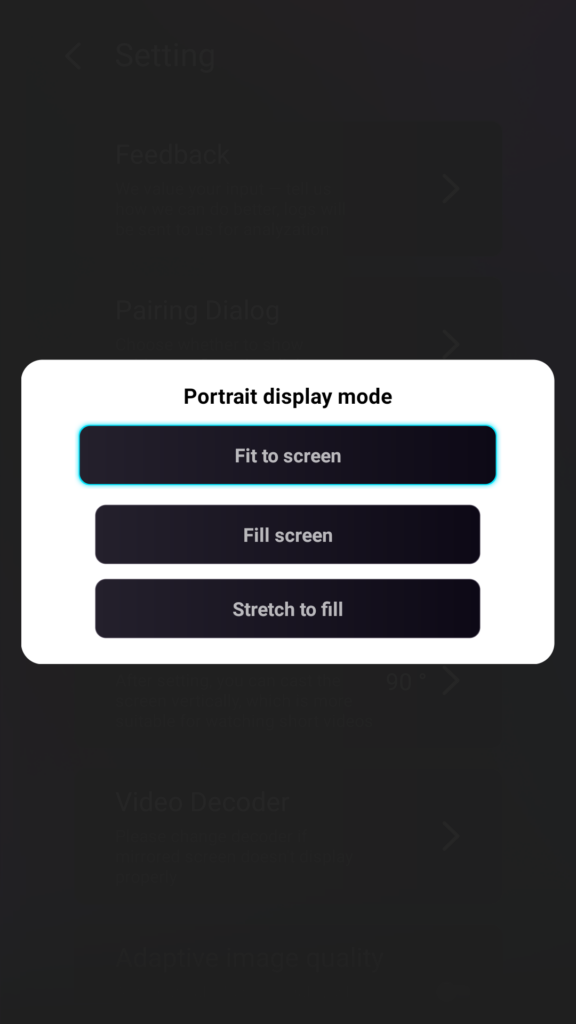
Tips om visningsindstillinger til portrætformat
- Tilpas til skærmen
Udvider indholdet, så det fylder hele dit lodrette tv. Når funktionen er aktiveret, vil du se et helt andet resultat ved din næste spejling. - Fyld skærmen
Bevarer det oprindelige billedformat. Der kan stadig forekomme sorte bjælker i siderne, afhængigt af din enhed. - Stræk for at udfylde
Udfylder den ene side, samtidig med at de korrekte proportioner bevares.
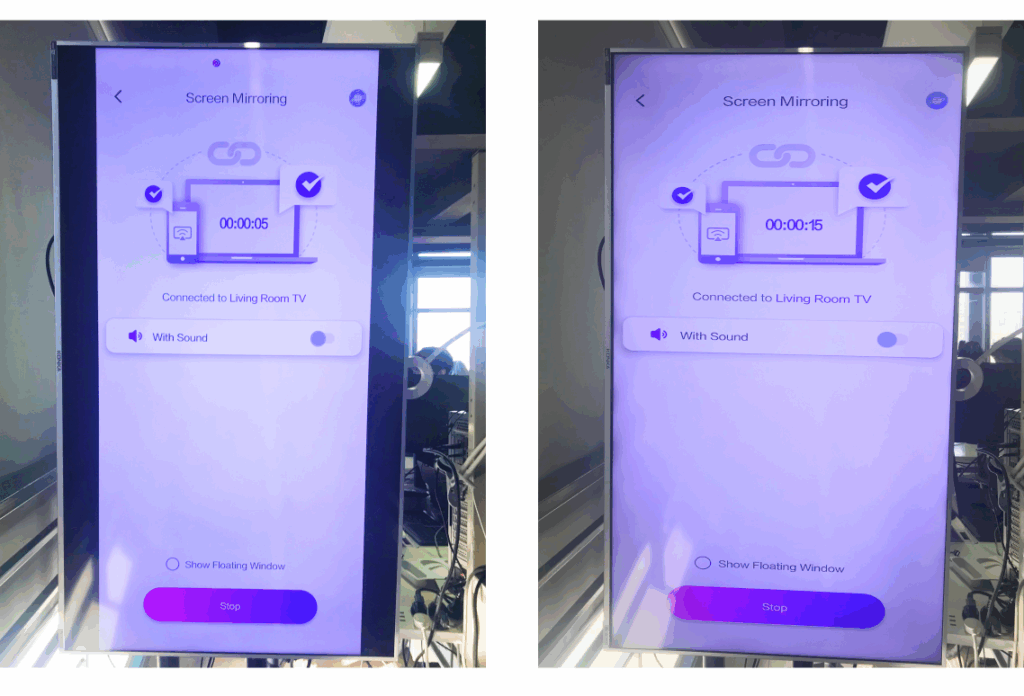
Se sammenligningen nedenfor (Stræk for at udfylde (vist tilstand):
Hvornår er denne funktion nyttig?
Denne indstilling er perfekt til:
- Detailbutikker bruger vertikal digital skiltning
- Hjemmebrugere skaber en lodret atmosfære-skærm
- Lærere udstiller lodrette klassematerialer
- Visning af lodrette fotos eller videoer i portrættilstand
- Afspilning af TikTok/YouTube Shorts i fuld skærm
- Opsætning af atelier, galleri eller kunstudstilling
Til spejling af landskabet
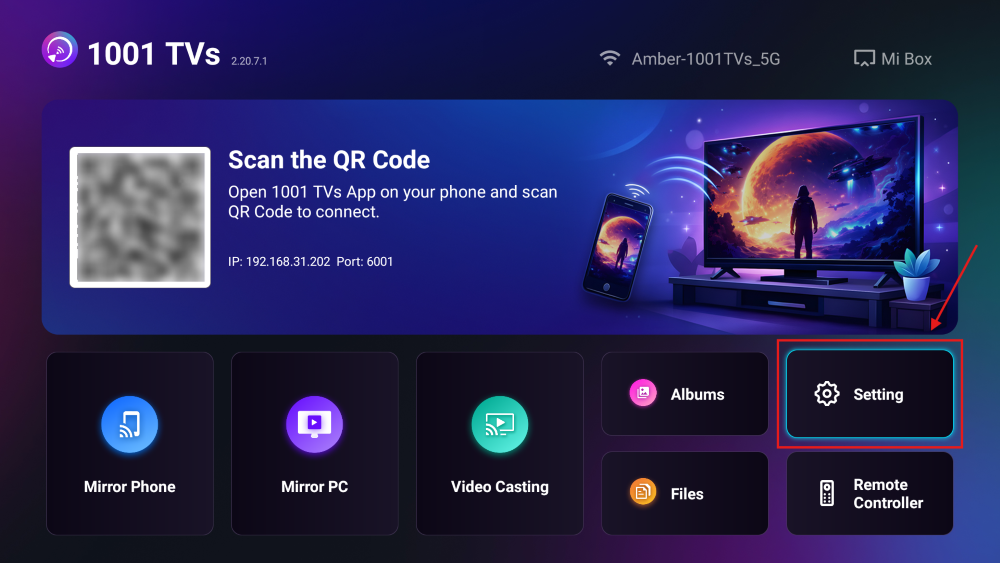
Trin 1. Åbn 1001 TVs-appen på dit tv, og gå til “Indstilling”.
Trin 2. Aktivér “Udfyldelsestilstand”.
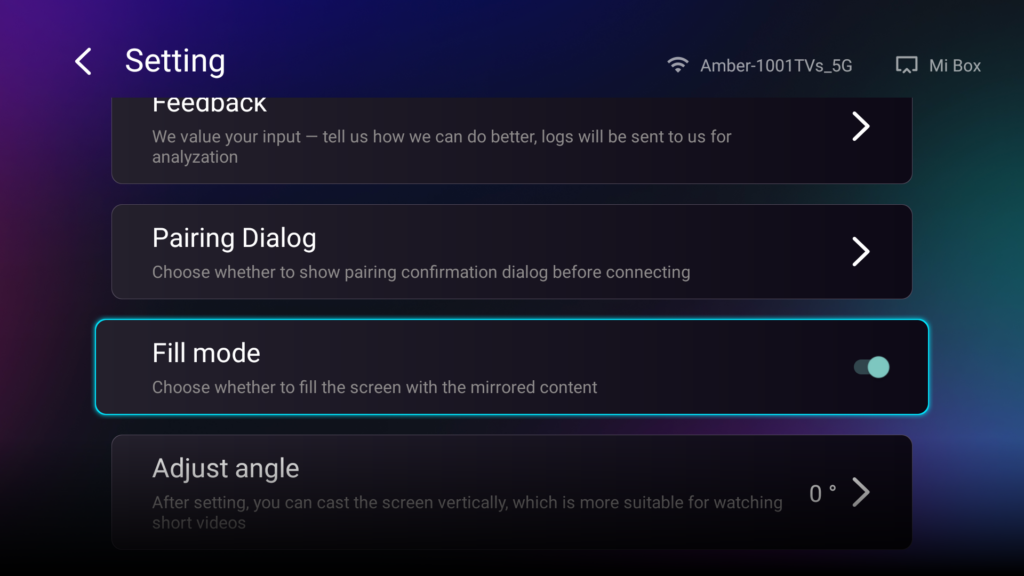
Når du har aktiveret denne indstilling, kan du bruge op-/ned-knapperne på fjernbetjeningen til at skifte mellem de tilgængelige skaleringsindstillinger: 1×, 2×, 3× og Tilpas til skærm.
- 1× / 2× / 3×
zoom ind i faste trin - Tilpas til skærmen
tilpasser indholdet automatisk, så det fylder hele tv-skærmen
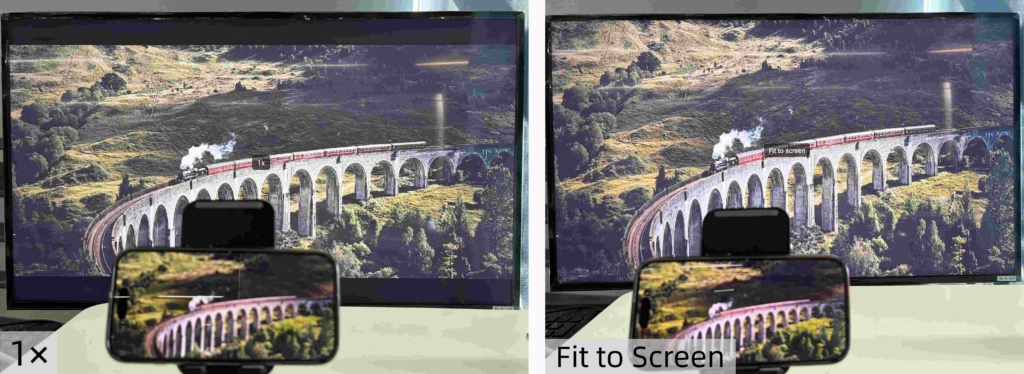
Nu kan du læne dig tilbage og nyde dit indhold — i fuld skærm, uden sorte bjælker, med fuldstændig fordybelse.
Flere tips og vejledninger:.