Řešení časového limitu zrcadlení obrazovky v systému macOS 15+
Pokud používáte macOS 15 nebo novější a narazíte na chybu:
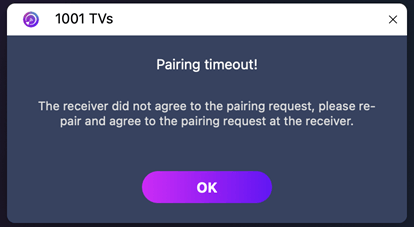
"Párování vypršelo! Přijímač nepřijal požadavek na spárování. Zkuste spárovat znovu."
-i když jsou obě zařízení připojena k počítači. stejná síť Wi-Fi-problém je pravděpodobně způsoben Omezení oprávnění v místní síti v systému macOS 15+.
Jak to napravit
Pro macOS 15 a novější:
1. Otevřete Terminál a spusťte následující příkazy:
Zadejte první příkaz a poté stiskněte Vstupte na:
sudo rm /Library/Preferences/com.apple.networkextension.plistPo zobrazení výzvy zadejte své přihlašovací heslo a stiskněte Vstupte na znovu. (Heslo se na obrazovce nezobrazí.)
Poté zadejte druhý příkaz a stiskněte Vstupte na:
sudo rm /Library/Preferences/com.apple.networkextension.uuidcache.plist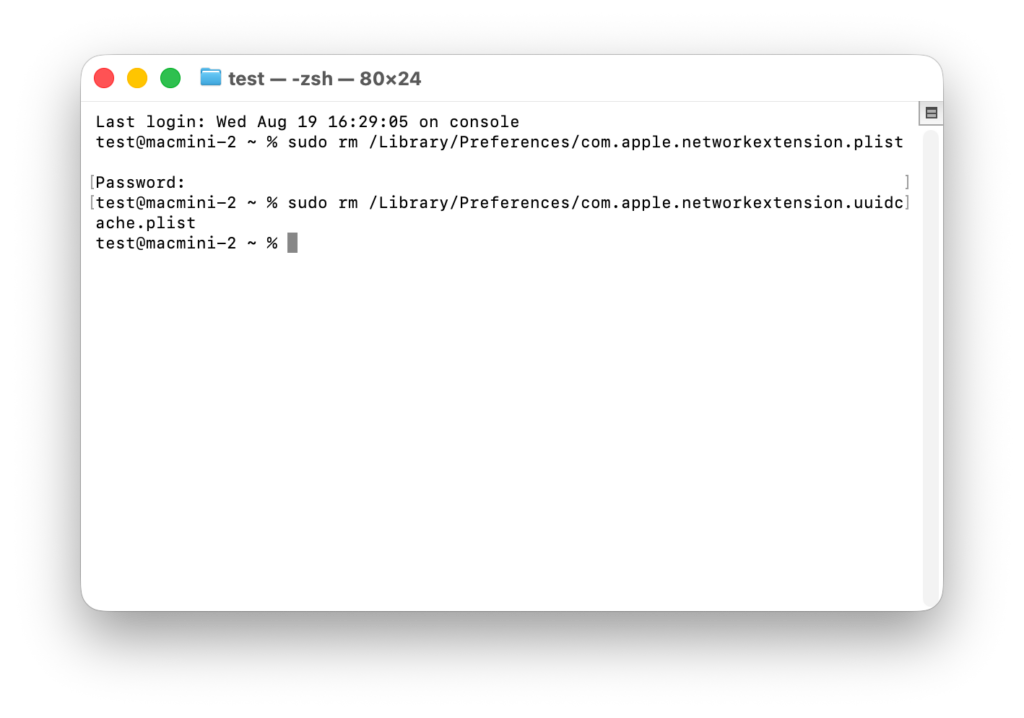
2. Restartujte počítač Mac, spusťte aplikaci 1001 TVs a zkuste spárování znovu.
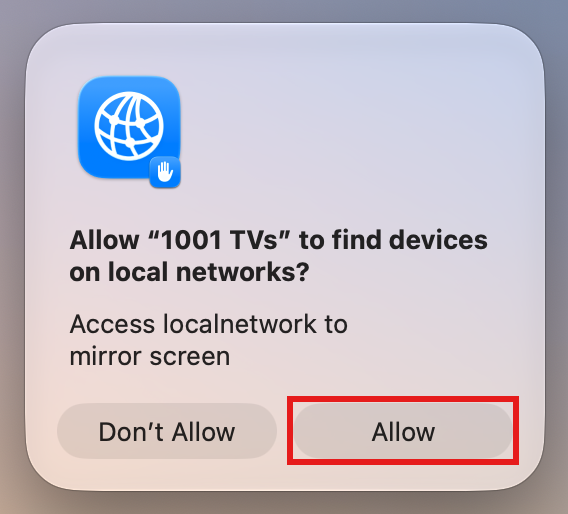
⚠️ Důležité: Pokud se při spuštění aplikace zobrazí výzva k udělení oprávnění pro místní síť, nezapomeňte kliknout na "Povolit" udělit přístup.
Pro macOS 26 a vyšší:
1. Vytvořte nový uživatelský účet
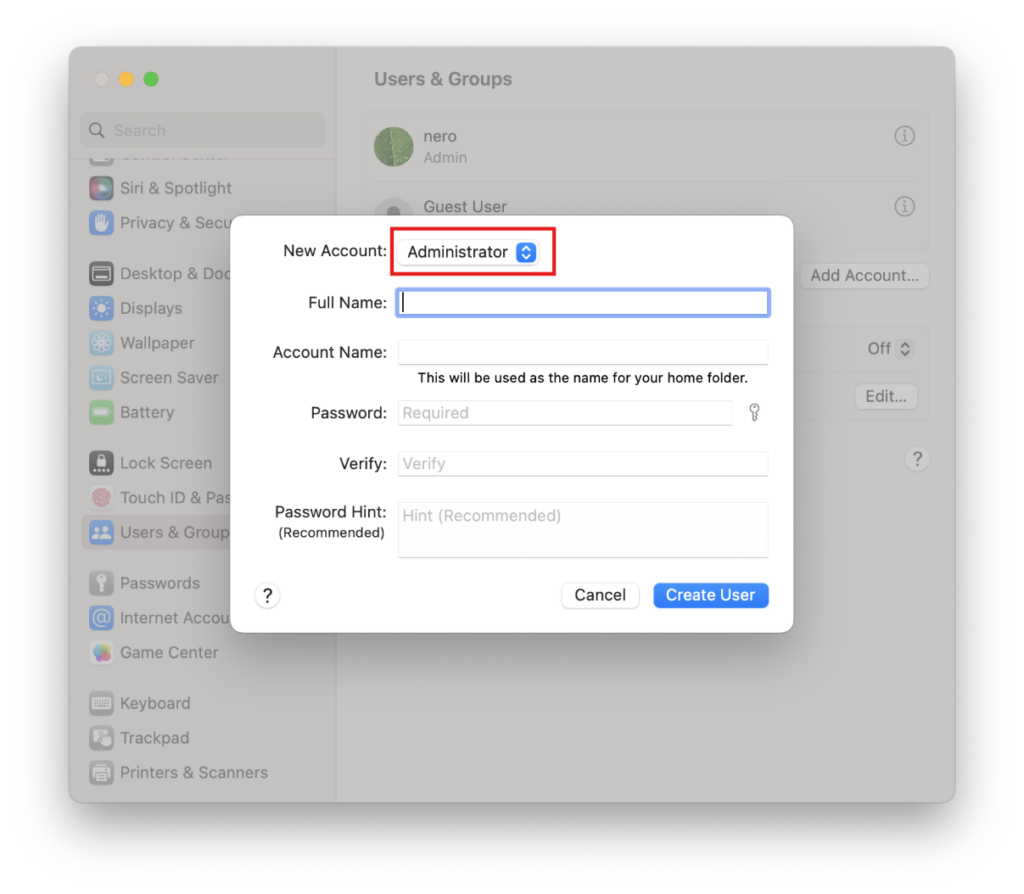
Přejít na Nastavení systému > Uživatelé a skupiny a klikněte na Přidat účet.
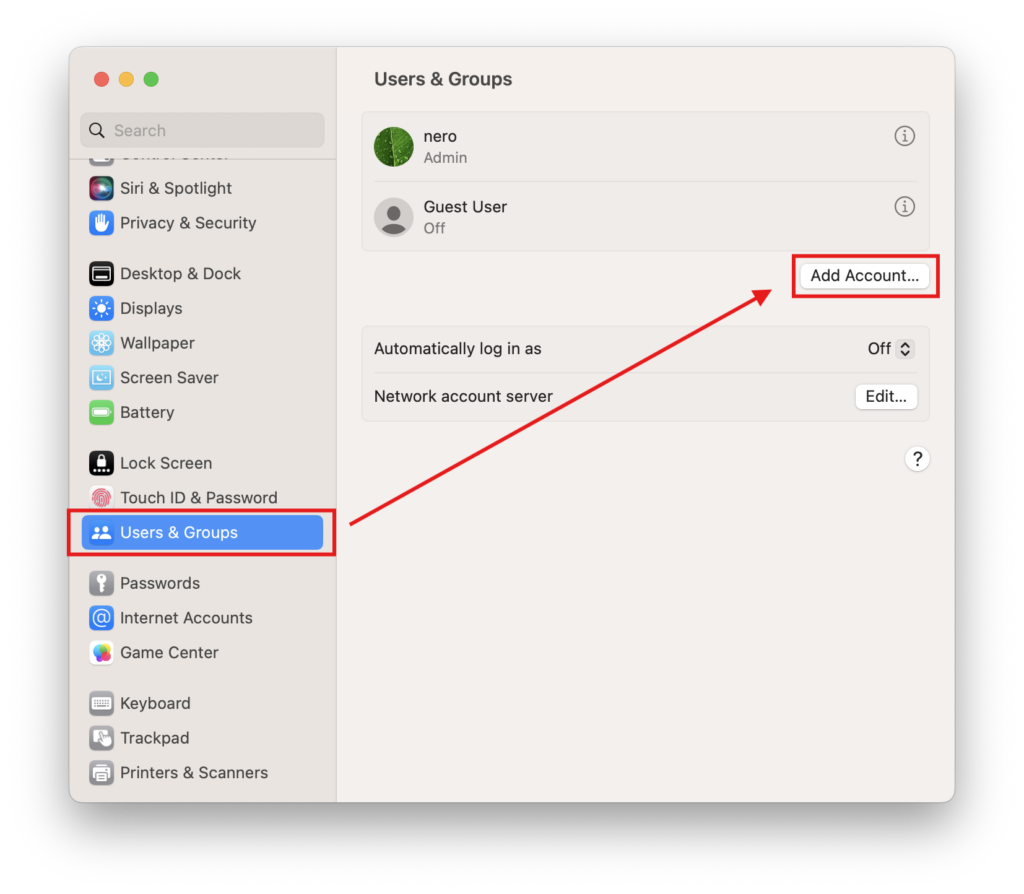
Nastavte nový typ účtu na Správce, poté zadejte celé jméno a název účtu, nastavte heslo a klikněte na Vytvořit uživatele.
2. Přihlaste se k novému účtu
Klikněte na logo Apple v levém horním rohu a vyberte Odhlásit se Chcete-li se odhlásit ze svého aktuálního účtu.
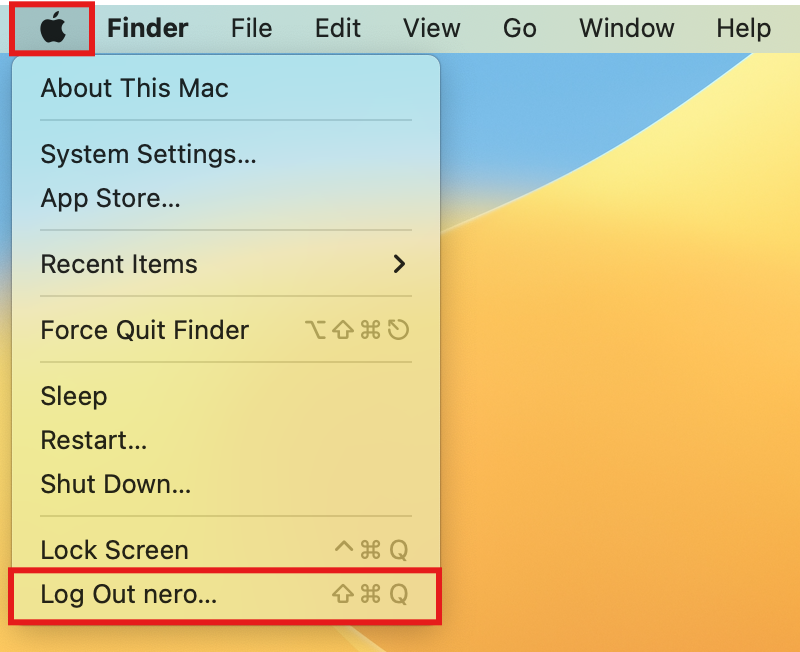
Přihlaste se k účtu právě jste vytvořili.
3. Zkuste spárování znovu
Restartujte Mac, spusťte aplikaci 1001 TVs a zkuste spárování znovu.
⚠️ Důležité: Pokud se při spuštění aplikace zobrazí výzva k udělení oprávnění pro místní síť, nezapomeňte kliknout na "Povolit" udělit přístup.
Jako poslední možnost prosím postupujte podle následujících pokynů.
1. Spusťte počítač v režimu obnovení
Klikněte na logo Apple v levém horním rohu a vyberte Vypnout.
V závislosti na typu čipu ve vašem počítači Mac postupujte následovně:
- Mac s čipem Apple Silicon: Po vypnutí stiskněte a podržte tlačítko napájení (Touch ID), dokud se nezobrazí hlášení “Načítání možností spouštění”. Uvolněte tlačítko napájení a poté klikněte na Možnosti.
- Intel Mac: Po vypnutí stiskněte tlačítko napájení, abyste Mac zapnuli, a ihned poté stiskněte a podržte Klávesová zkratka (⌘) + R dokud se na obrazovce neobjeví logo Apple nebo ukazatel průběhu, poté klávesy uvolněte.
Jakmile se dostanete do režimu obnovení, vyberte svůj účet a zadejte přihlašovací heslo.
2. Dočasně vypněte ochranu systému
Na panelu nabídek „Obnova“ klikněte na Veřejné služby > Terminál.
Zadejte následující příkaz a stiskněte Vstupte na:
csrutil deaktivovatJakmile se zobrazí hlášení “Ochrana integrity systému byla úspěšně deaktivována.”, klikněte na logo Apple a vyberte Restartování.
3. Odstraňte soubory oprávnění uložené v mezipaměti
Po restartování počítače Mac otevřete Terminál (najdete v Launchpadu nebo v nabídce Aplikace > Nástroje).
Zadejte první příkaz a stiskněte Vstupte na:
sudo rm /Library/Preferences/com.apple.networkextension.plistPo zobrazení výzvy zadejte své přihlašovací heslo a stiskněte Vstupte na znovu. (Vaše heslo se na obrazovce nezobrazí – to je v pořádku.)
Zadejte druhý příkaz a stiskněte Vstupte na:
sudo rm /Library/Preferences/com.apple.networkextension.uuidcache.plist4. Znovu zapněte ochranu systému
Znovu vypněte svůj Mac.
Opakovat Krok 1 pro opětovné přepnutí do režimu obnovení.
Otevřít Terminál, zadejte následující příkaz a stiskněte Vstupte na:
csrutil povolitJakmile se zobrazí zpráva o úspěšném provedení, klikněte na logo Apple a vyberte Restartování.
5. Zkuste připojení znovu
Restartujte Mac, spusťte aplikaci 1001 TVs a zkuste spárování znovu.
⚠️ Důležité: Pokud se při spuštění aplikace zobrazí výzva k udělení oprávnění pro místní síť, nezapomeňte kliknout na "Povolit" udělit přístup.

Číst více
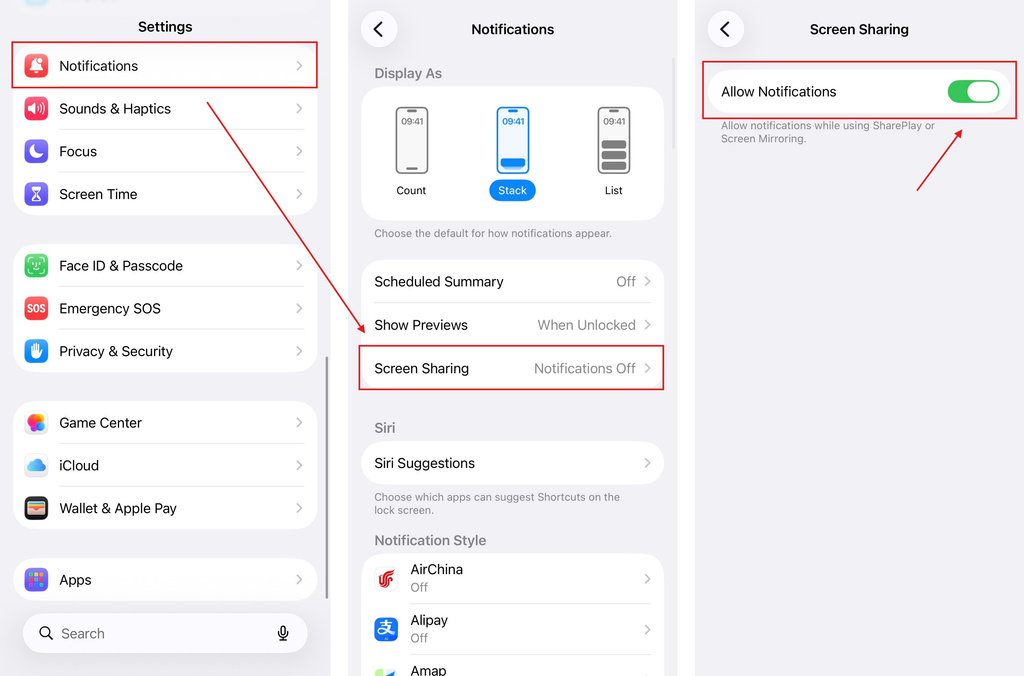 iOS: Jak vyřešit problém s chybějícími oznámeními z aplikací při zrcadlení obrazovky
Proč se nezobrazují oznámení Při zrcadlení obrazovky iPhonu se na zrcadlené obrazovce nemusí zobrazovat oznámení z jiných aplikací. K tomu může dojít…
iOS: Jak vyřešit problém s chybějícími oznámeními z aplikací při zrcadlení obrazovky
Proč se nezobrazují oznámení Při zrcadlení obrazovky iPhonu se na zrcadlené obrazovce nemusí zobrazovat oznámení z jiných aplikací. K tomu může dojít…
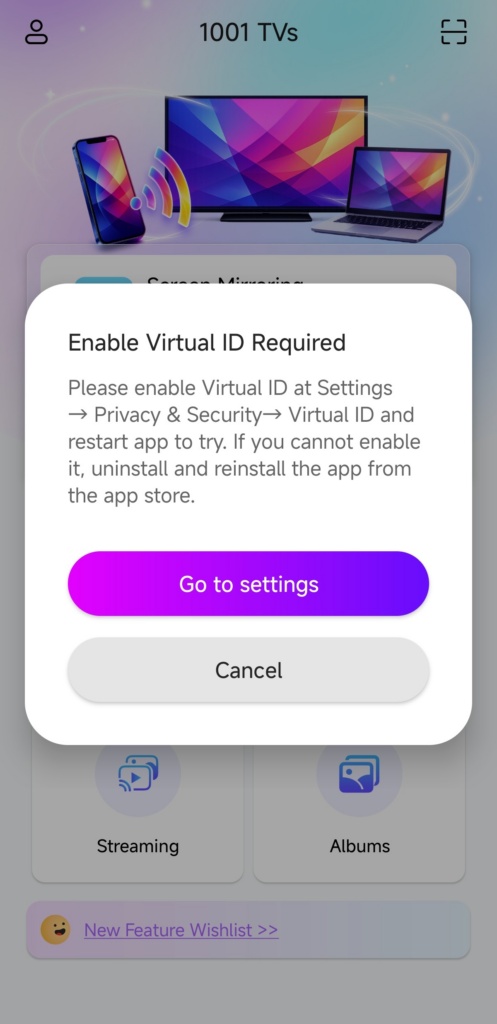 Jak vyřešit problém s vyskakovacím oknem „Je nutné povolit virtuální ID“
Pokud používáte telefon nebo tablet značky Xiaomi nebo Redmi, může se vám při spuštění aplikace zobrazit vyskakovací okno s hlášením "Je nutné povolit virtuální ID"…
Jak vyřešit problém s vyskakovacím oknem „Je nutné povolit virtuální ID“
Pokud používáte telefon nebo tablet značky Xiaomi nebo Redmi, může se vám při spuštění aplikace zobrazit vyskakovací okno s hlášením "Je nutné povolit virtuální ID"…

