
1001 TVs کے ساتھ میک او ایس سیٹنگز کا استعمال کرتے ہوئے اپنی میک اسکرین کو کیسے بڑھایا جائے۔
macOS آپ کو سسٹم ڈسپلے سیٹنگز کا استعمال کرتے ہوئے اپنے ڈیسک ٹاپ کو بیرونی ڈسپلے تک بڑھانے کی اجازت دیتا ہے۔.
کی مدد سے 1001 TVs, ، اس صلاحیت کو مزید بڑھایا جا سکتا ہے — جس سے آپ اپنی میک اسکرین کو بڑھا سکتے ہیں۔ ایک فزیکل ڈسپلے اور ایک سے زیادہ ورچوئل ڈسپلے زیادہ لچکدار ملٹی اسکرین سیٹ اپ کے لیے۔.
تمام منسلک ڈسپلے دکھاتے ہیں۔ ایک ہی توسیعی ڈیسک ٹاپ اور آپ کے ماؤس کے ساتھ مکمل طور پر قابل کنٹرول ہیں، لہذا ایسا محسوس ہوتا ہے جیسے آپ کے مرکزی ڈسپلے کو نجی رکھتے ہوئے ایک اور قابل استعمال اسکرین شامل کرنا۔.
1. macOS کا استعمال کرتے ہوئے فزیکل ڈسپلے کو جوڑیں۔
اپنے میک پر، پر جائیں۔ ترتیبات > ڈسپلے, ، پر کلک کریں۔ + آئیکن, ، اور اپنا جسمانی ڈسپلے شامل کریں۔.
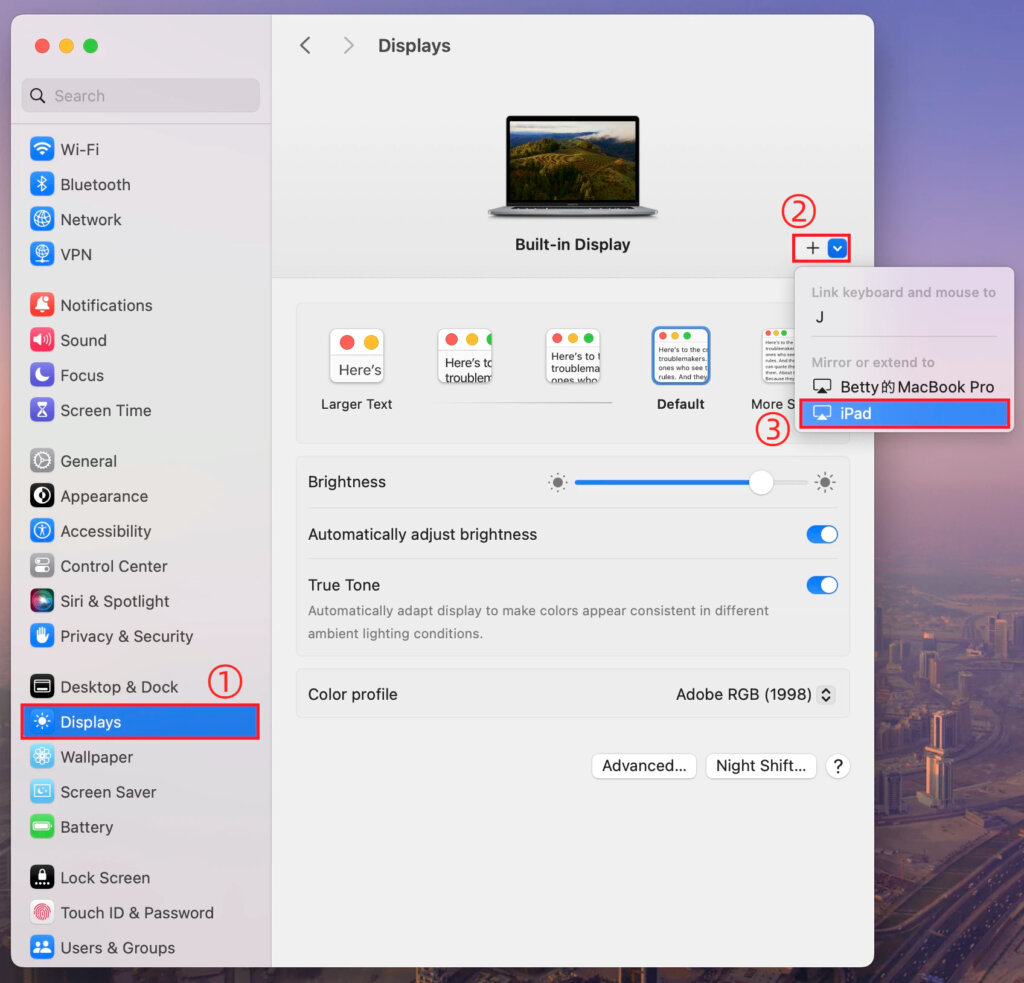
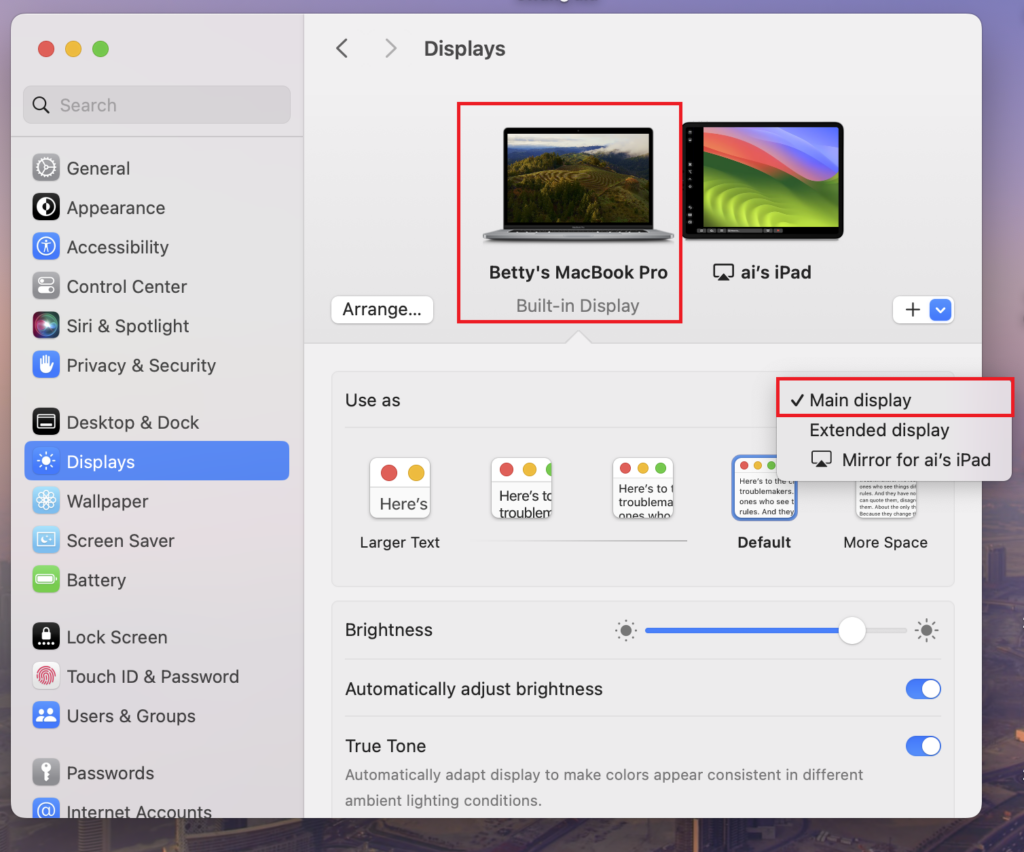
آپ یا تو اسکرین کو مین ڈسپلے کے طور پر سیٹ کر سکتے ہیں، اور دوسرا خود بخود توسیعی ڈسپلے بن جائے گا۔.
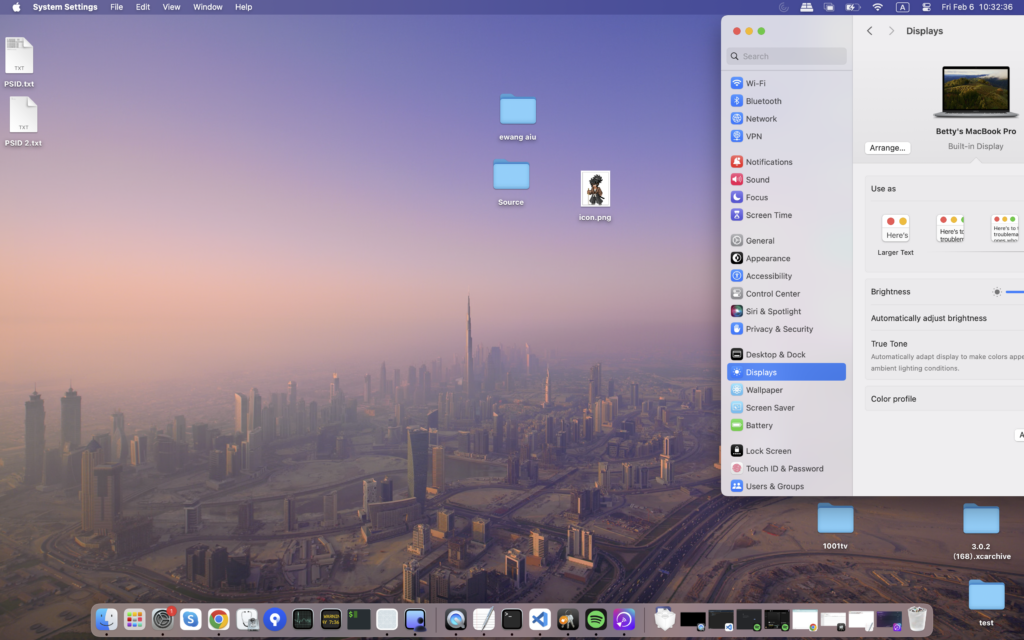
ایک بار مکمل ہونے کے بعد، آپ کے میک ڈیسک ٹاپ کو کامیابی کے ساتھ دوسری اسکرین تک بڑھا دیا جائے گا۔.
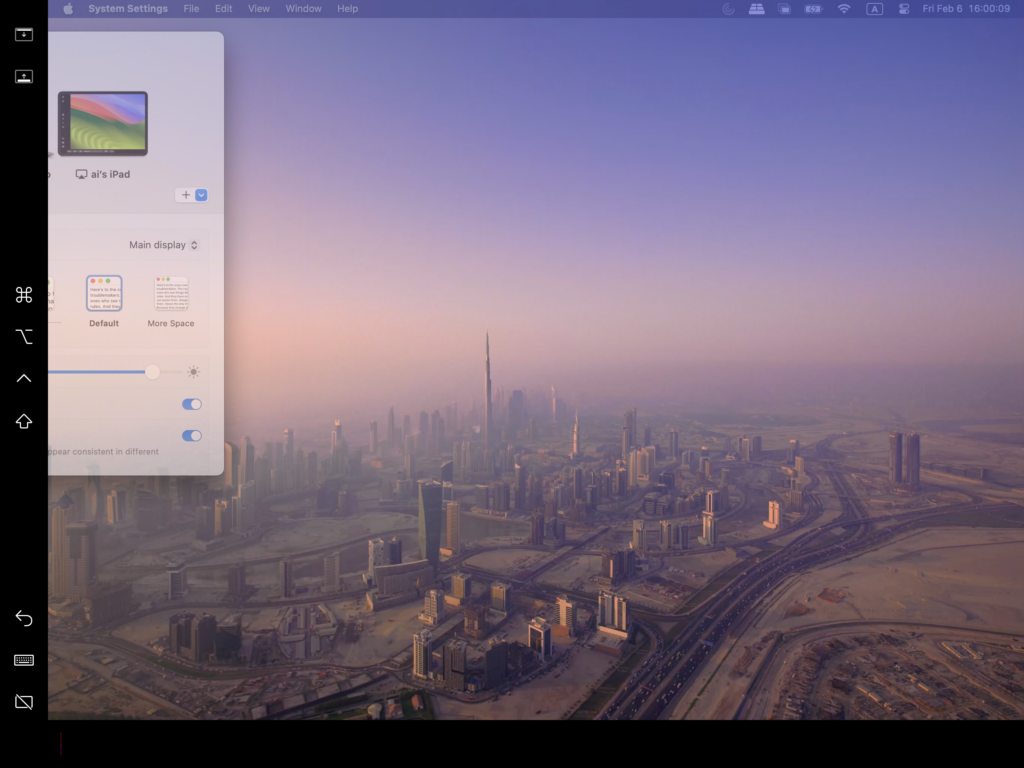
2. 1001 TVs کے ساتھ متعدد ورچوئل ڈسپلے شامل کریں۔
اپنے میک کو جسمانی ڈسپلے تک بڑھانے کے بعد، آپ استعمال کر سکتے ہیں۔ 1001 TVs کو بڑھانے کے لئے ایک ہی ڈیسک ٹاپ اضافی آلات کے طور پر ورچوئل ڈسپلے.
1) اسی Wi-Fi نیٹ ورک سے جڑیں۔
یقینی بنائیں کہ آپ کا میک اور تمام ٹارگٹ ڈیوائسز ایک ہی Wi-Fi نیٹ ورک سے جڑے ہوئے ہیں۔.
بہترین کارکردگی کے لیے، اے 5 GHz Wi-Fi نیٹ ورک سفارش کی جاتی ہے.
2) 1001 TVs انسٹال اور کھولیں۔
انسٹال اور لانچ کریں۔ 1001 TVs اپنے میک اور کسی بھی ڈیوائس پر جسے آپ ورچوئل ڈسپلے کے طور پر استعمال کرنا چاہتے ہیں۔.
📥 میک ایپ: ایپ اسٹور سے ڈاؤن لوڈ کریں۔
📥 پی سی ایپ: سے ڈاؤن لوڈ کریں۔ مائیکروسافٹ اسٹور
تفصیلی اقدامات کے لیے، کا حوالہ دیں۔ پی سی انسٹالیشن گائیڈ.
📥 ٹی وی ایپ: اپنے ٹی وی پر 1001 TVs کیسے انسٹال کریں۔
3) ایکسٹینڈ ڈسپلے موڈ شروع کریں۔
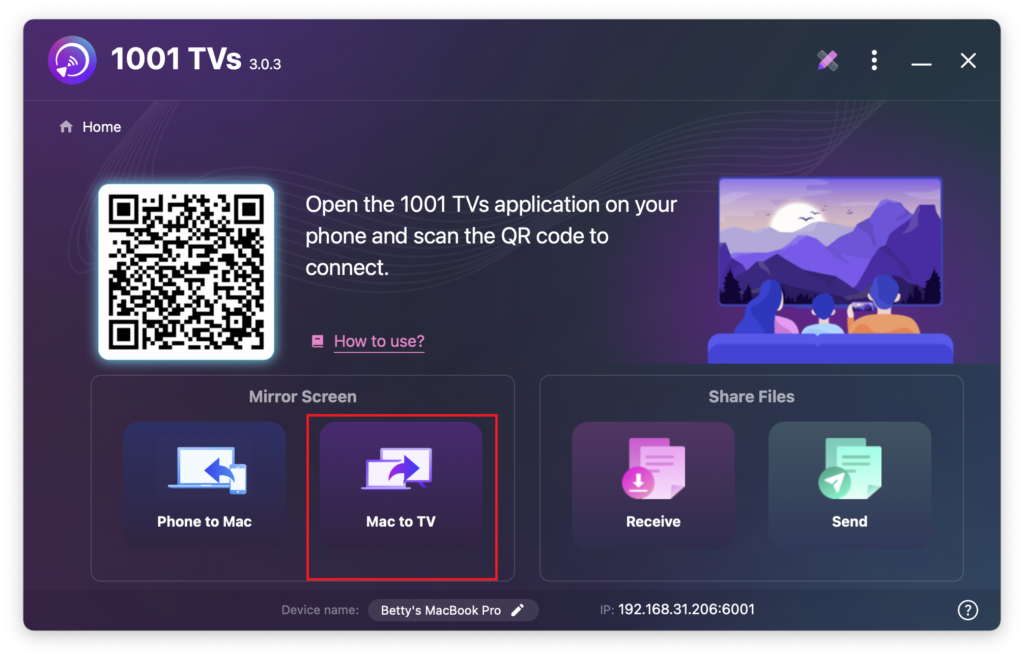
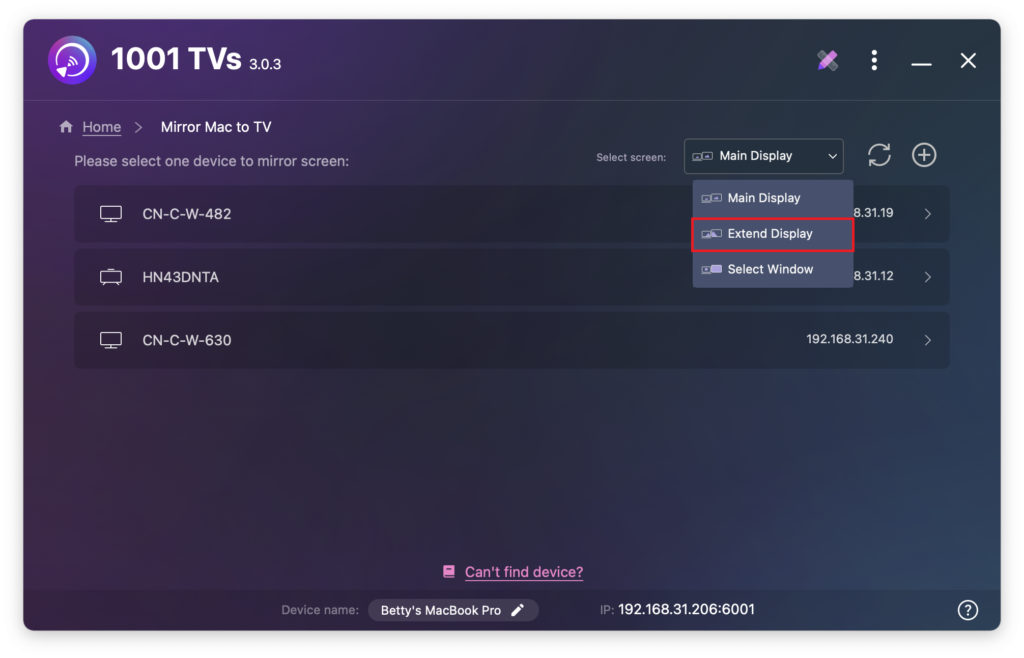
اپنے میک پر 1001 TVs میں، منتخب کریں۔ میک سے ٹی وی, ، منتخب کریں۔ ڈسپلے کو بڑھانا, ، اور پھر اپنے ٹارگٹ ڈیوائسز (جیسے PC، Mac، فون، یا TV) کو منتخب کریں۔.
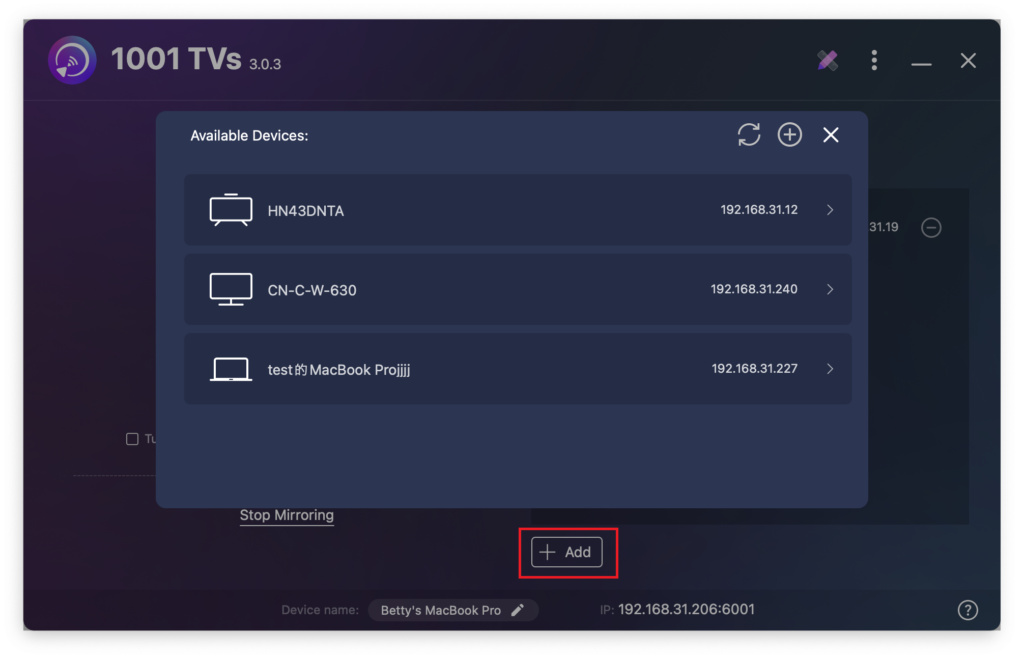
آپ کلک کر سکتے ہیں۔ + شامل کریں۔ ضرورت کے مطابق مزید آلات کو جوڑنے کے لیے بٹن۔.
صرف میک اسکرین اور بنیادی توسیعی اسکرین انٹرایکٹو ہیں۔.
دیگر تمام جڑے ہوئے آلات توسیعی اسکرین کی عکس بندی کرتے ہیں اور وہی مواد دکھاتے ہیں۔.
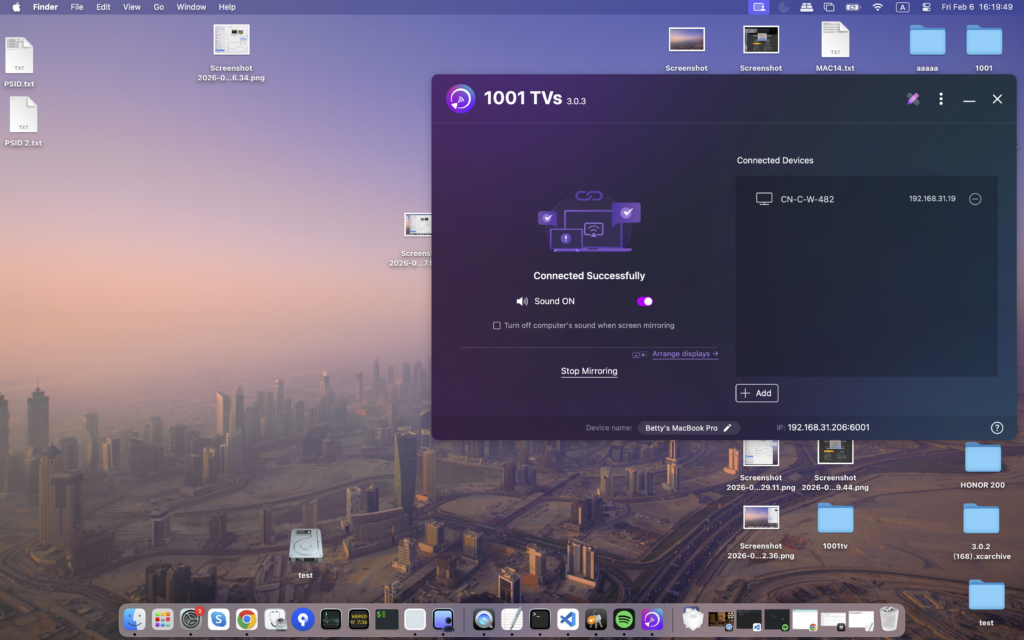
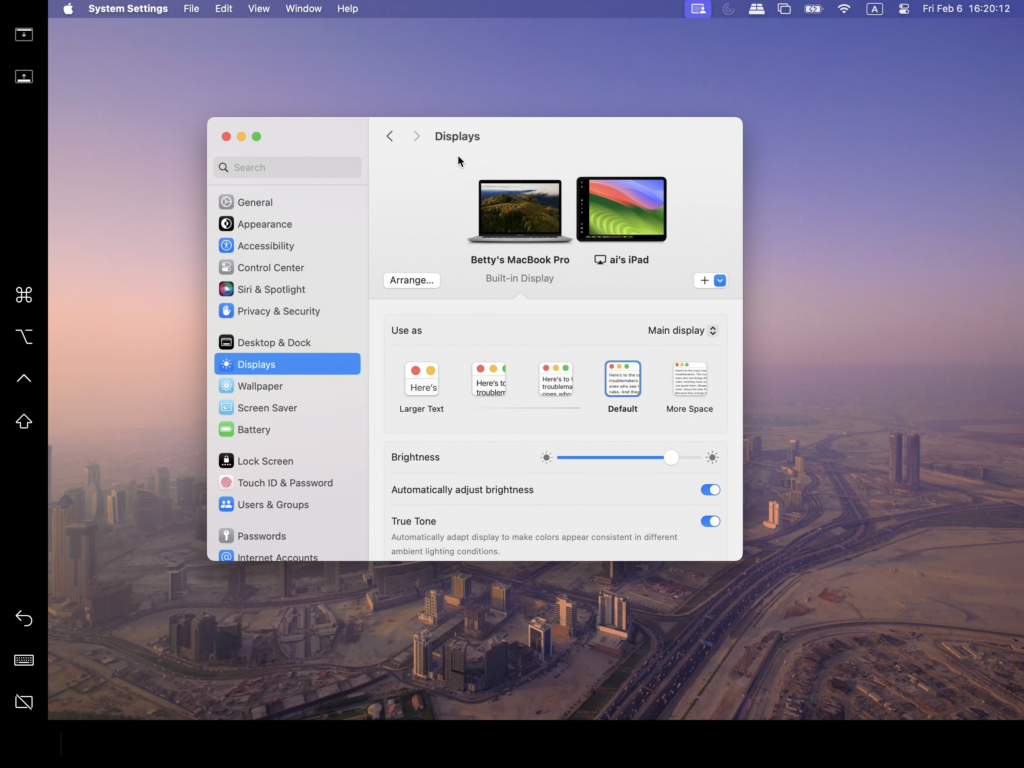
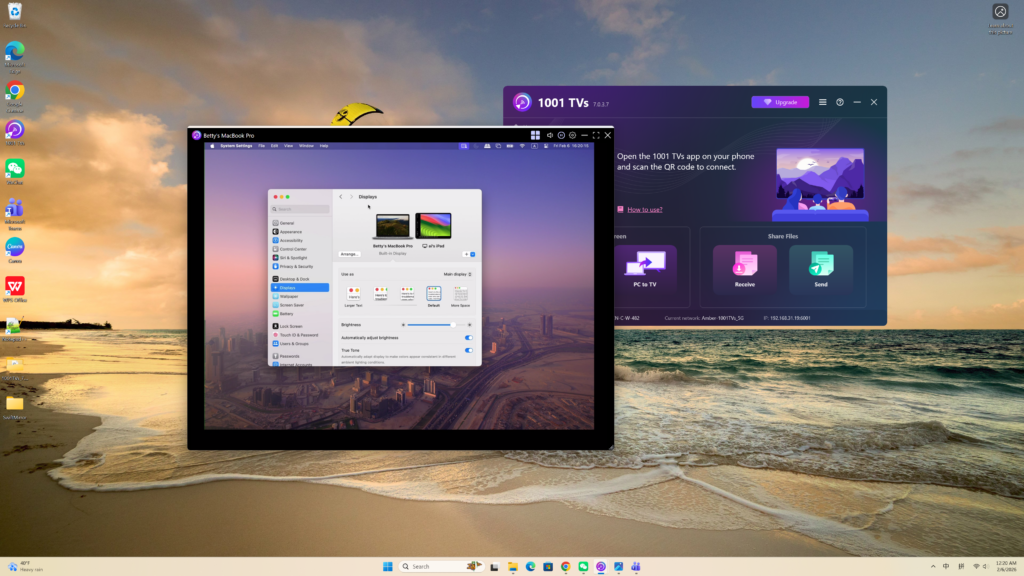
یہ سیٹ اپ ایک توسیعی ڈیسک ٹاپ تجربہ فراہم کرتا ہے، جس سے آپ اپنی مرکزی اسکرین کے مواد کو نجی رکھتے ہوئے، آپ کو اپنے میک اور پرائمری توسیعی اسکرین کے درمیان ونڈوز کو منتقل کرنے کی اجازت دیتے ہیں۔.