
Comment étendre l'écran de votre Mac en utilisant les réglages de macOS avec 1001 TVs
macOS vous permet d'étendre votre bureau à un écran externe en utilisant les paramètres d'affichage du système.
Avec l'aide de 1001 TVs, Cette capacité peut être étendue, ce qui vous permet d'étendre l'écran de votre Mac à l'ensemble de l'espace de travail. un écran physique et plusieurs écrans virtuels pour une configuration multi-écrans plus flexible.
Tous les écrans connectés affichent le même bureau étendu et sont entièrement contrôlables à l'aide de la souris, ce qui donne l'impression d'ajouter un autre écran utilisable tout en gardant votre écran principal privé.
1. Connecter un écran physique à l'aide de macOS
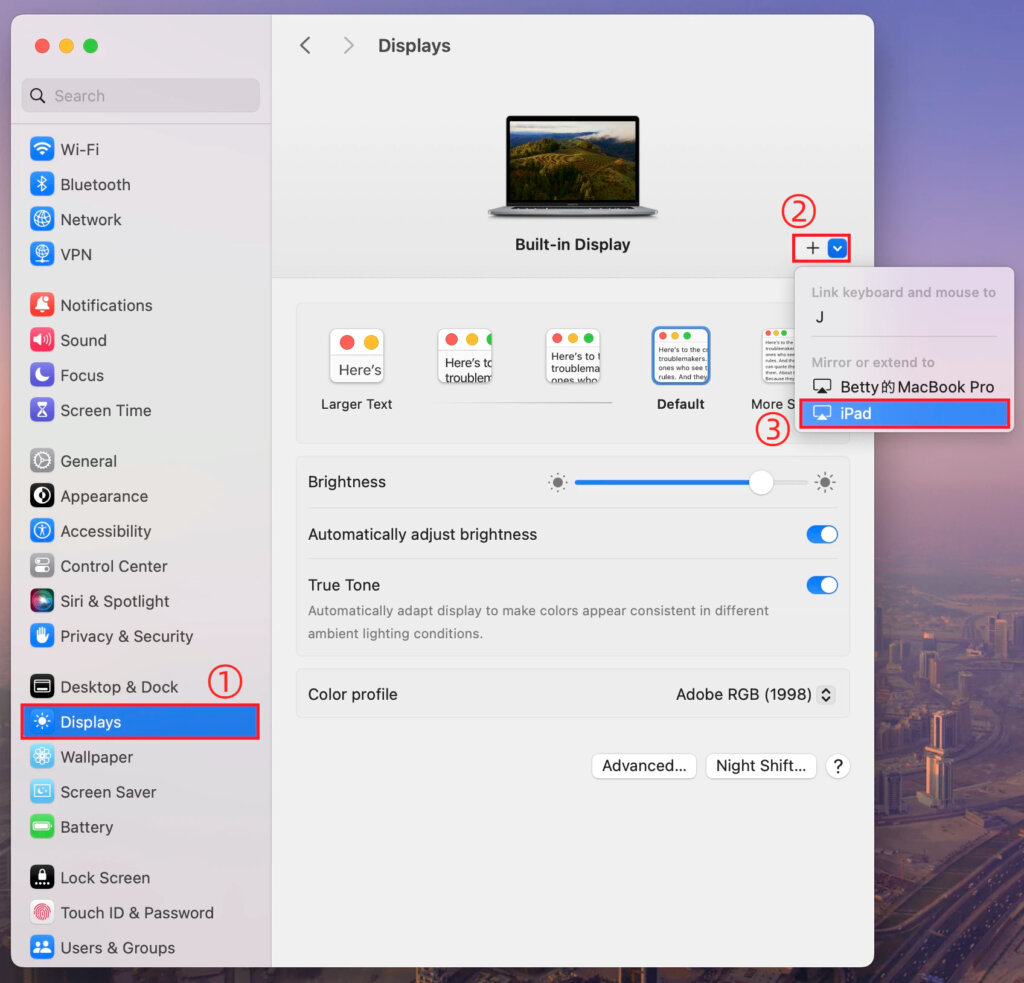
Sur votre Mac, allez sur Réglages > Affichages, cliquez sur le bouton + icône, et ajoutez votre écran physique.
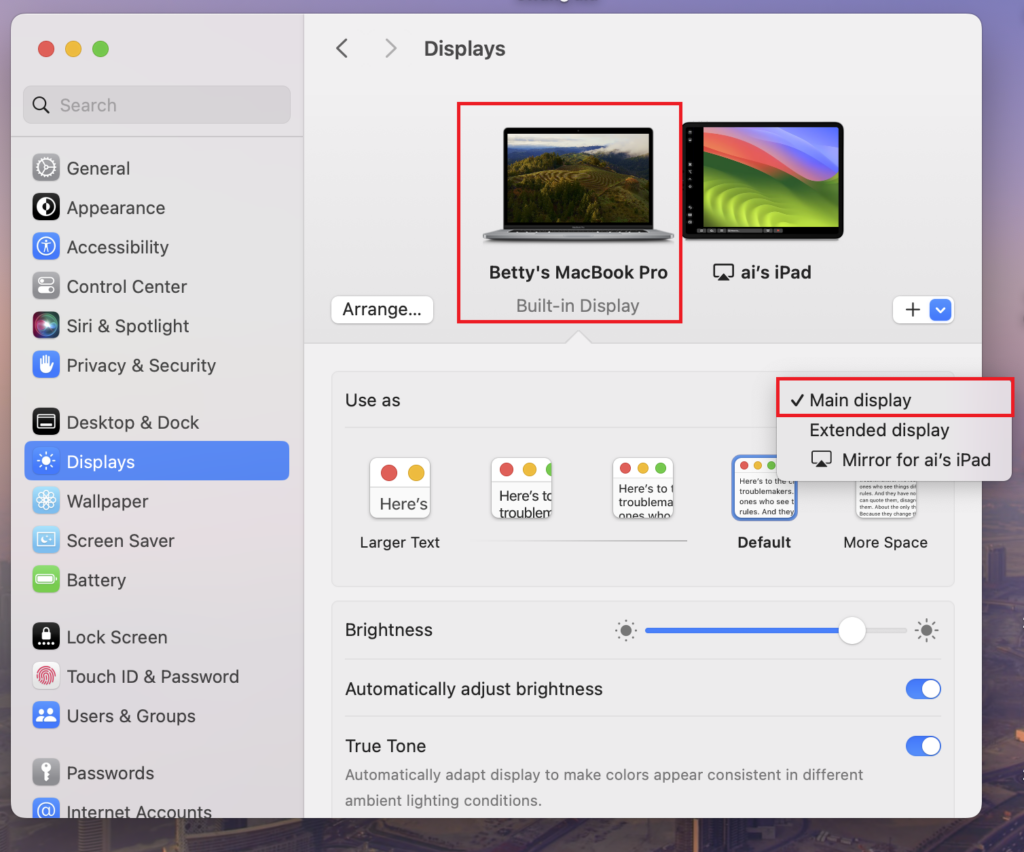
Vous pouvez définir l'un ou l'autre écran comme écran principal, l'autre devenant automatiquement l'écran étendu.
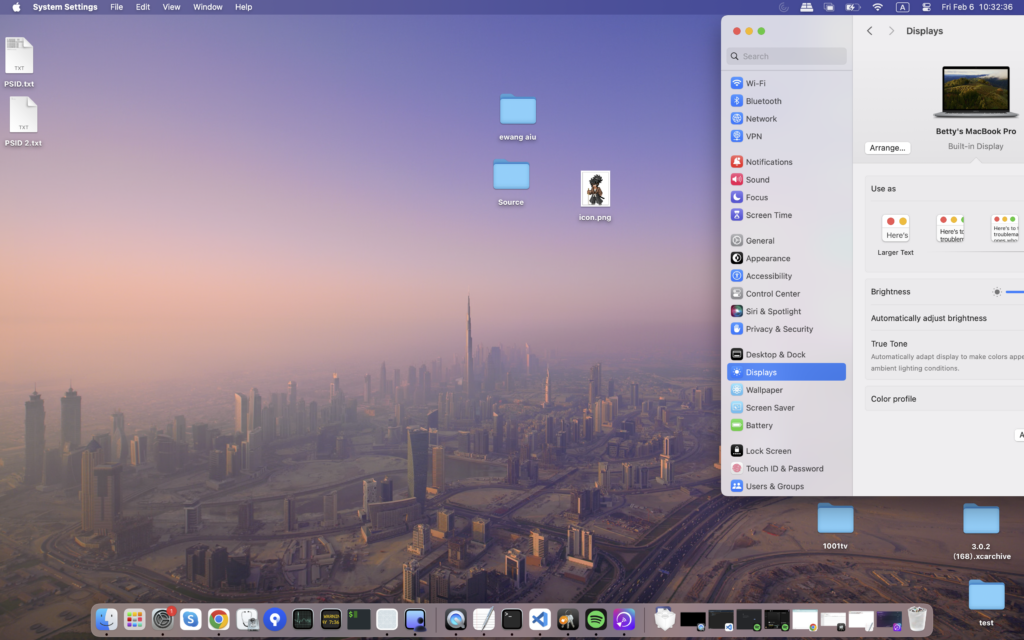
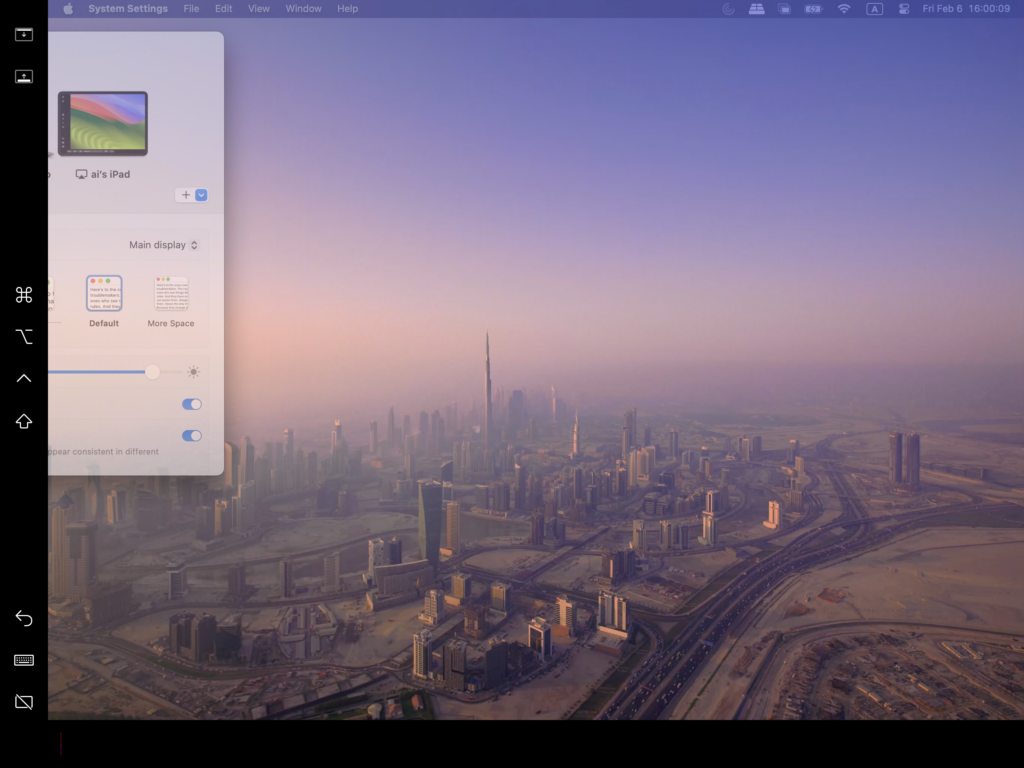
Une fois l'opération terminée, le bureau de votre Mac sera étendu avec succès à un deuxième écran.
2. Ajouter plusieurs écrans virtuels avec 1001 TVs
Après avoir étendu votre Mac à un écran physique, vous pouvez utiliser 1001 TVs d'étendre le champ d'application de la même bureau à des dispositifs supplémentaires comme écrans virtuels.
1) Se connecter au même réseau Wi-Fi
Assurez-vous que votre Mac et tous les appareils cibles sont connectés au même réseau Wi-Fi.
Pour une meilleure performance, un Réseau Wi-Fi 5 GHz est recommandé.
2) Installer et ouvrir 1001 TVs
Installation et lancement 1001 TVs sur votre Mac et sur tous les appareils que vous souhaitez utiliser comme écrans virtuels.
📥 Mac App : Télécharger depuis l'App Store
📥 PC App : Télécharger à partir de Microsoft Store
Pour les étapes détaillées, voir le Guide d'installation du PC.
📥 TV App : Comment installer 1001 TVs sur votre téléviseur
3) Lancer le mode Extend Display
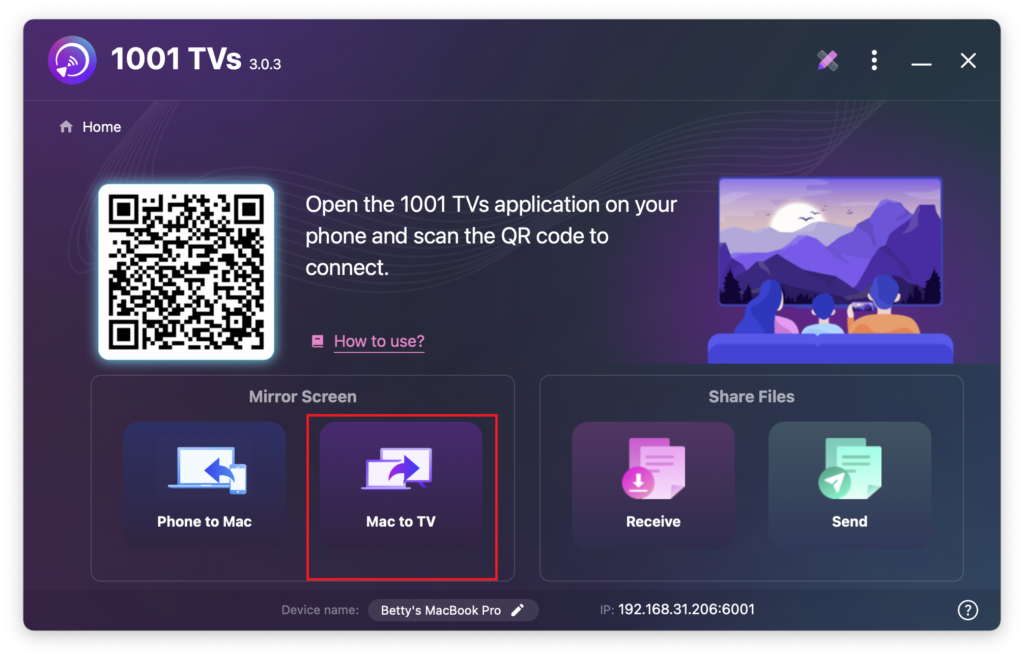
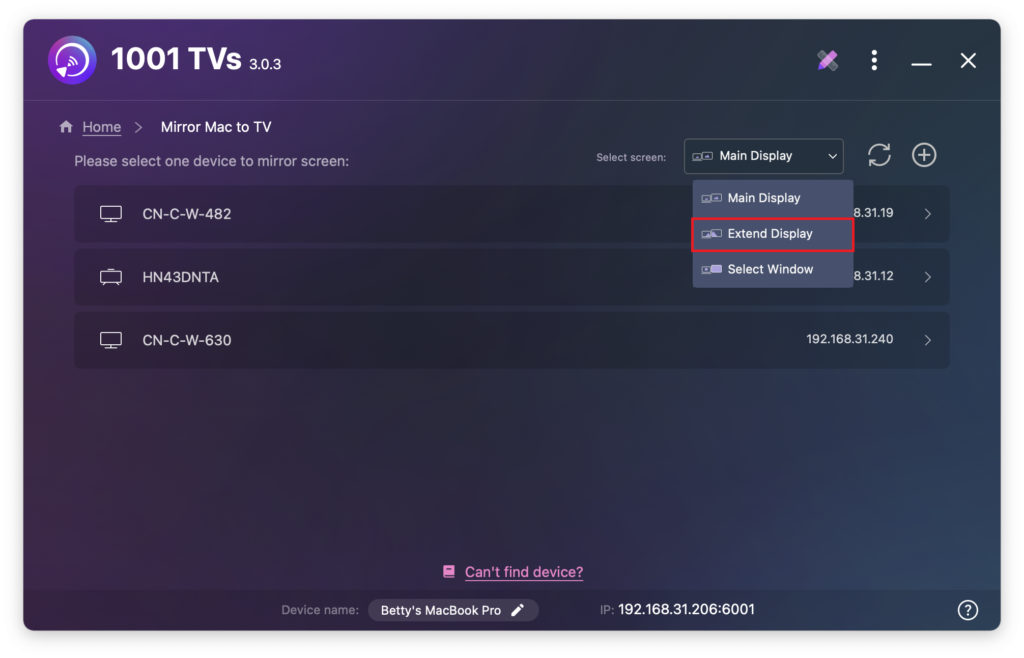
Dans 1001 TVs sur votre Mac, sélectionnez Mac vers TV, choisir Étendre l’affichage, puis sélectionnez vos appareils cibles (PC, Mac, téléphone ou TV).
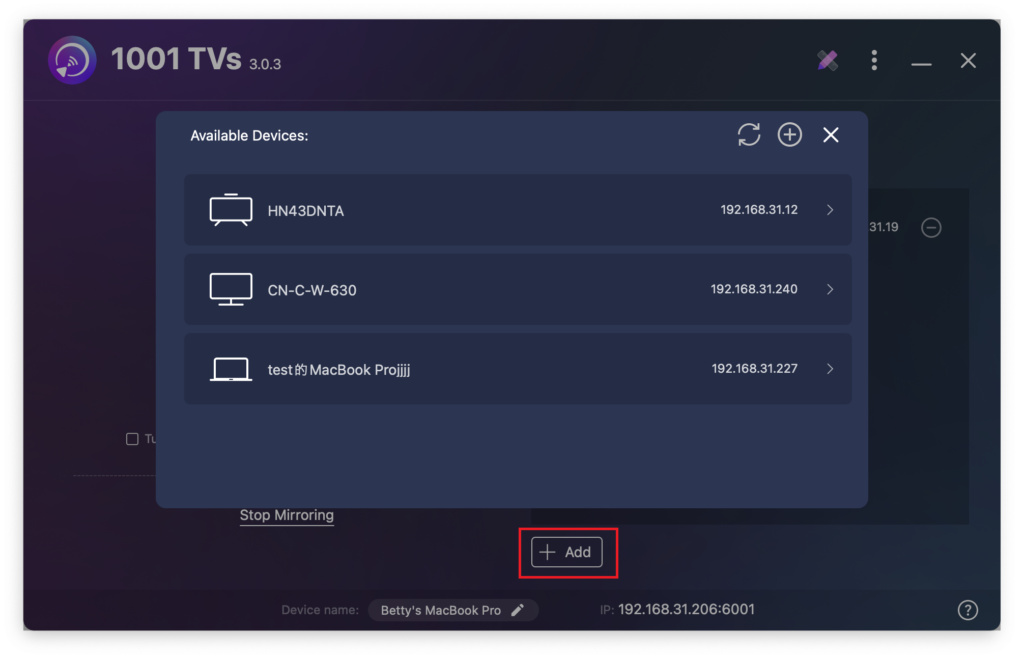
Vous pouvez cliquer sur le bouton + Ajouter pour connecter d'autres appareils si nécessaire.
Seuls l'écran Mac et l'écran primaire étendu sont interactifs.
Tous les autres appareils connectés reflètent l'écran étendu et affichent le même contenu.
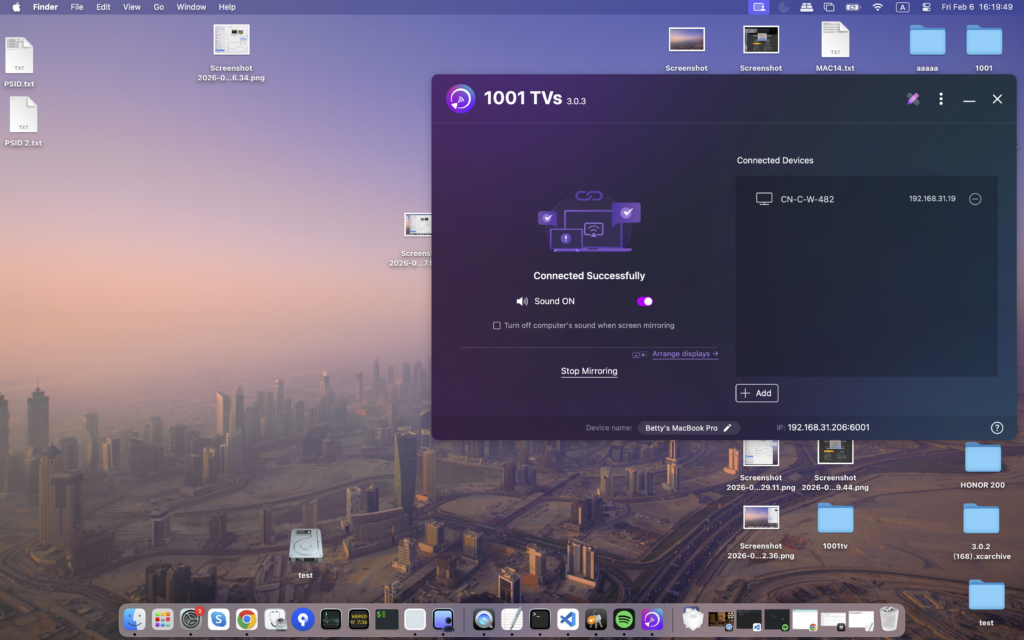
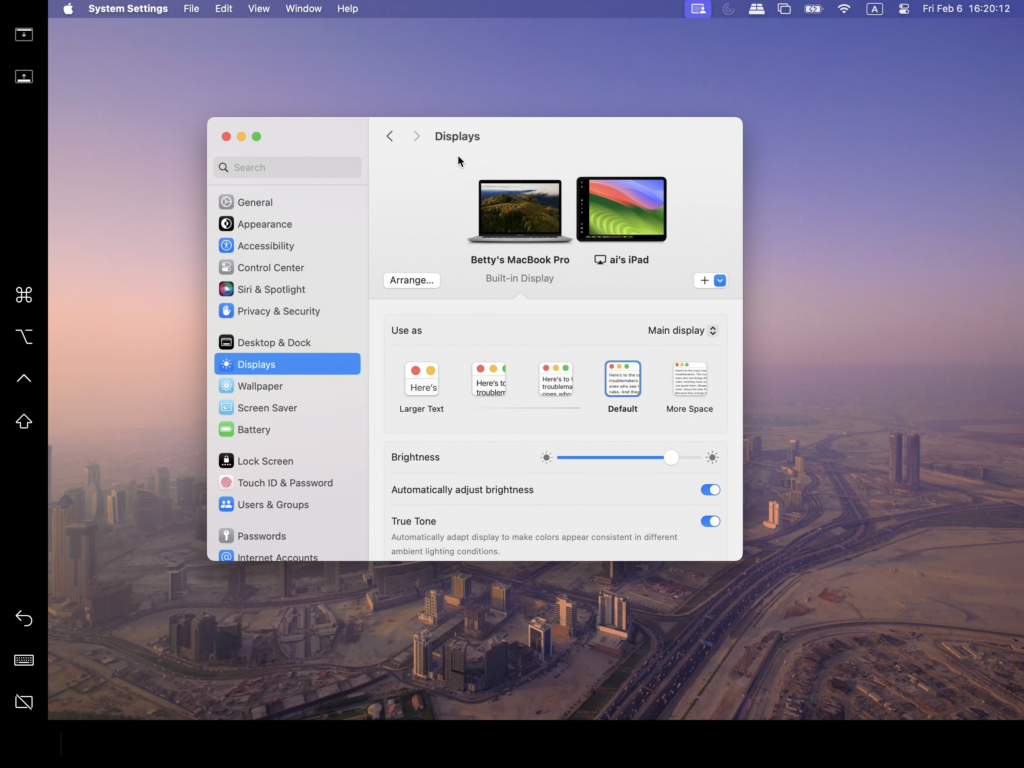
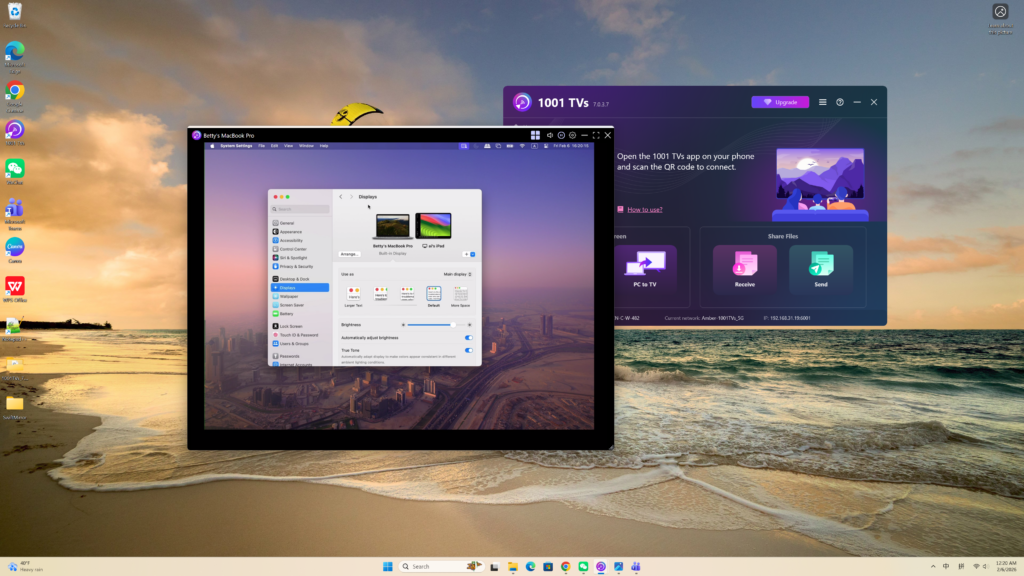
Cette configuration offre une expérience de bureau étendu, vous permettant de déplacer des fenêtres entre votre Mac et l'écran étendu principal, tout en gardant le contenu de votre écran principal privé.