
macOS 15+ 上屏幕镜像超时的解决方案

如果您使用 macOS 15 或更高版本 并遇到错误:
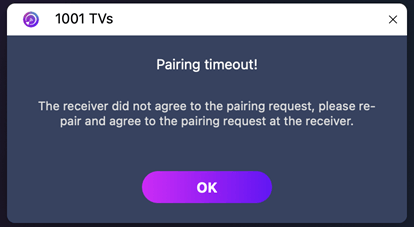
"配对超时!接收器不接受配对请求。请重试配对。
-即使两台设备都连接到了 同一 Wi-Fi 网络-问题可能是由以下原因造成的 macOS 15+ 的本地网络权限限制.
如何修复
For macOS 15 +:
1. Open Terminal and run the following commands:
Enter the first command, then press 进入:
sudo rm /Library/Preferences/com.apple.networkextension.plistWhen prompted, enter your 登录密码 and press 进入 again. (The password will not be shown on screen.)
Then enter the second command, and press 进入:
sudo rm /Library/Preferences/com.apple.networkextension.uuidcache.plist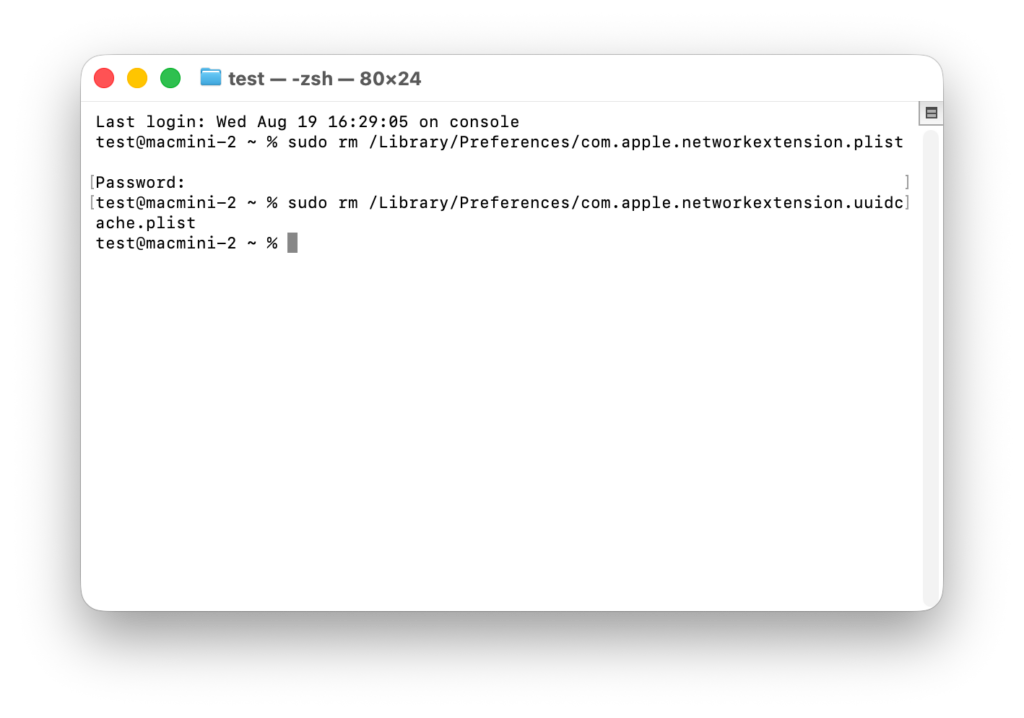
2. Restart your Mac, open 1001 TVs, and try pairing again.
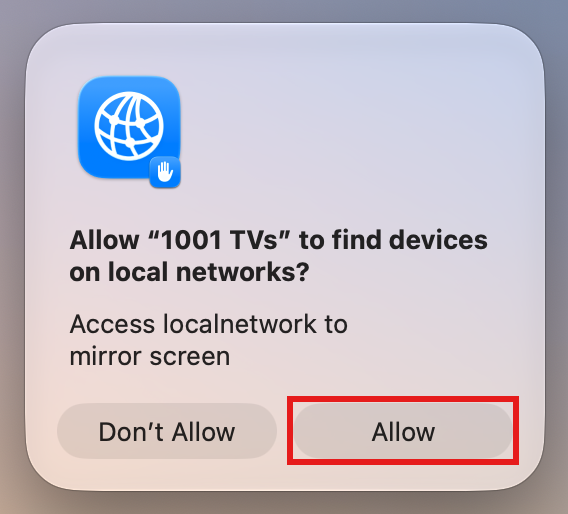
⚠️ Important: When you open the app, if a Local Network permission prompt appears, be sure to click "允许" to grant access.
For macOS 26+:
1. Create a New User Account
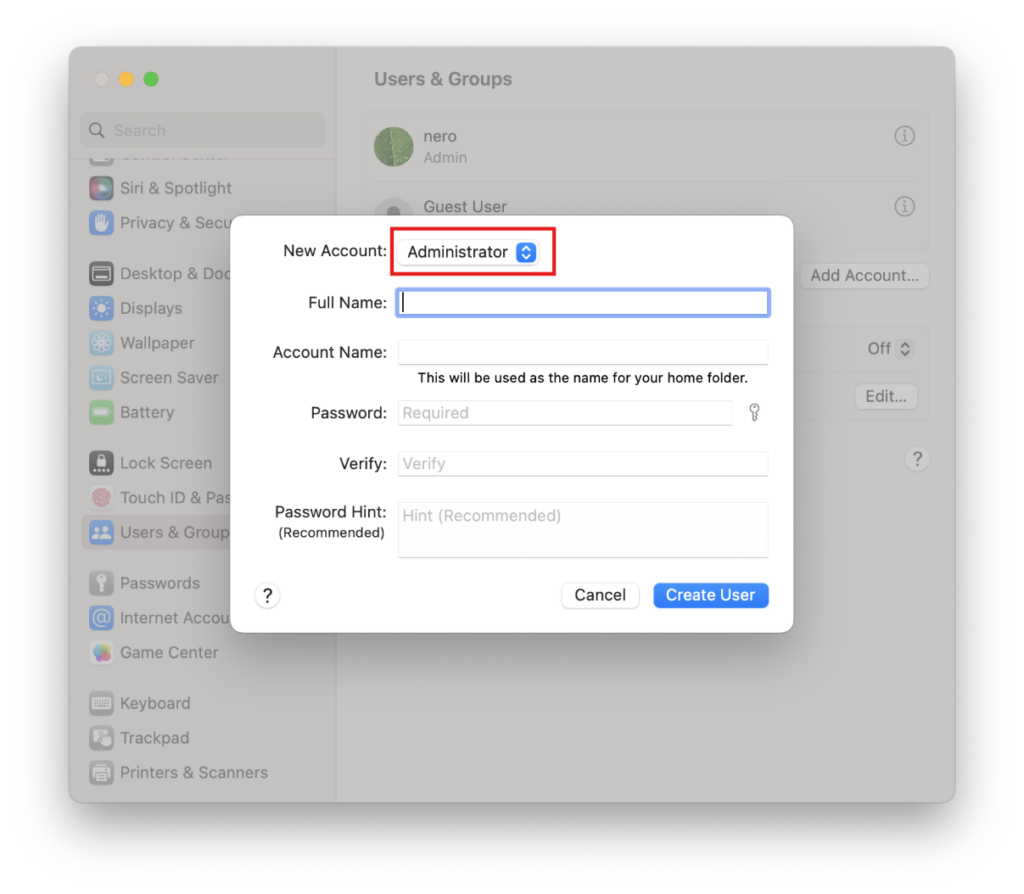
转到 System Settings > Users & Groups 并点击 Add Account.
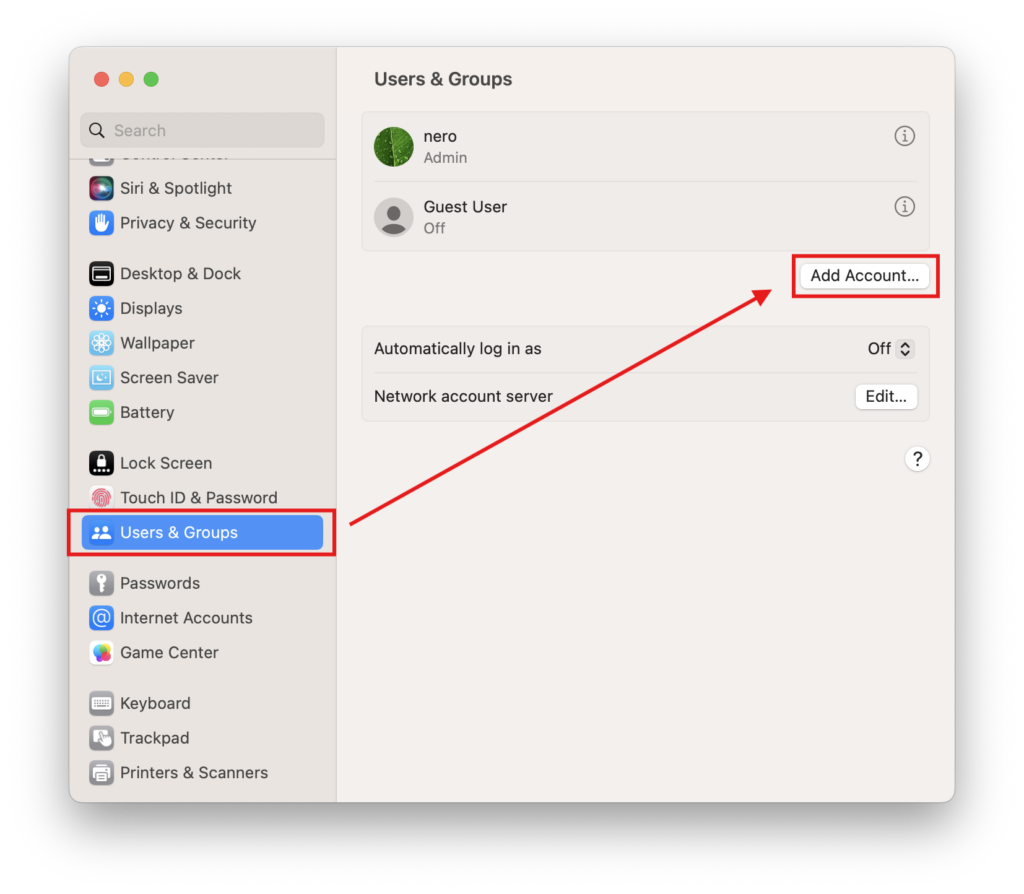
Set the new account type to Administrator, then enter the Full Name and Account Name, set a password, and click Create User.
2. Log In to the New Account
Click the Apple logo in the top-left corner and select Log Out to sign out of your current account.
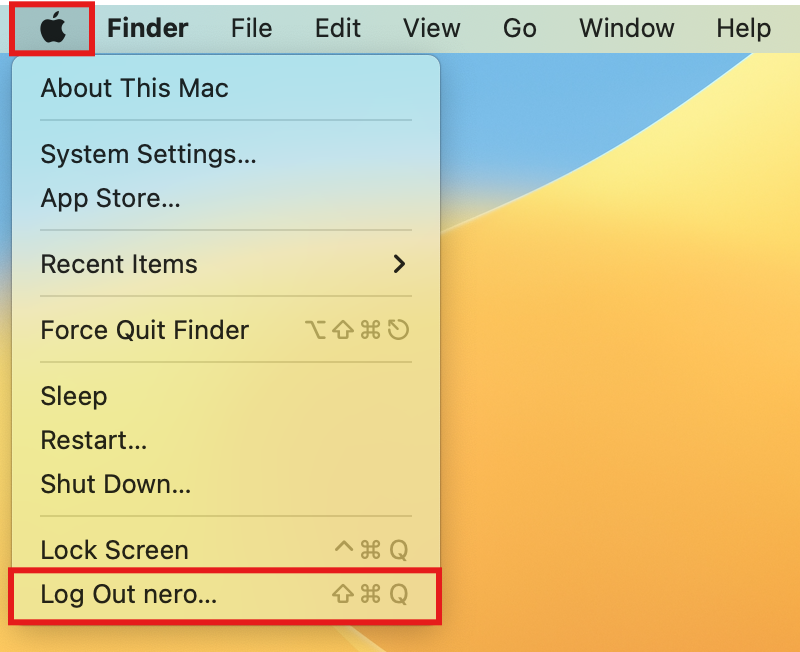
Log in to the account you just created.
3. Retry Pairing
Restart your Mac, open 1001 TVs, and try pairing again.
⚠️ Important: When you open the app, if a Local Network permission prompt appears, be sure to click "允许" to grant access.
As a last resort, please follow the steps below.
1. Start up in Recovery Mode
Click the Apple logo in the top-left corner and select Shut Down.
Depending on your Mac’s chip type, do the following:
- Apple Silicon Mac: After shutting down, press and hold the power button (Touch ID) until you see “Loading startup options”. Release the power button, then click Options.
- Intel Mac: After shutting down, press the power button to turn on your Mac, then immediately press and hold Command (⌘) + R until the Apple logo or a progress bar appears on screen, then release the keys.
Once you are in Recovery Mode, select your account and enter your login password.
2. Turn off system protection temporarily
In the Recovery menu bar, click Utilities > 终端.
Type the following command and press 进入:
csrutil disableWhen you see “Successfully disabled System Integrity Protection.”, click the Apple logo and select 重新啟動.
3. Delete the cached permission files
After your Mac restarts, open 终端 (found in Launchpad or Applications > Utilities).
Enter the first command and press 进入:
sudo rm /Library/Preferences/com.apple.networkextension.plistWhen prompted, enter your 登录密码 and press 进入 again. (Your password will not be shown on screen — this is normal.)
Enter the second command and press 进入:
sudo rm /Library/Preferences/com.apple.networkextension.uuidcache.plist4. Turn system protection back on
Shut down your Mac again.
Repeat 步骤1 to re-enter Recovery Mode.
开放 终端, type the following command, and press 进入:
csrutil enableWhen you see the success message, click the Apple logo and select 重新啟動.
5. Try pairing again
Restart your Mac, open 1001 TVs, and try pairing again.
⚠️ Important: When you open the app, if a Local Network permission prompt appears, be sure to click "允许" to grant access.