How to Mirror and Record Phone Screen on PC via 1001 TVs and Nero Screen Recorder?
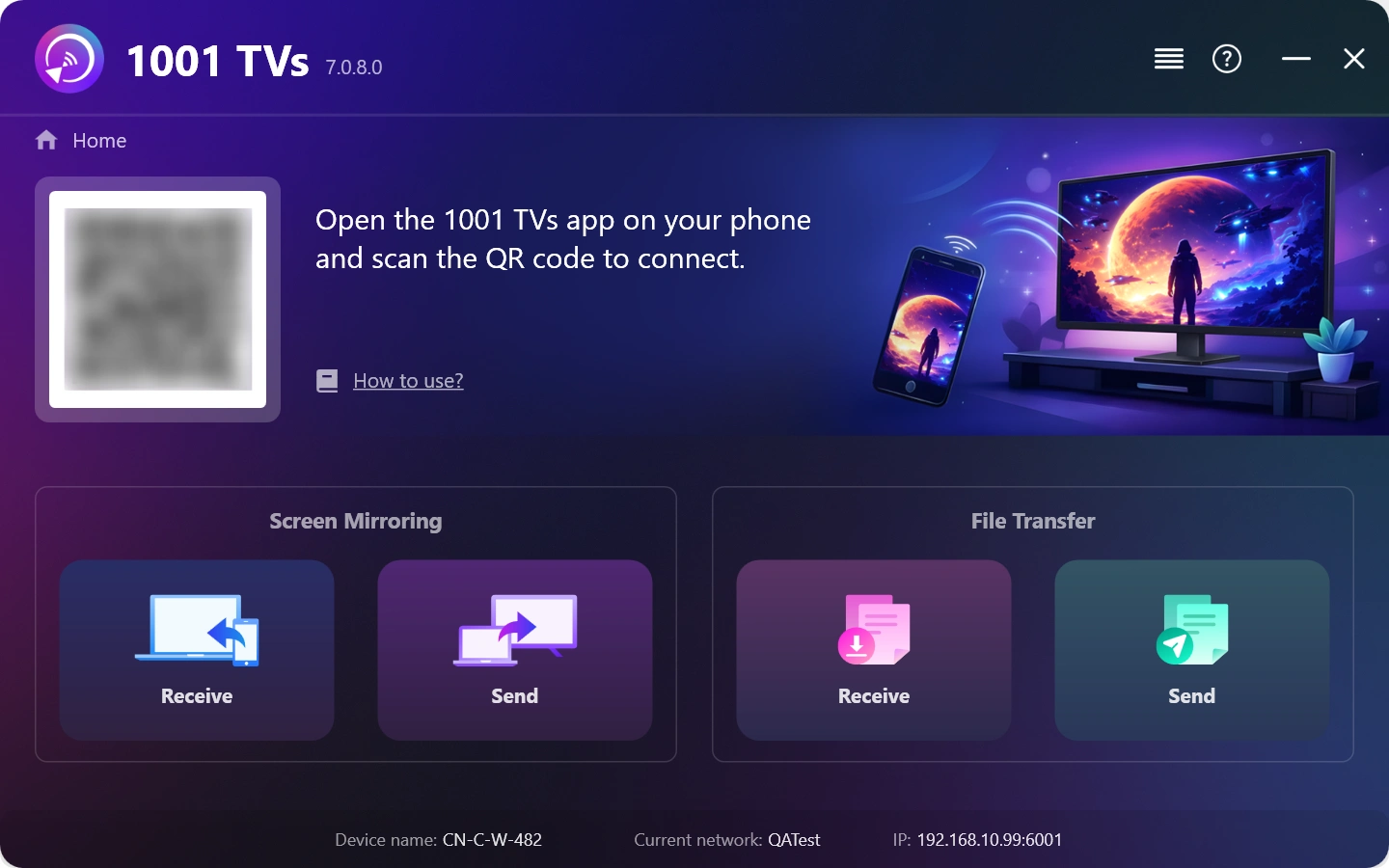
1. Install and Open 1001 TVs on your Windows PC.
كومپيۇتېر ئەپلىرى: چۈشۈرۈش Microsoft دۇكىنى
تەپسىلىي قەدەملەر ئۈچۈن، تۆۋەندىكىگە قاراڭ كومپيۇتېر ئورنىتىش قوللانمىسى.
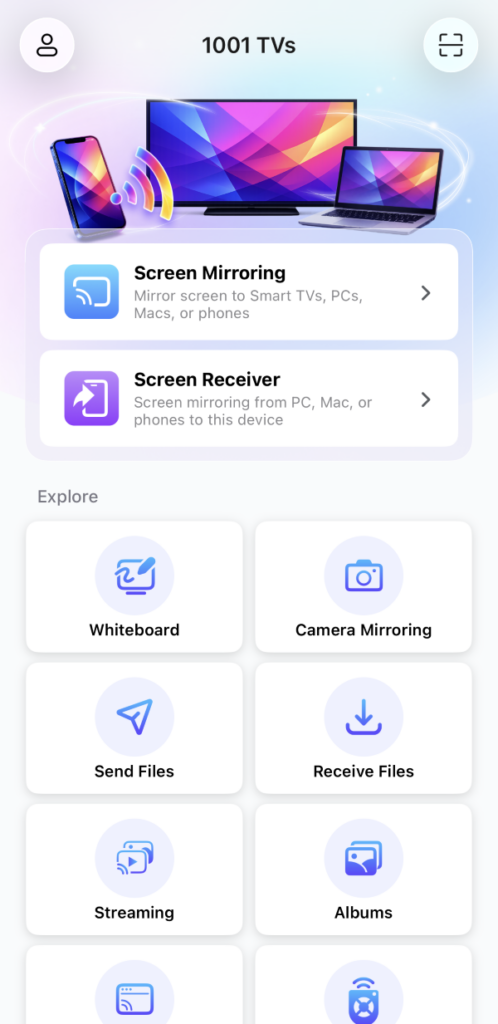
2. Install and open 1001 TVs on the Android / iOS Phone.
iOS ئەپ: App Store دىن چۈشۈرۈڭ
ئاندروئىد ئەپ: Google Play دىن چۈشۈرۈڭ
3. Connect to the Same Wi-Fi Network
ئىككى ئۈسكۈنىنىڭ ئوخشاش Wi-Fi تورىغا ئۇلانغانلىقىغا كاپالەتلىك قىلىڭ.
ئەڭ ياخشى ئۈنۈمگە ئېرىشىش ئۈچۈن، بىرنى ئىشلىتىڭ 5 گىگاگېرتسلىق Wi-Fi تورى كېچىكىشنى ئازايتىش ۋە مۇقىملىقنى ياخشىلاش ئۈچۈن.
4. Start screen mirroring
You can mirror your phone screen to Windows using one of these methods:
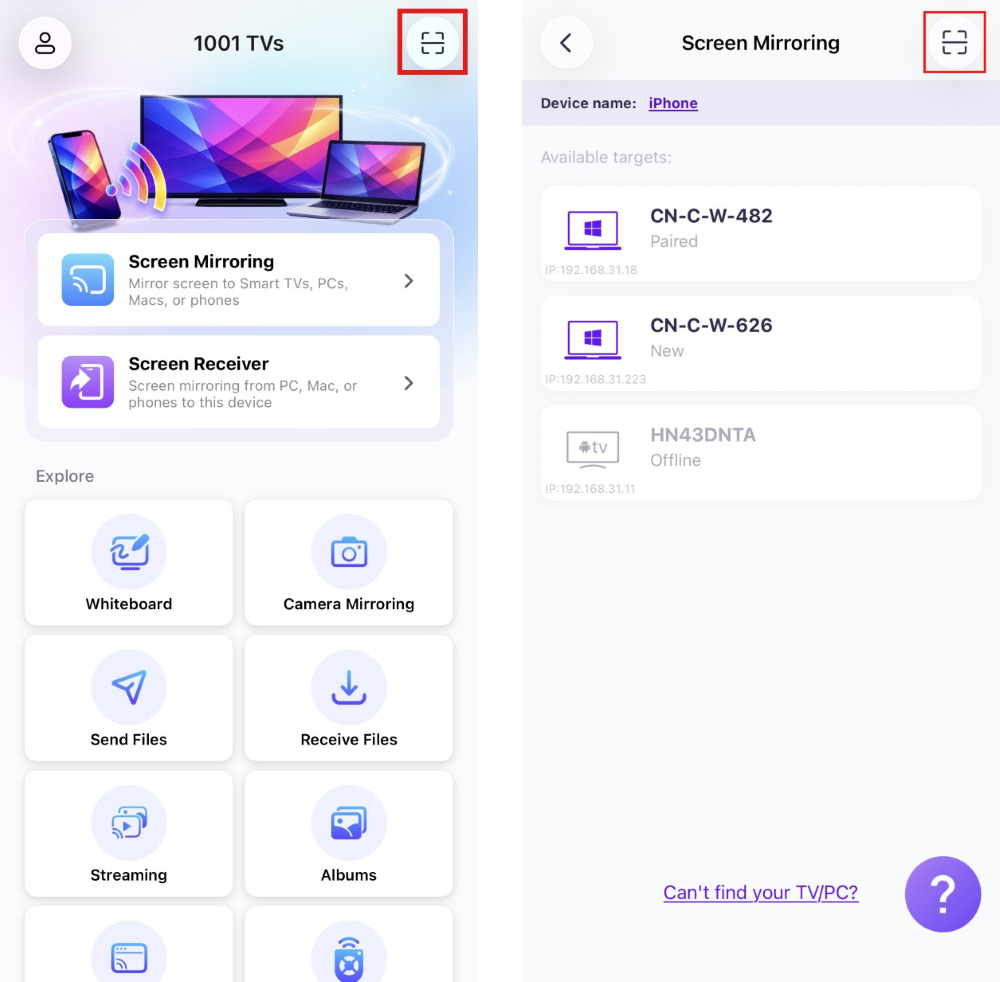
1) QR كودىنى سىكانىرلاڭ
QR كودىنى بىۋاسىتە باش بەتتىن ياكى ئېكران ئەينىكى بەت.
(ئەسكەرتىش: تۇنجى قېتىم سىكانىرلاش ئۈچۈن كامېراغا كىرىش ھوقۇقى تەلەپ قىلىنىدۇ ۋە ئۇنى قوزغىتىشقا بولىدۇ تەڭشەكلەر.)
When prompted on the PC, select “ماقۇل”باغلىنىشنى جەزملەشتۈرۈش ئۈچۈن.
2) يېقىن ئەتراپتىكى ئۈسكۈنىلەرنى تاللاڭ
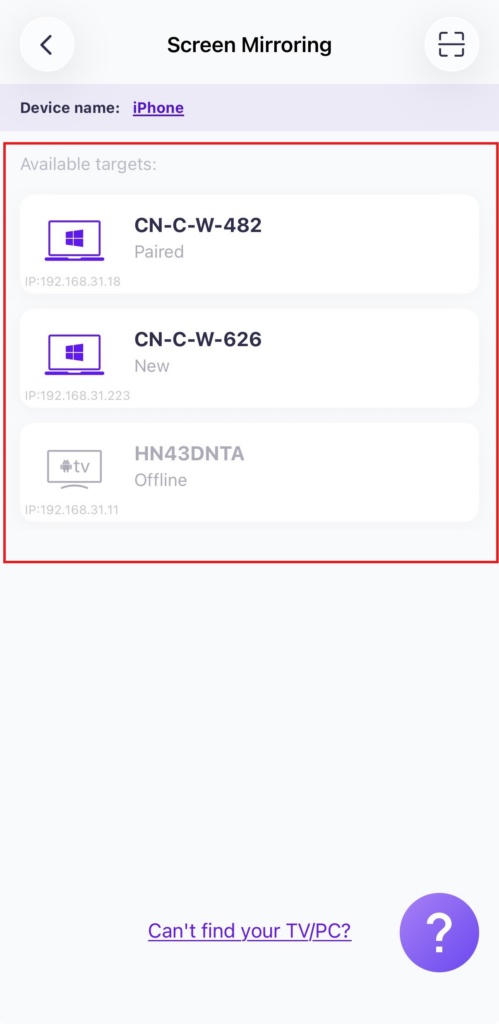
“نى چېكىڭ»ئېكران ئەينىكى”تېلېفونىڭىزدىكى 1001 TVs ئەپ دېتالىدا.».
بۇ ئەپ ئاپتوماتىك ھالدا ئوخشاش Wi-Fi تورىدىكى بار ئۈسكۈنىلەرنى بايقىيالايدۇ.
Select the PC you want to mirror to.
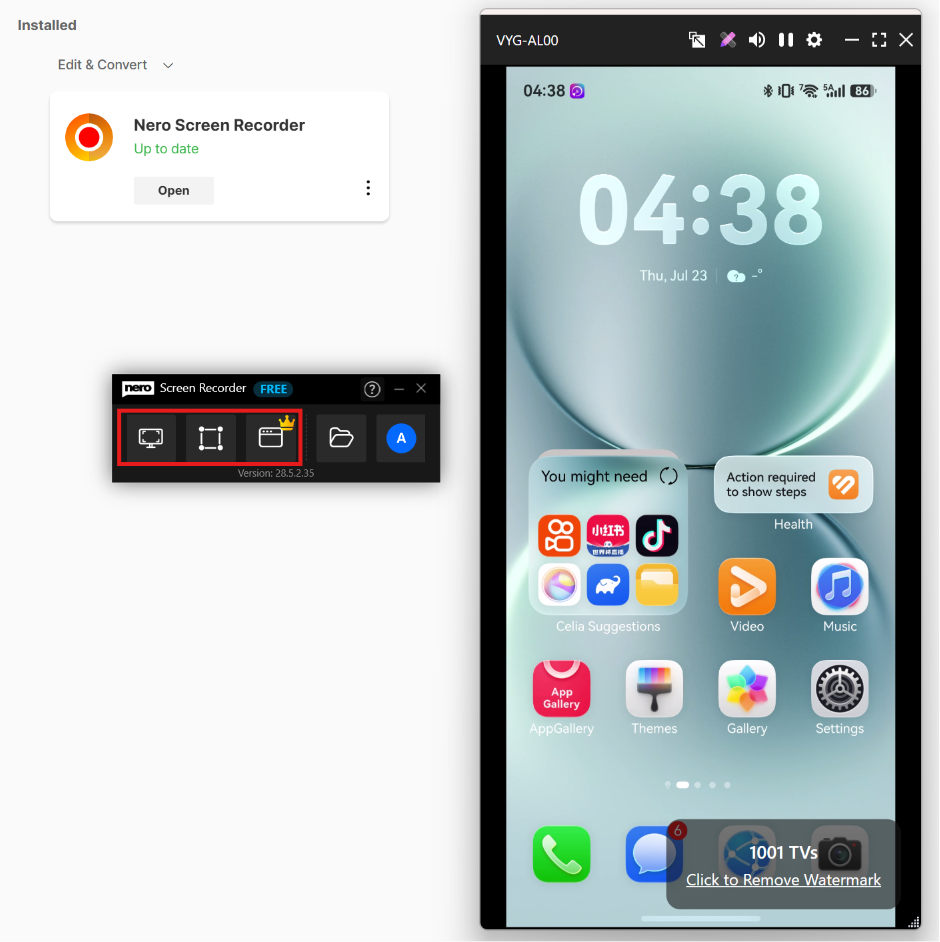
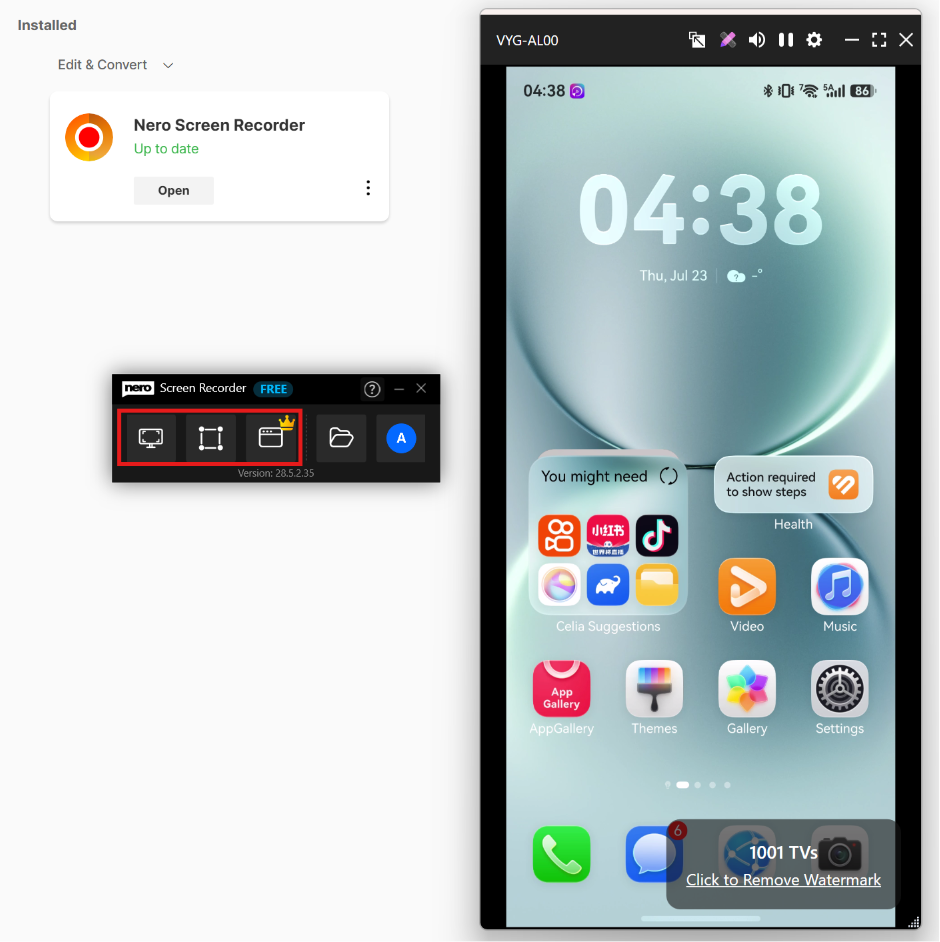
5. Launch Nero Screen Recorder to start recording.
Click here to download Nero Screen Recorder and get details.
تاللاڭ Free Form Recording ياكى Window Recording to capture the mirrored phone screen on your PC.
ھازىر 1001 TVs نى ئېلىڭ!
كومپيۇتېر ئەپلىرى: چۈشۈرۈش Microsoft دۇكىنى
تەپسىلىي قەدەملەر ئۈچۈن، تۆۋەندىكىگە قاراڭ كومپيۇتېر ئورنىتىش قوللانمىسى.
iOS ئەپ: App Store دىن چۈشۈرۈڭ
ئاندروئىد ئەپ: Google Play دىن چۈشۈرۈڭ

Read More
 How to Watch Süper Lig on TV in Türkiye
To watch Süper Lig in Türkiye during the 2026–2027 season, start with beIN SPORTS coverage through Digiturk or TOD. The right TV viewing option…
How to Watch Süper Lig on TV in Türkiye
To watch Süper Lig in Türkiye during the 2026–2027 season, start with beIN SPORTS coverage through Digiturk or TOD. The right TV viewing option…
 How to Share Only One Window to a TV During a Presentation
To share only one window to a TV, either use a tool that can mirror a single window, or set the TV up as…
How to Share Only One Window to a TV During a Presentation
To share only one window to a TV, either use a tool that can mirror a single window, or set the TV up as…

