如何透過 1001 TVs 和 Nero Screen Recorder 在電腦上鏡像顯示並錄製手機畫面?
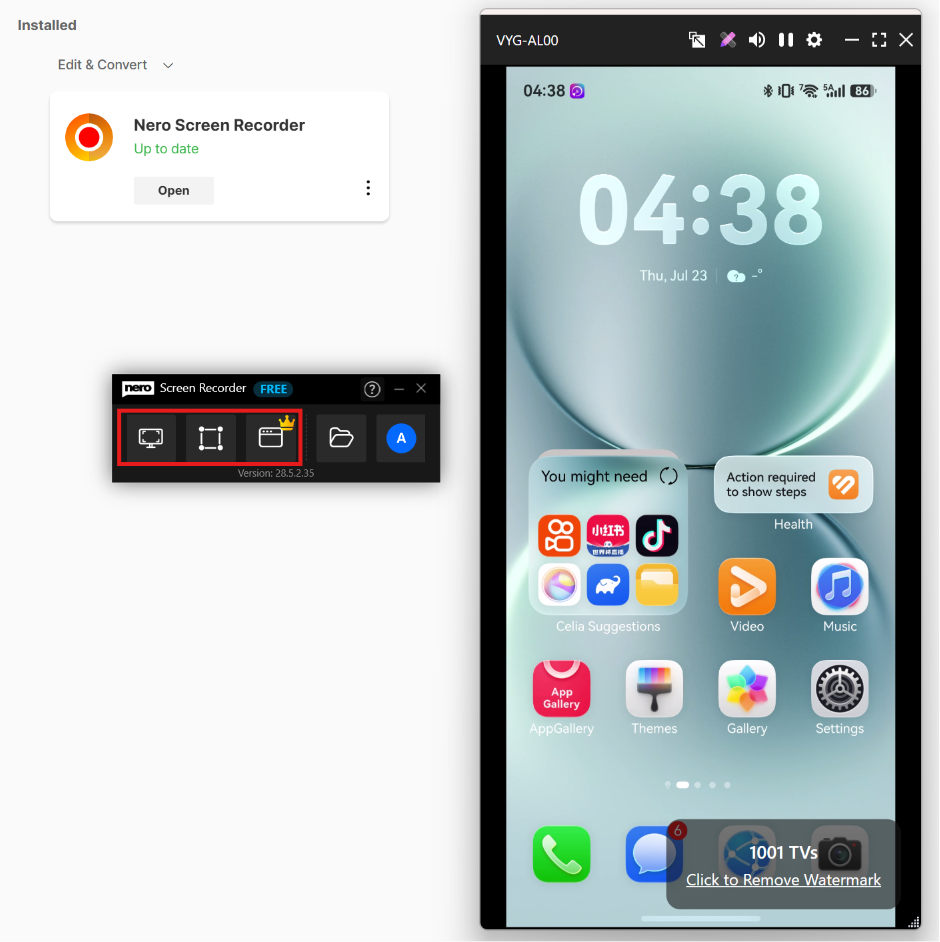
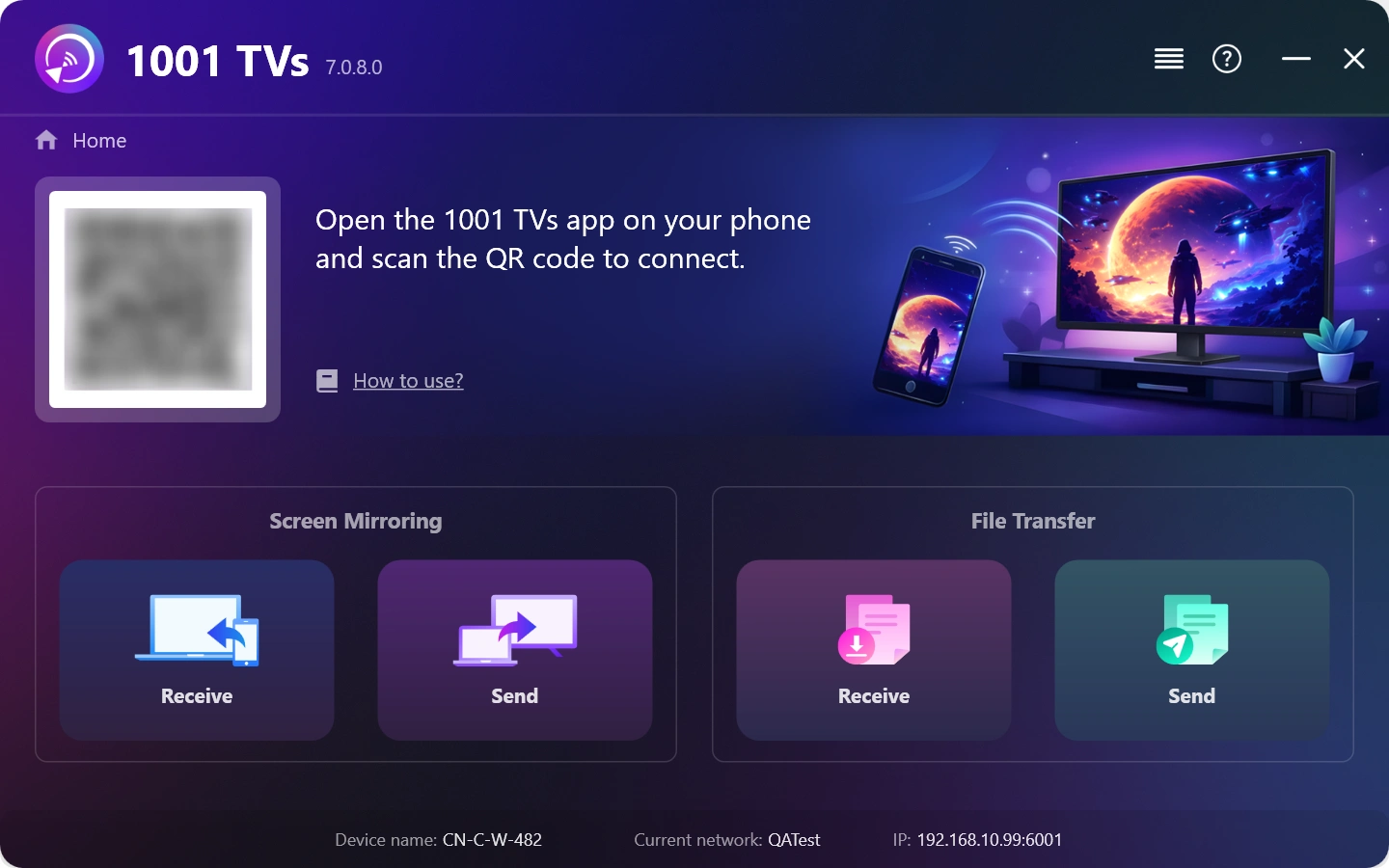
1. 在您的 Windows 電腦上安裝並開啟 1001 TVs。.
PC 應用程式: 下載自 微軟商店
如需詳細步驟,請參閱 PC 安裝指南.
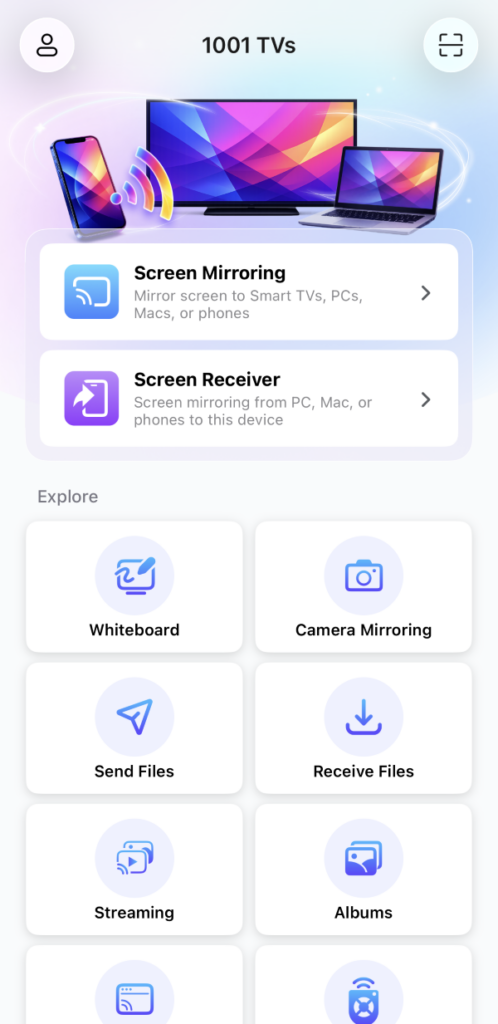
2. 在 Android/iOS 手機上安裝並開啟 1001 TVs。.
iOS 應用程式: 从 App Store 下载
Android 應用程式: 从 Google Play 下载
3. 連線至相同的 Wi-Fi 網路
確保兩部裝置都連線至相同的 Wi-Fi 網路。.
若要獲得最佳效能,請使用 5 GHz Wi-Fi 網路 以減少延遲並提高穩定性。.
4. 開始螢幕鏡像
您可以透過以下任一種方法,將手機螢幕鏡像投射至 Windows:
1) 掃描 QR 代碼
您可以直接從主畫面或 螢幕鏡像 页。
(备注:第一次掃描需要使用攝影機存取,可在以下選項中啟用 设置.)
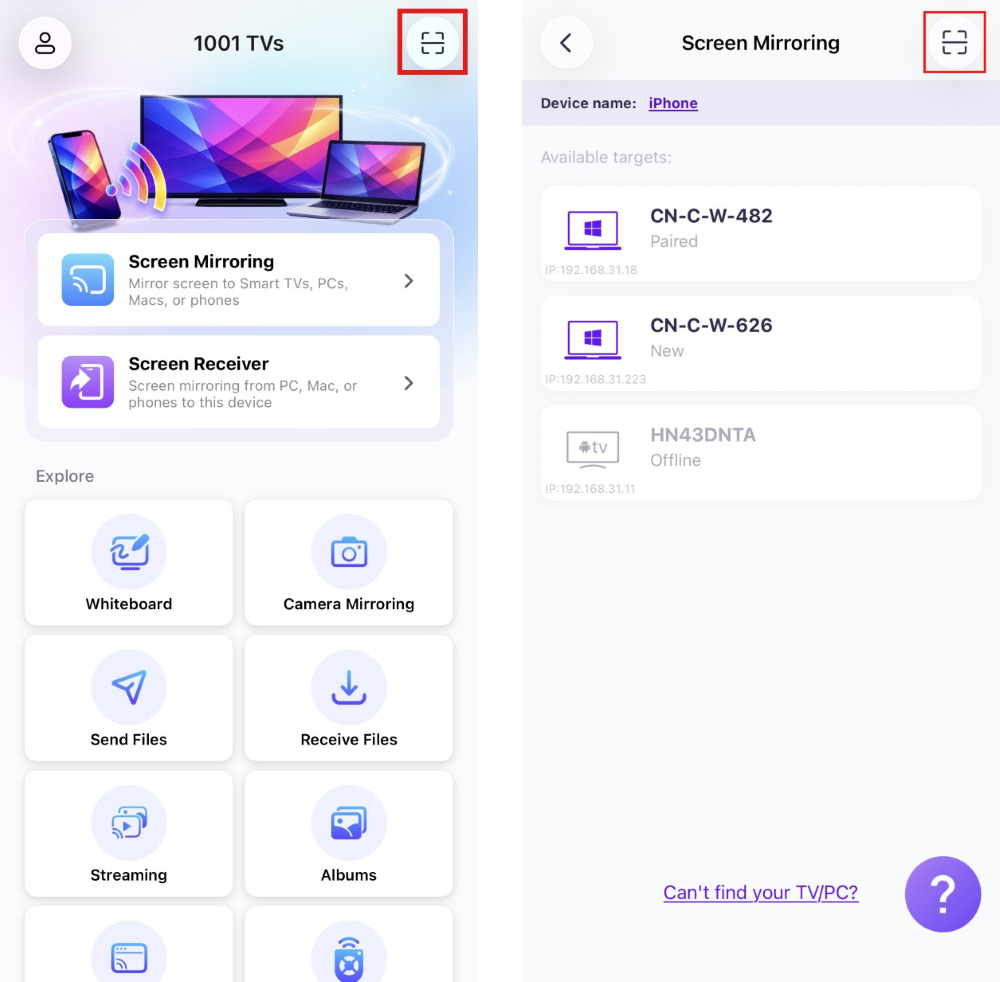
當電腦出現提示時,請選擇「“確定” 確認連接。.
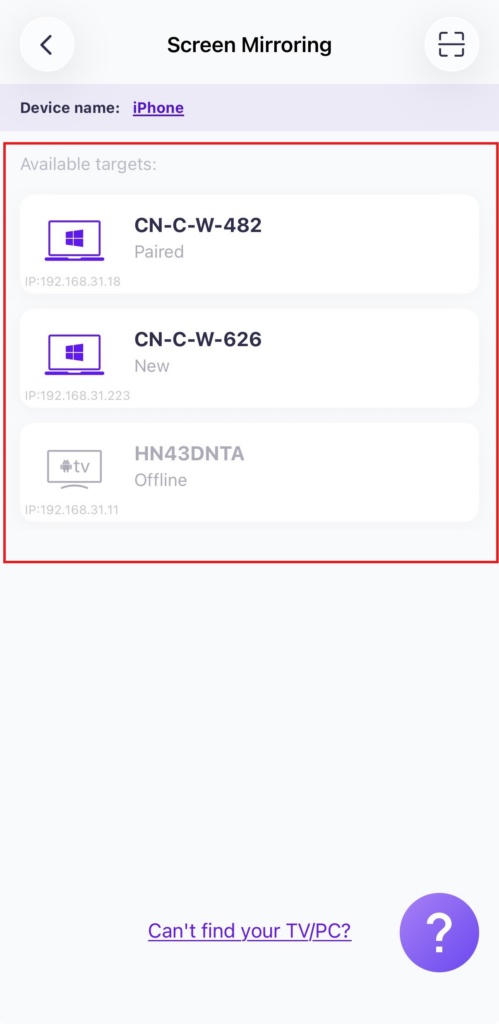
2) 选择附近的设备
点击"螢幕鏡像”在您手機上的 1001 TVs 應用程式中選擇""。.
應用程式會自動偵測同一 Wi-Fi 網路上的可用裝置。.
請選擇您要進行螢幕鏡像的電腦。.
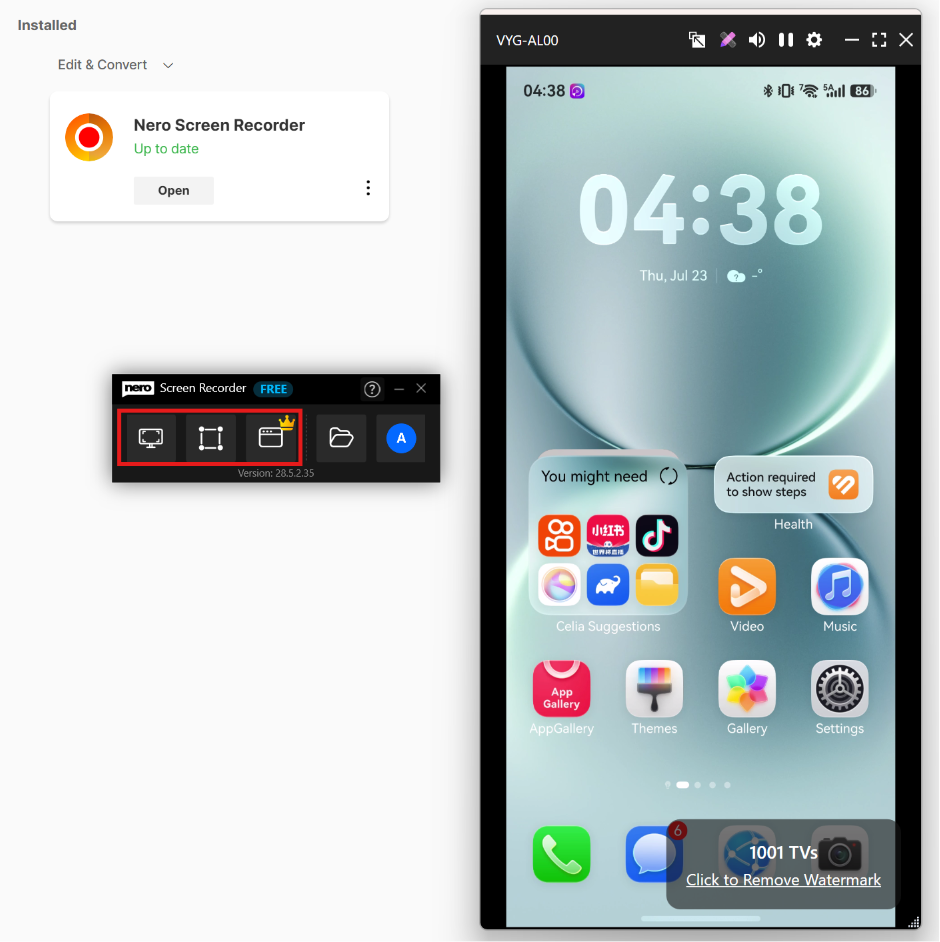
5. 啟動 Nero Screen Recorder 開始錄製。.
點擊此處 下載 Nero Screen Recorder 並查看詳細資訊。.
选择 自由形式錄製 或 視窗錄製 在您的電腦上擷取鏡像顯示的手機畫面。.
立即取得 1001 TVs!
PC 應用程式: 下載自 微軟商店
如需詳細步驟,請參閱 PC 安裝指南.
iOS 應用程式: 从 App Store 下载
Android 應用程式: 从 Google Play 下载

閱讀更多
 How to Cast Photos from Your Phone to a TV
You can cast phone photos to a compatible TV using AirPlay on iPhone, Google Photos with Chromecast, or 1001 TVs Streaming and Albums. The...
How to Cast Photos from Your Phone to a TV
You can cast phone photos to a compatible TV using AirPlay on iPhone, Google Photos with Chromecast, or 1001 TVs Streaming and Albums. The...
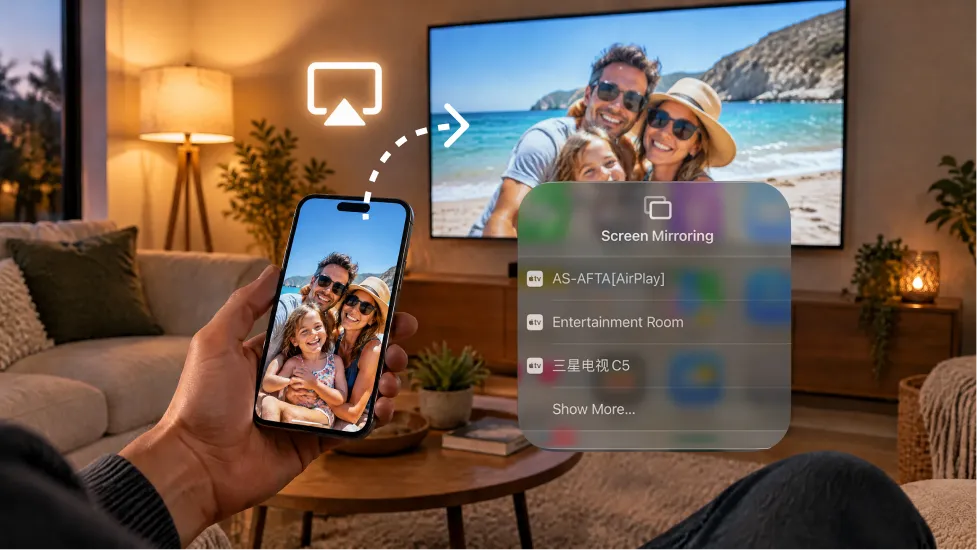 How to Turn On AirPlay on iPhone in iOS 26 (Screen Mirroring Guide)
To turn on AirPlay screen mirroring in iOS 26, open Control Center, tap the Screen Mirroring button (two overlapping rectangles), and choose your TV...
How to Turn On AirPlay on iPhone in iOS 26 (Screen Mirroring Guide)
To turn on AirPlay screen mirroring in iOS 26, open Control Center, tap the Screen Mirroring button (two overlapping rectangles), and choose your TV...

