TV APK Installation Guide: How to Send and Install APK Files on TV from Your PC or Mac via Wi-Fi
Got an APK file on your phone, PC or Mac that you want to run on your TV?
With 1001 TVs, you can send APK files from either device to your TV over Wi-Fi and install them directly — no cables, no USB drives, no hassle.
👉 From your phone: see How to Send and Install APK Files on TV from Your Phone via Wi-Fi.
👉 From your PC or Mac: follow the steps below.

1. Install and Open 1001 TVs on both devices
📺 TV App: How to Install 1001 TVs on Your TV
💻 PC App: Download from Microsoft Store
For detailed steps, refer to the PC Installation Guide
💻 Mac App: Download from App Store
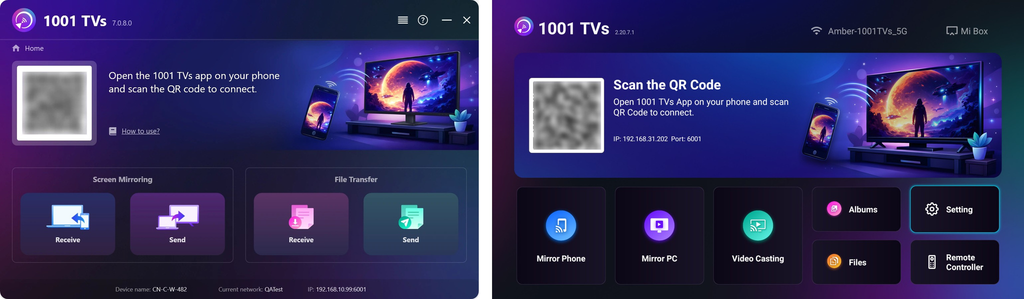
2. Connect to the Same Wi-Fi
Make sure both your devices are connected to the same Wi-Fi network.
(A 5G band Wi-Fi connection is recommended for the best performance.)
3. Send APK File to TV
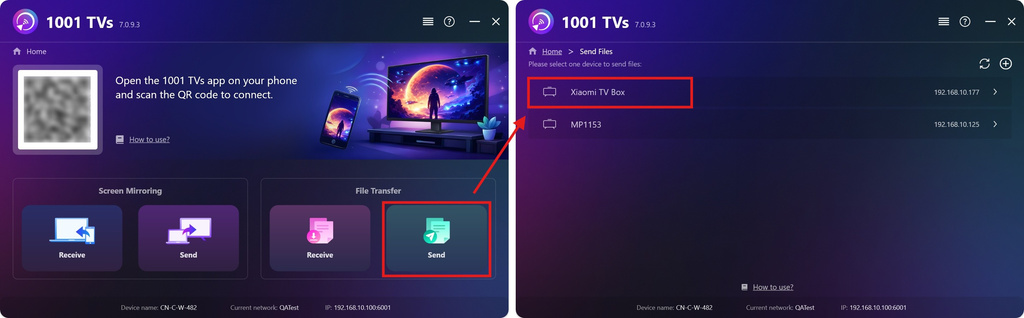
On your PC or Mac, click Send and the app will automatically search for available devices on the same network.
Select your target TV from the device list.
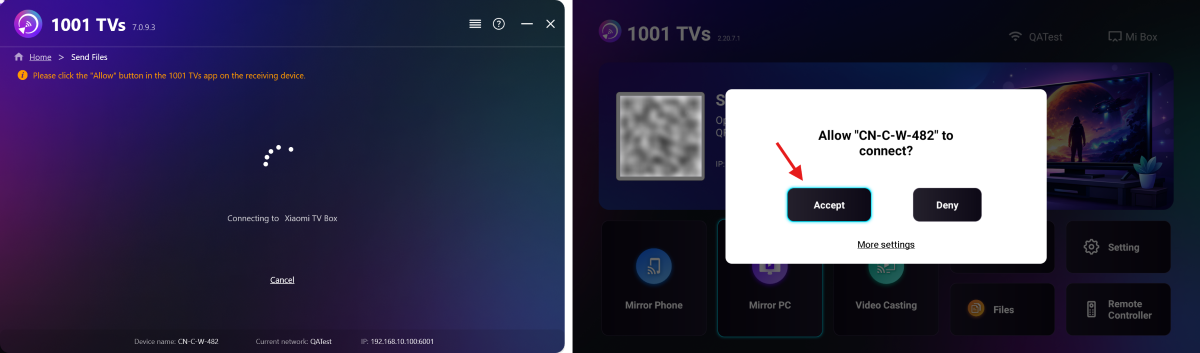
On the TV, confirm the pairing.
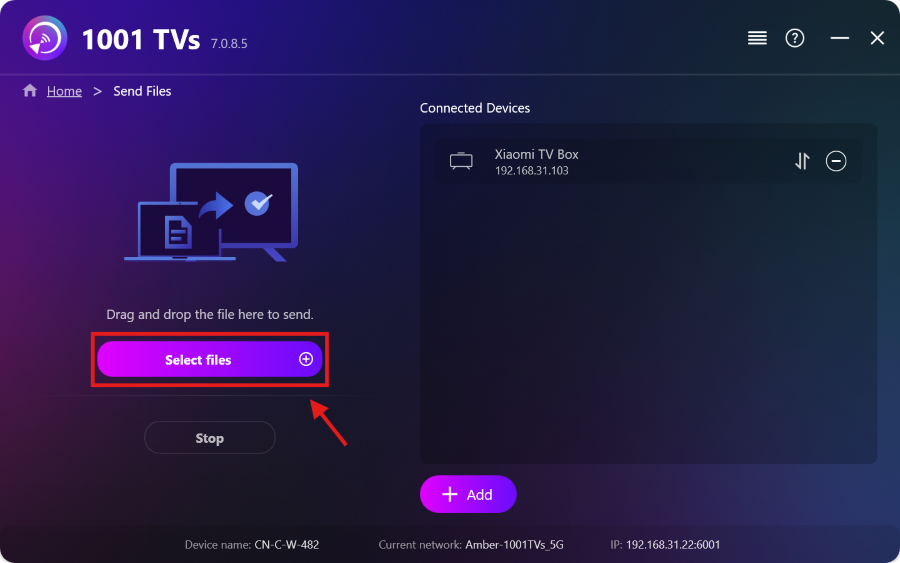
Select your APK file on your PC or Mac, or simply drag and drop it into the file area on the left.
The transfer will start automatically.
4. Install APK on TV
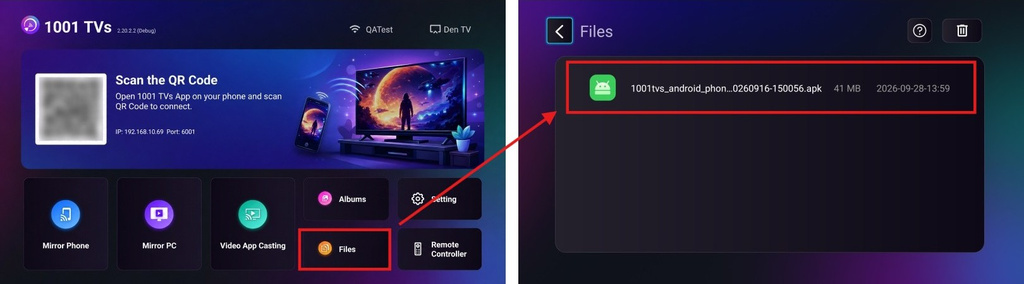
Using your TV remote, open Files and select the APK file you want to install.
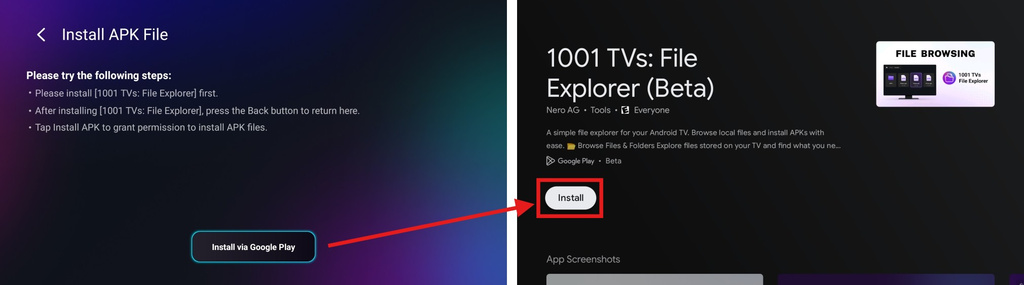
Select Install via Google Play and complete the installation.
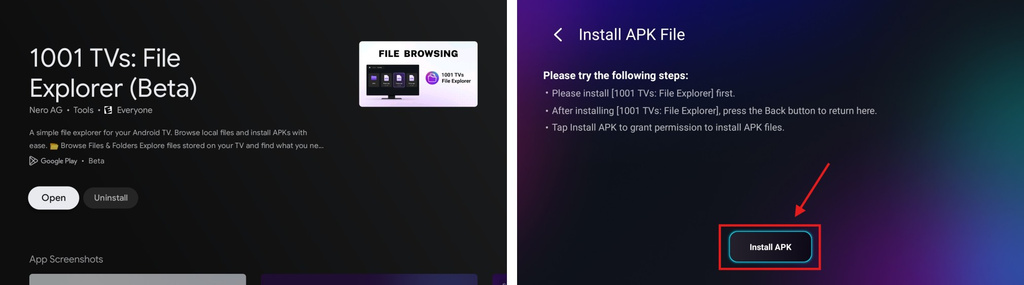
Once finished, press the Back button on your remote to return to the previous page. (There’s no need to open 1001 TVs – File Explorer.)
The button below will now change to Install APK. Select it to go to the app install permission page.
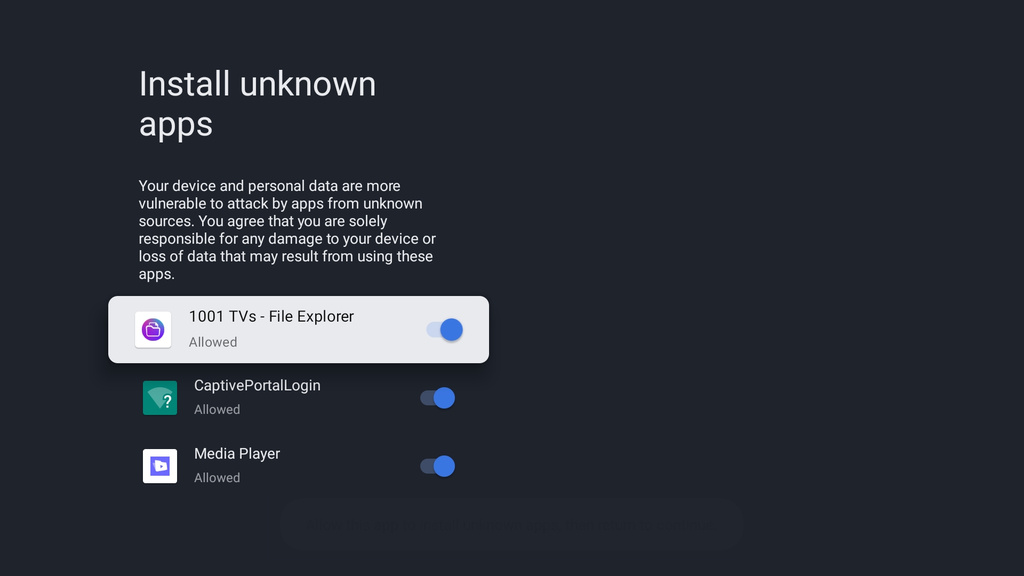
Allow 1001 TVs – File Explorer to install unknown apps. This permission is required to install your APK file.
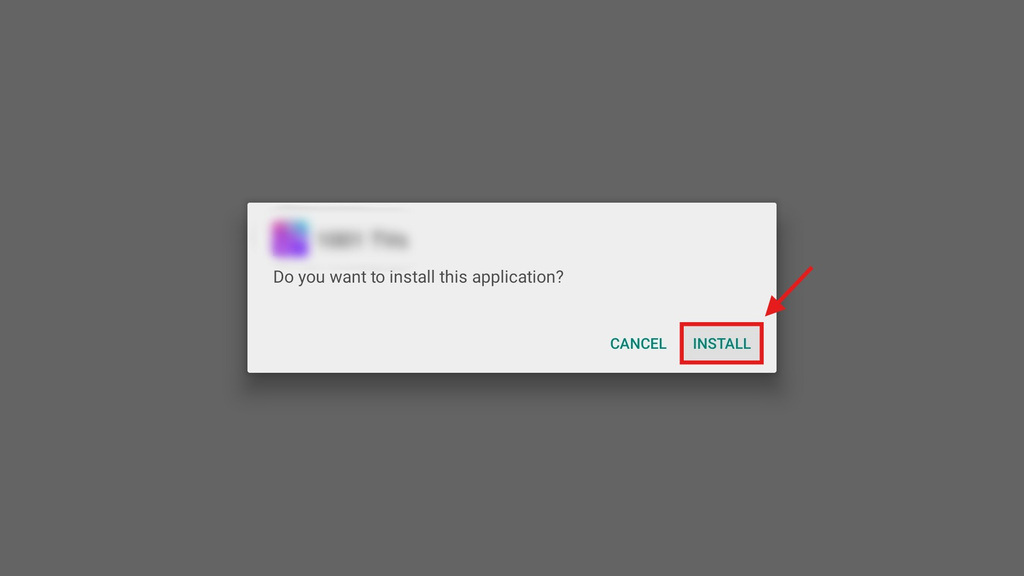
Press the Back button, then select Install to install your APK.
5. Installation Complete
Your APK is now ready to use on your TV. Just open it from your TV’s app list and start enjoying it on the big screen.
1001 TVs provides a simple, cable-free way to send and install APK files from your PC or Mac to your TV over Wi-Fi.
Get 1001 TVs Now
📺 TV App: How to Install 1001 TVs on Your TV
💻 PC App: Download from Microsoft Store
For detailed steps, refer to the PC installation Guide
💻 Mac App: Download from App Store
Disclaimer
- Users are solely responsible for the content they choose to install. This app only invokes the system PackageInstaller to perform installations. It does not store, distribute, or provide downloads of any APK files.
- Bundling and distributing this installer (1001 TVs: File Explorer) with infringing content is strictly prohibited.

Read More
TV APK Installation Guide: How to Send and Install APK Files on TV from Your Phone via Wi-Fi
Got an APK file on your phone or PC that you want to run on your TV? With 1001 TVs, you can send APK…
 How to Send Files from PC to Multiple Devices at the Same Time (PC, Phone, TV, Tablet)
With the latest Windows version of 1001 TVs (v7.0.8.5), your PC can now send files to multiple devices — TVs, tablets, phones, or other…
How to Send Files from PC to Multiple Devices at the Same Time (PC, Phone, TV, Tablet)
With the latest Windows version of 1001 TVs (v7.0.8.5), your PC can now send files to multiple devices — TVs, tablets, phones, or other…

