[Mac] How to Mirror Mac Screen to PC/Mac
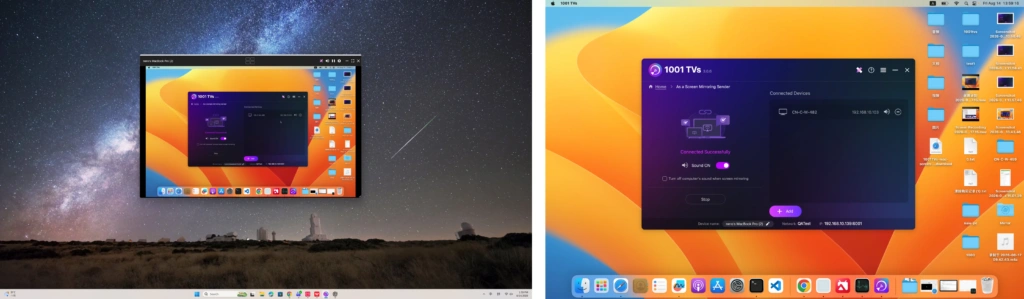
1001 TVs is a powerful cross-platform tool that makes screen sharing between phones, computers, and TVs simple and efficient.
1. Connect to the Same Wi-Fi
Make sure both your devices are connected to the same Wi-Fi network.
For best performance, use a 5 GHz Wi-Fi network to reduce delay and improve stability.
2. Install and Open 1001 TVs
📥 Mac App: Download from App Store
📥 PC App: Download from Microsoft Store
For detailed steps, refer to the PC Installation Guide
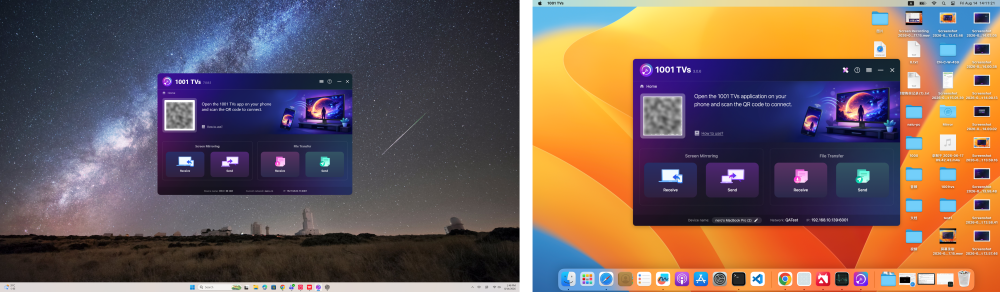
3. Start Mirroring
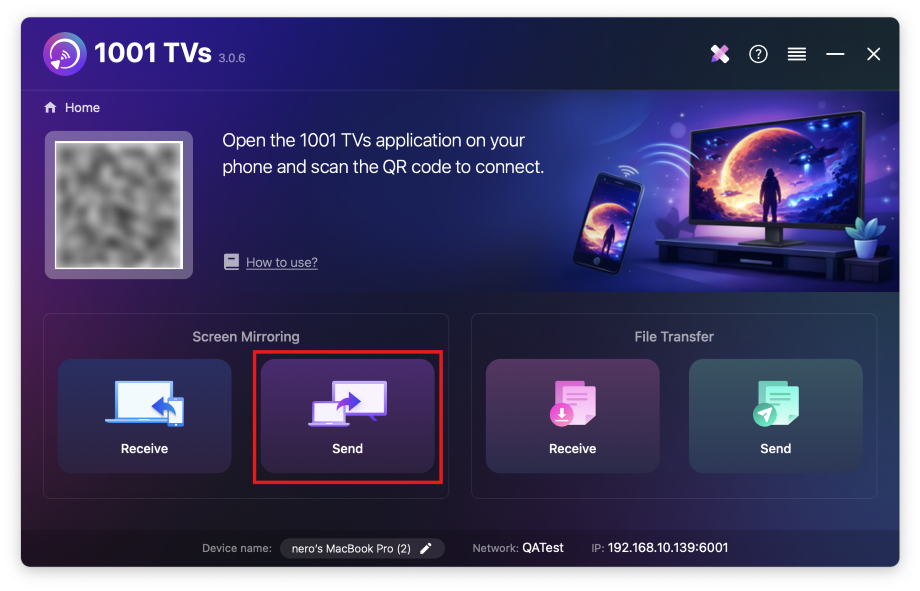
1) On your Mac, click “Send” and follow the on-screen instructions.
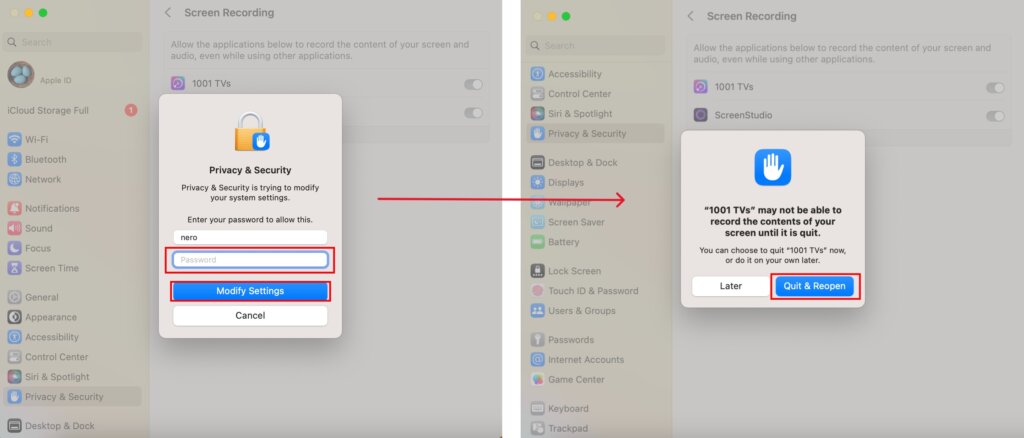
Ensure Screen Recording access is enabled for 1001 TVs.
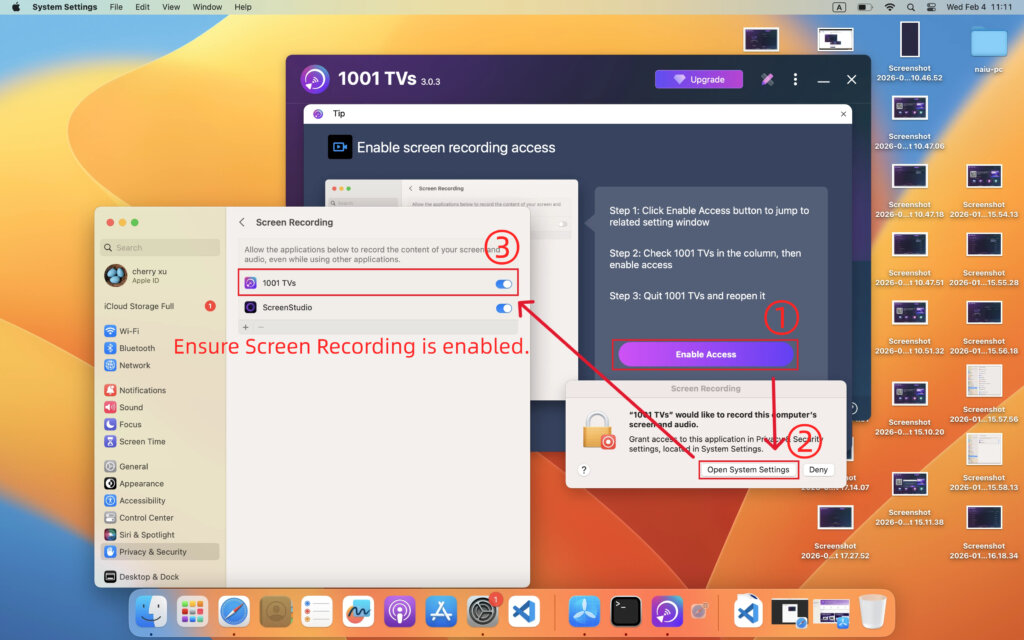
If prompted, enter your passkey to modify the setting, then reopen the app to apply the changes.
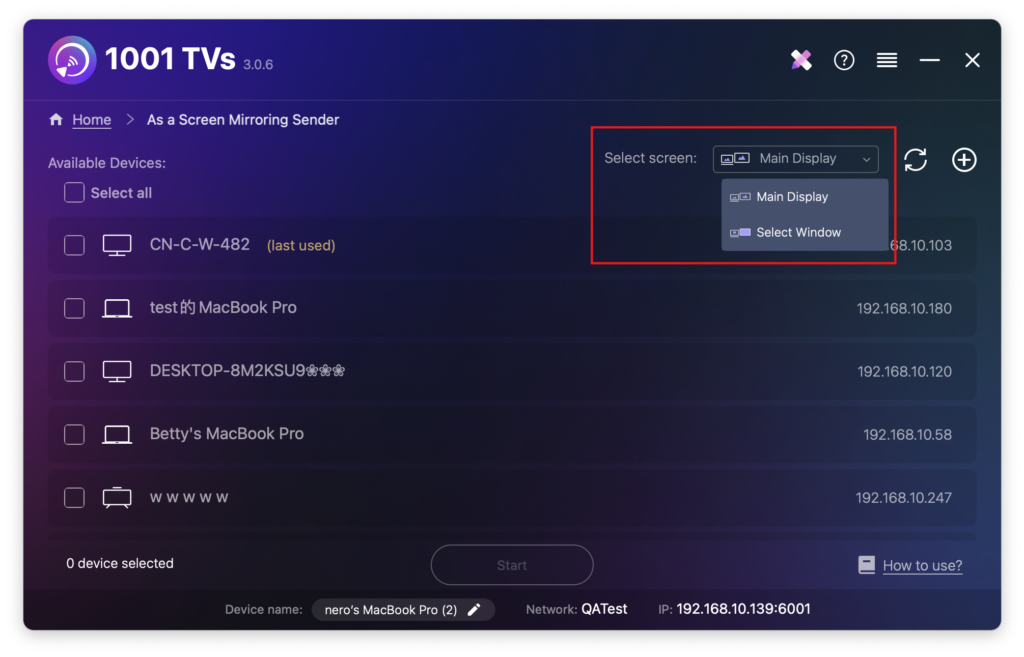
2) Select what you want to mirror: your entire main screen or a specific window.
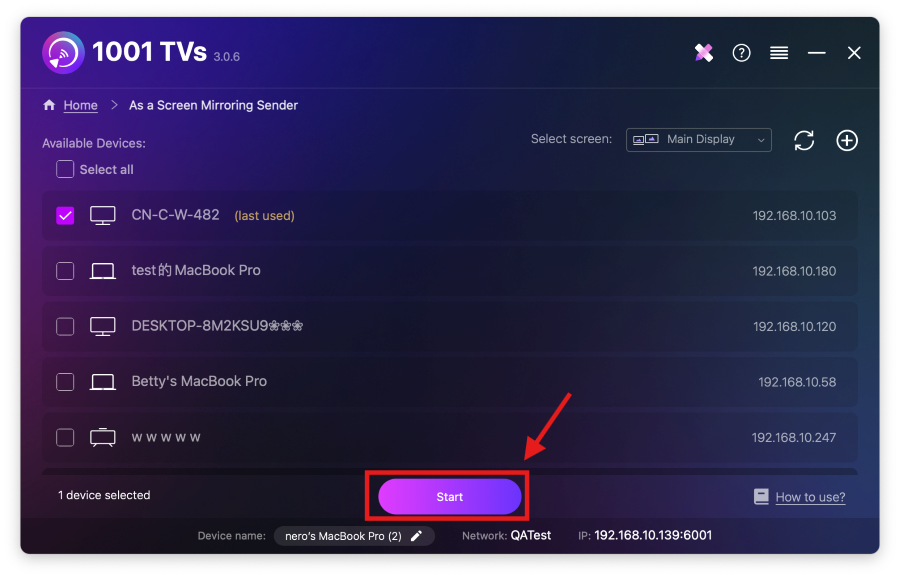
3) Select your target device and start mirroring.
The app will automatically detect available devices (such as TVs, TV boxes, and PCs) on the same network running 1001 TVs.
When prompted, allow microphone access to ensure audio works properly.
If the device is not listed, make sure the app is running on the target device, then click Refresh to reload the device list.
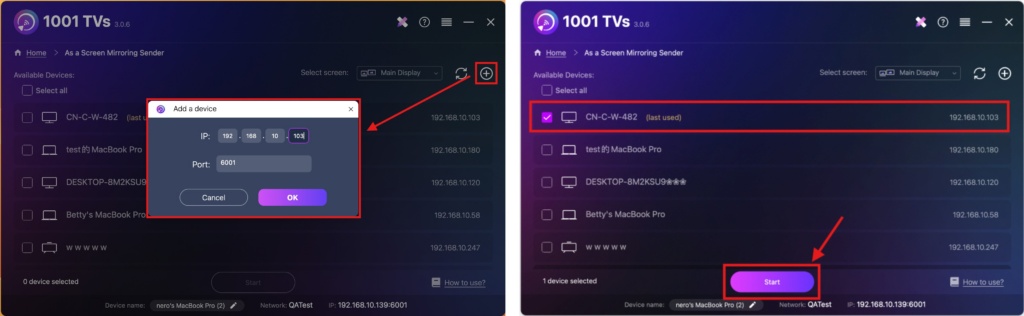
You can also click the + icon in the top-right corner and manually enter the IP address shown on the target device.
Then the device will be automatically selected.
4. Confirm the Connection
When prompted on the receiving device, select “OK” to pair the devices.
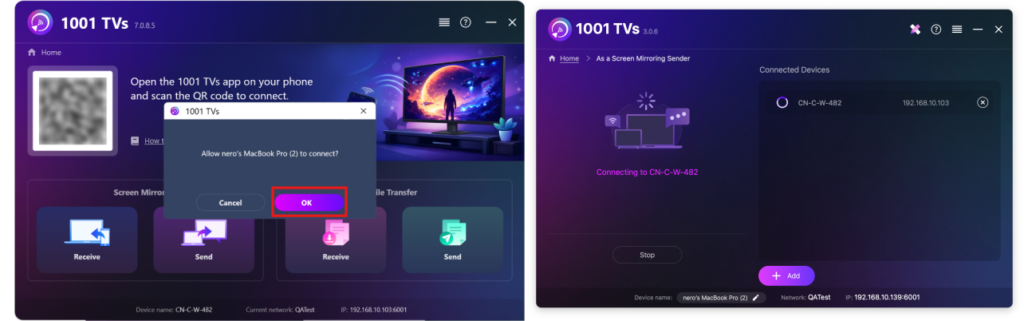
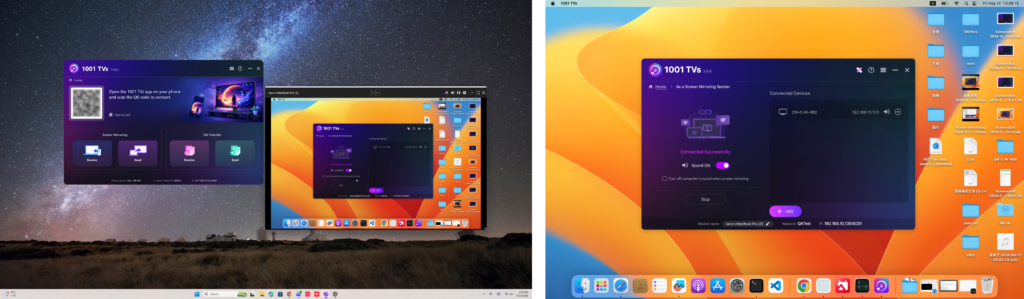
Once paired, your Mac screen will instantly be mirrored to your target device!
Notes
No sound: Use a computer with built-in or external speakers.
Audio is supported on macOS 13.0 and later.
For a stable connection: For smoother screen performance with less delay, connect to a 5 GHz Wi-Fi network.
Want to Extend Your Mac Screen?
In addition to screen mirroring, 1001 TVs also supports a special mirroring mode that allows you to extend your Mac screen to another device and use it as a second display.
👉 Learn more: How to Extend Your Mac Screen to Another Device
Get 1001 TVs Now!
📥 Mac App: Download from App Store
📥 PC App: Download from Microsoft Store
For detailed steps, refer to the PC Installation Guide

Read More
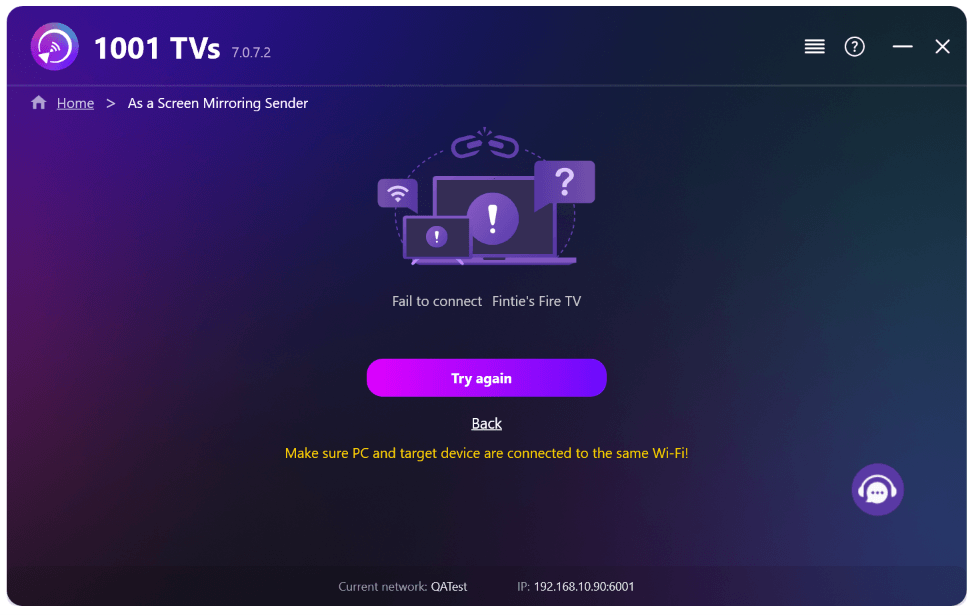 New Setting: No More Pop-ups When Mirroring Ends
When you're mirroring your PC screen to a TV and stop the session using the TV remote, the 1001 TVs window pops back up…
New Setting: No More Pop-ups When Mirroring Ends
When you're mirroring your PC screen to a TV and stop the session using the TV remote, the 1001 TVs window pops back up…
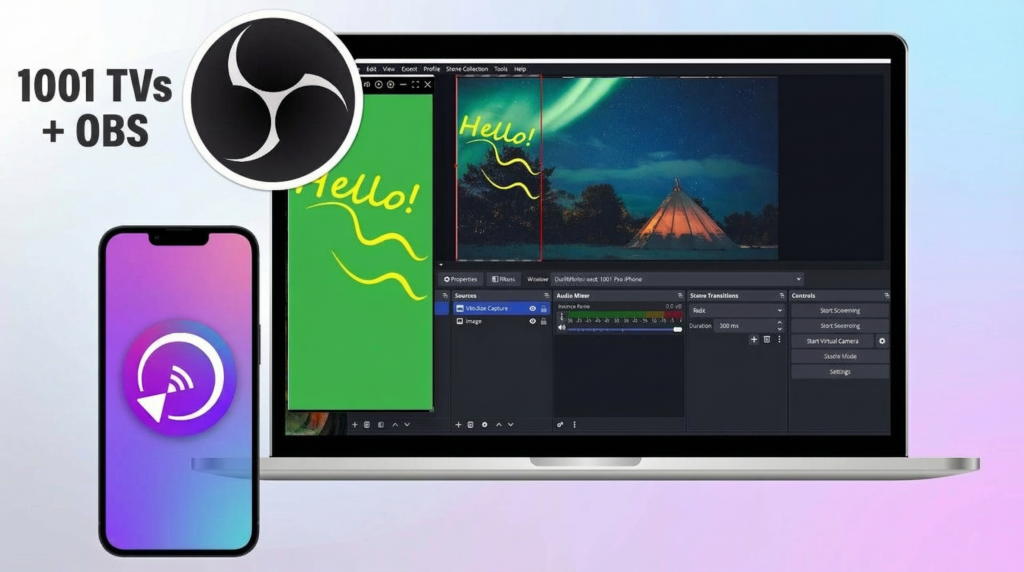 How to Capture Screen Mirroring in OBS (Android & iPhone)
Want to capture screen mirroring in OBS for mobile gameplay, tutorials, or live content? With 1001 TVs, you can easily mirror your phone screen…
How to Capture Screen Mirroring in OBS (Android & iPhone)
Want to capture screen mirroring in OBS for mobile gameplay, tutorials, or live content? With 1001 TVs, you can easily mirror your phone screen…

