How to Mirror Your Phone or Tablet Vertically to Apple TV
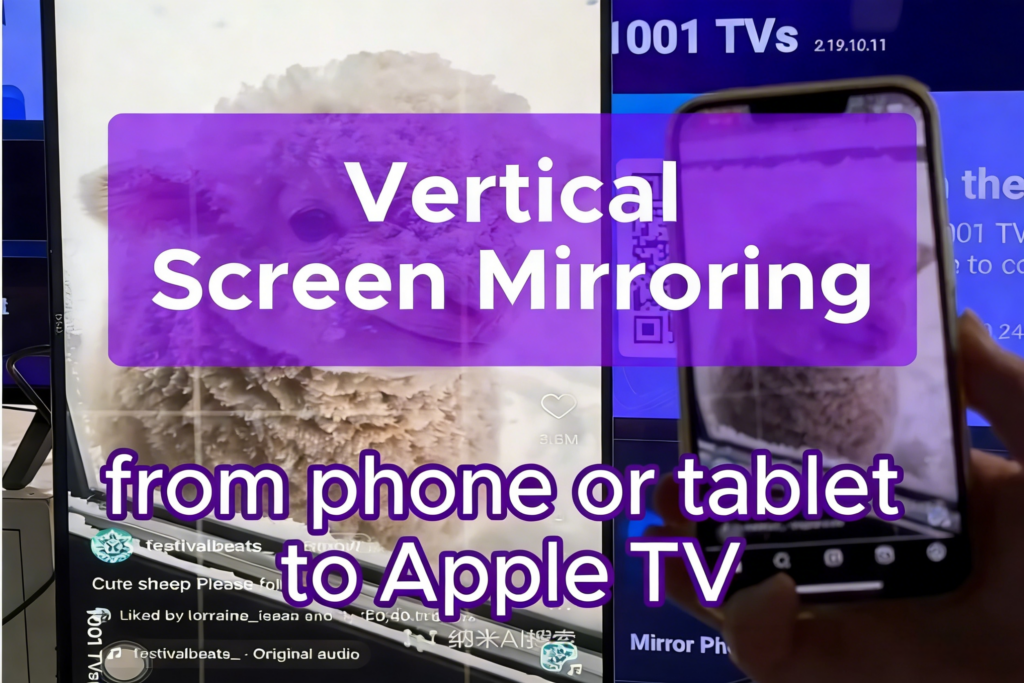
Tired of squinting at your phone while watching videos, apps, or presentations?
Whether you’re streaming TikTok or viewing other vertical content, here’s how to mirror your phone or tablet vertically to your Apple TV.
1. Connect to the Same Wi-Fi Network
Make sure both devices are connected to the same Wi-Fi network.
For the best performance, use a 5 GHz Wi-Fi network to reduce latency and improve stability.
2. Install and Open 1001 TVs
Install 1001 TVs on both your Apple TV and your mobile device, then open the app.
📥 Apple TV App: Download from App Store
📱 iOS App: Download from App Store
📱 Android App: Download from Google Play
3. Start Screen Mirroring
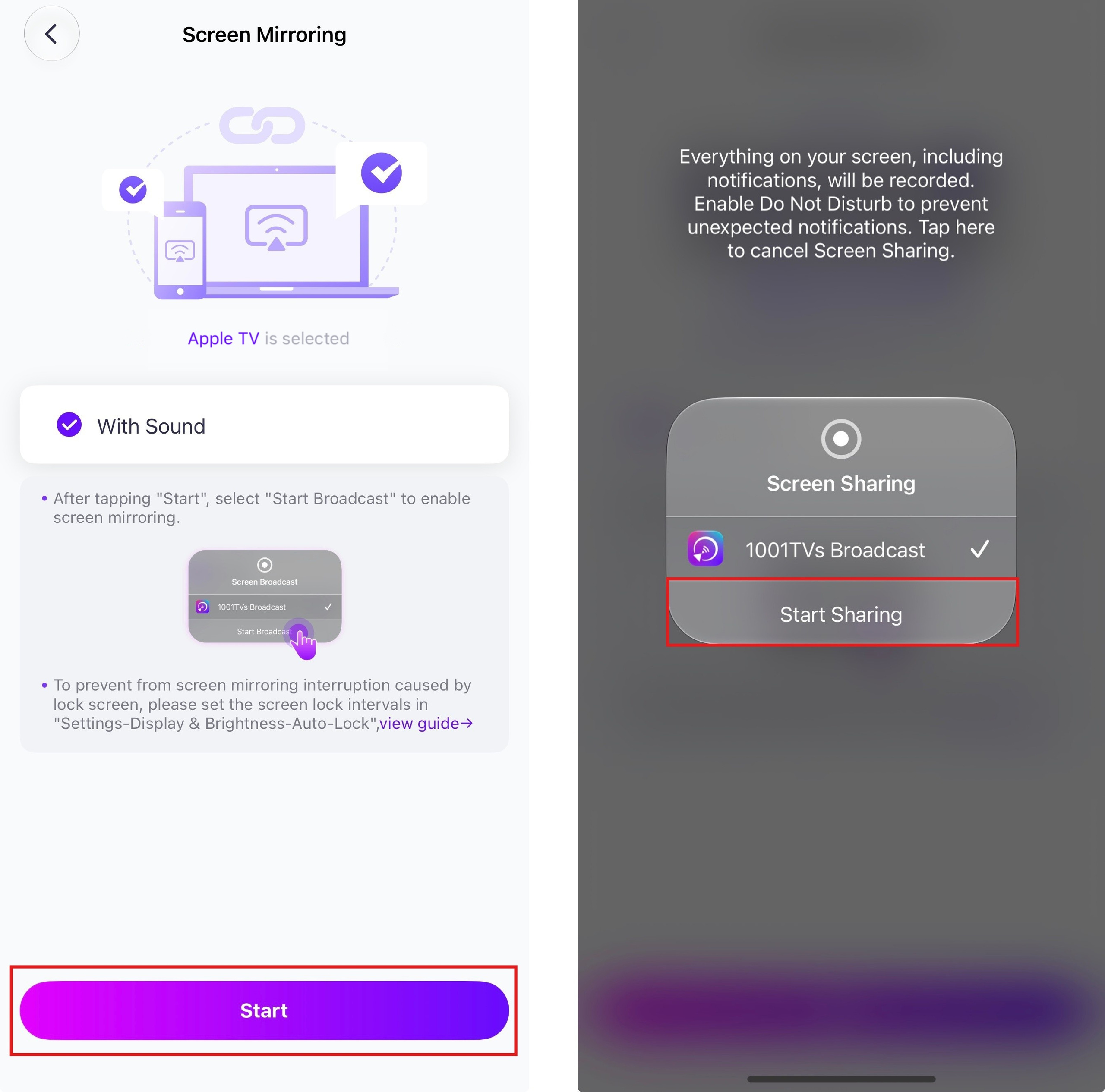
On your phone or tablet, tap Screen Mirroring or scan the QR code displayed on the TV.
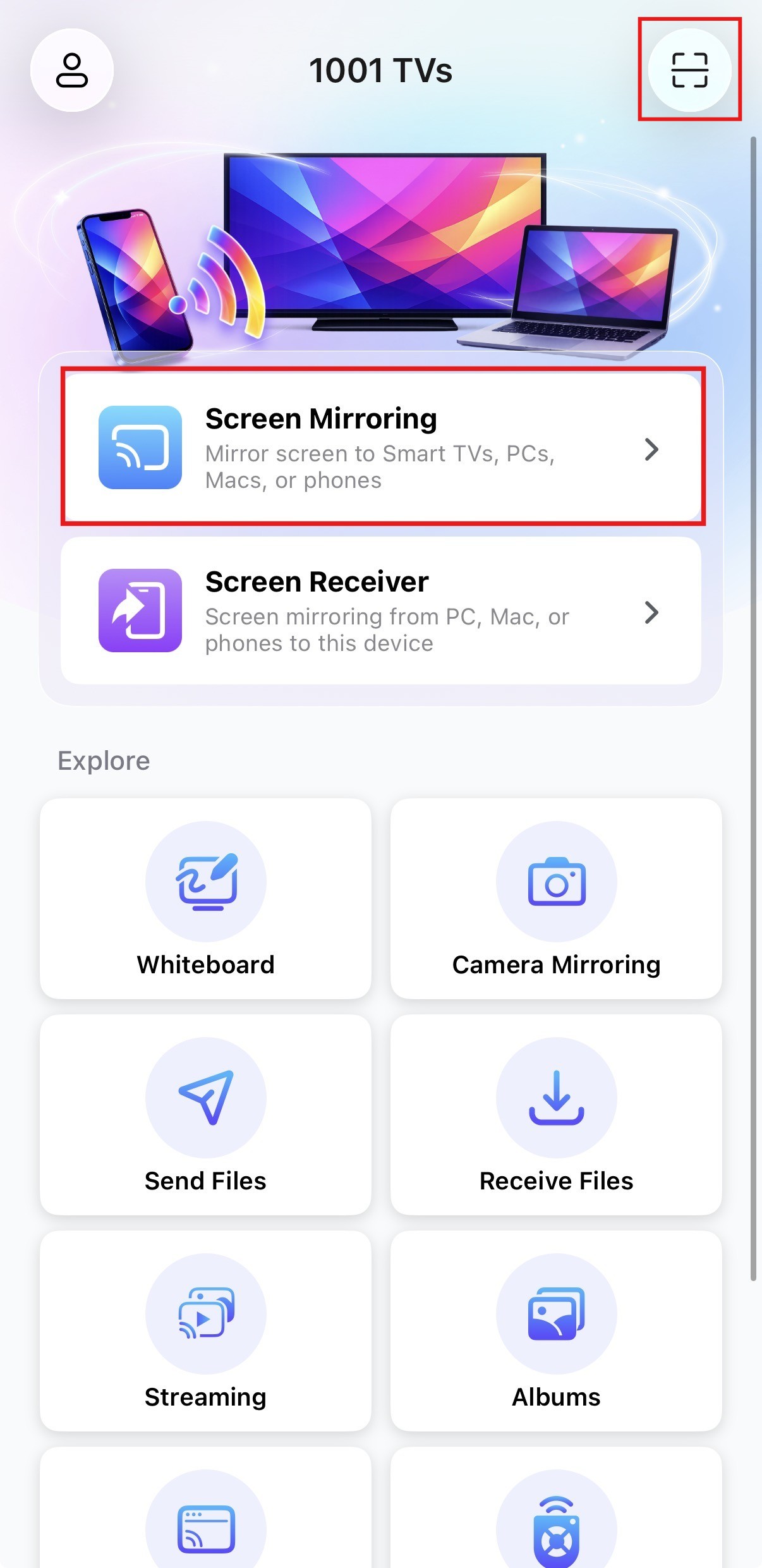
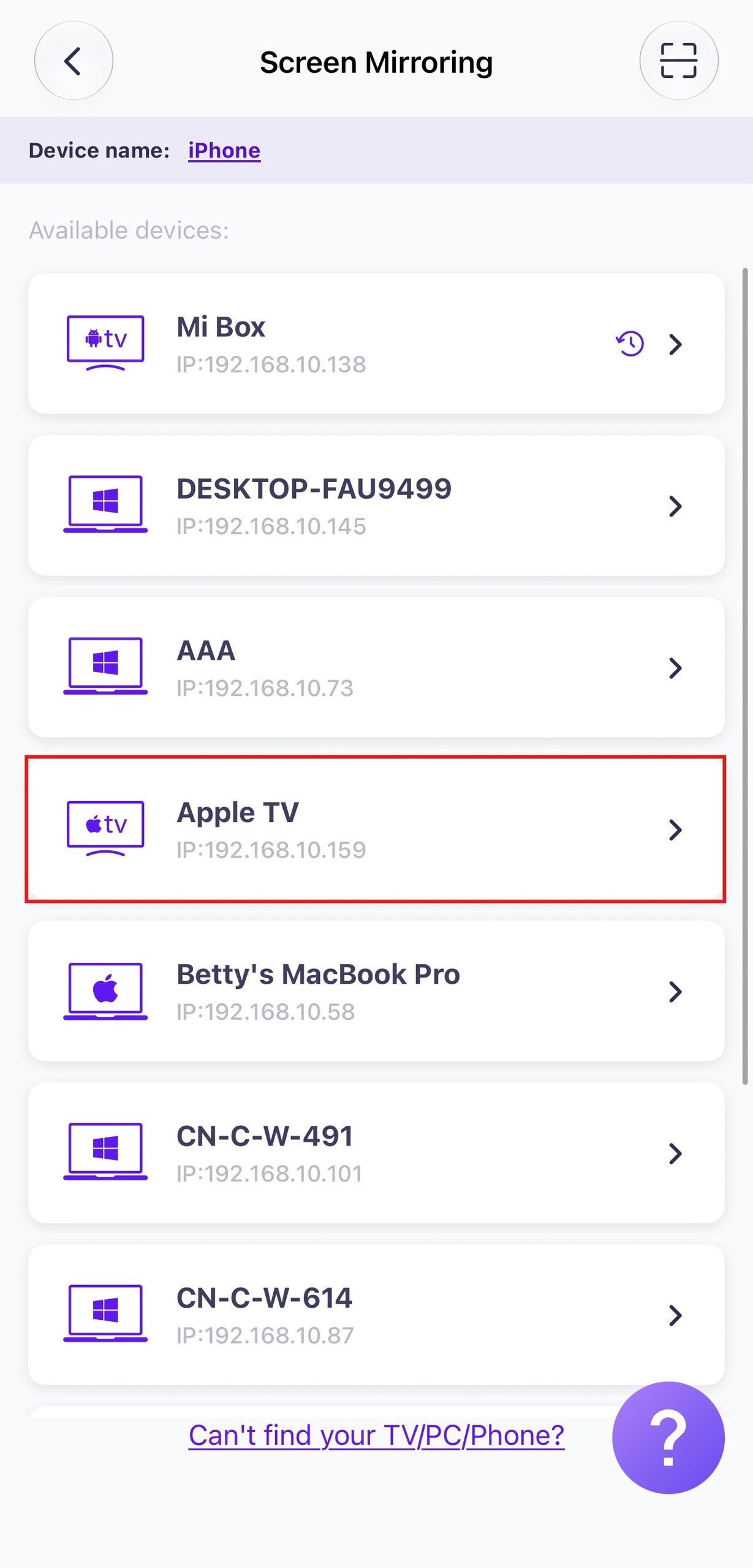
Select your Apple TV from the device list to begin mirroring.
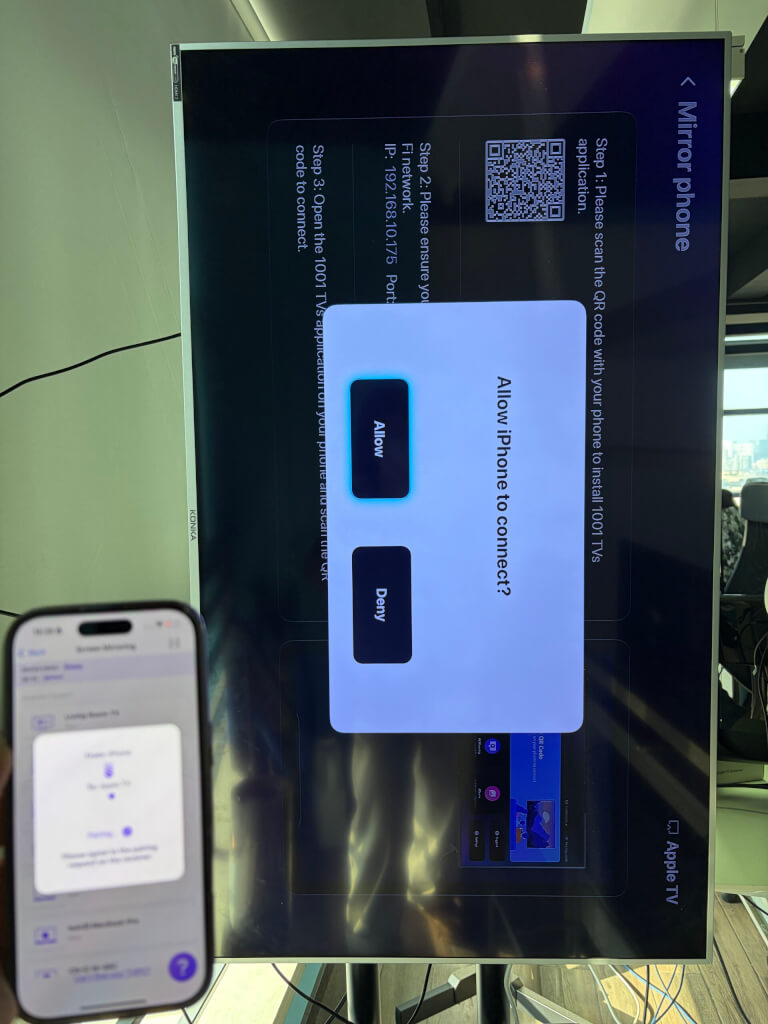
Choose Allow on Apple TV to confirm connection.
Tap Start on your phone or tablet, then allow screen broadcasting.
4. Use the remote control to rotate the screen to fit the vertical display
Remote Control Functions:
Left / Right: Rotate the screen
Up: Switch between Fill / Stretch / Fit Screen modes
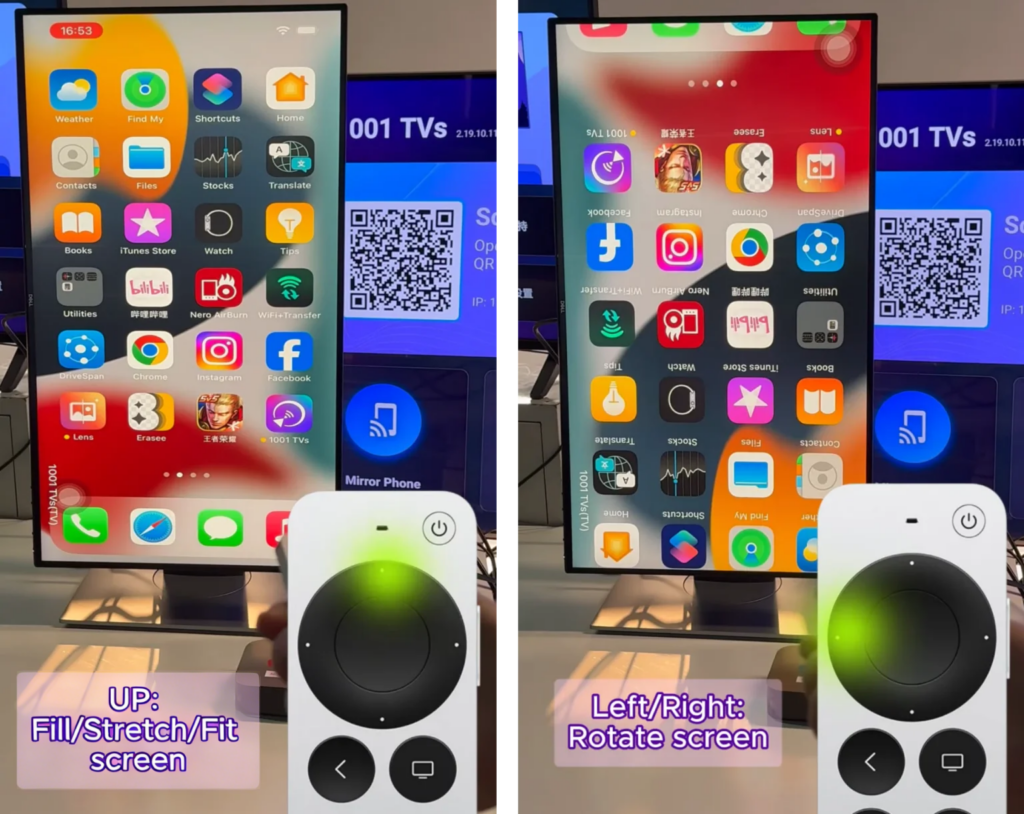
Enjoy seamless screen mirroring at any angle!


Read More
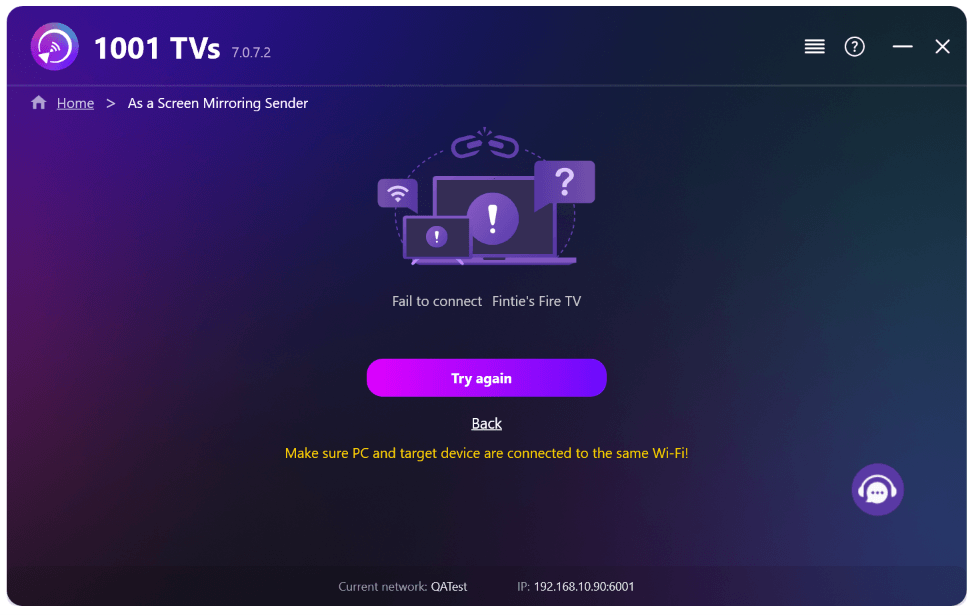 New Setting: No More Pop-ups When Mirroring Ends
When you're mirroring your PC screen to a TV and stop the session using the TV remote, the 1001 TVs window pops back up…
New Setting: No More Pop-ups When Mirroring Ends
When you're mirroring your PC screen to a TV and stop the session using the TV remote, the 1001 TVs window pops back up…
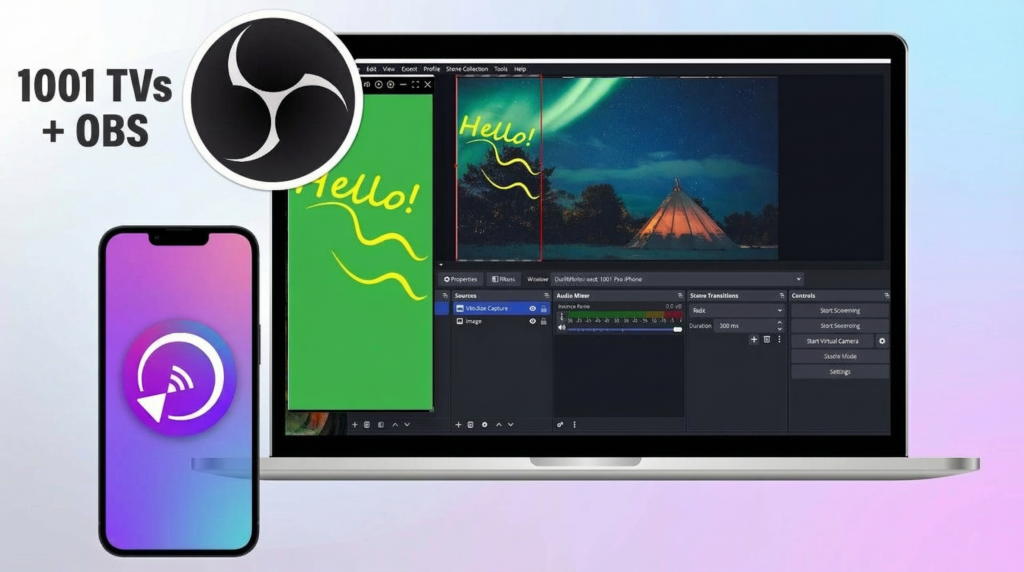 How to Capture Screen Mirroring in OBS (Android & iPhone)
Want to capture screen mirroring in OBS for mobile gameplay, tutorials, or live content? With 1001 TVs, you can easily mirror your phone screen…
How to Capture Screen Mirroring in OBS (Android & iPhone)
Want to capture screen mirroring in OBS for mobile gameplay, tutorials, or live content? With 1001 TVs, you can easily mirror your phone screen…

