
1001 TVs: Mirror Your PC Screen to Multiple Devices at the Same Time (TV, Tablet, Phone, PC)
In the latest Windows version of 1001 TVs (v7.0.0.7), we’ve added a powerful new feature — your computer can now mirror to multiple receivers simultaneously (TVs, tablets, phones, or even another PC).
Here’s what it looks like in action — almost like your PC is “broadcasting to the whole world.” 😄
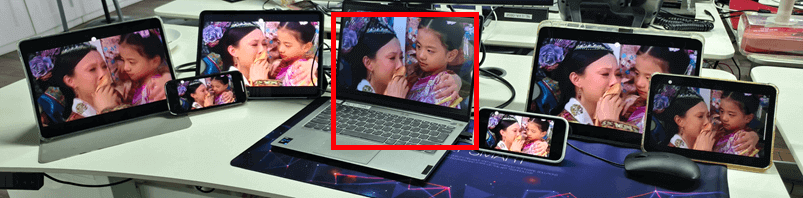
The PC in the center (highlighted in red) is mirroring its screen to six different devices at once.
Of course, this feature is especially useful in meeting rooms where a single computer needs to display content across multiple TVs.
Tutorial
1. Mirror your PC to the first device.
2. After the first device connects successfully, click “Add” in the mirroring interface to add more devices.
Note: Multi-device mirroring feature requires a paid plan.
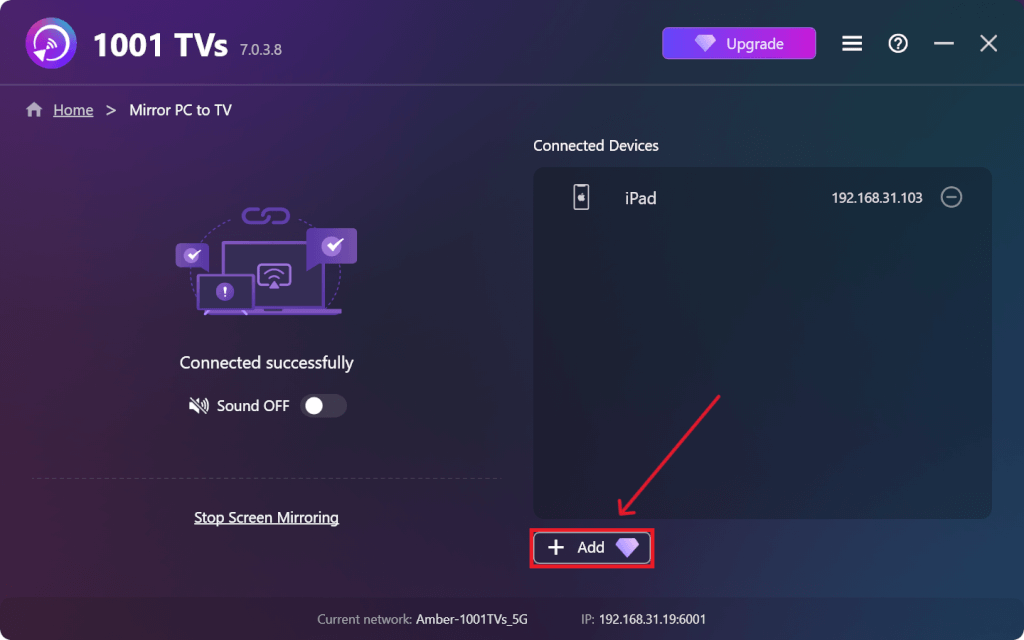
First-device mirroring tutorial:
[Windows] How to mirror screen from PC to TV?
More tutorials:
https://www.1001tvs.com/features/