15 Best Chromecast Compatible Apps in 2026: The Ultimate Guide for Reliable Casting
If you have ever stared at your phone waiting for the “Cast” icon to appear, you know the frustration. This guide cuts through the noise to bring you the best Chromecast apps in 2026, categorized by real-world performance. We also reveal why standard casting fails for some users and how a unified mirroring tool can save your movie night.
The Reality of Chromecast in 2026
Chromecastremains the most popular bridge between mobile devices and TVs. However, because it relies on your WiFi network and individual app stability, the experience isn’t always perfect.
The 3 Most Common Complaints We Hear:
1️⃣“Device Not Found”: Your phone is on WiFi, but the Chromecast is invisible.
2️⃣iOS Limitations: iPhone users often find that “Screen Mirroring” to a Google device is complicated or impossible without third-party tools.
3️⃣Format Issues: Trying to cast a web video or a local file that doesn’t have a native cast button.
To have a smooth experience, you need the right software. Here are the apps that stand the test of time.
The 15 Best Chromecast Compatible Apps (Ranked & Reviewed)
We have tested these based on connection speed, stability, and interface quality.
🏆 Tier 1: The “Must-Haves” (Streaming Essentials)
These apps have the most reliable Chromecast integration engineering.
The gold standard. Netflix caches the stream on the Chromecast device efficiently, meaning you can turn your phone off and the movie keeps playing without a glitch.
Since Google owns both, the integration is flawless. The “Queue” feature allows multiple people to add videos to a playlist from different phones, making it the ultimate party app.
Note: Excellent for educational casting, with a very lightweight app that loads fast.
💡 The “Pro” Solution: When Native Apps Don’t Work
While the apps above are great, they all share one weakness: They rely on the standard Google Cast protocol. If your network is restrictive, or if you are an iPhone user trying to mirror your screen, they often fail.
We built 1001 TVs not to replace Netflix, but to handle everything Netflix can’t do. It is the robust alternative for when things get technical.
Why Users Switch to 1001 TVs:
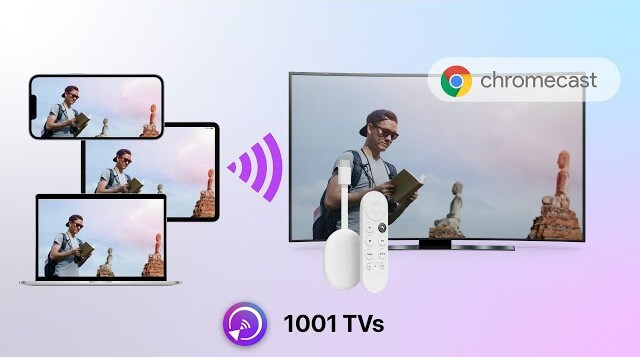
1️⃣The “iOS to Chromecast” Problem: iPhones do not natively support screen mirroring to Chromecast. 1001 TVs enables this seamlessly.
2️⃣The “Network Discovery” Fix: If your phone cannot find the TV, our QR Code Connection bypasses the standard discovery protocol. Scan the code, and you are connected.
3️⃣Full Screen Mirroring: Don’t just cast a video; mirror your entire phone screen for presentations, video calls, or apps that don’t support casting.
Honest Advice: Use native apps for 4K streaming (like Netflix). Use 1001 TVs for Screen Mirroring, iPhone/iPad/android/PC casting, presenting documents, or when the native “Cast” button is missing.
Troubleshooting Guide: 3 Quick Fixes
Before you blame your hardware, try these fixes.
Symptom
Likely Cause
Reliable Fix
“No Devices Found”
WiFi Isolation
Check if your router has “AP Isolation” on, or if devices are on different bands (2.4G vs 5G).
Laggy Mirroring
Network Congestion
Screen mirroring is data-heavy. Disconnect other devices or switch to 1001 TVs for optimized bitrate settings.
Video Stops Playing
Battery Optimization
Your phone might be killing the app in the background. Keep the casting app open or plug in your phone.
Final Thoughts
In 2026, the Chromecast ecosystem is mature and powerful.
1️⃣For movies, stick to Netflix and YouTube.
2️⃣For local files, download VLC or Plex.
3️⃣For screen mirroring, iOS connectivity, and a fail-safe connection method, 1001 TVs is the essential toolkit to keep installed on your phone.
Don’t let connection issues ruin your entertainment.