Turn Your TV Into a Valentine’s Day Memory Wall: Complete Guide with 1001 TVs
Last Valentine’s Day, my partner and I skipped the overpriced restaurant reservations. Instead, we set up our living room with candles, cooked pasta together, and displayed our favorite travel photos on our TV.
If you’re planning a romantic evening at home this February 14th, let me show you how to transform your television into a stunning Valentine’s Day atmosphere wall using 1001 TVs Albums.
No technical skills required, no expensive equipment needed — just your phone, your TV, and your favorite memories together.
Why Couples Are Choosing Home Celebrations
More couples worldwide are trading crowded restaurants for intimate evenings at home. The reason? Authentic connection over commercialized experiences.
| At Restaurants | At Home |
|---|---|
| $150-300 per couple | $30-50 for ingredients |
| Fixed menu, rushed service | Cook together at your pace |
| Noisy, crowded atmosphere | Intimate, personalized setting |
| Generic romantic decor | Your own love story on display |
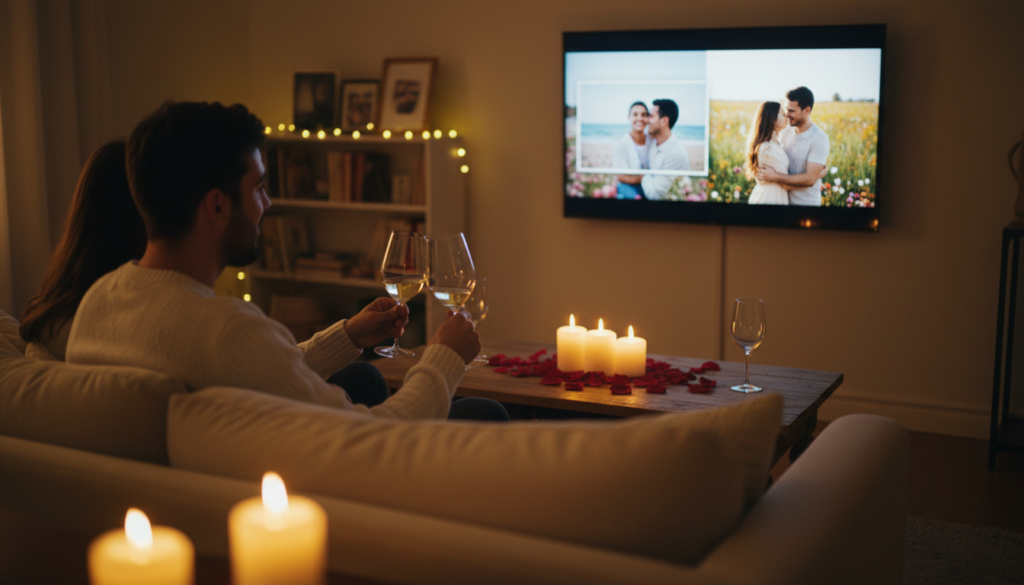
What couples are doing at home:
- 🍿 Romantic movie marathons with themed dinners
- 🕯️ DIY spa nights with candlelight
- 📸 Photo memory sessions reliving their journey
- ✨ Instagram-worthy setups that rival restaurants
The secret ingredient? A beautiful visual backdrop that sets the mood from the moment your date begins.
What Is 1001 TVs Albums?
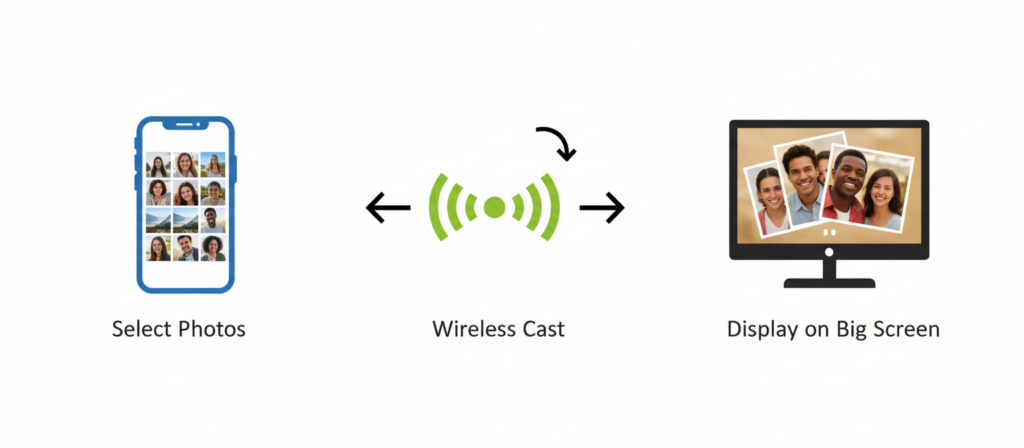
1001 TVs Albums lets you send photos and videos wirelessly from your iPhone or Android phone to a supported TV running 1001 TVs, including Apple TV and supported smart TV platforms.
Why it’s perfect for Valentine’s Day:
| Feature | What It Means |
|---|---|
| ⚡ Wireless casting | Send photos instantly from your phone — no cables or USB drives |
| 🎨 HD quality | Every photo appears in full resolution on the big screen |
| 🎬 Slideshow mode | Automatic transitions create a flowing romantic atmosphere |
| 📹 Music support | Include video clips alongside photos |
| 🔒 No account needed | Your photos stay private on your devices, not in the cloud |
| 📺 Universal compatibility | Sony, Samsung, TCL, Hisense — any Android TV |
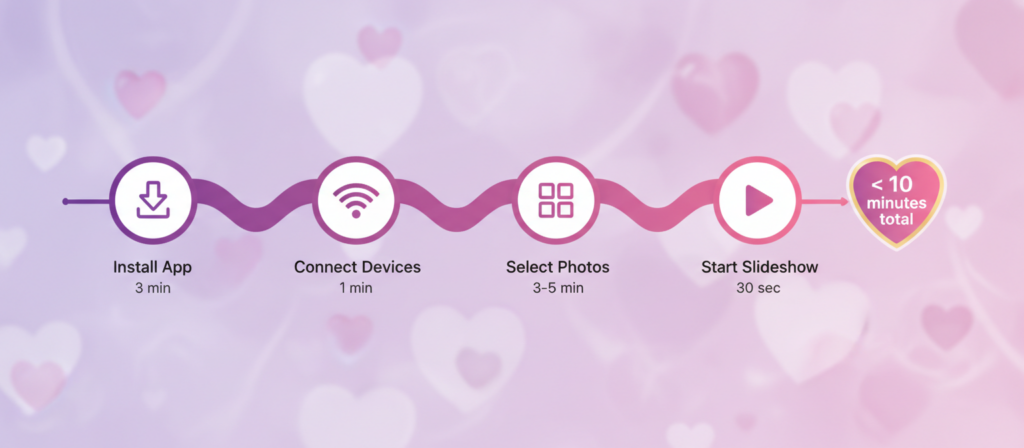
Setup takes less than 10 minutes. Let me show you how.
How to Set Up in 10 Minutes
What You’ll Need
✅ A smartphone (iPhone or Android)
✅ A TV with 1001 TVs installed
✅ Both devices on the same Wi-Fi network
✅ 10 minutes of your time
Step 1: Install the App (3 minutes)
On your TV device:
- Open your TV’s app store
- Search “1001 TVs” → Install
- Open the app
On your smartphone:
- Open App Store (iOS) or Google Play Store (Android)
- Search “1001 TVs” → Install
- Grant photo access permissions
Step 2: Connect Devices (1 minute)
- Ensure both devices are on the same Wi-Fi
- Open 1001 TVs app on your phone
- Tap “Albums” at the bottom
- Tap your TV’s name to connect
💡 Tip: If your TV doesn’t appear, make sure the 1001 TVs app is open on your TV.
Step 3: Select and Send Photos (3-5 minutes)
- Tap “Select Photos”
- Choose 20-30 of your favorite couple photos
- Tap “Send to TV”
- Photos instantly appear on your TV
💡 Tip: Select photos before your date starts to save time.
Step 4: Start Slideshow (30 seconds)
- On your TV, navigate to “Albums”
- Press “Play” to start the slideshow
- Adjust speed with your remote if desired
✅ Total time: Less than 10 minutes!
For more detailed controls, see our full guide to sharing photo albums from your phone to your TV.
5 Creative Ways to Use Albums
💝 #1: Romantic Dinner Backdrop
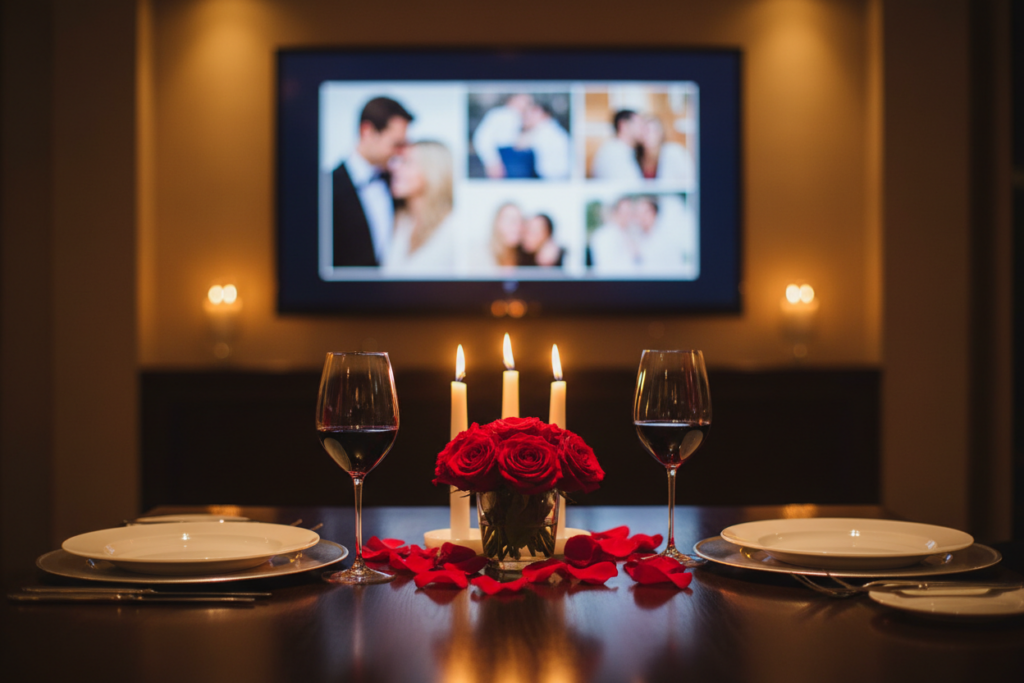
Transform your dining experience with a gentle slideshow playing in the background.
Setup:
- Select 15-20 best couple photos
- Set slideshow to 5-7 seconds per photo
- Position TV visible from dining table
- Dim lights and add candles
Best for: Sophisticated, intimate dinner at home
🎬 #2: Pre-Movie “Love Story Trailer”
Play a 5-minute “trailer” of your relationship before your romantic movie.
Setup:
- Arrange 10-15 photos chronologically (first date → present)
- Set faster transitions (3-4 seconds per photo)
- End with a sweet message
- Transition into your movie
Best for: Movie-loving couples who appreciate storytelling
🛤️ #3: Memory Lane Journey
Create a visual timeline that plays throughout the entire evening.
Setup:
- Organize 30-40 photos chronologically
- Mix big moments and everyday memories
- Set to auto-loop for continuous play
- Let it run during cooking, eating, relaxing
Best for: Milestone anniversaries or nostalgia lovers
💍 #4: Surprise Proposal or Gift Reveal
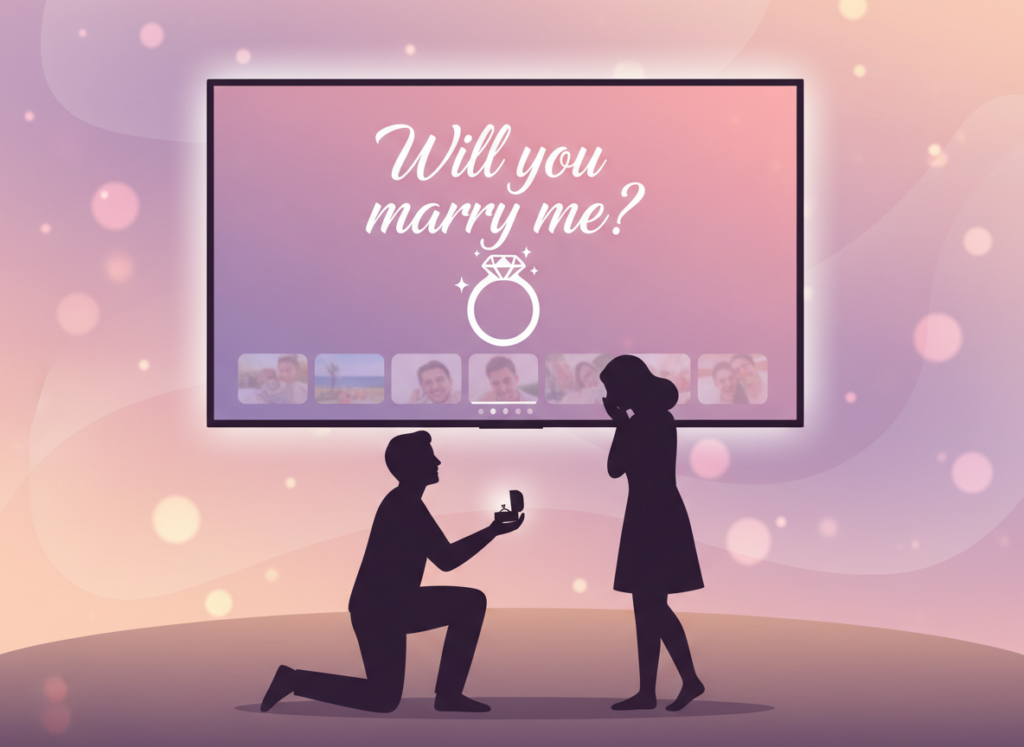
Hide your surprise at the end of a casual slideshow.
Setup:
- Create normal slideshow of 20-25 photos
- Add surprise message as final image
- Let it play “casually” during dinner
- Wait for the surprise moment
Ideas for final slide:
- 💍 “Will you marry me?” with ring photo
- 🎁 “Look behind the couch” with gift photo
- ✈️ “Pack your bags — we’re going to Paris!”
- 👶 “Coming soon… Baby [Last Name]”
Best for: Proposals, gift reveals, major announcements
💌 #5: Long-Distance Love Connection
Both partners cast the same photos and video call while memories play in the background.
Setup:
- Share favorite photos before Valentine’s Day
- Both set up same slideshow
- Start video call (FaceTime, WhatsApp, Zoom)
- Press play simultaneously (3, 2, 1, play!)
- Enjoy virtual dinner together
Best for: Long-distance couples, military families
Quick Comparison
| Scenario | Setup Time | Best Mood | Photo Count |
|---|---|---|---|
| Romantic Dinner | 5 min | Intimate & Elegant | 15-20 |
| Movie Trailer | 5 min | Playful & Cinematic | 10-15 |
| Memory Lane | 10 min | Nostalgic & Warm | 30-40 |
| Surprise Reveal | 5 min | Exciting & Emotional | 20-25 |
| Long-Distance | 10 min | Connected & Heartfelt | 20-30 |
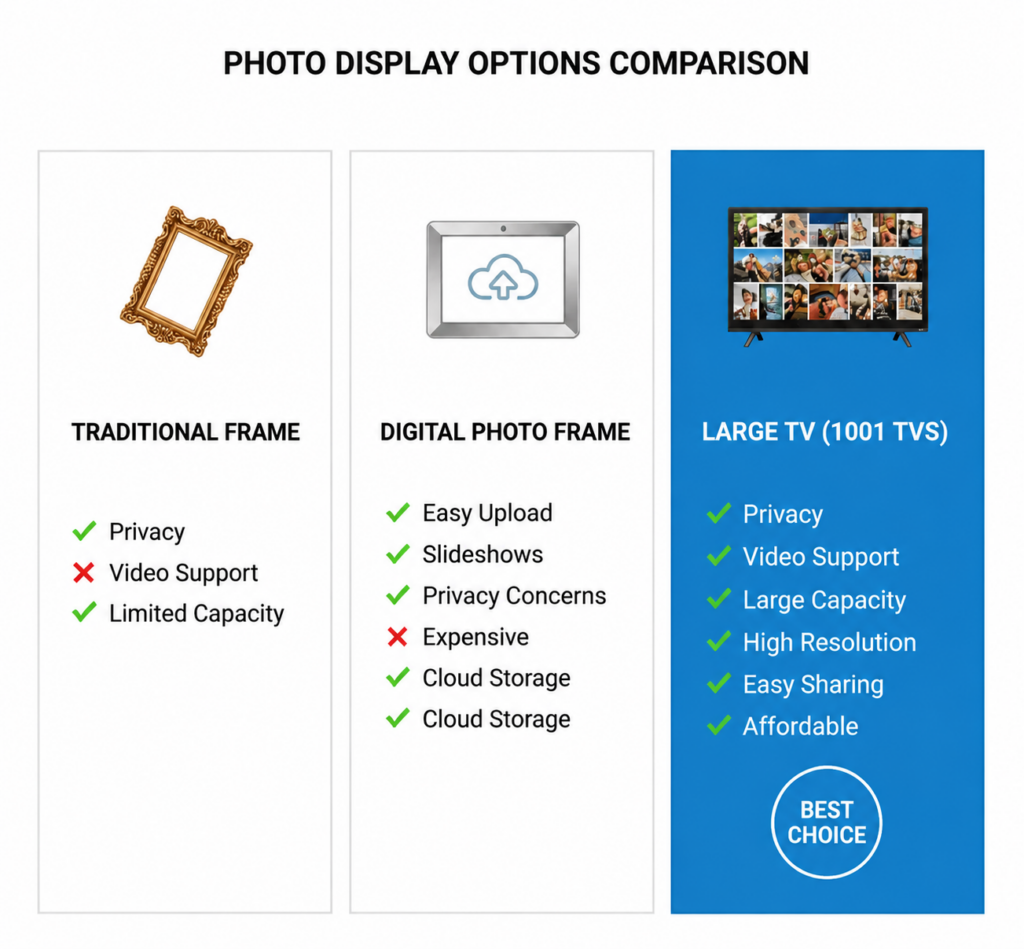
Why Albums Beats Other Options
🕯️ Room Setup
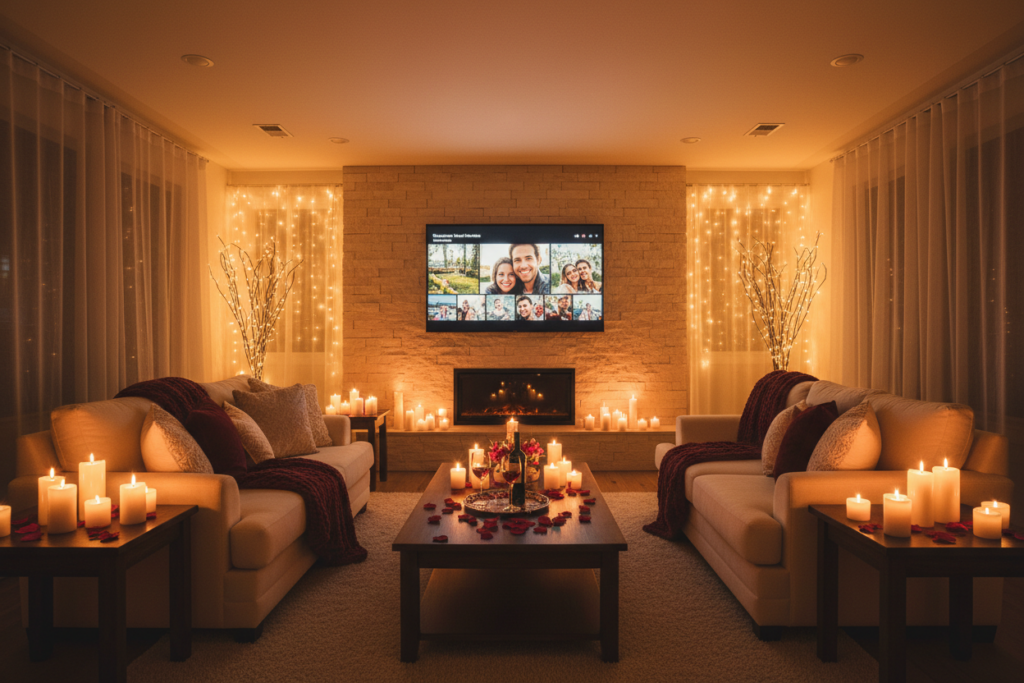
Lighting:
- Dim overhead lights to 20-30%
- Add candles, string lights, or table lamps
- Position TV at comfortable viewing angle
- Close curtains to avoid glare
Sound:
- Keep TV volume off for slideshow
- Play romantic music from Bluetooth speaker
- Create 2-3 hour playlist of “your songs”
- Volume soft enough for conversation
Arrangement:
- Ensure TV visible from dining and seating areas
- Sit closer together than usual
- Clear sightlines to TV
- 6-10 feet viewing distance
Beyond Valentine’s Day
Albums works year-round for:
| Occasion | Use Case | Photo Count |
|---|---|---|
| 🎂 Anniversaries | Past year together | 25-30 |
| 🎉 Birthdays | Life journey photos | 30-40 |
| 🎄 Holidays | Family vacation photos | 40-50 |
| 🏠 House Parties | Real-time party photos | Unlimited |
| 🎓 Graduations | School memories | 30-40 |
| 🎨 Everyday | Living room ambiance | 50-100 |
Frequently Asked Questions
Do I need an account on TV?
No account required. Download and start casting immediately. Your photos stay on your devices.
Will this work with my TV?
Works with Apple TV and Android TV — Sony, Samsung, TCL, Hisense, Xiaomi, Philips, Sharp, and more.
What about iPhone users?
1001 TVs is available for both iPhone and Android phones. You can send photos and videos from either phone to a supported TV running the 1001 TVs app, including Apple TV and supported smart TV platforms.
How many photos can I cast?
No strict limit, but we recommend 20-40 photos for the best experience.
Can I include videos?
Yes. Albums supports both photos and videos. See our guide to uploading and playing videos with 1001 TVs Albums for the full steps.
Is my data private?
Absolutely. Photos stream directly from your phone to TV over your local Wi-Fi. Nothing uploaded to external servers.
Can I use this for a proposal?
Yes! Many users have successfully used Albums for surprise proposals.
How do I delete photos afterward?
Open 1001 TVs on your TV, go to Albums, select photos, and press delete on your remote.
More Than Just Albums
While Albums is perfect for Valentine’s Day, 1001 TVs is a complete wireless casting solution:
- 📺 Screen Mirroring — Cast your entire phone screen to TV
- 🎬 Streaming — Play videos and movies on the big screen
- 🖼️ Albums — Display photo and video slideshows
- 📁 File Sharing — Send files between phone, TV, and PC
- 🎮 Remote Control — Use your phone as a TV remote
- 🎨 Whiteboard — Draw and present on the big screen
One app, endless possibilities.
Download 1001 TVs Toda
- 📱 Android smartphones: Google Play Store
- 🍎 iPhone: Apple App Store
Make This Valentine’s Day Unforgettable
Valentine’s Day doesn’t have to mean expensive restaurants or generic gifts. Sometimes the most romantic gesture is creating a personalized experience that celebrates your unique story together.
With 1001 TVs Albums, you’re not just displaying photos — you’re curating an atmosphere, telling your love story, and creating new memories while celebrating old ones.
This February 14th, let your love story light up the room.
💝 Happy Valentine’s Day from the 1001 TVs team!

Read More
 iPhone Duo Screen Mirroring and Camera Preview
Apple’s foldable iPhone Duo introduces new ways to use a larger screen on a phone. This article focuses on two that connect particularly well…
iPhone Duo Screen Mirroring and Camera Preview
Apple’s foldable iPhone Duo introduces new ways to use a larger screen on a phone. This article focuses on two that connect particularly well…
 NFL Thanksgiving Eve Game 2026: Packers vs Rams & How to Watch
The Green Bay Packers will visit the Los Angeles Rams on Wednesday, November 25, 2026, at 8:00 p.m. ET / 5:00 p.m. PT. You…
NFL Thanksgiving Eve Game 2026: Packers vs Rams & How to Watch
The Green Bay Packers will visit the Los Angeles Rams on Wednesday, November 25, 2026, at 8:00 p.m. ET / 5:00 p.m. PT. You…

