เปลี่ยนทีวีของคุณให้เป็นผนังแห่งความทรงจำวันวาเลนไทน์: คู่มือฉบับสมบูรณ์พร้อม 1001 TVs
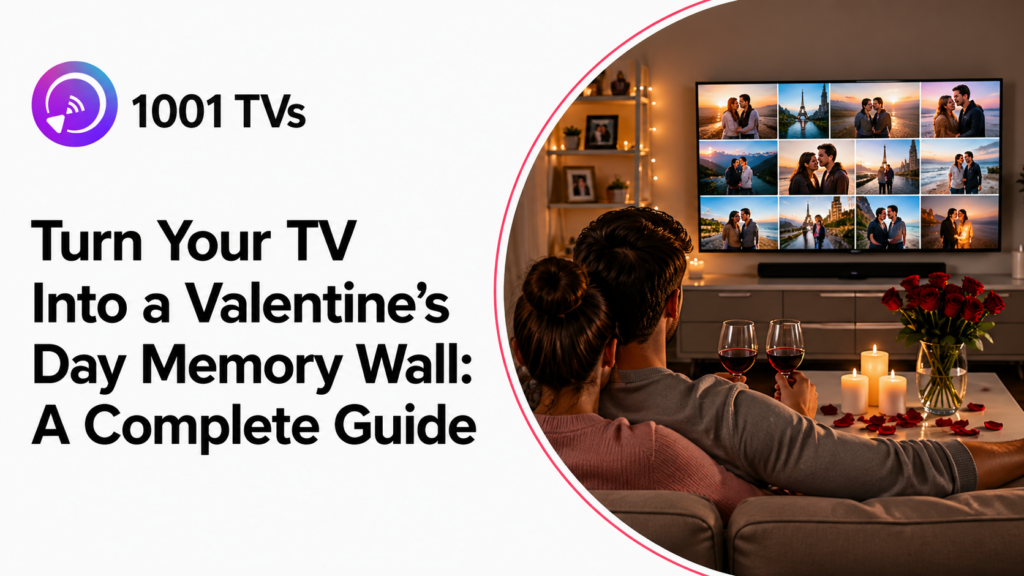
วาเลนไทน์ปีที่แล้ว ฉันกับคู่รักของฉันตัดสินใจไม่จองร้านอาหารราคาแพง แต่เราจัดห้องนั่งเล่นด้วยเทียน ปรุงพาสต้าร่วมกัน และแสดงรูปถ่ายการเดินทางที่เราชื่นชอบบนทีวี.
หากคุณกำลังวางแผนค่ำคืนสุดโรแมนติกที่บ้านในวันวาเลนไทน์นี้ ขอให้ฉันแนะนำวิธีเปลี่ยนโทรทัศน์ของคุณให้กลายเป็นผนังบรรยากาศวาเลนไทน์ที่สวยงามน่าประทับใจด้วย 1001 TVs อัลบั้ม.
ไม่จำเป็นต้องมีทักษะทางเทคนิค ไม่จำเป็นต้องมีอุปกรณ์ราคาแพง — แค่โทรศัพท์ของคุณ โทรทัศน์ของคุณ และความทรงจำที่คุณชื่นชอบร่วมกัน.
ทำไมคู่รักถึงเลือกฉลองที่บ้าน
คู่รักทั่วโลกจำนวนมากขึ้นกำลังเปลี่ยนจากร้านอาหารที่แออัดมาเป็นค่ำคืนที่แสนโรแมนติกที่บ้าน. สาเหตุ? การเชื่อมต่อที่แท้จริงเหนือประสบการณ์ที่ถูกทำให้เป็นเชิงพาณิชย์.
| ที่ร้านอาหาร | ที่บ้าน |
|---|---|
| $150-300 ต่อคู่ | $30-50 สำหรับส่วนผสม |
| เมนูคงที่, บริการเร่งรีบ | ทำอาหารด้วยกันตามจังหวะของคุณ |
| บรรยากาศที่เสียงดังและแออัด | บรรยากาศที่เป็นส่วนตัวและอบอุ่น |
| การตกแต่งโรแมนติกทั่วไป | เรื่องราวความรักของคุณเองที่จัดแสดง |
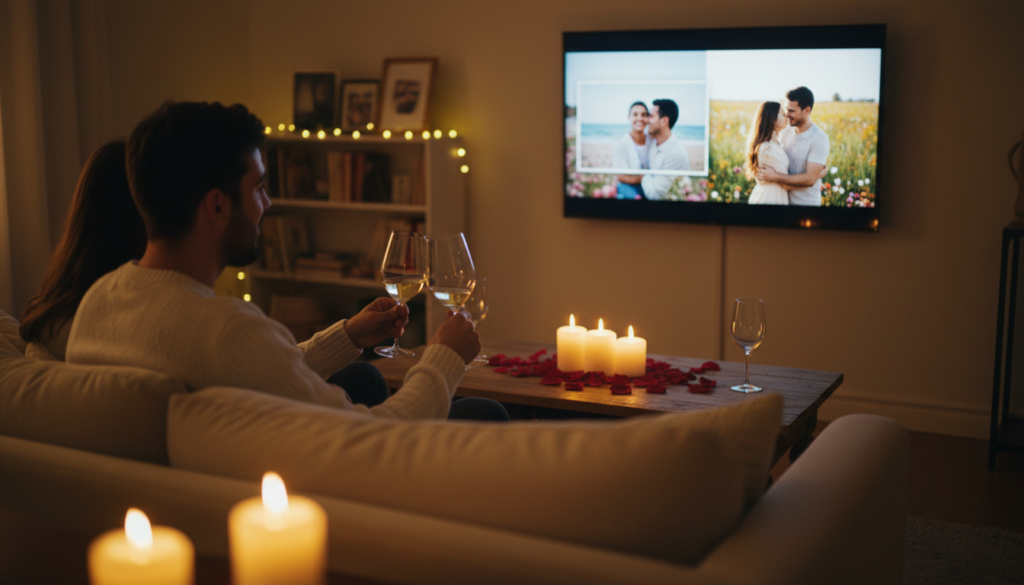
สิ่งที่คู่รักทำที่บ้าน:
- 🍿 การดูหนังโรแมนติกมาราธอนพร้อมอาหารค่ำธีม
- 🕯️ คืนสปา DIY กับแสงเทียน
- 📸 เซสชั่นความทรงจำผ่านภาพถ่ายเพื่อย้อนรำลึกเส้นทางของพวกเขา
- ✨ การจัดตกแต่งที่สวยจนเหมือนร้านอาหาร
ส่วนผสมลับ? ฉากหลังที่สวยงามซึ่งสร้างบรรยากาศตั้งแต่เริ่มออกเดท.
อัลบั้ม 1001 TVs คืออะไร?
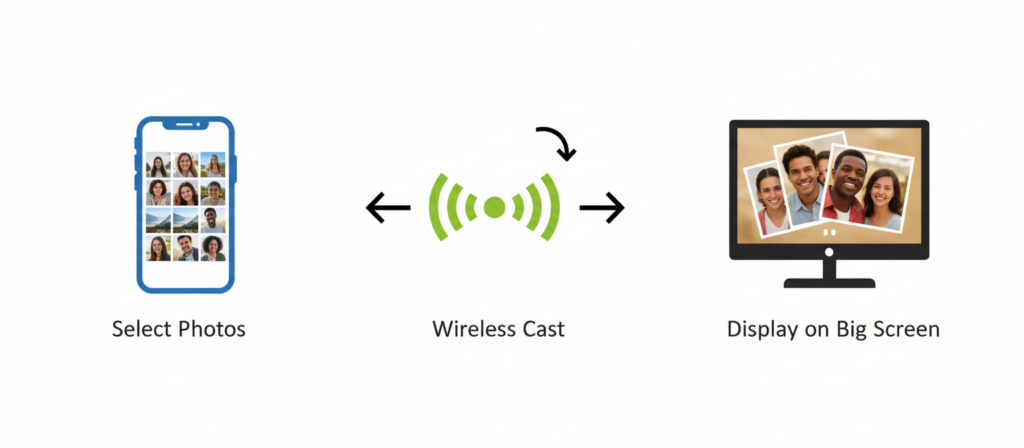
1001 TVs Albums ช่วยให้คุณส่งรูปภาพและวิดีโอแบบไร้สายจาก iPhone หรือโทรศัพท์ Android ของคุณไปยังทีวีที่รองรับและติดตั้ง 1001 TVs แล้ว ซึ่งรวมถึง Apple TV และแพลตฟอร์มสมาร์ททีวีที่รองรับ.
ทำไมถึงเหมาะสำหรับวันวาเลนไทน์:
| คุณสมบัติ | หมายความว่า |
|---|---|
| ⚡ การส่งสัญญาณแบบไร้สาย | ส่งรูปภาพได้ทันทีจากโทรศัพท์ของคุณ — ไม่ต้องใช้สายเคเบิลหรือไดรฟ์ USB |
| 🎨 คุณภาพระดับ HD | ทุกภาพจะปรากฏในความละเอียดเต็มบนหน้าจอใหญ่ |
| 🎬 โหมดสไลด์โชว์ | การเปลี่ยนผ่านอัตโนมัติสร้างบรรยากาศโรแมนติกที่ไหลลื่น |
| 📹 การสนับสนุนด้านดนตรี | รวมคลิปวิดีโอไว้ข้างๆ รูปภาพ |
| 🔒 ไม่จำเป็นต้องมีบัญชี | รูปภาพของคุณจะถูกเก็บเป็นส่วนตัวบนอุปกรณ์ของคุณ ไม่ใช่บนคลาวด์ |
| 📺 ความเข้ากันได้กับทุกระบบ | Sony, Samsung, TCL, Hisense — TV Android ทุกรุ่น |
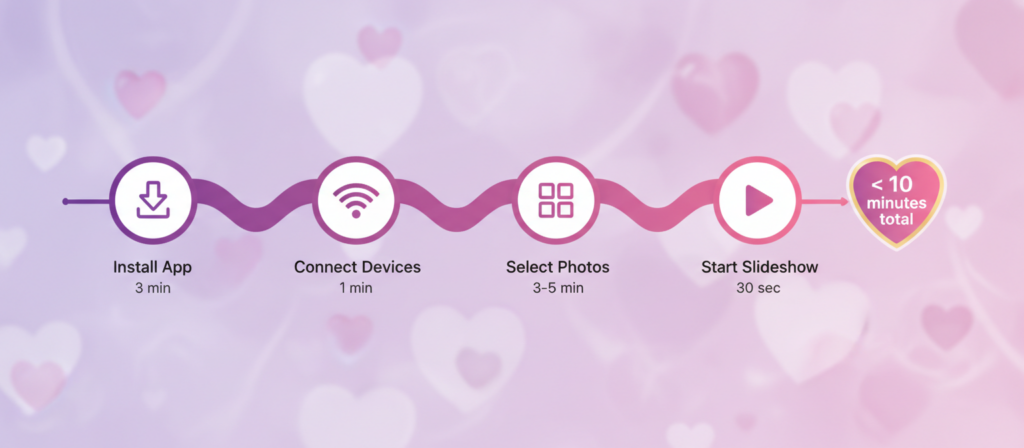
การตั้งค่าใช้เวลาไม่ถึง 10 นาที. ให้ฉันแสดงให้คุณดู.
วิธีตั้งค่าภายใน 10 นาที
สิ่งที่คุณจะต้องใช้
✅ สมาร์ทโฟน (iPhone หรือ Android)
✅ ทีวีที่ติดตั้ง 1001 TVs แล้ว
✅ อุปกรณ์ทั้งสองอยู่บนเครือข่าย Wi-Fi เดียวกัน
✅ 10 นาทีของเวลาคุณ
ขั้นตอนที่ 1: ติดตั้งแอป (3 นาที)
บนอุปกรณ์ทีวีของคุณ:
- เปิดร้านแอปของทีวีของคุณ
- ค้นหา "หนึ่งต่อหนึ่ง" → ติดตั้ง
- เปิดแอป
บนสมาร์ทโฟนของคุณ:
- เปิด Apple Store (iOS) หรือ Google Play (แอนดรอยด์)
- ค้นหา "หนึ่งต่อหนึ่ง" → ติดตั้ง
- อนุญาตการเข้าถึงรูปภาพ
ขั้นตอนที่ 2: เชื่อมต่ออุปกรณ์ (1 นาที)
- ตรวจสอบให้แน่ใจว่าทั้งสองอุปกรณ์เชื่อมต่อกับ Wi-Fi เดียวกัน
- เปิดแอป 1001 TVs บนโทรศัพท์ของคุณ
- แตะ “อัลบั้ม” ที่ด้านล่าง
- แตะชื่อทีวีของคุณเพื่อเชื่อมต่อ
💡 เคล็ดลับ: หากทีวีของคุณไม่ปรากฏ ให้ตรวจสอบให้แน่ใจว่าแอป 1001 TVs เปิดอยู่บนทีวีของคุณ.
ขั้นตอนที่ 3: เลือกและส่งรูปภาพ (3-5 นาที)
- แตะ “เลือกภาพถ่าย”
- เลือก 20-30 ภาพคู่รักที่คุณชื่นชอบ
- แตะ “ส่งไปยังทีวี”
- รูปภาพปรากฏบนทีวีของคุณทันที
💡 เคล็ดลับ: เลือกภาพถ่ายก่อนที่วันนัดของคุณจะเริ่มเพื่อประหยัดเวลา.
ขั้นตอนที่ 4: เริ่มสไลด์โชว์ (30 วินาที)
- บนทีวีของคุณ ให้ไปที่ “อัลบั้ม”
- สื่อมวลชน “เล่น” เริ่มการนำเสนอสไลด์
- ปรับความเร็วด้วยรีโมทของคุณหากต้องการ
✅ เวลาทั้งหมด: น้อยกว่า 10 นาที!
หากต้องการทราบวิธีการควบคุมอย่างละเอียดยิ่งขึ้น โปรดดูคู่มือฉบับเต็มของเราเกี่ยวกับ แชร์อัลบั้มภาพจากโทรศัพท์ไปยังทีวี.
5 วิธีสร้างสรรค์ในการใช้อัลบั้ม
💝 #1: ฉากหลังสำหรับดินเนอร์สุดโรแมนติก
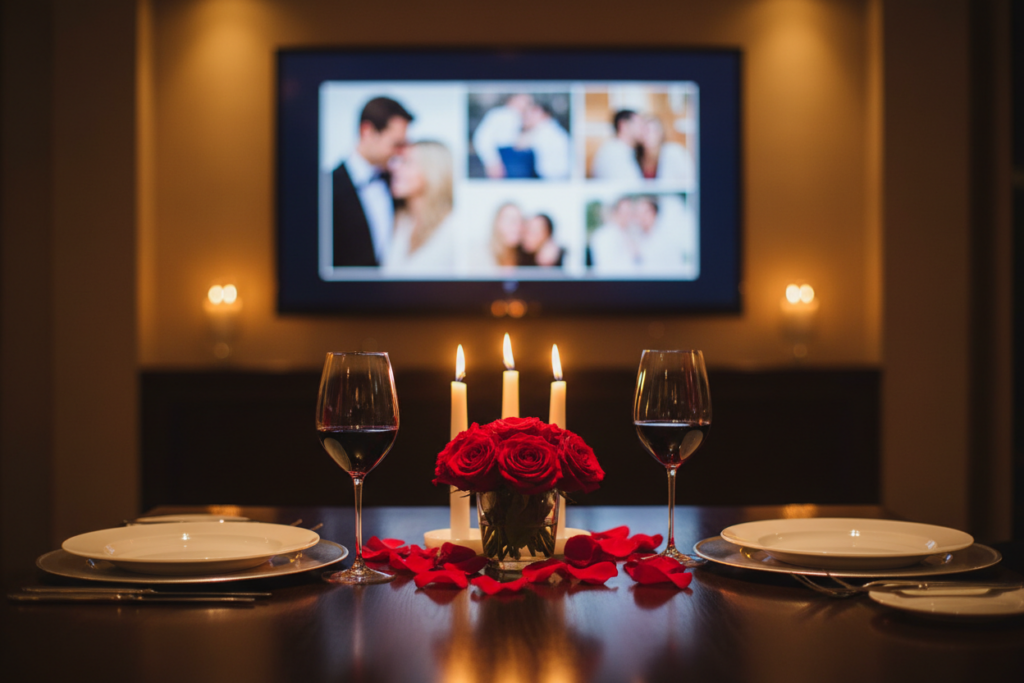
เปลี่ยนประสบการณ์การรับประทานอาหารของคุณด้วยสไลด์โชว์ที่เล่นอย่างนุ่มนวลในพื้นหลัง.
ตั้งค่า:
- เลือกภาพถ่ายคู่ที่ดีที่สุด 15-20 ภาพ
- ตั้งค่าสไลด์โชว์ให้แสดงภาพละ 5-7 วินาที
- จัดวางทีวีให้มองเห็นจากโต๊ะรับประทานอาหาร
- แสงสลัวและเพิ่มเทียน
เหมาะที่สุดสำหรับ: อาหารค่ำสุดหรูในบรรยากาศส่วนตัวที่บ้าน
🎬 #2: ตัวอย่างภาพยนตร์ก่อนฉาย “รักนิรันดร์”
เล่น “ตัวอย่าง” ความยาว 5 นาทีของความสัมพันธ์ของคุณก่อนภาพยนตร์โรแมนติกของคุณ.
ตั้งค่า:
- จัดเรียงรูปถ่าย 10-15 รูปตามลำดับเวลา (นัดแรก → ปัจจุบัน)
- ตั้งค่าการเปลี่ยนภาพให้เร็วขึ้น (3-4 วินาทีต่อภาพ)
- จบด้วยข้อความหวาน
- การเปลี่ยนเข้าสู่ภาพยนตร์ของคุณ
เหมาะที่สุดสำหรับ: คู่รักที่ชื่นชอบภาพยนตร์และชื่นชมการเล่าเรื่อง
🛤️ #3: การเดินทางแห่งความทรงจำ
สร้างไทม์ไลน์ภาพที่เล่นตลอดทั้งคืน.
ตั้งค่า:
- จัดเรียงรูปภาพ 30-40 รูปตามลำดับเวลา
- ผสมผสานช่วงเวลาสำคัญกับความทรงจำในชีวิตประจำวัน
- ตั้งค่าให้เล่นซ้ำอัตโนมัติเพื่อการเล่นต่อเนื่อง
- ปล่อยให้ทำงานไปเรื่อยๆ ระหว่างทำอาหาร รับประทานอาหาร หรือพักผ่อน
เหมาะที่สุดสำหรับ: วันครบรอบสำคัญหรือผู้ที่ชื่นชอบความทรงจำในอดีต
💍 #4: ขอแต่งงานหรือเซอร์ไพรส์ของขวัญ
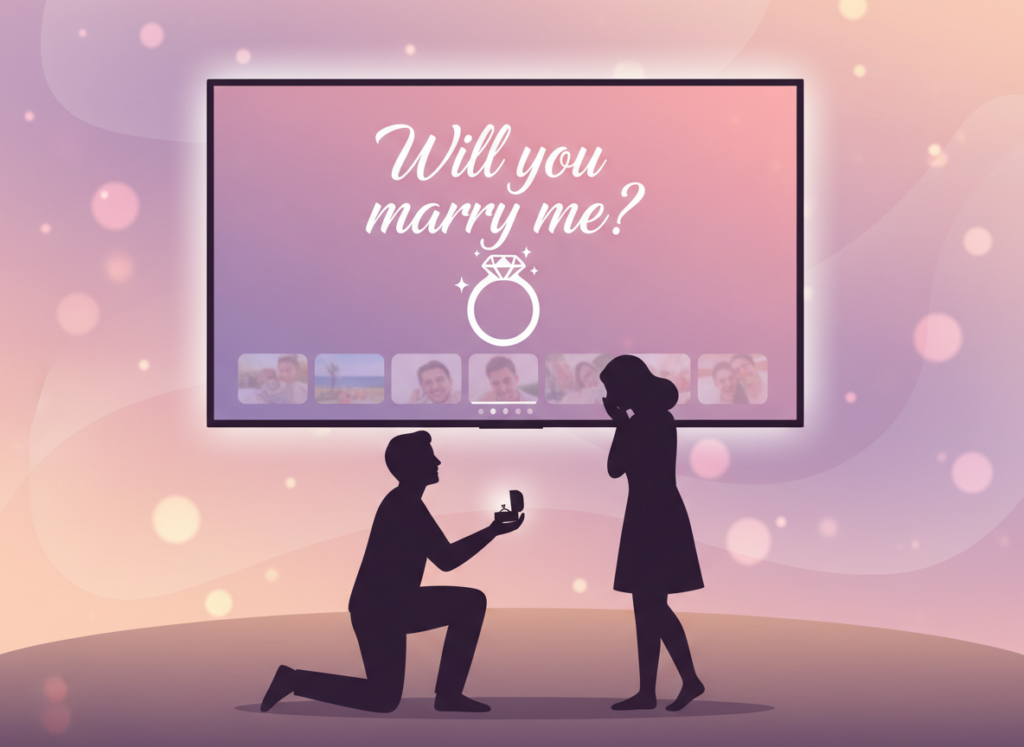
ซ่อนความประหลาดใจของคุณไว้ตอนท้ายของสไลด์โชว์แบบไม่เป็นทางการ.
ตั้งค่า:
- สร้างสไลด์โชว์ปกติของรูปภาพ 20-25 ภาพ
- เพิ่มข้อความเซอร์ไพรส์เป็นภาพสุดท้าย
- ให้มันเล่น “แบบสบายๆ” ระหว่างมื้อเย็น
- รอช่วงเวลาแห่งความประหลาดใจ
ไอเดียสำหรับสไลด์สุดท้าย:
- 💍 “คุณจะแต่งงานกับฉันไหม?” พร้อมรูปแหวน
- 🎁 “ดูข้างหลังโซฟา” พร้อมรูปของขวัญ
- ✈️ “เก็บกระเป๋าของคุณ — เราจะไปปารีส!”
- 👶 “กำลังจะมา... ลูกน้อย [นามสกุล]”
เหมาะที่สุดสำหรับ: การขอแต่งงาน การเปิดเผยของขวัญ การประกาศสำคัญ
💌 #5: ความรักระยะไกลที่เชื่อมโยงถึงกัน
ทั้งสองคู่รักถ่ายภาพและวิดีโอคอลเดียวกันในขณะที่ความทรงจำเล่นอยู่เบื้องหลัง.
ตั้งค่า:
- แชร์รูปภาพโปรดก่อนวันวาเลนไทน์
- ทั้งสองตั้งค่าสไลด์โชว์เหมือนกัน
- เริ่มการโทรวิดีโอ (FaceTime, WhatsApp, Zoom)
- กดเล่นพร้อมกัน (3, 2, 1, เล่น!)
- เพลิดเพลินกับมื้อค่ำเสมือนจริงด้วยกัน
เหมาะที่สุดสำหรับ: คู่รักที่อยู่ห่างไกล, ครอบครัวทหาร
การเปรียบเทียบอย่างรวดเร็ว
| สถานการณ์ | เวลาในการตั้งค่า | อารมณ์ดีที่สุด | จำนวนรูปภาพ |
|---|---|---|---|
| ดินเนอร์โรแมนติก | 5 นาที | ใกล้ชิดและสง่างาม | 15-20 |
| ตัวอย่างภาพยนตร์ | 5 นาที | สนุกสนานและเหมือนภาพยนตร์ | 10-15 |
| ถนนแห่งความทรงจำ | 10 นาที | อบอุ่นและชวนให้นึกถึงอดีต | 30-40 |
| การเปิดเผยที่น่าประหลาดใจ | 5 นาที | น่าตื่นเต้นและเต็มไปด้วยอารมณ์ | 20-25 |
| ระยะทางไกล | 10 นาที | เชื่อมต่อและจริงใจ | 20-30 |
ทำไมอัลบั้มถึงดีกว่าตัวเลือกอื่น ๆ
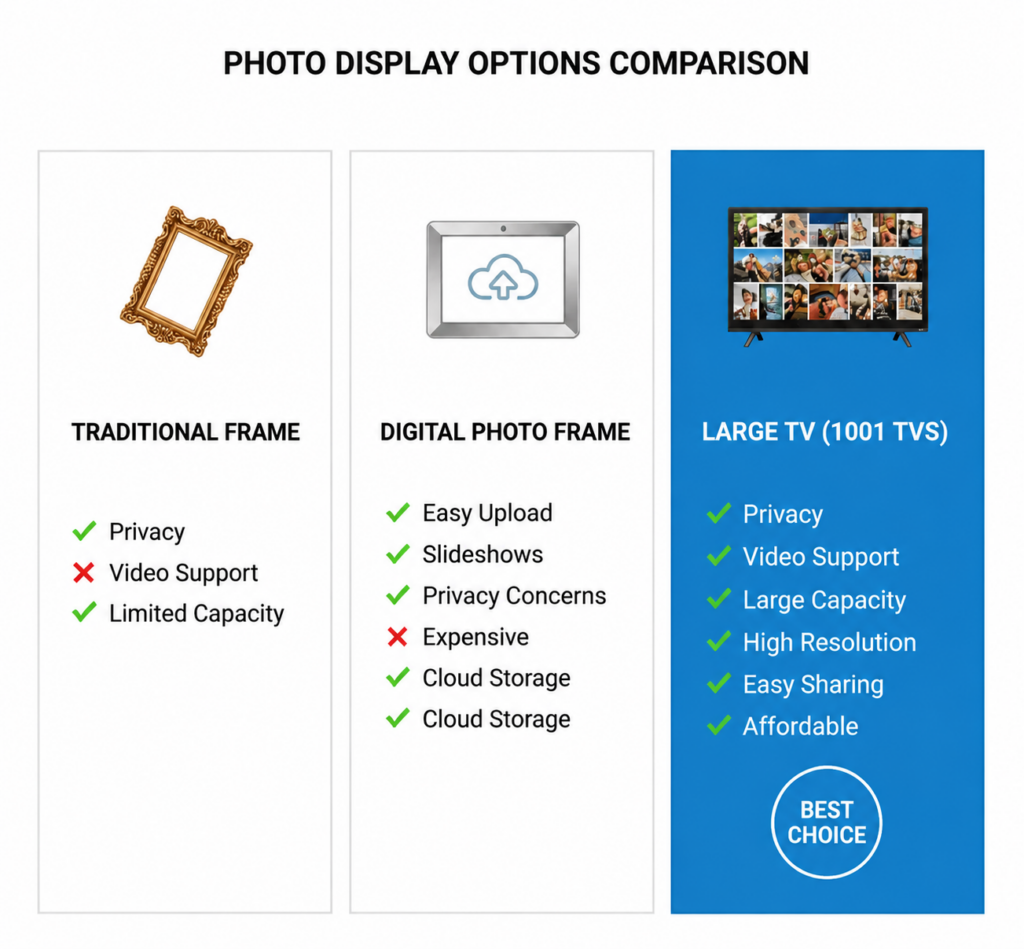
🕯️ การจัดห้อง
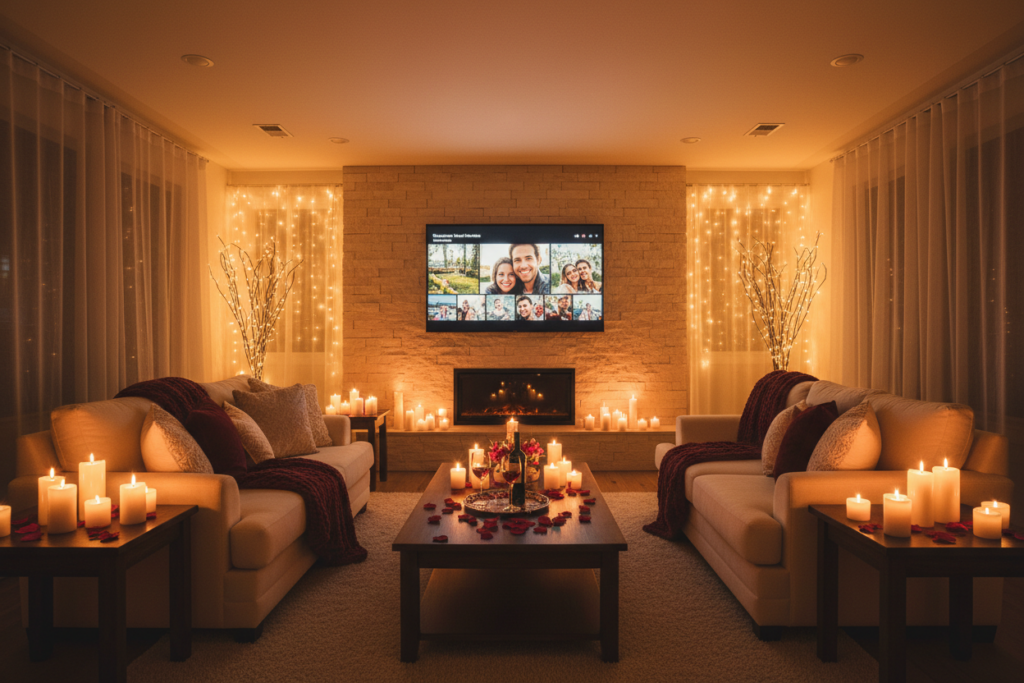
แสงสว่าง:
- หรี่ไฟเพดานลงเหลือ 20-30%
- เพิ่มเทียน, ไฟประดับ, หรือโคมไฟตั้งโต๊ะ
- วางทีวีในมุมที่รับชมได้สบาย
- ปิดม่านเพื่อหลีกเลี่ยงแสงจ้า
เสียง:
- ปิดเสียงทีวีสำหรับสไลด์โชว์
- เล่นเพลงโรแมนติกจากลำโพงบลูทูธ
- สร้างเพลย์ลิสต์ “เพลงของคุณ” ความยาว 2-3 ชั่วโมง”
- ระดับเสียงเบาพอสำหรับการสนทนา
การจัดเรียง:
- ตรวจสอบให้แน่ใจว่าสามารถมองเห็นทีวีได้จากบริเวณรับประทานอาหารและที่นั่ง
- นั่งใกล้กันมากกว่าปกติ
- ทัศนวิสัยที่ชัดเจนไปยังทีวี
- ระยะการมองเห็น 6-10 ฟุต
นอกเหนือจากวันวาเลนไทน์
อัลบั้มทำงานตลอดทั้งปีสำหรับ:
| โอกาส | กรณีการใช้งาน | จำนวนรูปภาพ |
|---|---|---|
| 🎂 วันครบรอบ | ปีที่ผ่านมาด้วยกัน | 25-30 |
| 🎉 วันเกิด | ภาพถ่ายการเดินทางชีวิต | 30-40 |
| 🎄 วันหยุด | รูปถ่ายวันหยุดครอบครัว | 40-50 |
| 🏠 งานเลี้ยงที่บ้าน | ภาพถ่ายปาร์ตี้แบบเรียลไทม์ | ไม่จำกัด |
| 🎓 การสำเร็จการศึกษา | ความทรงจำในโรงเรียน | 30-40 |
| 🎨 ทุกวัน | บรรยากาศห้องนั่งเล่น | 50-100 |
คำถามที่พบบ่อย
ผมจำเป็นต้องมีบัญชีบน TV หรือไม่?
ไม่ต้องลงทะเบียน. ดาวน์โหลดและเริ่มการฉายได้ทันที. รูปภาพของคุณจะอยู่บนอุปกรณ์ของคุณ.
สิ่งนี้ใช้ได้กับทีวีของฉันหรือไม่?
ใช้งานได้กับ Apple TV และ Android TV — Sony, Samsung, TCL, Hisense, Xiaomi, Philips, Sharp และอื่นๆ อีกมากมาย.
แล้วผู้ใช้ iPhone ล่ะ?
1001 TVs มีให้ใช้งานได้ทั้งบน iPhone และโทรศัพท์ Android คุณสามารถส่งรูปภาพและวิดีโอจากโทรศัพท์ทั้งสองประเภทไปยังทีวีที่รองรับและติดตั้งแอป 1001 TVs ได้ รวมถึง Apple TV และแพลตฟอร์มสมาร์ททีวีที่รองรับ.
ฉันสามารถอัปโหลดรูปภาพได้กี่รูป?
ไม่มีขีดจำกัดที่เคร่งครัด แต่เราขอแนะนำ 20-40 ภาพเพื่อประสบการณ์ที่ดีที่สุด.
ฉันสามารถใส่วิดีโอได้ไหม?
ใช่ครับ แอป Albums รองรับทั้งรูปภาพและวิดีโอ ดูคู่มือของเราได้ที่ การอัปโหลดและเล่นวิดีโอด้วย 1001 TVs Albums สำหรับขั้นตอนทั้งหมด.
ข้อมูลของฉันเป็นส่วนตัวหรือไม่?
แน่นอน. รูปภาพจะสตรีมโดยตรงจากโทรศัพท์ของคุณไปยังทีวีผ่าน Wi-Fi ภายในบ้านของคุณ. ไม่มีอะไรถูกอัปโหลดไปยังเซิร์ฟเวอร์ภายนอก.
ฉันสามารถใช้สิ่งนี้สำหรับข้อเสนอได้ไหม?
ใช่! ผู้ใช้หลายคนได้ใช้อัลบั้มเพื่อเซอร์ไพรส์ขอแต่งงานสำเร็จแล้ว.
ฉันจะลบรูปภาพได้อย่างไรหลังจากนั้น?
เปิด 1001 TVs บนทีวีของคุณ ไปที่ อัลบั้ม เลือกรูปภาพ แล้วกดปุ่มลบบนรีโมทของคุณ.
มากกว่าแค่ภาพถ่ายอัลบั้ม
ในขณะที่อัลบั้มเหมาะสำหรับวันวาเลนไทน์ 1001 TVs เป็นโซลูชันการส่งสัญญาณไร้สายที่สมบูรณ์แบบ:
- 📺 การสะท้อนหน้าจอ — ส่งหน้าจอโทรศัพท์ของคุณทั้งหมดไปยังทีวี
- 🎬 สตรีมมิ่ง — เล่นวิดีโอและภาพยนตร์บนหน้าจอขนาดใหญ่
- 🖼️ อัลบั้ม — แสดงสไลด์โชว์รูปภาพและวิดีโอ
- 📁 การแชร์ไฟล์ — ส่งไฟล์ระหว่างโทรศัพท์, ทีวี, และคอมพิวเตอร์
- 🎮 รีโมทคอนโทรล — ใช้โทรศัพท์ของคุณเป็นรีโมททีวี
- 🎨 กระดานไวท์บอร์ด — วาดและนำเสนอบนหน้าจอขนาดใหญ่
แอปเดียว ความเป็นไปได้ไม่สิ้นสุด.
ดาวน์โหลด 1001 TVs Toda
- 📱 สมาร์ทโฟนแอนดรอยด์: Google Play
- 🍎 ไอโฟน: แอปเปิล แอป สโตร์
ทำให้วันวาเลนไทน์นี้ไม่ลืมเลือน
วันวาเลนไทน์ไม่จำเป็นต้องหมายถึงร้านอาหารราคาแพงหรือของขวัญทั่วไป บางครั้งการแสดงความรักที่โรแมนติกที่สุดคือการสร้างประสบการณ์เฉพาะตัวที่เฉลิมฉลองเรื่องราวอันเป็นเอกลักษณ์ของคุณทั้งสอง.
ด้วยอัลบั้ม 1001 TVs คุณไม่ได้เพียงแค่แสดงภาพถ่าย — คุณกำลังสร้างสรรค์บรรยากาศ เล่าเรื่องราวความรักของคุณ และสร้างความทรงจำใหม่ในขณะที่เฉลิมฉลองความทรงจำเก่า.
วันที่ 14 กุมภาพันธ์นี้ ให้เรื่องราวความรักของคุณส่องสว่างทั่วทั้งห้อง.
💝 สุขสันต์วันวาเลนไทน์จากทีม 1001 TVs!

อ่านเพิ่มเติม
 วิธีดู NBA ทางโทรทัศน์ในสหรัฐอเมริกา
การดูการแข่งขัน NBA บนทีวีในสหรัฐอเมริกาจะง่ายที่สุดเมื่อคุณตัดสินใจสองเรื่องตามลำดับ: ก่อนอื่น ให้ตรวจสอบว่าบริการที่ได้รับอนุญาตใดที่ถ่ายทอด...
วิธีดู NBA ทางโทรทัศน์ในสหรัฐอเมริกา
การดูการแข่งขัน NBA บนทีวีในสหรัฐอเมริกาจะง่ายที่สุดเมื่อคุณตัดสินใจสองเรื่องตามลำดับ: ก่อนอื่น ให้ตรวจสอบว่าบริการที่ได้รับอนุญาตใดที่ถ่ายทอด...
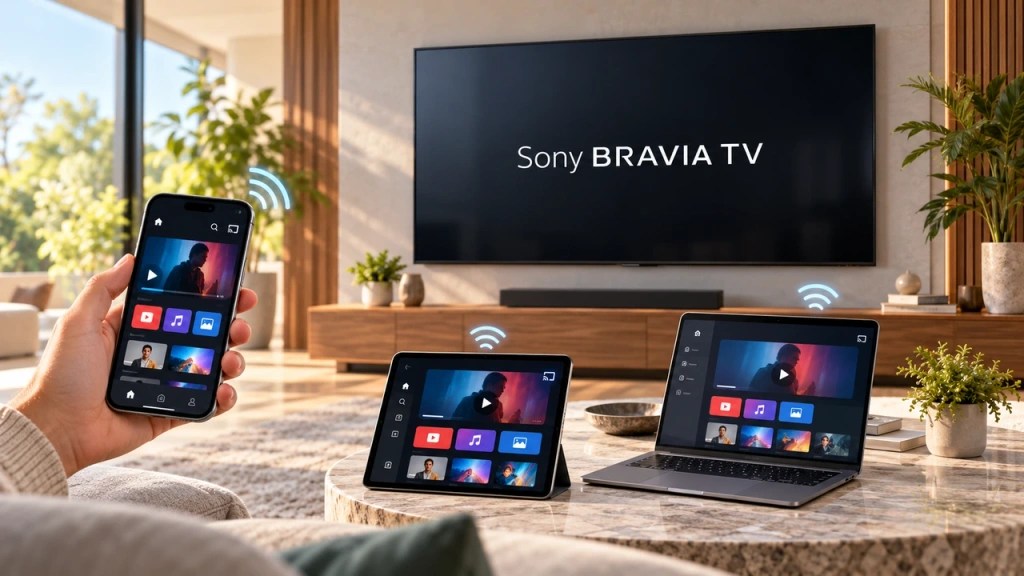 วิธีสะท้อนหน้าจอไปยังทีวี Sony Bravia (Google TV)
โทรทัศน์ Sony Bravia Google TV ไม่ใช้วิธีการ “Screen Mirroring” แบบเดียวที่เหมาะกับทุกโทรศัพท์มือถือและคอมพิวเตอร์ การเลือกวิธีที่เหมาะสมขึ้นอยู่กับทั้งสองปัจจัย...
วิธีสะท้อนหน้าจอไปยังทีวี Sony Bravia (Google TV)
โทรทัศน์ Sony Bravia Google TV ไม่ใช้วิธีการ “Screen Mirroring” แบบเดียวที่เหมาะกับทุกโทรศัพท์มือถือและคอมพิวเตอร์ การเลือกวิธีที่เหมาะสมขึ้นอยู่กับทั้งสองปัจจัย...

