
PC/Mac'inizden TV/PC/Mac'e Nasıl Dosya Gönderilir
1001 TVs ile PC/Mac'inizden TV/PC/Mac'inize aynı yerel ağ üzerinden dosya gönderebilirsiniz.
Ve evet - aynı LAN üzerindeki PC'ler ve Mac'ler dosyaları doğrudan birbirlerine aktarabilir, ek bir kurulum gerekmez.
Bulut yüklemesi yok. Kablo yok. Kayıt yok - sadece hızlı, güvenli yerel aktarımlar.
Başlamadan Önce
- Emin olun cihazların aynı Wi-Fi ağına bağlı olması.
- Kurun ve açın 1001 TVs Her iki cihazınızda da, uygulamayı alıcı cihazda çalışır durumda tutun.
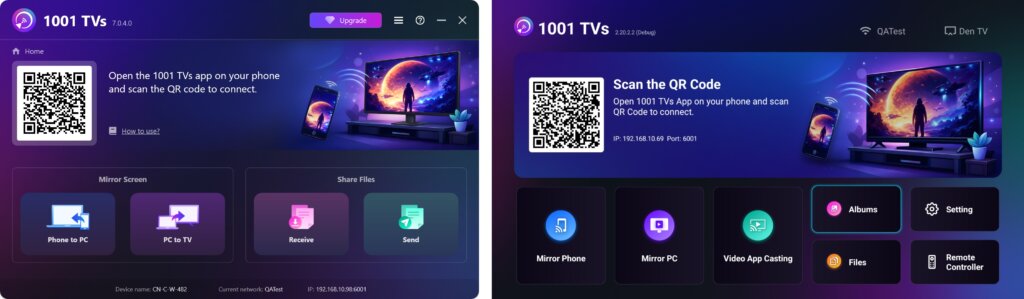
Göndermeye Başlayın
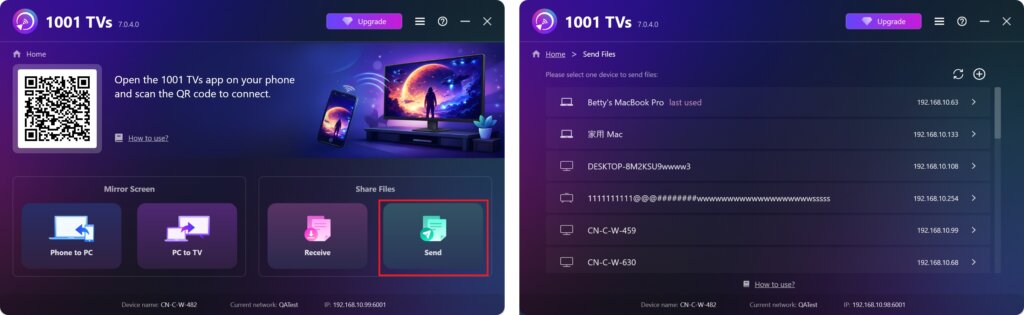
Gönderen cihazınızda Gönder ve uygulama otomatik olarak aynı ağdaki mevcut cihazları arayacaktır.
Listeden hedef cihazınızı seçin. (örneğin, TV/PC/Mac)
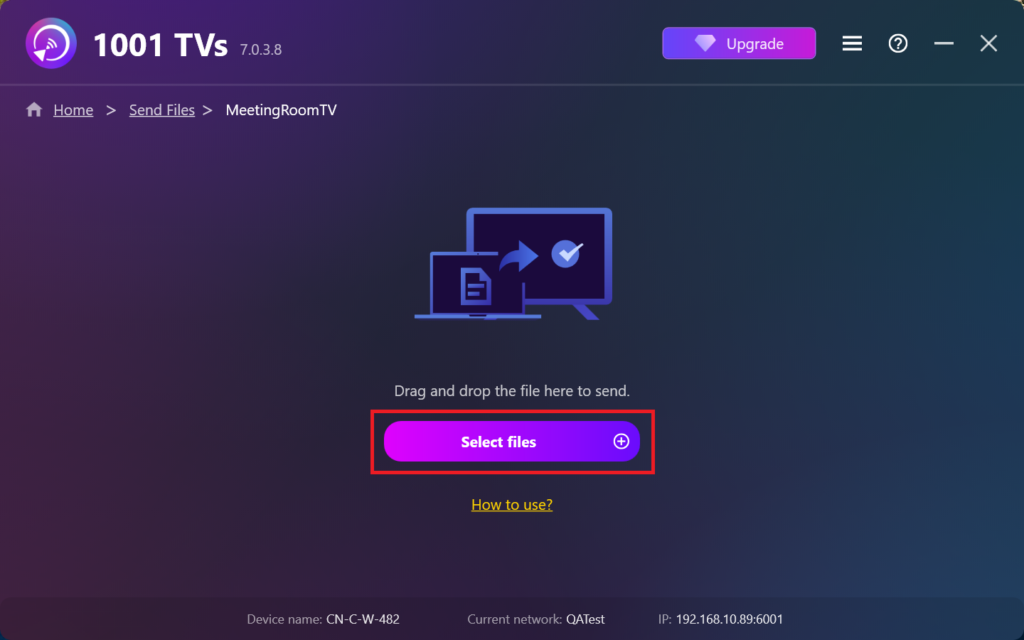
Bilgisayarınızdaki dosyaları (videolar, fotoğraflar, müzik, belgeler ve daha fazlası) seçin ve aktarım otomatik olarak hedef cihaza başlayacaktır.
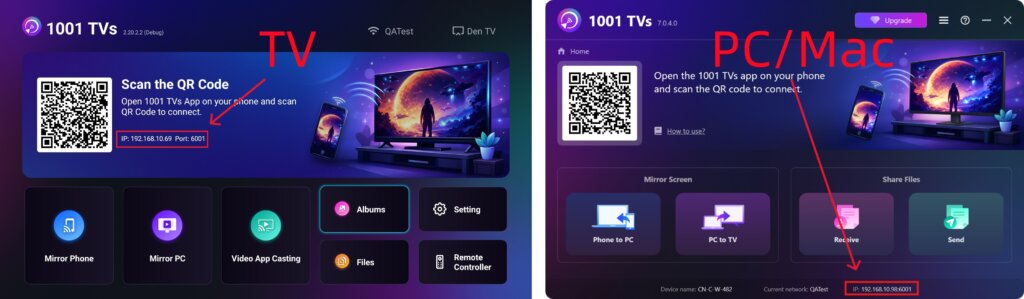
Hedef Cihazınızı Bulamıyor musunuz?
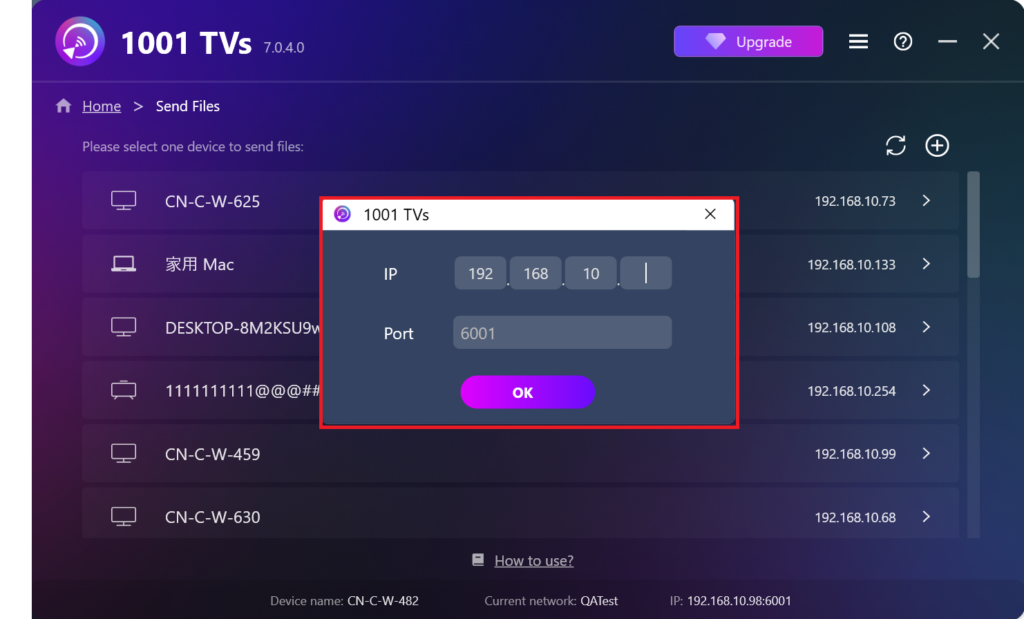
Hedef cihaz cihaz listesinde görünmüyorsa + simge öğesini seçin ve sağ üst köşedeki IP adresi eşleştirme hızlı ve güvenli bir şekilde bağlanmak için.
Alınan Dosyaları PC/Mac'te Görüntüleme
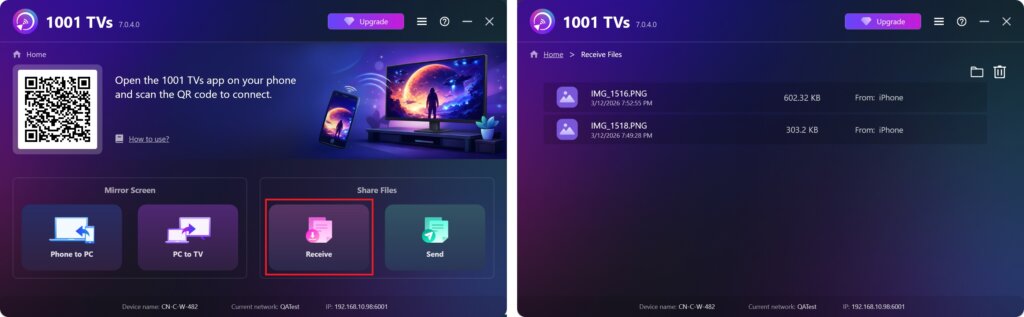
Tıklayın Almak Gelen tüm dosyaları görmek için bilgisayarınızda/Mac'inizde.
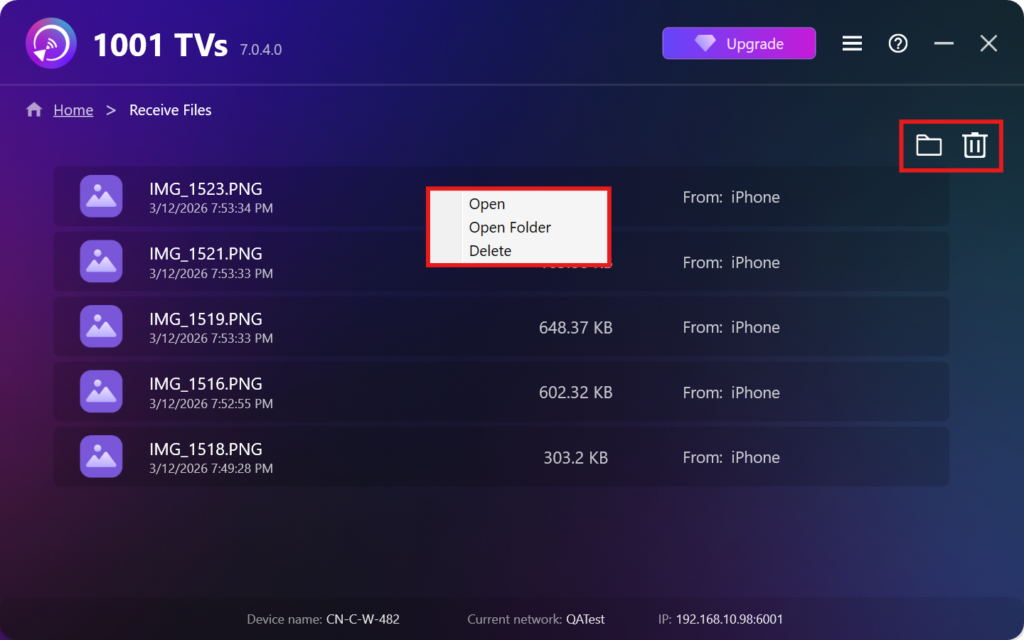
- Aç Alınan dosyaları görüntüleyin – Tıklayın veya sağ tıklayın ve “Klasörü Aç” öğesine tıklayarak söz konusu cihazdaki tüm dosyaları görüntüleyebilirsiniz (örn. iPhone 12123).
- Finder'da (Mac) veya Dosya Gezgini'nde (Windows) bulun - Tıklayınız klasör simgesi Tüm cihaz klasörlerine erişmek için sağ üstteki düğmesine basın.
- Seçenekleri sil – Sağ tıklayın bir dosya seçin ve “Silme” simgesine tıklayarak tek tek kaldırabilir veya çöp kutusu simgesi Alınan tüm dosyaları bir kerede silmek için sağ üstteki düğmesine basın.
Alınan Dosyaları TV'de Görüntüleme
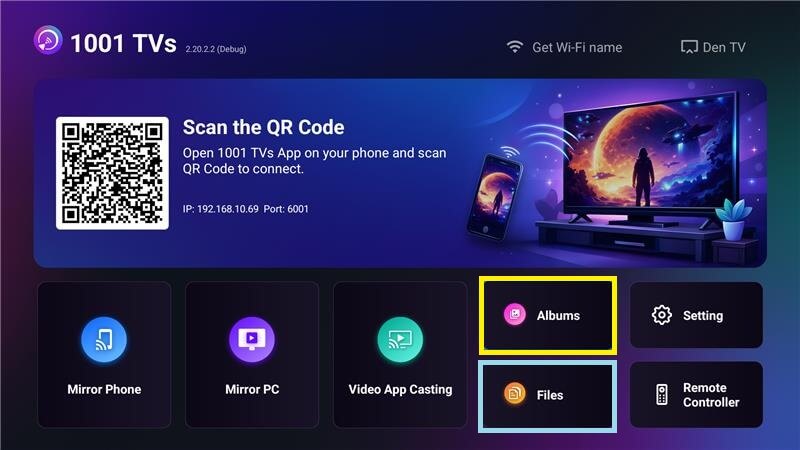
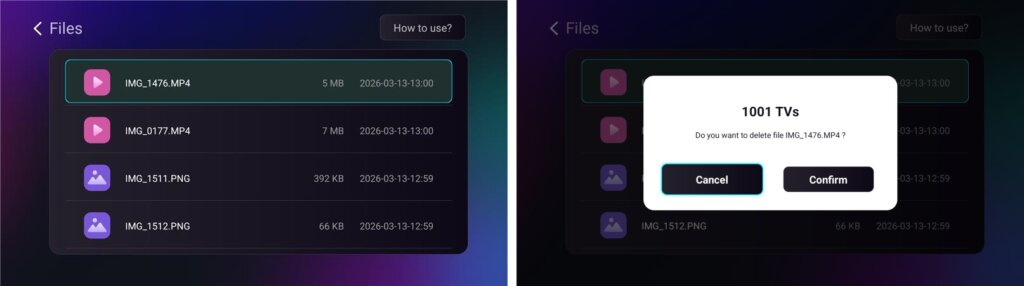
- Şuraya gidin Dosyalar Alınan dosyaları görüntülemek için. Bir dosya seçebilir ve uzun basarak TAMAM. silmek için.
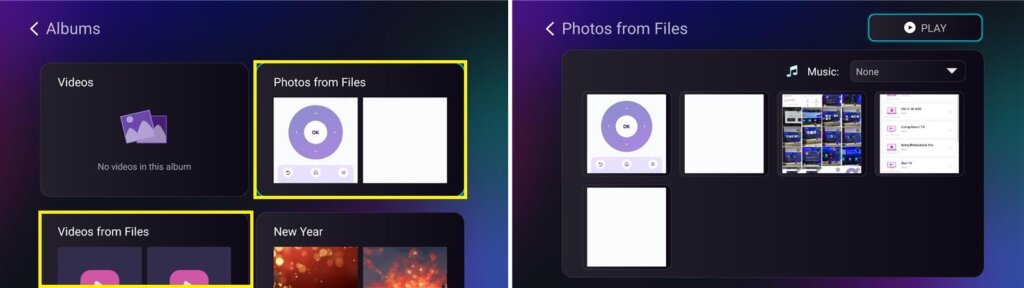
- Şuraya gidin Albümler > Dosyalardan Fotoğraflar/Videolar Alınan fotoğrafları ve videoları görüntülemek için. Bir dosya seçebilir ve uzun basabilirsiniz TAMAM. silmek veya slayt gösterisi olarak oynatmak için.
Neden 1001 TVs Kullanılmalı?
- Hızlı, özel ve kullanımı kolay
- Yerel aktarım - bulut gerekmez
- Oturum açmaya veya hesap açmaya gerek yok
- Büyük dosya aktarımlarını destekler
Yardıma mı ihtiyacınız var?
Herhangi bir sorunla karşılaşırsanız, destek ekibimizle iletişime geçmekten çekinmeyin:
📧 E-posta: 1001tvs@nero.com
🌐 Web sitesi: www.1001tvs.com
📖 Daha Fazla Kılavuz: Kılavuz