Nova configuração: não aparecem mais janelas pop-up quando o espelhamento termina
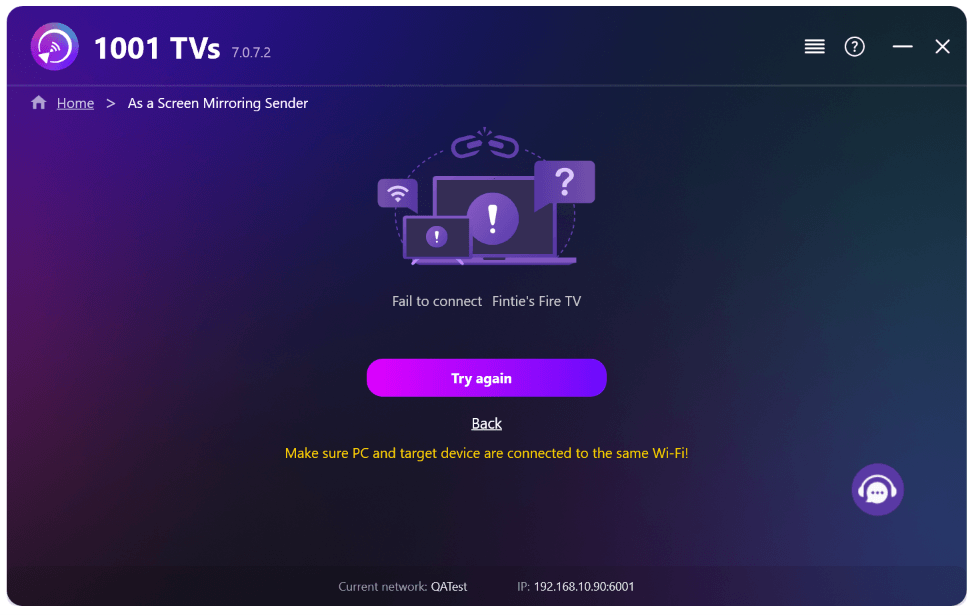
Quando você espelha a tela do seu PC na TV e encerra a sessão usando o controle remoto da TV, a janela do 1001 TVs reaparece no seu computador com uma mensagem de erro “Falha na conexão” — mesmo que você tenha encerrado a sessão intencionalmente. Isso interrompe o que quer que você esteja fazendo no PC, sem motivo algum.
Com a última atualização do 1001 TVs, isso não é mais um problema. Basta ativar a nova configuração e pronto.
1. Instale a versão mais recente do 1001 TVs no seu PC com Windows.
Aplicativo para PC: Baixar de Microsoft Store
Para obter etapas detalhadas, consulte o Guia de instalação do PC.
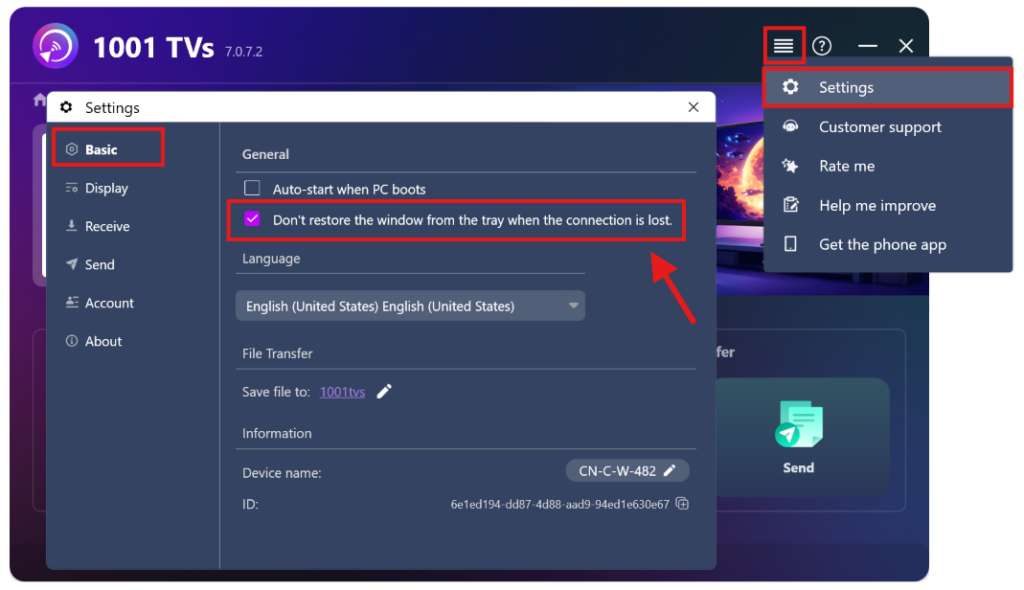
2. Ir para Configurações > Básico > e ligar “Não restaure a janela a partir da bandeja quando a conexão for perdida.”
(Essa opção está DESATIVADA por padrão e está disponível em Apenas para PCs com Windows.)
É isso aí — agora você pode espelhar a tela sem o incômodo das janelas pop-up.
Mais tutoriais:
https://www.1001tvs.com/features/
Leia mais
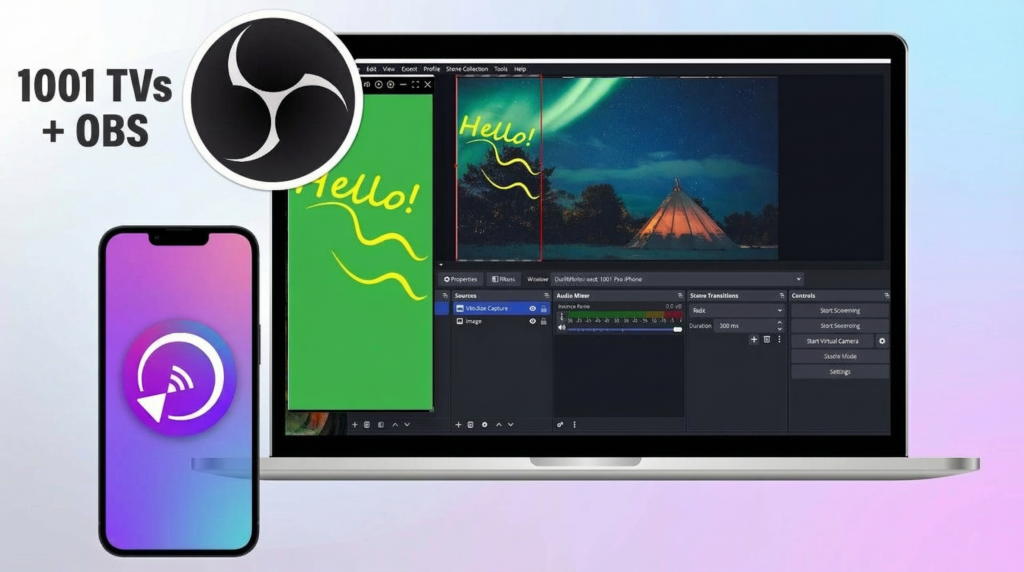 Como capturar o espelhamento de tela no OBS (Android e iPhone)
Quer gravar a transmissão da tela no OBS para jogos em dispositivos móveis, tutoriais ou conteúdo ao vivo? Com o 1001 TVs, você pode espelhar facilmente a tela do seu celular...
Como capturar o espelhamento de tela no OBS (Android e iPhone)
Quer gravar a transmissão da tela no OBS para jogos em dispositivos móveis, tutoriais ou conteúdo ao vivo? Com o 1001 TVs, você pode espelhar facilmente a tela do seu celular...
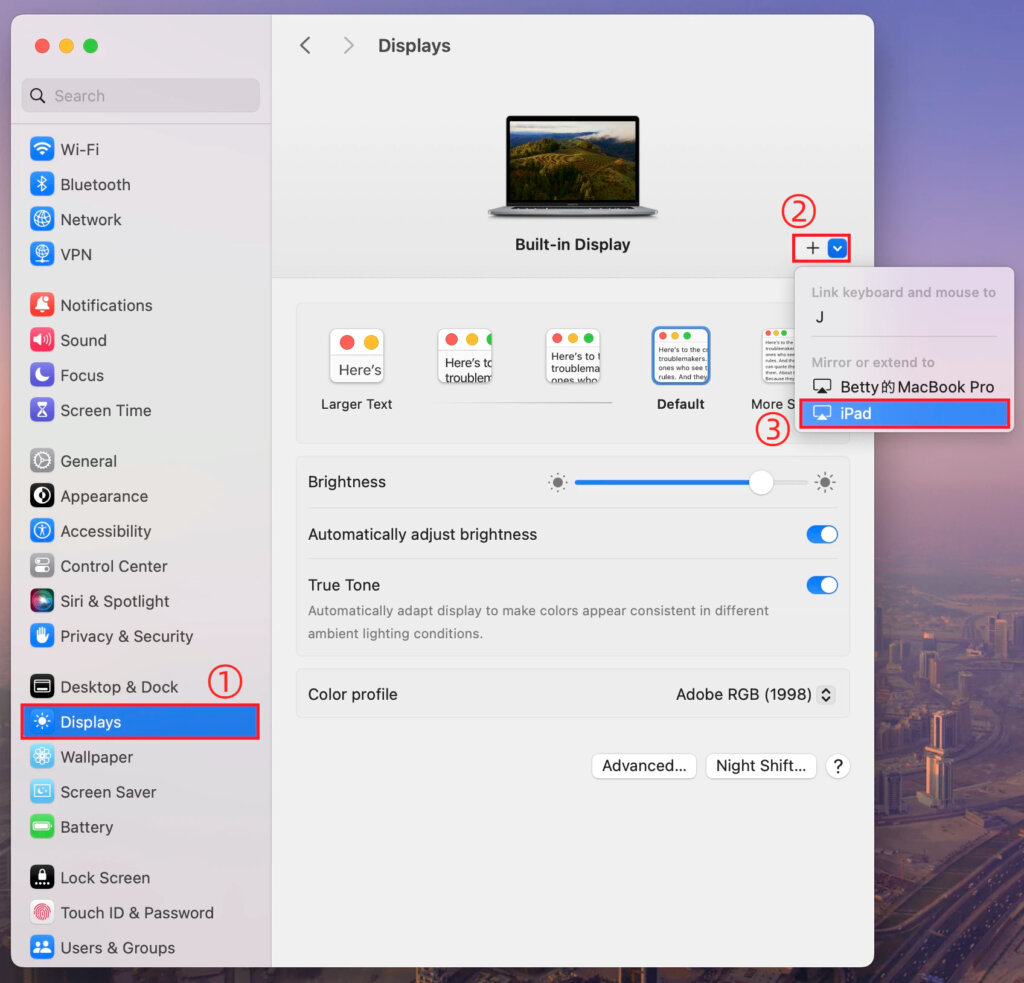 Como estender a tela do seu Mac usando as configurações do macOS com o 1001 TVs
O macOS permite que você estenda sua área de trabalho para um monitor externo usando as configurações de vídeo do sistema. Com a ajuda do 1001 TVs, esse recurso pode...
Como estender a tela do seu Mac usando as configurações do macOS com o 1001 TVs
O macOS permite que você estenda sua área de trabalho para um monitor externo usando as configurações de vídeo do sistema. Com a ajuda do 1001 TVs, esse recurso pode...

