새로운 설정: 미러링 종료 시 팝업 창이 더 이상 표시되지 않음
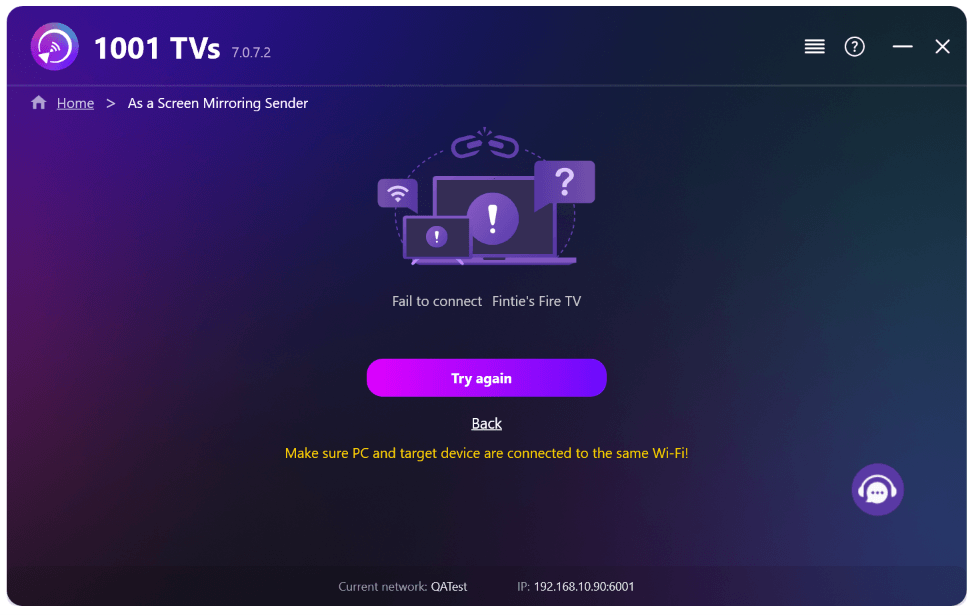
PC 화면을 TV로 미러링하다가 TV 리모컨을 사용하여 세션을 종료하면, 의도적으로 세션을 종료했음에도 불구하고 컴퓨터 화면에 “연결 실패” 오류 메시지가 표시된 1001 TVs 창이 다시 나타납니다. 이로 인해 아무런 이유 없이 PC에서 하던 작업이 중단됩니다.
최신 1001 TVs 업데이트를 통해 이 문제는 더 이상 발생하지 않습니다. 새로운 설정을 켜기만 하면 바로 사용할 수 있습니다.
1. Windows PC에 1001 TVs의 최신 버전을 설치하십시오.
📥 PC 앱: 다음에서 다운로드 Microsoft 스토어
자세한 단계는 PC 설치 가이드.
2. 2. 설정 > 기본 > 그리고 켜고 “연결이 끊어졌을 때는 트레이에서 창을 복원하지 마십시오.”
(이 옵션은 기본적으로 꺼져 있으며, 다음에서 사용할 수 있습니다. Windows PC 전용.)
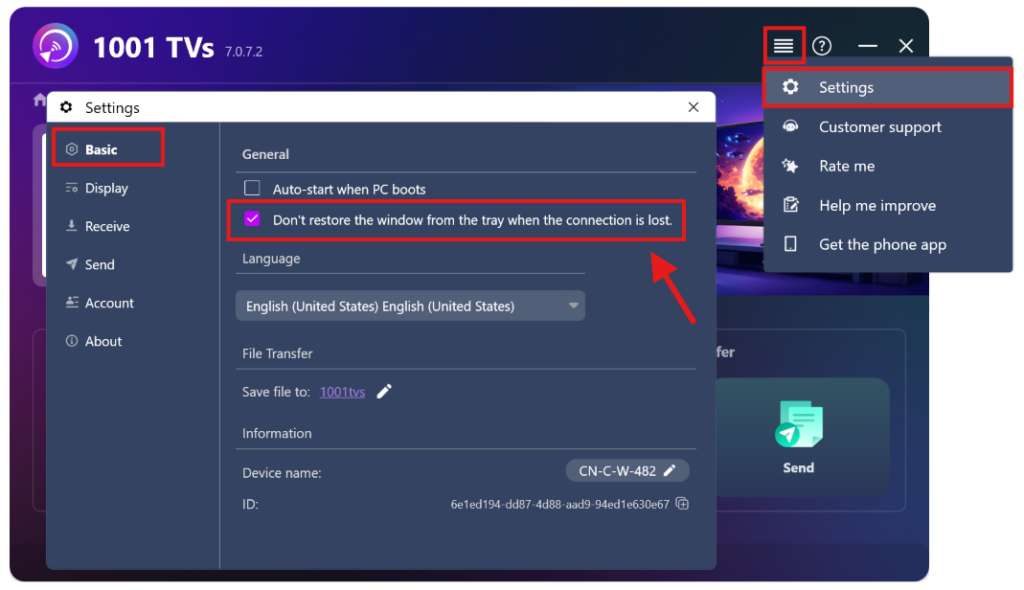
자, 이제 팝업 창이 뜨는 번거로움 없이 미러링을 할 수 있습니다.
더 많은 튜토리얼:
https://www.1001tvs.com/features/