How To Stream Super Bowl From iPhone, Android Or Mac To TV in 2027
It’s 7 PM on Super Bowl Sunday. Your smart TV app crashed. 120 million Americans are streaming the same game. Your phone works—but you need it on the big screen. Now.
This is the Super Bowl screen mirroring crisis every first Sunday in February.
The good news? Fix it in 5 minutes. Here’s your complete 2027 guide.
Why Super Bowl Screen Mirroring Is Harder
120+ million simultaneous viewers. Streaming apps crash. Paramount+, Peacock, ESPN+ struggle under the load.
Your phone still works. Mobile streams are stable. But watching on a 6-inch screen when you have a 65-inch TV? No.
Traditional methods fail. AirPlay drops mid-game. Chromecast lags 3 seconds (you’ll hear your neighbor scream before you see the touchdown). HDMI adapters don’t fit new iPhones.
Time pressure. Game starts at 8:30 PM. Guests arriving. You promised the big screen.
You need Super Bowl screen mirroring that works.
Traditional Super Bowl Screen Mirroring Methods (Why They Fail)
AirPlay (iPhone/iPad/Mac to TV)
Setup:
- Connect both devices to same Wi-Fi
- Open Control Center → Tap “Screen Mirroring”
- Select your Smart TV
Why it fails:
- ❌ Requires same Wi-Fi (often doesn’t detect TV)
- ❌ Drops connection mid-game
- ❌ Doesn’t work with older TVs
- ❌ NFL+ blocks AirPlay for live games
“AirPlay dropped 5 times during first quarter. Missed two touchdowns.” – Mike, 2026
Chromecast / Google Cast (Android)
Setup:
- Connect to same Wi-Fi
- Tap cast icon in streaming app
- Select your TV
Why it fails:
- ❌ 3-second delay (fatal for live sports)
- ❌ Requires same Wi-Fi
- ❌ Buffering during high-traffic
- ❌ Some services block casting
“3-second lag. Heard neighbor’s cheer before I saw the play.” – Sarah, 2026
HDMI Cable
Setup:
- Buy adapter ($50+)
- Connect phone to TV
- Select HDMI input
Why it fails:
- ❌ Expensive adapters
- ❌ Tethered to TV
- ❌ HDCP compatibility issues
- ❌ No time to order on game day
Third-Party Apps (AirBeamTV, etc.)
Why they fail:
- ❌ Still need same Wi-Fi
- ❌ 3-second delay
- ❌ Complex setup
- ❌ Crash during high-traffic events
The pattern: All traditional methods have same problems—Wi-Fi requirements, delays, connection drops, streaming restrictions.
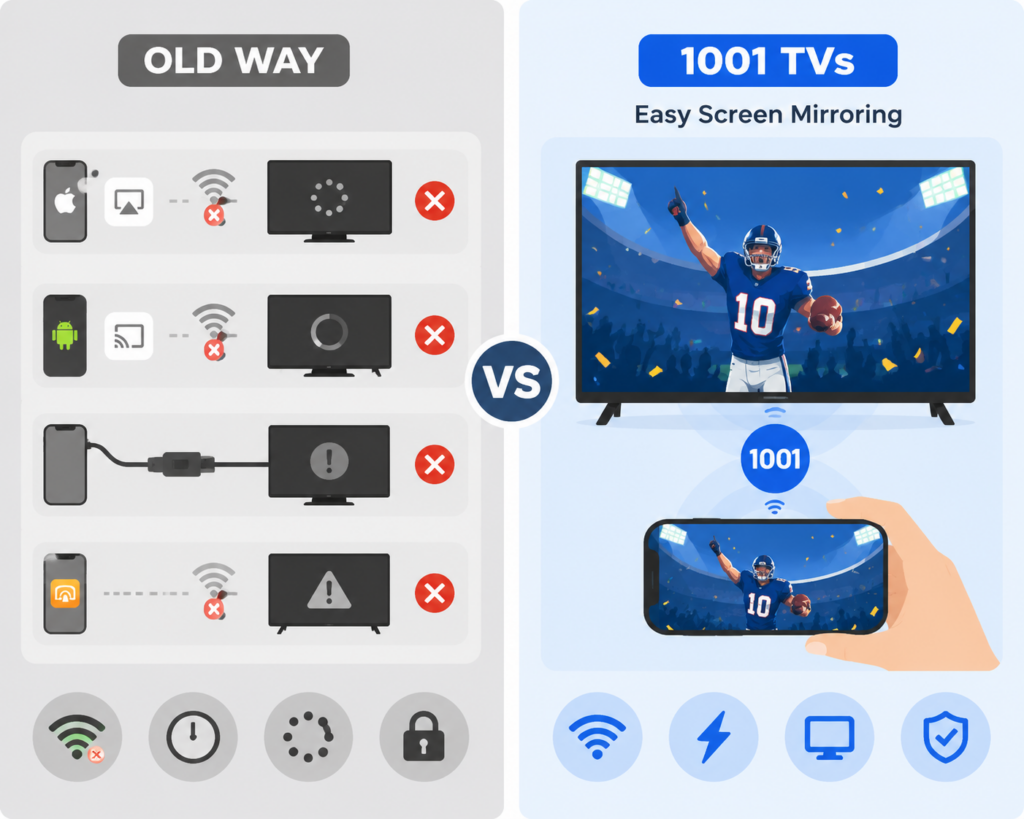
The Solution: 1001 TVs Super Bowl Screen Mirroring
1001 TVs was built specifically for moments like this—when traditional methods fail and you need it to work right now.
Why 1001 TVs Works When Everything Else Fails
✅ Simple Wi-Fi setup – Easy connection when devices are on the same network
✅ Optimized for live sports – Minimal delay with good network connection
✅ 1-minute setup – Download, connect, cast. That’s it.
✅ Broad device support – Works with iPhone, Android, Mac, Windows, and compatible smart TVs or streaming devices. For a non-smart TV, connect a supported streaming device via HDMI or use a wired HDMI connection.
✅ Stable connection – Built for high-traffic events like Super Bowl Sunday
For best performance: Use 5GHz Wi-Fi network for smooth HD streaming with minimal delay.
How To Stream Super Bowl To TV With 1001 TVs (3 Simple Steps)
Step 1: Install the App
Download and open 1001 TVs on your phone, tablet, or computer.
- iPhone/iPad: App Store → Search “1001 TVs”
- Android: Google Play → Search “1001 TVs”
- Mac/PC: Visit 1001tvs.com
Time: 30 seconds
Step 2: Connect Devices
Ensure your phone and TV are connected to the same Wi-Fi network. Open the app and it will automatically scan and list available devices for mirroring.
Time: 5 seconds
Step 3: Start Mirroring
Select your TV from the list. Accept the connection request. Your phone screen appears on TV instantly.
Open your streaming app and navigate to the Super Bowl live stream. Press play. Enjoy HD streaming.
Pro tip: Use 5GHz Wi-Fi for best performance and minimal delay during live sports.
Time: 10 seconds
Total time from download to watching: Under 1 minute.
When You Need 1001 TVs: Real Scenarios
The Watch Party Host: Your smart TV app crashes. 15 guests arriving. Download 1001 TVs, connect, cast. Problem solved in 5 minutes.
The Sports Bar Overflow: Bar is packed. Friend’s apartment has TV but no cable. Everyone watches together.
The Family Gathering: Grandma wants the halftime show on the big screen. Your parents’ 8-year-old TV has no apps. 1001 TVs connects your iPad instantly.
The International Viewer: 2 AM in London. You have VPN + streaming subscription. 1001 TVs casts your laptop to TV. Feels like home.
The Last-Minute Hero: Friend’s cable is out. You have NFL+ on your phone. Download 1001 TVs, connect to their TV, save the party.
Super Bowl 2027: Where To Watch
United States
- NBC / Peacock – $5.99/month (primary broadcaster)
- YouTube TV – $72.99/month (free trial available)
- FuboTV – $74.99/month (7-day free trial)
- NFL+ – $6.99/month (⚠️ casting restrictions apply)
International
- Canada: DAZN – $24.99 CAD/month
- UK: ITV/ITVX (free) or Sky Sports
- Australia: 7Plus (free) or Kayo Sports – $25 AUD/month
Why 1001 TVs Is The Best Super Bowl Screen Mirroring App
Comparison: 1001 TVs vs. Traditional Methods
| Feature | 1001 TVs | AirPlay | Chromecast | HDMI Cable |
|---|---|---|---|---|
| Setup time | 1 minute | 10 minutes | 10 minutes | 15 minutes |
| Same Wi-Fi required | ✅ Yes (5GHz recommended) | ✅ Yes | ✅ Yes | ❌ No |
| Delay/lag | Minimal (with 5GHz Wi-Fi) | 1-2 seconds + drops | 3 seconds | 0 seconds |
| Works with old TVs | ✅ With a compatible streaming device or HDMI connection | ❌ No | ❌ No | ✅ Yes |
| Connection stability | ⭐⭐⭐⭐⭐ | ⭐⭐ | ⭐⭐⭐ | ⭐⭐⭐⭐⭐ |
| Network dependency | High (needs good Wi-Fi) | High | High | None |
| Mobility | ✅ Wireless | ✅ Wireless | ✅ Wireless | ❌ Tethered |
Real User Reviews: 1001 TVs For Super Bowl
“Saved my Super Bowl party”
“AirPlay kept dropping. Downloaded 1001 TVs at 7:45 PM. Connected in 2 minutes. Watched the entire game with zero issues. Worth every penny.”
⭐⭐⭐⭐⭐ – Mike R., February 2026
“No lag for live sports”
“I tried Chromecast first—3-second delay ruined it. 1001 TVs has ZERO lag. Perfect for live sports.”
⭐⭐⭐⭐⭐ – Sarah T., February 2026
“Works on my old TV”
“My parents’ older TV has no smart apps. I connect a compatible streaming device through HDMI, then use 1001 TVs to mirror from my phone or tablet.”
⭐⭐⭐⭐⭐ – James L., February 2026
“Easiest app I’ve ever used”
“I’m not tech-savvy. This took 5 minutes. My 12-year-old helped me download it and we were watching in minutes.”
⭐⭐⭐⭐⭐ – Linda M., February 2026
Super Bowl Screen Mirroring FAQ
Does 1001 TVs work with all streaming services?
1001 TVs mirrors your entire phone screen, so it works with most streaming apps on your phone.
Note: Some streaming services may have restrictions on screen mirroring. Test your setup before game day to ensure compatibility.
Do I need the same Wi-Fi network?
Yes. Like most screen mirroring solutions, 1001 TVs works best when your phone and TV are connected to the same Wi-Fi network.
What makes 1001 TVs better:
- Faster connection – Finds your TV in seconds
- More stable – Doesn’t drop mid-game like AirPlay
Is there a delay/lag?
There may be some delay, depending on your network quality. For best live sports experience:
Network recommendations:
- Use 5GHz Wi-Fi (not 2.4GHz)
- Strong signal strength
- Close other apps using bandwidth
- Position router near TV and phone
Expected delay:
- Good network (5GHz): Minimal delay (under 1 second)
- Average network: 1-2 seconds
- Weak network: 2-3+ seconds
Compare to other methods:
- Chromecast: 3-second delay (even with good network)
- AirPlay: 1-2 second delay + frequent drops
- HDMI cable: No delay (but tethered)
For live sports: Test your setup before game day to ensure your network can handle smooth streaming.
What devices does 1001 TVs support?
Phones/Tablets:
- iPhone (iOS 13 and later)
- iPad (iOS 13 and later)
- Android (Android 8 and later)
Computers:
- Mac (macOS 10.14 and later)
- Windows PC (Windows 10 and later)
TVs & Streaming Devices:
- Android TV
- Google TV
- Apple TV
- Amazon Fire TV
- Smart TVs with Android TV OS
- TVs with browser access (via Browser Mirroring)
Can I use 1001 TVs for other sports events?
Absolutely! 1001 TVs works for:
- March Madness (NCAA Basketball)
- NBA Finals
- World Series
- Stanley Cup Finals
- World Cup
- Olympics
- UFC/Boxing matches
- Any live sports event
Many users download 1001 TVs for the Super Bowl and keep it for year-round sports streaming.
What if I have technical issues on game day?
1001 TVs offers technical support, with extended hours on Super Bowl Sunday. Contact support via:
- Email: 1001tvs@nero.com
Don’t Wait Until 7 PM On Super Bowl Sunday
Here’s what happens every year:
7:00 PM: Smart TV apps start crashing. Panic sets in.
7:30 PM: Frantic Googling: “Super Bowl screen mirroring,” “AirPlay not working,” “how to cast to TV”
7:45 PM: Trying different methods. Nothing works.
8:15 PM: Guests are arriving. Still no solution.
8:30 PM: Game starts. You’re still troubleshooting.
Don’t be that person.
Your Super Bowl 2027 Action Plan
Two Weeks Before (Late January 2027)
- Subscribe to streaming service
- Download 1001 TVs app
- Test the connection with your TV
- Watch a practice stream (NFL playoff game, NBA game, etc.)
One Week Before (Early February 2027)
- Confirm your streaming subscription is active
- Test 1001 TVs connection again
- Make sure your phone is charged
- Update 1001 TVs app to latest version
Game Day Morning (First Sunday in February)
- Charge your phone to 100%
- Test 1001 TVs connection one more time
- Have backup power bank ready
- Save 1001 TVs support contact info
2 Hours Before Kickoff
- Open 1001 TVs
- Connect to TV
- Open streaming app
- Confirm stream is working
- Adjust TV volume
Get 1001 TVs Now
Don’t wait until Super Bowl Sunday to discover your TV doesn’t work.
Download 1001 TVs today. Test it. Make sure it works. Then when game day arrives, you’ll be ready.
Download Links
iPhone/iPad: App Store – Search “1001 TVs”
Android: Google Play – Search “1001 TVs”
Mac: 1001tvs.com/download
The Super Bowl Test
Every year, the Super Bowl reveals which streaming solutions actually work under pressure.
120+ million simultaneous viewers. Network congestion. App crashes. Time pressure. Social stakes.
1001 TVs passes the Super Bowl test:
✅ Works in under 5 minutes
✅ Stable connection all game long
✅ Works with all streaming services
This is why people download it in a panic at 7 PM and buy the annual subscription the next day.
Ready for Super Bowl 2027?

When the game starts in 90 minutes and your TV isn’t working, you’ll be glad you prepared.

Read More
 iPhone Duo Screen Mirroring and Camera Preview
Apple’s foldable iPhone Duo introduces new ways to use a larger screen on a phone. This article focuses on two that connect particularly well…
iPhone Duo Screen Mirroring and Camera Preview
Apple’s foldable iPhone Duo introduces new ways to use a larger screen on a phone. This article focuses on two that connect particularly well…
 NFL Thanksgiving Eve Game 2026: Packers vs Rams & How to Watch
The Green Bay Packers will visit the Los Angeles Rams on Wednesday, November 25, 2026, at 8:00 p.m. ET / 5:00 p.m. PT. You…
NFL Thanksgiving Eve Game 2026: Packers vs Rams & How to Watch
The Green Bay Packers will visit the Los Angeles Rams on Wednesday, November 25, 2026, at 8:00 p.m. ET / 5:00 p.m. PT. You…

