Jak streamovat Super Bowl z iPhonu, Androidu nebo Macu do televize v roce 2027
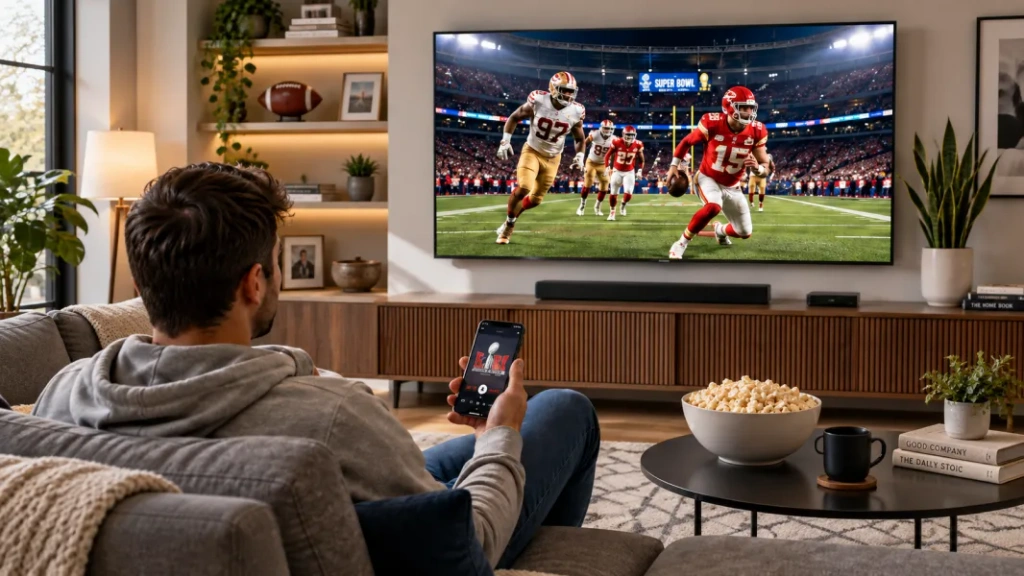
Chcete-li sledovat Super Bowl na televizi z iPhonu, telefonu s Androidem nebo počítače Mac, použijte možnost AirPlay nebo Google Cast podporovanou vysílatelem, kompatibilní připojení HDMI nebo jeho televizní aplikaci. Funkci 1001 TVs používejte pouze pro obsah, který umožňuje zrcadlení obrazovky.
Super Bowl LXI je naplánováno na 14. února 2027, v USA bude přenos vysílat ESPN a ABC.
Dobrá zpráva? Opravíte ji za 5 minut. Zde je váš kompletní průvodce rokem 2027.
Co může bránit zrcadlení obrazovky během Super Bowlu?
Mezi hlavní omezení patří omezení aplikací, kompatibilita zařízení a kvalita sítě. Stream, který se přehrává na vašem telefonu, může i tak blokovat výstup na televizoru. Před dnem zápasu si vyzkoušejte, jaké způsoby přehrávání daný poskytovatel podporuje; zrcadlení obrazovky nedokáže vyřešit výpadek u poskytovatele ani odblokovat stream určený výhradně pro mobilní zařízení.
Více než 120 milionů diváků současně. Streamingové aplikace padají. Paramount+, Peacock a ESPN+ se potýkají s velkou zátěží.
Telefon stále funguje. Mobilní toky jsou stabilní. Ale sledovat na 6palcové obrazovce, když máte 65palcovou televizi? Ne.
Tradiční metody selhávají. AirPlay vypadne uprostřed hry. Chromecast se zpožďuje o 3 sekundy (uslyšíte křik souseda dřív, než uvidíte touchdown). Adaptéry HDMI nepasují na nové iPhony.
Časová tíseň. Hra začíná ve 20:30. Příjezd hostů. Slíbili jste velkou obrazovku.
Potřebujete funkční zrcadlení obrazovky při Super Bowlu.
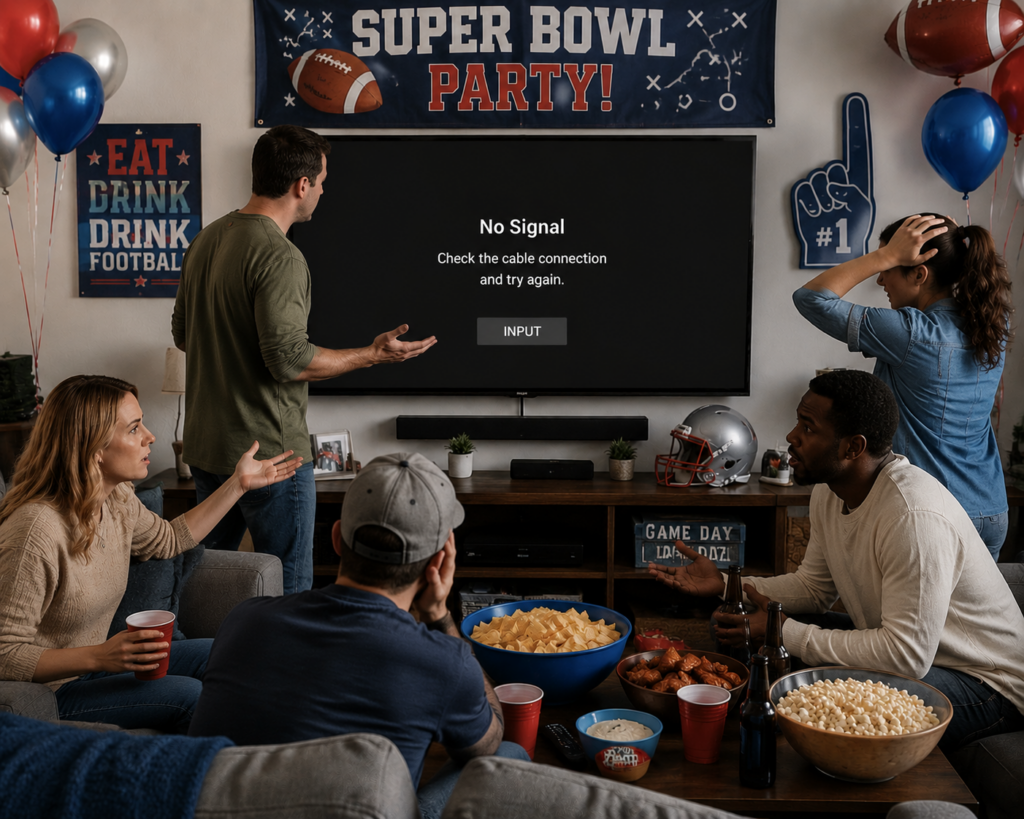
Tradiční způsoby zrcadlení obrazovky při sledování Super Bowlu
Vyberte si způsob, který podporují jak vaše zařízení, tak streamovací služba.
AirPlay (z iPhone/iPadu/Macu na televizi)
Nastavení:
- Připojení obou zařízení ke stejné síti Wi-Fi
- Pokud je to podporováno, použijte tlačítko AirPlay ve videopřehrávači. Chcete-li povolit zrcadlení obrazovky, otevřete Ovládací centrum → klepněte na “Zrcadlení obrazovky”
- Vyberte Apple TV nebo televizor kompatibilní s AirPlay; pokud budete vyzváni, zadejte zobrazený kód.
Proč se to nedaří:
- ❌ Vyžaduje kompatibilní přijímač a podporovaný obsah. U starších televizorů s rozhraním HDMI lze použít přijímač Apple TV. Živé přenosy místních zápasů a zápasů v hlavním vysílacím čase z pravidelné sezóny i play-off v rámci služby NFL+ nelze přenášet na televizor.
- ❌ Vyžaduje stejnou Wi-Fi (často nedetekuje TV)
- ❌ Přeruší připojení uprostřed hry
- ❌ NFL+ blokuje AirPlay pro živé hry
“V prvním čtvrtletí došlo k pětinásobnému poklesu AirPlay. Zmeškané dva touchdowny.” - Mike, 2026
Chromecast / Google Cast (aplikace pro Android a iOS)
Nastavení:
- Připojení ke stejné síti Wi-Fi
- V aplikaci podporující službu Google Cast klepněte na ikonu Cast
- Výběr televizoru
Proč se to nedaří:
- ❌ 3sekundové zpoždění (fatální pro živé sportovní přenosy)
- ❌ Vyžaduje stejnou Wi-Fi
- ❌ Vyrovnávací paměť při vysokém provozu
- ❌ Některé služby blokují odlévání
“Zpoždění 3 sekundy. Než jsem viděl hru, slyšel jsem sousedův pokřik.” - Sarah, 2026
Kabel HDMI
Nastavení:
- Zakupte si adaptér ($50+). Použijte kabel HDMI a v případě potřeby také adaptér pro video výstup, který je kompatibilní s vaším konkrétním modelem telefonu nebo počítače Mac.
- Připojení telefonu k televizoru
- Výběr vstupu HDMI
Proč se to nedaří:
- ❌ Drahé adaptéry
- ❌ Připoután k televizoru
- ❌ Problémy s kompatibilitou HDCP
- ❌ V den hry není čas na objednávku
- Zařízení i aplikace musí podporovat výstup videa; kabel HDMI neumožňuje obejít omezení obsahu.
Aplikace třetích stran (AirBeamTV atd.)
Proč selhávají:
- ❌ Stále potřebujete stejnou Wi-Fi
- ❌ 3sekundové zpoždění
- ❌ Komplexní nastavení
- ❌ Havárie při událostech s vysokým provozem
Vzor: Všechny tradiční metody mají stejné problémy - požadavky na Wi-Fi, zpoždění, výpadky připojení, omezení streamování. Omezení týkající se živých přenosů zápasů NFL+ (zde).
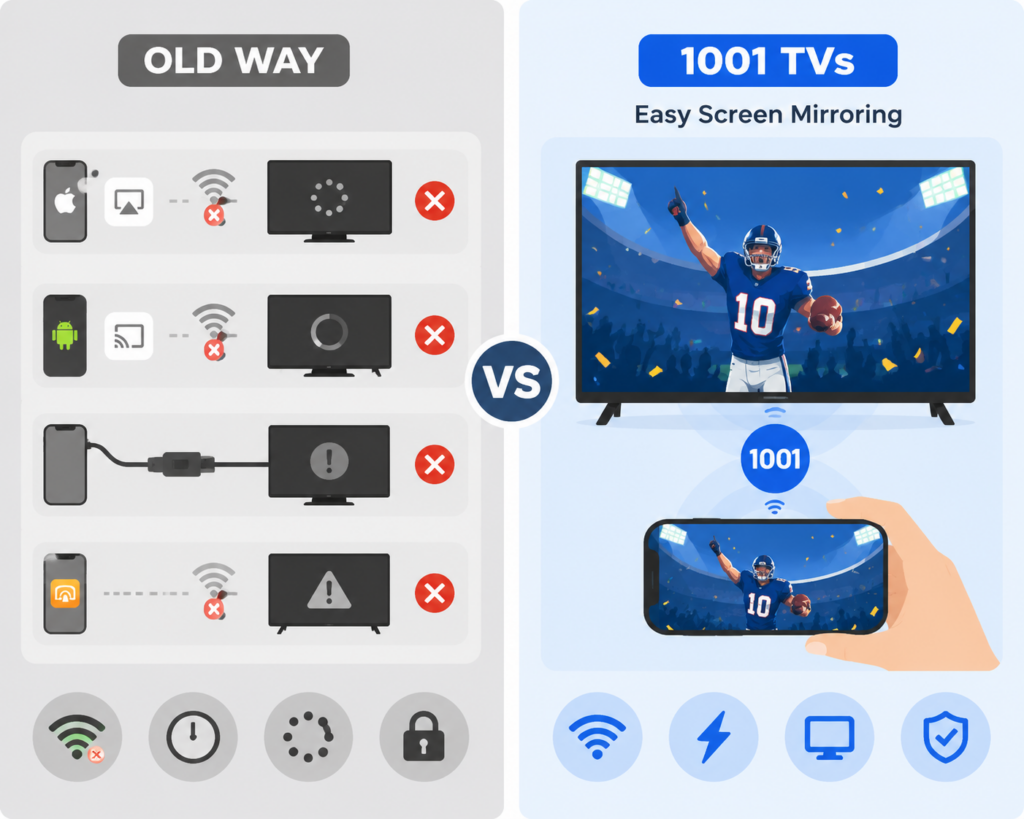
Řešení: 1001 TVs Super Bowl Zrcadlení obrazovky
1001 TVs byl vytvořen speciálně pro takové chvíle - když tradiční metody selžou a vy potřebujete, aby fungoval. právě teď.
Proč 1001 TVs funguje, když všechno ostatní selhává
✅ Jednoduché nastavení Wi-Fi – Snadné připojení, pokud jsou zařízení připojena ke stejné síti (Zkontrolujte 1001 TVs – Nastavení a funkce Android TV.)
✅ Optimalizováno pro živé sportovní přenosy - Minimální zpoždění při dobrém síťovém připojení
✅ 1minutové nastavení - Stáhnout, připojit, obsadit. To je vše.
✅ Široká podpora zařízení – Funguje s iPhone, Androidem, Macem, Windows a kompatibilními chytrými televizory nebo streamovacími zařízeními. V případě televizoru, který není chytrý, připojte podporované streamovací zařízení přes HDMI nebo použijte kabelové připojení HDMI.
✅ Stabilní připojení - Vytvořeno pro akce s vysokou návštěvností, jako je nedělní Super Bowl.
Pro nejlepší výkon: Využijte 5GHz síť Wi-Fi pro plynulé streamování HD s minimálním zpožděním.
Jak streamovat Super Bowl do TV pomocí 1001 TVs (3 jednoduché kroky)
Krok 1: Instalace aplikace
Stáhněte si a otevřete aplikaci 1001 TVs v telefonu, tabletu nebo počítači.
- iPhone/iPad: App Store → Hledat “1001 TVs”
- Android: Google Play → Hledat “1001 TVs”
- Mac/PC: Navštivte 1001tvs.com
Čas: 30 sekund

Krok 2: Připojení zařízení
Zkontrolujte, zda jsou telefon a televizor připojeny ke stejné síti Wi-Fi. Otevřete aplikaci a ta automaticky prohledá a zobrazí seznam dostupných zařízení pro zrcadlení.
Čas: 5 sekund
Krok 3: Spuštění zrcadlení
Vyberte televizor ze seznamu. Přijměte požadavek na připojení. Obrazovka telefonu se okamžitě zobrazí na televizoru.
Otevřete aplikaci pro streamování a přejděte na živý přenos zápasu Super Bowl. Stiskněte tlačítko play. Vychutnejte si streamování v HD rozlišení.
Profesionální tip: Použijte 5GHz Wi-Fi pro nejlepší výkon a minimální zpoždění při živém přenosu.
Čas: 10 sekund
Celková doba od stažení do zhlédnutí: Méně než 1 minuta.
Kdy potřebujete 1001 TVs: skutečné scénáře
Hostitel hlídacího večírku: Aplikace smart TV se zhroutí. Přijde 15 hostů. Stáhněte si 1001 TVs, připojte se, obsazujte. Problém vyřešen za 5 minut.
Sportovní bar Overflow: Bar je plný. V bytě kamaráda je sice televize, ale není tam kabelovka. Všichni se dívají společně.
Rodinné setkání: Babička chce poločasovou show na velké obrazovce. Osm let stará televize tvých rodičů nemá žádné aplikace. 1001 TVs okamžitě připojí váš iPad.
Mezinárodní divák: 2 hodiny ráno v Londýně. Máte předplatné VPN + streamování. 1001 TVs vysílá váš notebook na televizi. Cítíte se jako doma.
Hrdina na poslední chvíli: Přítelův kabel je mimo provoz. V telefonu máte NFL+. Stáhněte si 1001 TVs, připojte se k jejich televizi a zachraňte večírek.
Super Bowl 2027: Kde sledovat
Než si vyberete způsob přenosu, ověřte si dostupnost služby, své předplatné a podporovaná zařízení.
Spojené státy americké
- ESPN / ABC — Američtí vysílatelé Super Bowlu LXI, který se bude konat 14. února 2027. Podívejte se Stránka ESPN věnovaná Super Bowlu pro aktuální informace o přístupu ke streamování a podmínkách tarifů.
- NBC / Peacock - $5,99/měsíc (primární vysílání)
- Televize YouTube - $72,99/měsíc (k dispozici je bezplatná zkušební verze)
- FuboTV - $74,99 EUR/měsíc (7denní zkušební verze zdarma)
- NFL+ – $6,99/měsíc (⚠️ platí omezení pro přenos na televizor) Živé přenosy místních zápasů a zápasů v hlavním vysílacím čase v rámci základní části i play-off jsou omezeny na mobilní telefony a tablety a nelze je přenášet na televizor.
Mezinárodní
- Kanada: DAZN - $24,99 CAD/měsíc
- VELKÁ BRITÁNIE: ITV/ITVX (zdarma). Sky Sports uvádí program vysílání Super Bowlu LXI. Ověřte aktuální možnosti zobrazení a požadavky na plán.
- Austrálie: 7Plus (zdarma) nebo Kayo Sports - $25 AUD/měsíc
Proč je 1001 TVs nejlepší aplikací pro zrcadlení obrazovky při Super Bowlu
Srovnání: 1001 TVs vs. tradiční metody
| Funkce | 1001 TVs | AirPlay | Chromecast | Kabel HDMI |
|---|---|---|---|---|
| Doba nastavení | 1 minuta | 10 minut | 10 minut | 15 minut |
| Stejné Wi-Fi je vyžadováno | ✅ Ano (doporučená frekvence 5 GHz) | ✅ Ano | ✅ Ano | ❌ Ne |
| Zpoždění/zpoždění | Minimální (s 5GHz Wi-Fi) | 1-2 sekundy + kapky | 3 sekundy | 0 sekund |
| Funguje se starými televizory | ✅ Pomocí kompatibilního streamovacího zařízení nebo připojení HDMI | ❌ Ne | ❌ Ne | ✅ Ano |
| Stabilita připojení | ⭐⭐⭐⭐⭐ | ⭐⭐ | ⭐⭐⭐ | ⭐⭐⭐⭐⭐ |
| Závislost na síti | Vysoká (potřebuje dobrou Wi-Fi) | Vysoká | Vysoká | Žádné |
| Mobilita | ✅ Bezdrátové připojení | ✅ Bezdrátové připojení | ✅ Bezdrátové připojení | ❌ Připoutaný |
Recenze skutečných uživatelů: 1001 TVs pro Super Bowl
“Zachránil mi večírek Super Bowl”
“AirPlay stále vypadával. Staženo 1001 TVs v 19:45. Připojeno za 2 minuty. Sledoval jsem celou hru s nulovými problémy. Stojí to za každý cent.”
⭐⭐⭐⭐⭐ - Mike R., únor 2026
“Žádné zpoždění u živých sportovních přenosů”
“Nejdřív jsem zkusil Chromecast - 3sekundové zpoždění ho zničilo. 1001 TVs má nulové zpoždění. Perfektní pro živé sportovní přenosy.”
⭐⭐⭐⭐⭐ - Sarah T., únor 2026
“Funguje na mém starém televizoru”
“Starší televize mých rodičů nemá žádné chytré aplikace. Připojím k ní kompatibilní streamovací zařízení přes HDMI a pak pomocí aplikace 1001 TVs zrcadlím obraz z mého telefonu nebo tabletu.’
⭐⭐⭐⭐⭐ - James L., únor 2026
“Nejjednodušší aplikace, kterou jsem kdy použil”
“Nejsem technicky zdatný. Trvalo to 5 minut. Můj dvanáctiletý syn mi to pomohl stáhnout a za pár minut jsme se dívali.”
⭐⭐⭐⭐⭐ - Linda M., únor 2026
Nejčastější dotazy týkající se zrcadlení obrazovky při Super Bowlu
Funguje 1001 TVs se všemi streamovacími službami?
Ne. Některé aplikace blokují pořizování snímků obrazovky nebo výstup na televizor. Aplikace 1001 TVs tato omezení nedokáže obejít. Vybraný obsah si proto před zápasem vyzkoušejte. Aplikace 1001 TVs zrcadlí celou obrazovku vašeho telefonu, takže funguje s většinou streamovacích aplikací v telefonu.
Poznámka: Některé streamovací služby mohou mít omezení týkající se zrcadlení obrazovky. Před dnem hry si nastavení otestujte, abyste zajistili kompatibilitu.
Potřebuji stejnou síť Wi-Fi?
Ano. Stejně jako většina řešení zrcadlení obrazovky funguje 1001 TVs nejlépe, když jsou telefon a televizor připojeny ke stejné síti Wi-Fi.
V čem je 1001 TVs lepší:
- Rychlejší připojení - Vyhledá televizor během několika sekund
- Stabilnější - Nespadne uprostřed hry jako AirPlay
Dochází ke zpoždění?
Může dojít k určitému zpoždění, v závislosti na kvalitě sítě. Pro nejlepší zážitek z živých sportovních přenosů:
Síťová doporučení:
- Použijte 5GHz Wi-Fi (ne 2,4 GHz)
- Silný signál
- Zavření jiných aplikací využívajících šířku pásma
- Umístění routeru v blízkosti televizoru a telefonu
Očekávané zpoždění:
- Dobrá síť (5GHz): Minimální zpoždění (pod 1 sekundu)
- Průměrná síť: 1-2 sekundy
- Slabá síť: 2-3+ sekundy
Srovnání s jinými metodami:
- Chromecast: Zpoždění 3 sekundy (i při dobré síti)
- AirPlay: zpoždění 1-2 sekundy + časté výpadky
- Kabel HDMI: Bez zpoždění (ale vázaný)
Pro živé sportovní přenosy: Před dnem hry otestujte nastavení a ujistěte se, že vaše síť zvládne plynulé streamování.
Jaká zařízení podporuje 1001 TVs?
Telefony/tablety:
- iPhone (iOS 13 a novější)
- iPad (iOS 13 a novější)
- Android (Android 8 a novější)
Počítače:
- Mac (macOS 10.14 a novější)
- Počítač se systémem Windows (Windows 10 a novější)
Televizory a zařízení pro streamování:
- Android TV
- Google TV
- Apple TV
- Amazon Fire TV
- Chytré televize s operačním systémem Android TV
- Televizory s přístupem k prohlížeči (prostřednictvím funkce „Browser Mirroring“)
Mohu 1001 TVs použít i pro jiné sportovní události?
Rozhodně! 1001 TVs funguje pro:
- March Madness (Basketbalová NCAA)
- Finále NBA
- Světová série
- Finále Stanley Cupu
- Světový pohár
- Olympijské hry
- Zápasy UFC/Boxing
- Jakákoli živá sportovní událost
Mnoho uživatelů si stáhne službu 1001 TVs kvůli Super Bowlu a ponechá si ji pro celoroční sportovní přenosy.
Co když budu mít v den hry technické problémy?
1001 TVs nabízí technická podpora, s prodlouženou pracovní dobou v neděli, kdy se koná Super Bowl. Kontaktujte podporu prostřednictvím:
- E-mail: 1001tvs@nero.com
Nečekejte na neděli Super Bowlu do 19:00 hodin
Každý rok se děje toto:
19:00 HODIN: Aplikace Smart TV začnou padat. Nastane panika.
19:30 HODIN: Zběsilé googlování: “Super Bowl screen mirroring”, “AirPlay nefunguje”, “how to cast to TV”.”
19:45 Zkoušení různých metod. Nic nefunguje.
20:15 Přijíždějí hosté. Stále žádné řešení.
20:30: Hra začíná. Stále řešíte problémy.
Nebuďte takovou osobou.
Akční plán pro Super Bowl 2027
Dva týdny před (koncem ledna 2027)
- Přihlášení k odběru streamovací služby
- Stáhnout aplikaci 1001 TVs
- Otestujte připojení k televizoru
- Sledování přenosu z tréninku (play-off NFL, zápas NBA atd.)
Týden před (začátkem února 2027)
- Potvrďte, že je vaše předplatné streamování aktivní
- Znovu otestujte připojení 1001 TVs
- Ujistěte se, že je telefon nabitý
- Aktualizace aplikace 1001 TVs na nejnovější verzi
Game Day Morning (první neděle v únoru)
- Nabíjení telefonu na 100%
- Ještě jednou otestujte připojení 1001 TVs
- Připravte si záložní napájecí banku
- Uložit kontaktní informace podpory 1001 TVs
2 hodiny před zahájením
- Otevřít 1001 TVs
- Připojení k televizoru
- Otevření aplikace pro streamování
- Potvrďte, že stream funguje
- Nastavení hlasitosti televizoru
Získat 1001 TVs nyní
Nečekejte na neděli Super Bowlu, až zjistíte, že váš televizor nefunguje.
Stáhněte si 1001 TVs ještě dnes. Vyzkoušejte jej. Ujistěte se, že funguje. Až přijde den hry, budete připraveni.
Odkazy ke stažení
iPhone/iPad: App Store - Hledání “1001 TVs”
Android: Google Play - Hledejte “1001 TVs”
Mac: 1001tvs.com/download
Test Super Bowl
Super Bowl každoročně odhaluje, která streamovací řešení skutečně fungují pod tlakem.
Více než 120 milionů diváků současně. Přetížení sítě. Pády aplikací. Časový tlak. Sociální sázky.
1001 TVs prošel testem Super Bowl:
✅ Funguje do 5 minut
✅ Stabilní připojení po celou dobu hry
✅ Funguje se všemi streamovacími službami
Proto si ji lidé v panice stahují v sedm večer a druhý den si kupují roční předplatné.
Jste připraveni na Super Bowl 2027?
Až za 90 minut začne zápas a vaše televize nebude fungovat, budete rádi, že jste se připravili.