检测到浏览器语言为中文,检测到检测到浏览器语言为中文。중국어 페이지로 이동
세 단계면 완벽한 사진 완성!
1
앱 설치하기
모든 기기에 1001 TVs 앱을 다운로드하고 실행하세요.
2
기기 연결
Make sure both devices are on the same Wi-Fi. Tap "Camera Mirroring," and 1001 TVs will detect available devices.
3
카메라 동기화
카메라 화면을 iPhone, iPad, Android, TV, PC, Mac 등으로 미러링하세요. 각도, 줌, 설정을 즉시 조절하고 바로 미러링을 시작하세요!
카메라 화면을 미러링하고, 모든 장면을 완벽하게 담아보세요.
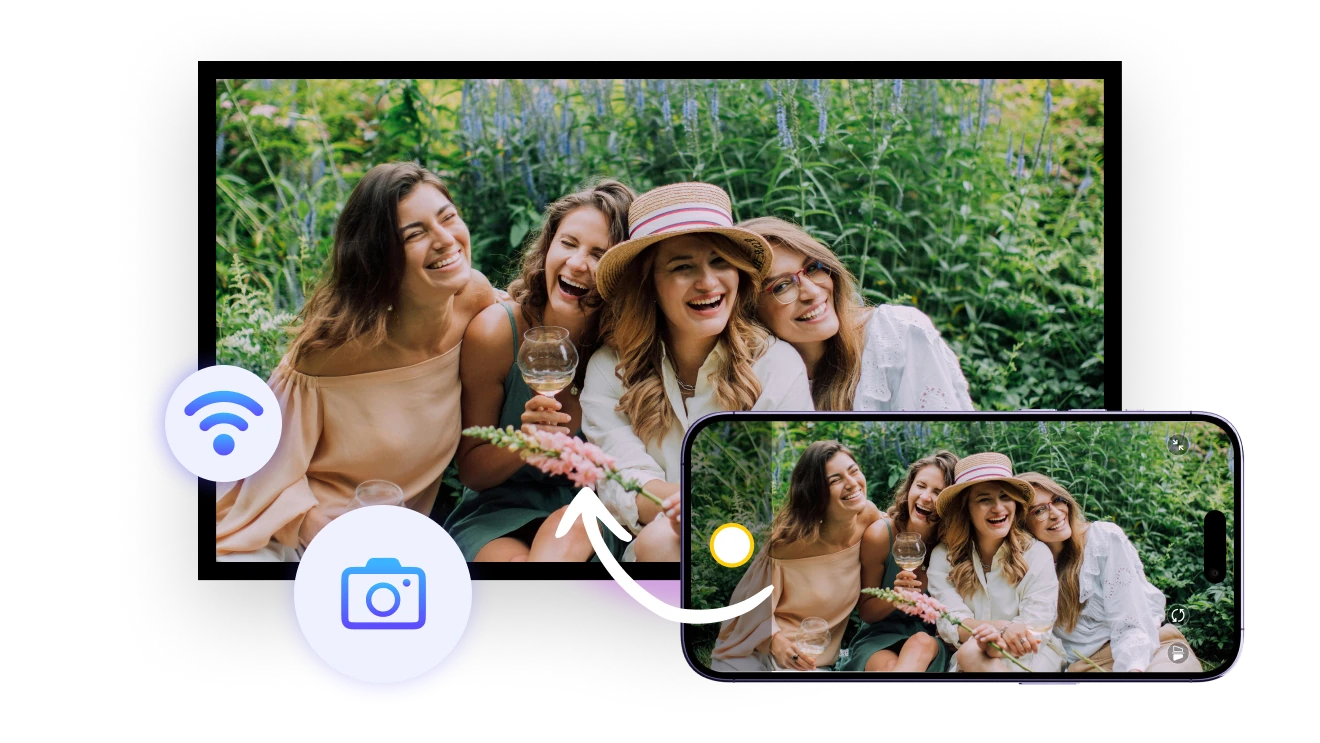
실시간 미리보기
구도, 조명, 각도를 실시간으로 확인하세요. 원격 촬영을 하는 사진가나 완벽한 셀카를 원하는 여행자에게 안성맞춤입니다. 멀리 있어도 자유롭게 제어할 수 있어요.
live-preview
줌 & 반전
최대 12배까지 확대하고 화면을 반전할 수 있습니다. 사용 가능 여부는 기기의 카메라 기능에 따라 달라집니다. 더욱 정밀하고 유연한 촬영을 도와줍니다.
sharp-details
활용 사례
완벽한 셀카 도우미
단체 사진도 간편하게
실시간 수업 도우미
이젠 감으로 찍지 마세요
친구가 중요한 순간을 놓칠까 걱정되시나요?
후면 카메라는 더 선명한 사진을 찍을 수 있지만, 미리 보기가 없다면 일종의 도박이죠.
1001 TVs의 실시간 미러링 기능으로 각도를 확인하고 시간을 낭비하지 마세요. 혼자서도 완벽한 샷을 잡을 수 있습니다!
selfie-assist
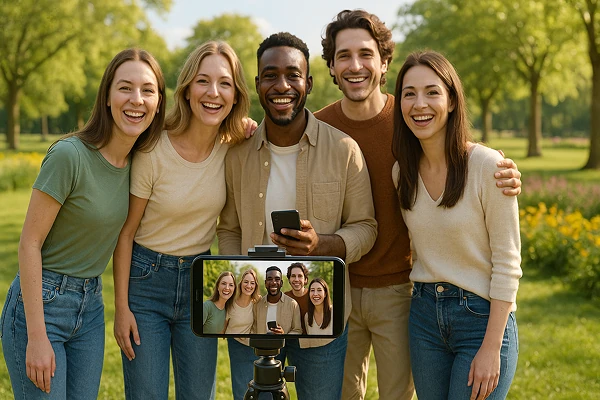
단체 사진, 빛나게 남기세요
완벽한 사진을 위해 계속 다시 찍고 계신가요?
1001 TVs의 카메라 미러링을 이용하면 모두의 표정을 실시간으로 확인하고, 모두가 화면에 잘 나오도록 조정할 수 있어요.
매번 단 한 번의 촬영으로 완벽한 단체 사진을 완성하세요!
시간과 수고를 아끼고, 모임을 더욱 즐겁게 만들어줍니다.
group-photos
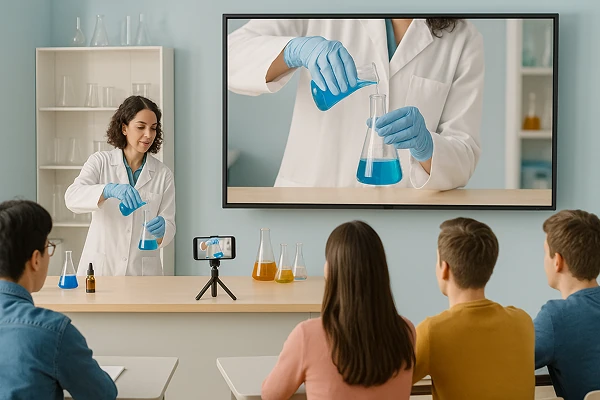
모든 디테일을 생생하게 보여주세요
스마트폰을 실시간 시각화 도구로 활용해 실험, 스케치, 시연 장면을 효과적으로 보여줄 수 있어요.
1001 TVs의 카메라 미러링을 활용하면, 교실 어디에 앉아 있어도 모든 학생이 앞자리에 앉은 것처럼 내용을 선명하게 볼 수 있어요.
수업은 더 생동감 있게, 교육 효과는 더 높게 — 쉽고 빠르게 보여주고 공유하고 빛나는 수업을 만들어보세요!
teaching
다운로드
Faq
What is camera mirroring?
Camera mirroring sends a live view from your phone's camera to another screen. It helps you check framing, lighting, focus, selfies, group photos, demonstrations, and video setups without standing behind the phone.
Which devices can display the camera preview?
The camera preview can be displayed on compatible iPhones, iPads, Android devices, TVs, Windows PCs, and Macs. Install 1001 TVs where required, connect the devices to the same Wi-Fi network, and select the receiver from Camera Mirroring.
Is the camera preview shown in real time?
Yes. Camera Mirroring provides a live preview so you can adjust framing, lighting, and angles from the receiving screen. A small delay may occur depending on Wi-Fi quality, device performance, network traffic, and distance from the router.
Can I zoom or flip the camera image?
Yes. 1001 TVs supports zooming up to 12× and flipping the preview when the phone's camera hardware and operating system allow it. The available zoom range and camera controls can vary by phone model.
How does the 1001 TVs Camera Mirroring subscription work?
1001 TVs offers a limited-time free trial for Camera Mirroring. After the trial, weekly, monthly, yearly, and lifetime plans are available; paid membership is only needed on the sending device. Local prices are shown in the app, and recurring subscriptions can be managed or canceled through the store or account used for purchase.
Is my camera feed uploaded to the cloud?
No. Your live camera feed is transmitted between devices over the local network and is not uploaded to the cloud by 1001 TVs.
고객 지원팀에 연락하거나 도움을 받으려면 어떻게 해야 하나요?
다음 연락처로 문의하세요. 1001tvs@nero.com.