So aktivieren Unternehmensmitglieder eine Volumenlizenz
Diese Anleitung richtet sich an Kunden, die eine Volumenlizenz für die 1001 TVs-Mitgliedschaft auf einem PC oder Mac erwerben und aktivieren möchten.
1. Für den Erwerb von Volumenlizenzen
Bitte besuchen Sie die Website von 2Checkout:
https://store.nero.com/order/checkout.php?PRODS=54178147&QTY=1&CART=1&CARD=2&ORDERSTYLE=nLW0oJTfpnQ=
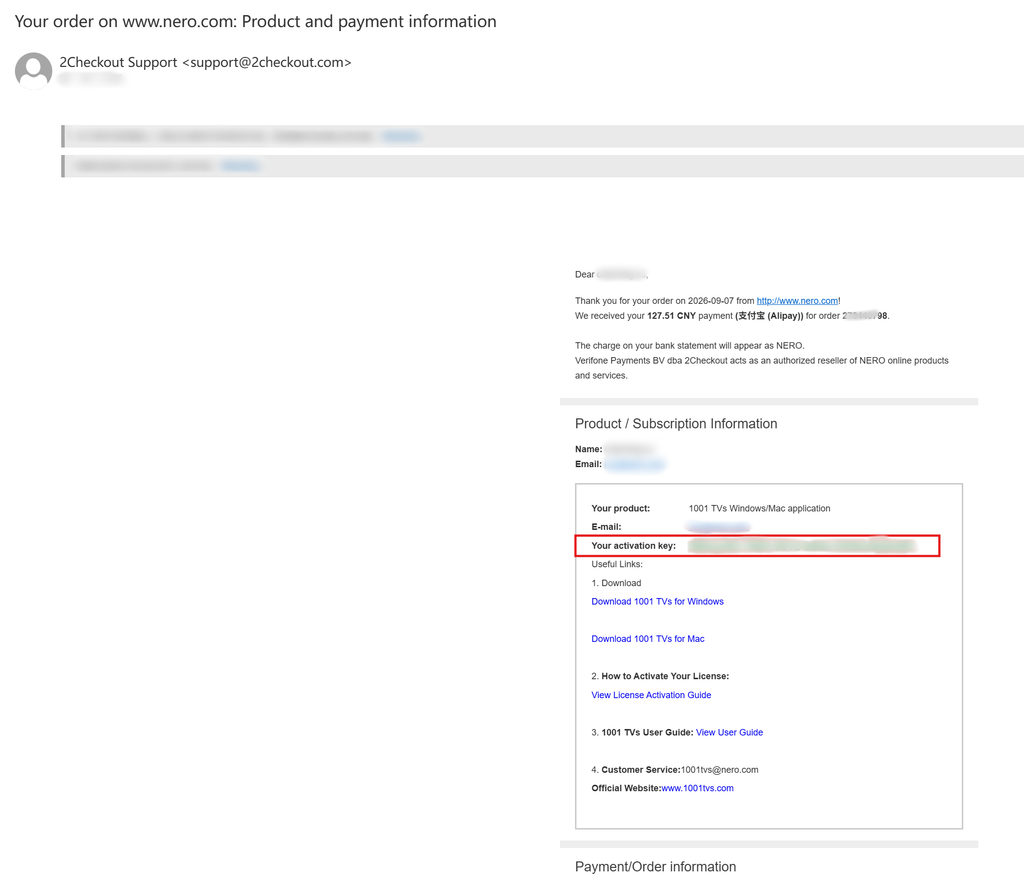
Nach Abschluss der Zahlung erhalten Sie eine E-Mail wie die unten abgebildete, die Ihre Bestelldaten und Ihren Aktivierungsschlüssel enthält.
2. 1001 TVs App installieren und öffnen
Installieren und öffnen Sie die neueste Version von 1001 TVs auf Ihrem Windows-PC bzw. Mac.
PC-Anwendung: Herunterladen von Microsoft Store
Detaillierte Schritte finden Sie in der PC-Installationsanleitung.
Mac-Anwendung: Vom App Store herunterladen
3. Aktivierung starten
Gehe zu Einstellungen > Konto, und klicken Sie auf “Volumenlizenz aktivieren“.
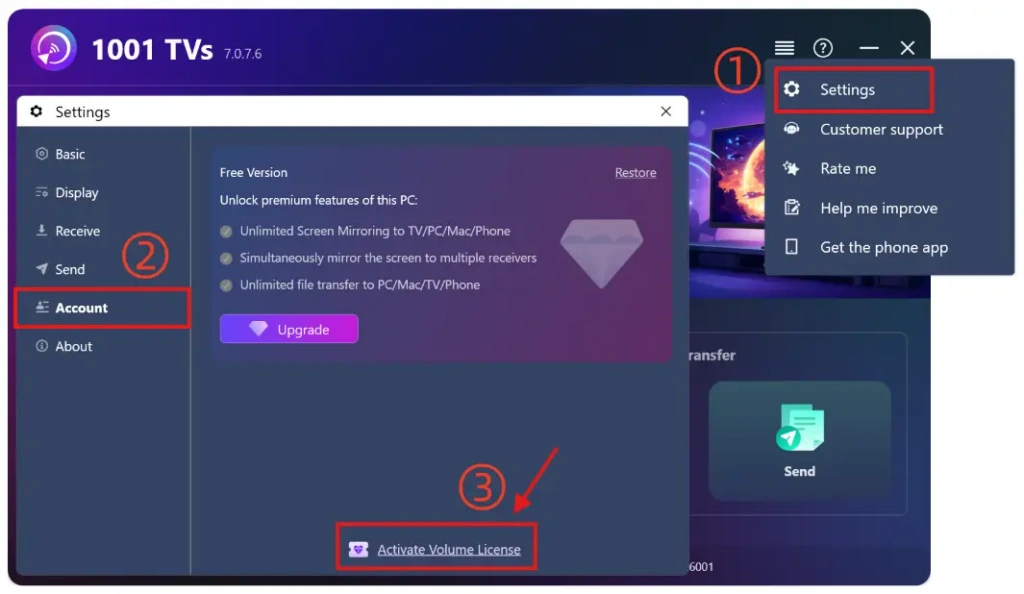
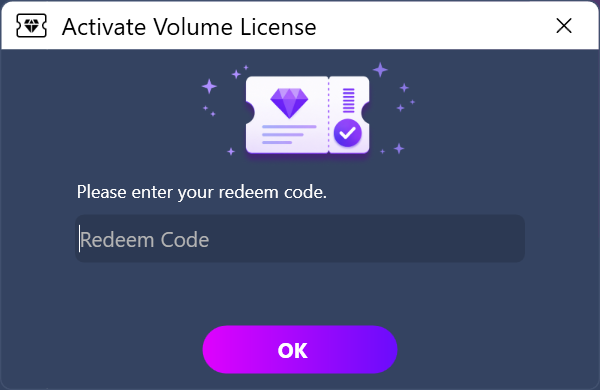
Fügen Sie dann bitte Ihren Einlösecode aus der E-Mail ein, klicken Sie auf “OK” und warten Sie, bis die Aktivierung abgeschlossen ist.
Wenn Ihnen die folgende Oberfläche angezeigt wird, überprüfen Sie bitte, ob Ihr Einlösecode falsch ist oder bereits auf einem anderen PC verwendet wurde, und versuchen Sie dann, ihn erneut einzugeben.
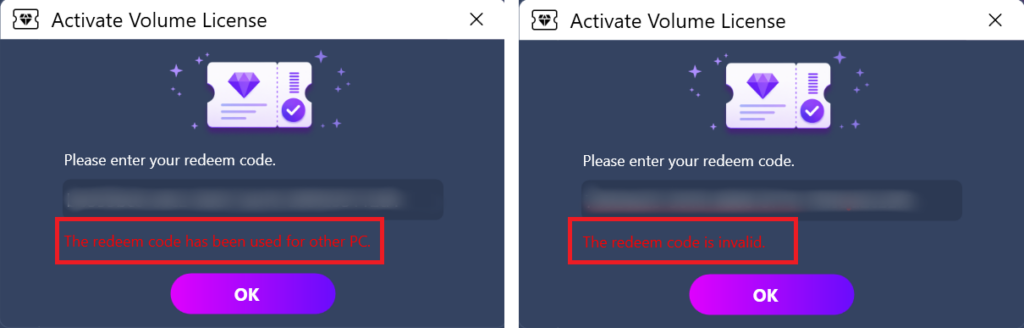
Hinweis: Jeder Einlösecode kann nur auf einem einzigen Computer (PC oder Mac) verwendet werden.
Es darf nicht weitergegeben, übertragen oder auf Mobilgeräten genutzt werden.
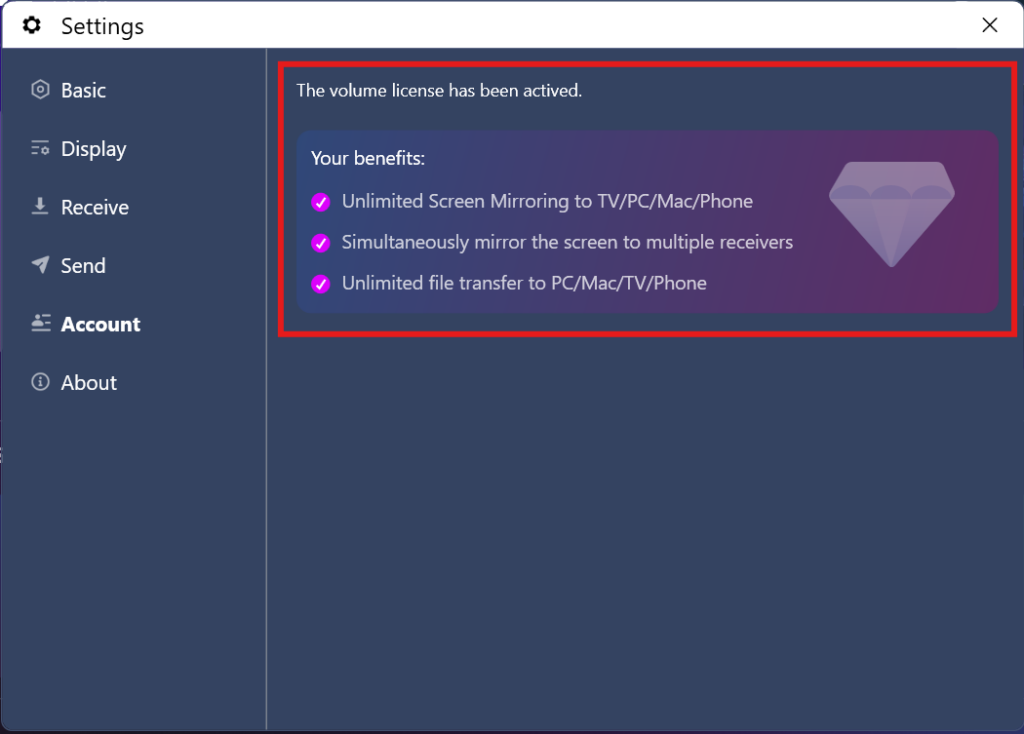
4. Aktivierung abgeschlossen
Sobald Ihr Mitgliedskonto erfolgreich aktiviert wurde, haben Sie uneingeschränkten Zugriff auf alle Funktionen.
⭐ Sie können uns gerne kontaktieren unter: 1001tvs@nero.com

Weiterlesen
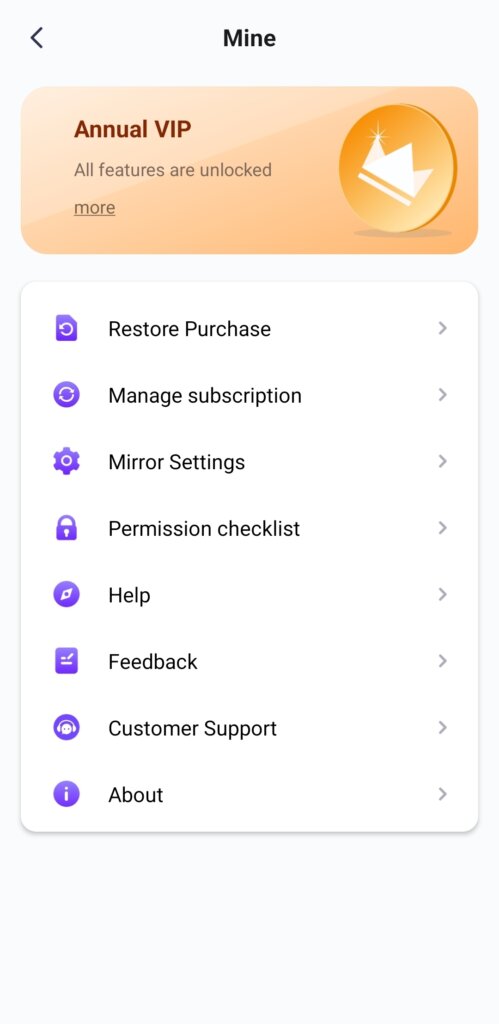 Alle Premium-Funktionen freischalten: Wie man eine Mitgliedschaft erhält
🎁 Erst testen, dann kaufen – ganz ohne Werbung. Wir zeigen keinerlei Werbung an. Die offizielle Version von 1001 TVs ist 100% und werbefrei. Sie werden...
Alle Premium-Funktionen freischalten: Wie man eine Mitgliedschaft erhält
🎁 Erst testen, dann kaufen – ganz ohne Werbung. Wir zeigen keinerlei Werbung an. Die offizielle Version von 1001 TVs ist 100% und werbefrei. Sie werden...
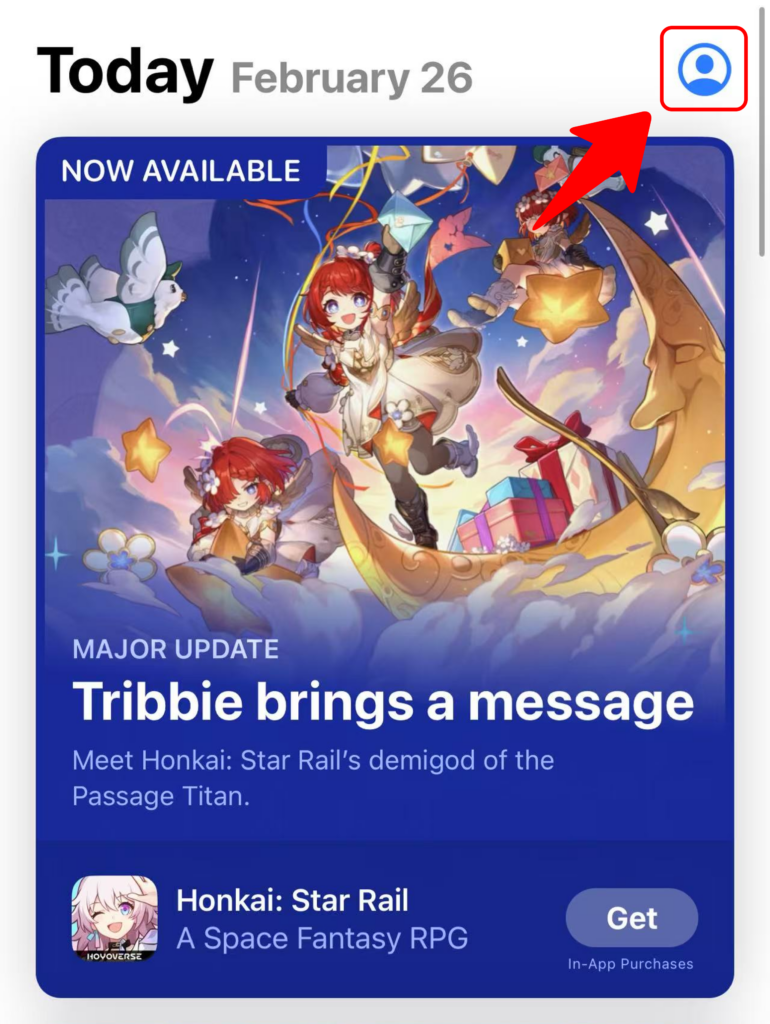 Wie man den Code für 1001 TVs einlöst
Im App Store einlösen (iPhone/iPad) 1️⃣ Öffne die App Store-App auf deinem iPhone oder iPad. 2️⃣ Tippe auf die Anmelde-Schaltfläche oder auf dein Profil...
Wie man den Code für 1001 TVs einlöst
Im App Store einlösen (iPhone/iPad) 1️⃣ Öffne die App Store-App auf deinem iPhone oder iPad. 2️⃣ Tippe auf die Anmelde-Schaltfläche oder auf dein Profil...

