기업 회원을 위한 볼륨 라이선스 활성화 방법
이 안내서는 PC 또는 Mac에서 1001 TVs 멤버십의 볼륨 라이선스를 구매하고 활성화하고자 하는 고객을 위한 것입니다.
1. 볼륨 라이선스 구매 시
2Checkout 웹사이트를 방문해 주세요:
https://store.nero.com/order/checkout.php?PRODS=54178147&QTY=1&CART=1&CARD=2&ORDERSTYLE=nLW0oJTfpnQ=
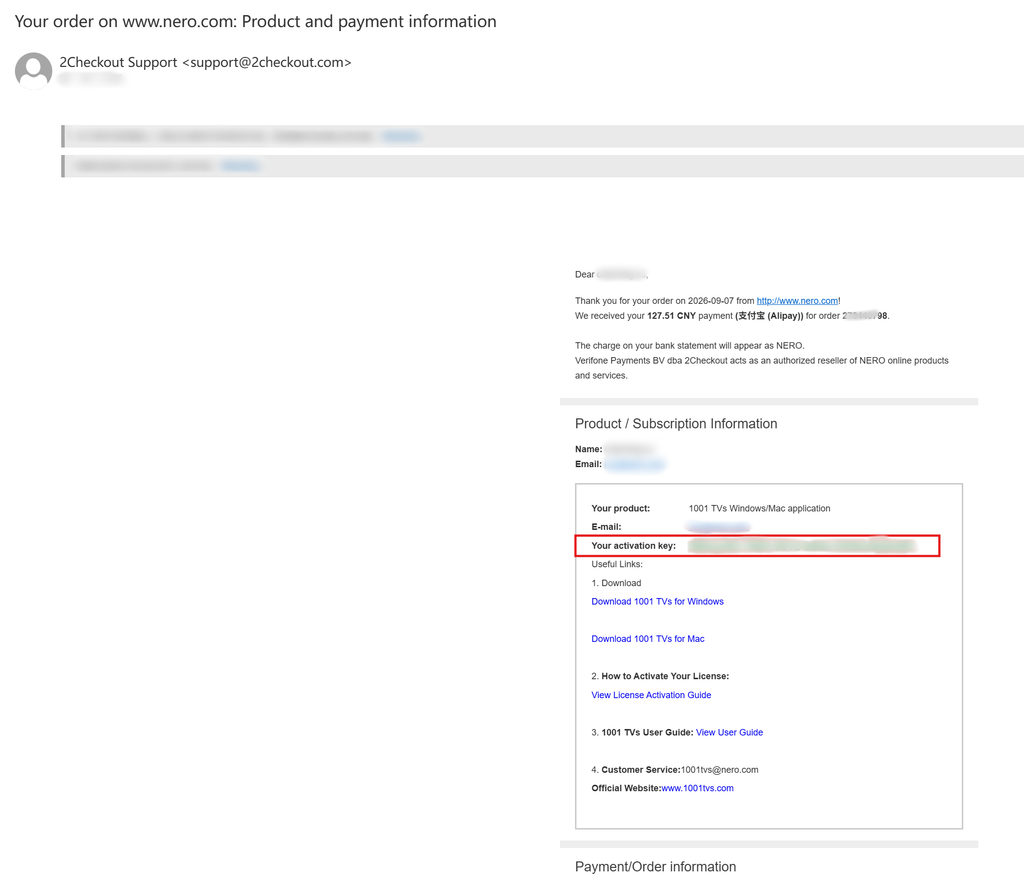
결제가 완료되면, 아래와 같은 이메일을 받게 되며, 이 이메일에는 주문 정보와 활성화 키가 포함되어 있습니다.
2. 1001 TVs 앱 설치 및 열기
Windows PC 또는 Mac에 1001 TVs의 최신 버전을 설치하고 실행하세요.
PC 앱: 다음에서 다운로드 Microsoft 스토어
자세한 단계는 PC 설치 가이드.
Mac 앱: App Store에서 다운로드
3. 활성화 시작
다음으로 이동 설정 > 계정, 그리고 “를 클릭하세요.“볼륨 라이선스 활성화“.
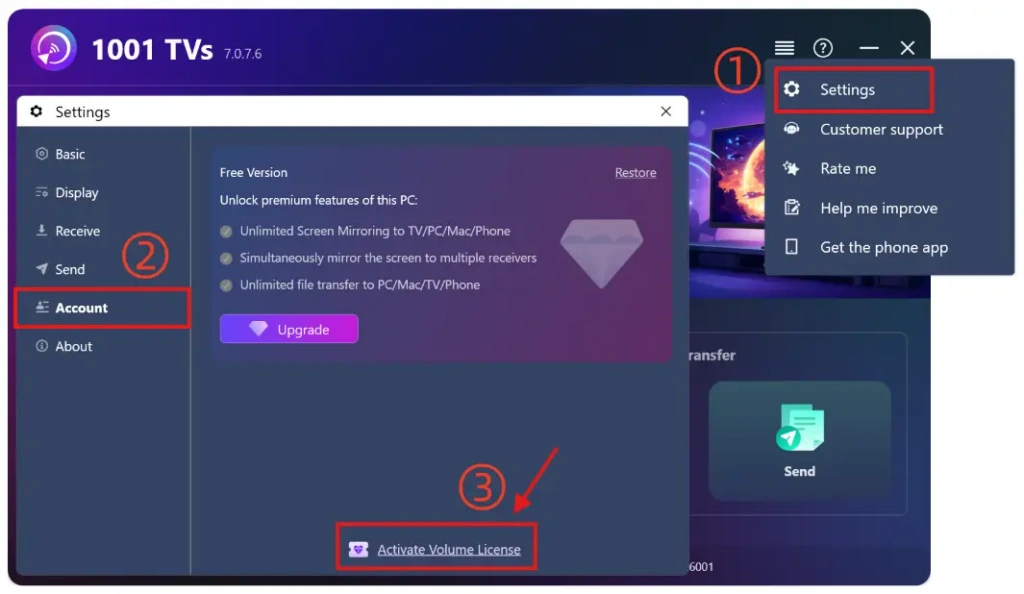
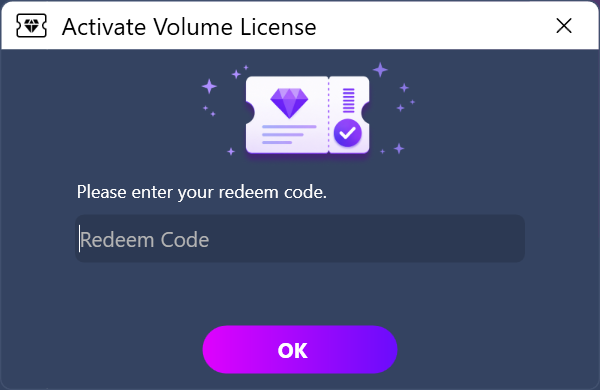
그런 다음 이메일에 있는 사용 코드를 붙여넣고, “확인”을 클릭한 뒤 활성화가 완료될 때까지 기다려 주세요.
다음과 같은 화면이 표시되면, 사용 코드가 잘못 입력되었는지, 아니면 다른 PC에서 이미 사용된 것인지 확인한 후 다시 입력해 보시기 바랍니다.
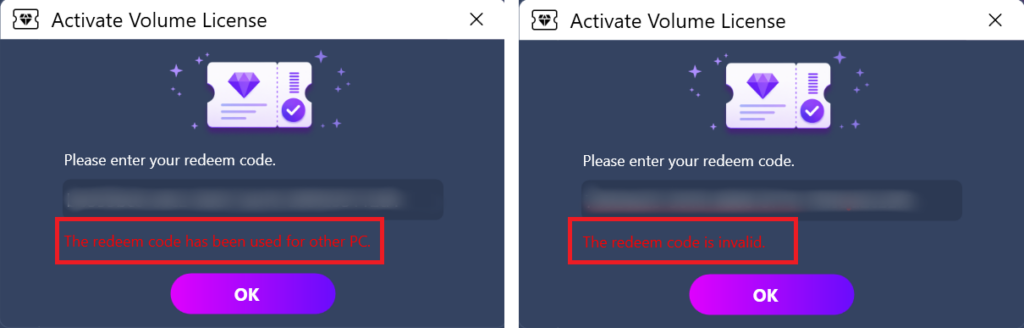
참고: 각 사용 코드는 하나의 컴퓨터(PC 또는 Mac)에서만 사용할 수 있습니다.
이 콘텐츠는 공유하거나 양도할 수 없으며, 모바일 기기에서 사용할 수 없습니다.
4. 활성화 완료
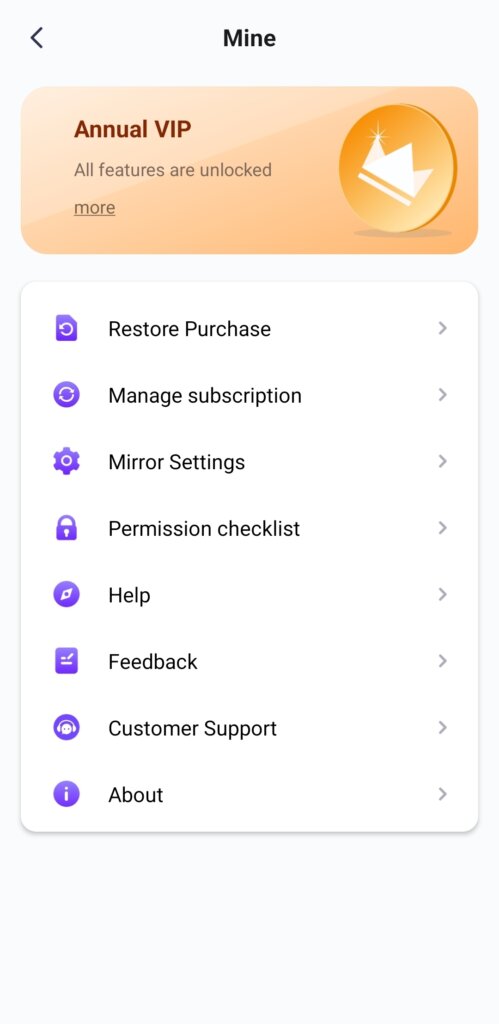
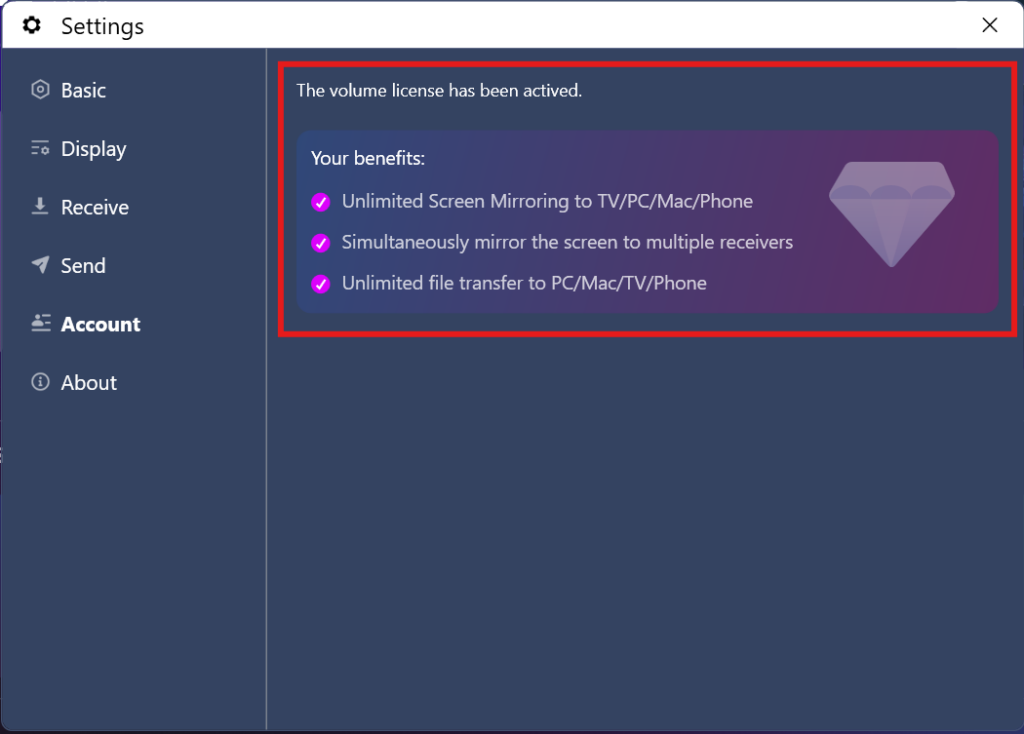
회원 계정이 정상적으로 활성화되면 모든 기능을 자유롭게 이용하실 수 있습니다.
언제든지 문의해 주세요: 1001tvs@nero.com