检测到浏览器语言为中文,点此切换到中文页面

移除黑邊:直式與橫式鏡像翻轉

1001 TVs 團隊

Seeing black bars when mirroring your screen? Whether you’re in portrait mode with bars on the sides, or landscape mode with bars on the top, bottom, or sides — don’t worry. Both can be fixed with a few simple adjustments in the 1001 TVs TV App.

For portrait mirroring, there’s a dedicated setting to eliminate side bars. (See how to set up vertical mirroring 👉垂直螢幕鏡像)

For landscape mirroring, there’s also a way to significantly reduce the black bars.

Follow the steps below to make your content truly full screen and fully immersive.


For Portrait Mirroring

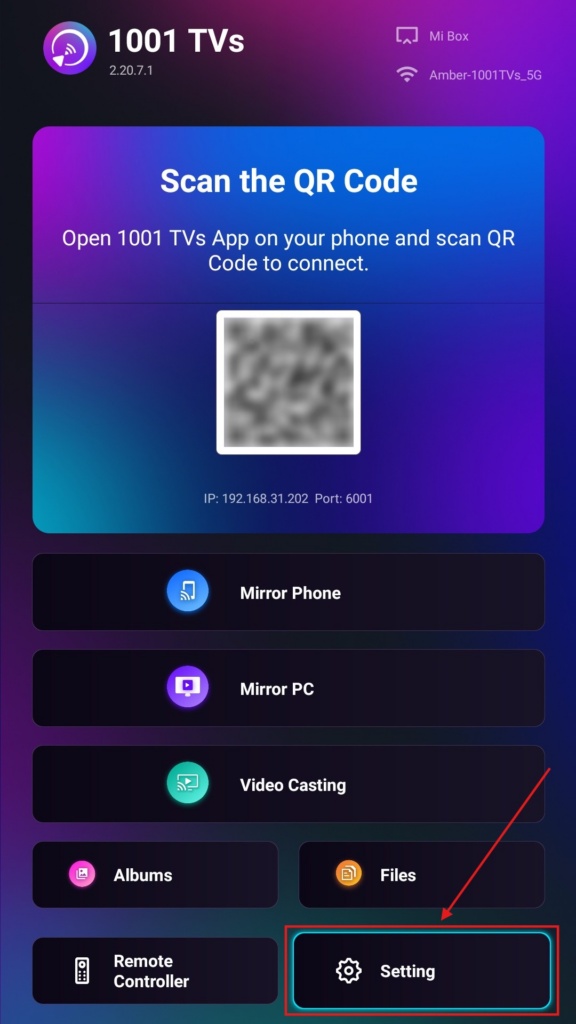
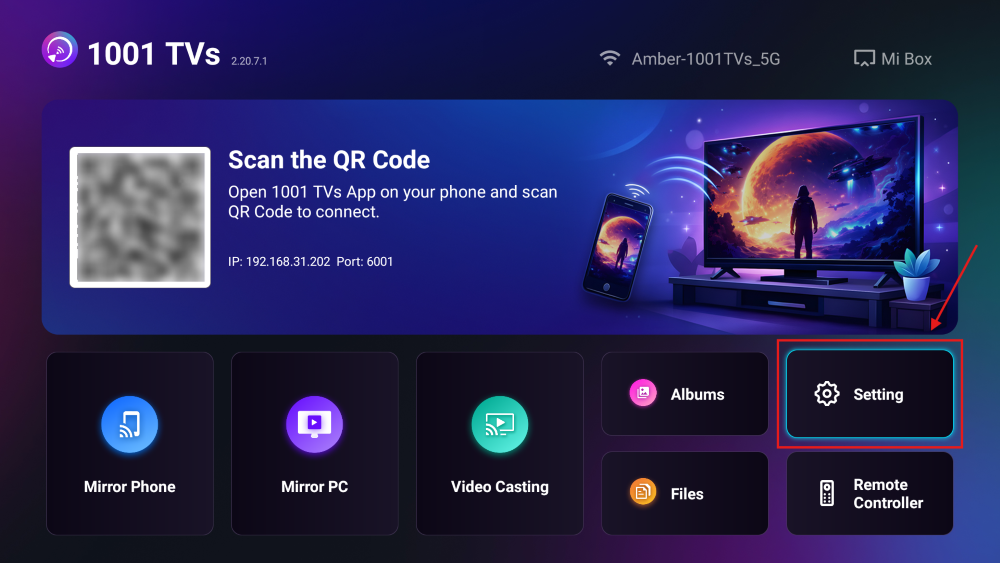
Step 1. On your TV, open the 1001 TVs App and Go to “設定".

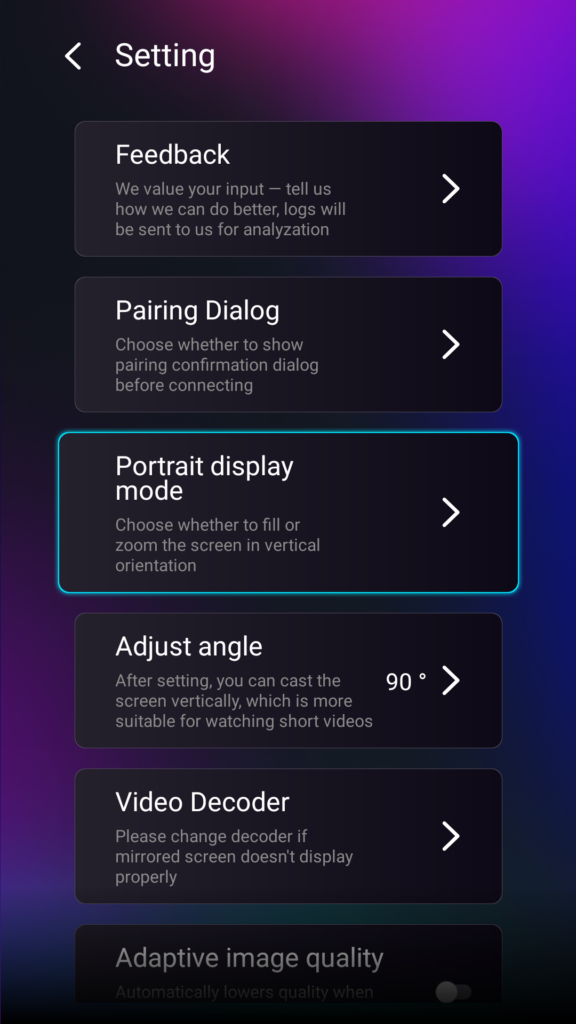
Step 2. Select “Portrait display mode”.

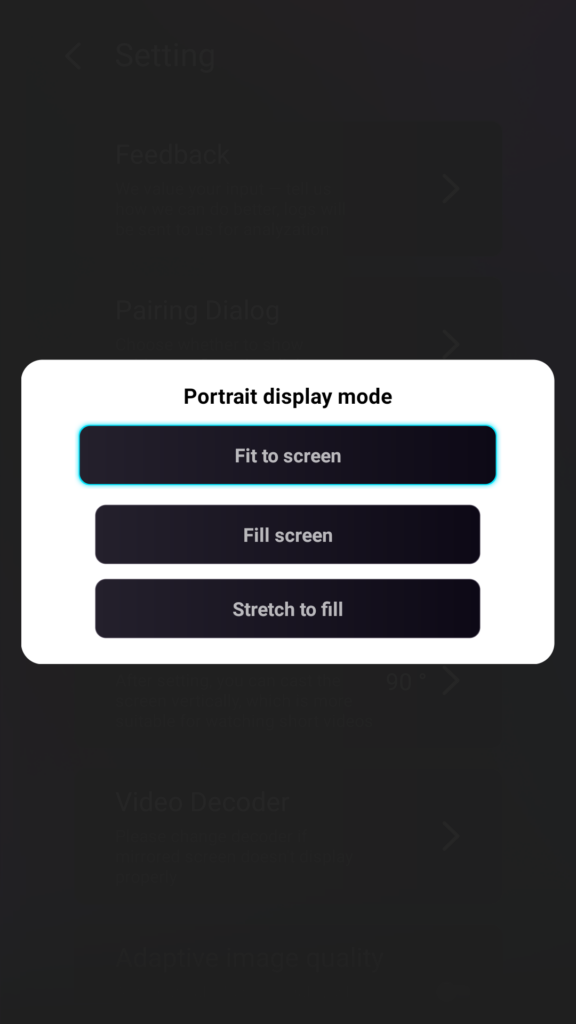
Step 3. Simply select the mode you prefer for displaying on your TV.

Tips About Portrait Display Modes

  • 適合螢幕
    Expands the content to fully fill your vertical TV. Once enabled, you’ll see a completely different result in your next mirroring session.
  • Fill Screen
    Keeps the original aspect ratio. Black bars may still appear on the sides depending on your device.
  • Stretch to Fill
    Fills one side while maintaining correct proportions.

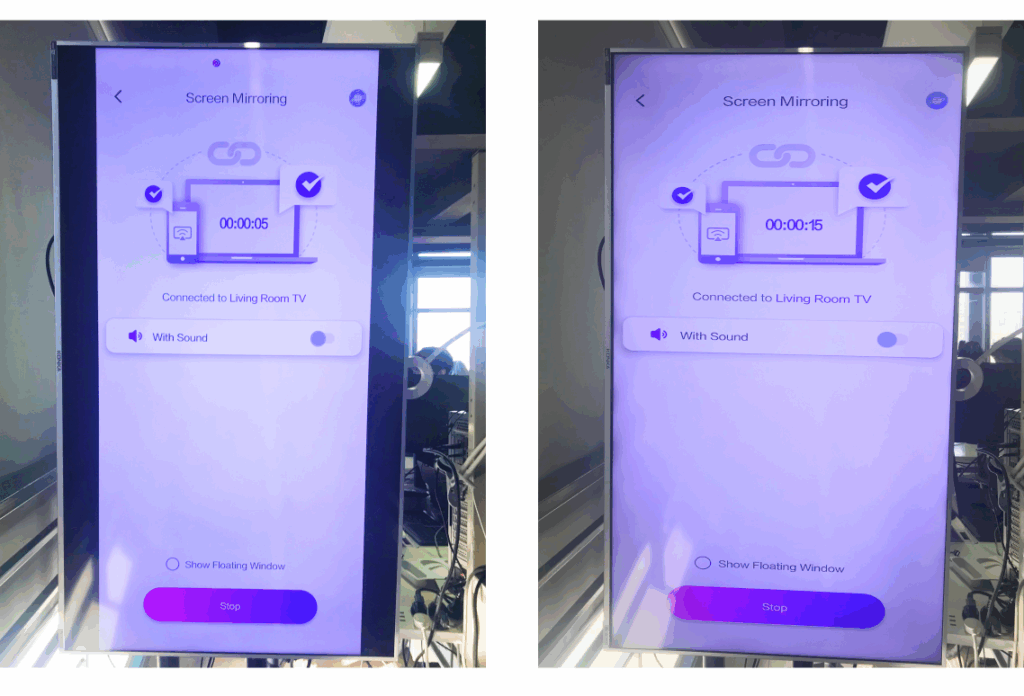
Check the side-by-side comparison below (Stretch to Fill mode shown):

Side-by-side comparison of vertical screen mirroring in the 1001 TVs app, showing black bars before adjustment and full-screen display after enabling Scale to fill the screen.

此功能何時有用?

此設定非常適合

  • 使用垂直數位電子看板的零售店
  • 家庭使用者建立垂直氛圍螢幕
  • 教師展示垂直課件
  • 顯示垂直相片或縱向模式影片
  • 以全螢幕播放 TikTok/YouTube 短片
  • 工作室、藝廊或藝術展覽設置

For Landscape Mirroring

Step 1. On your TV, open the 1001 TVs App and Go to “設定”.

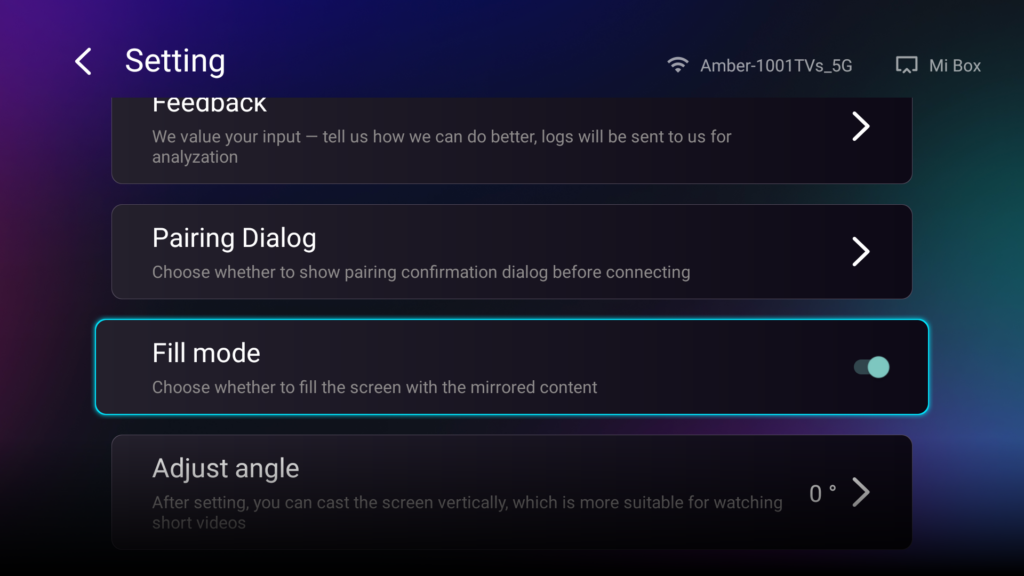
Step 2. Enable “Fill Mode”.

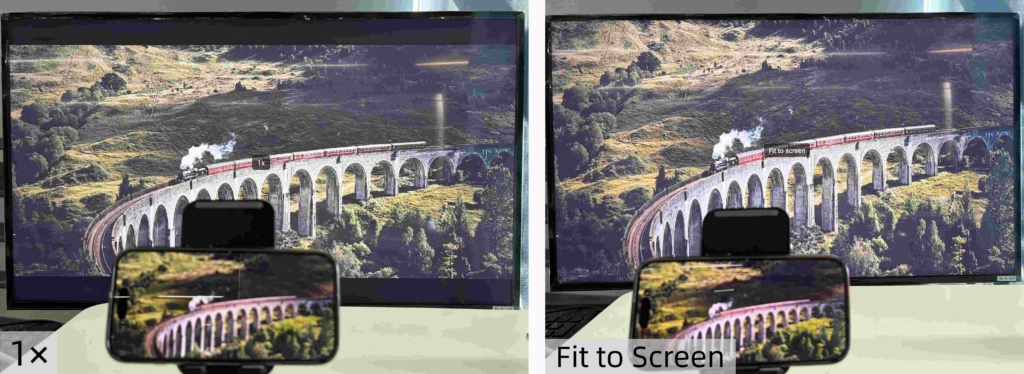
After enabling this option, use the up/down buttons on your TV remote to cycle through the available scaling modes: 1×, 2×, 3×, and Fit to Screen.

  • 1× / 2× / 3×
    zoom in at fixed increments
  • 適合螢幕
    automatically scales the content to fill the entire TV display

Now you can sit back and enjoy your content — full screen, no black bars, fully immersive.


更多秘訣與教學:

👉https://www.1001tvs.com/guidance/

1001 TVs Team

團隊

1001 TVs 團隊

1001 TVs 編輯團隊由科技愛好者、軟體專家及消費性電子產品專家組成,致力於協助使用者掌握螢幕鏡像與投射技術。我們的專業知識涵蓋 iOS、Android、Windows、Mac 及智慧電視等平台。我們對產品與解決方案進行嚴格測試,以提供可靠且實用的指引,協助使用者實現無縫的裝置連線。.

閱讀更多
使用 1001 TVs 進行螢幕鏡像顯示 iOS、Android、PC、Mac 及智慧電視。輕鬆進行螢幕鏡像投射。.
下載