How to Enjoy Lag-Free Screen Mirroring?
Screen mirroring relies on a stable and strong network connection. If you’re experiencing delays during mirroring, follow these steps to ensure smooth performance:
1. Restart your TV
Power off your TV, wait 3 minutes, then power it back on.
2. Use 5G Wi-Fi
If your router supports a 5G network, connect to it for better performance.
3. Check Windows mirror settings
If you mirror screen from Windows, or to Windows, make sure stable mode is not selected; smooth mode is preferred. You may need to install a plugin on some PCs to activate smooth mode.
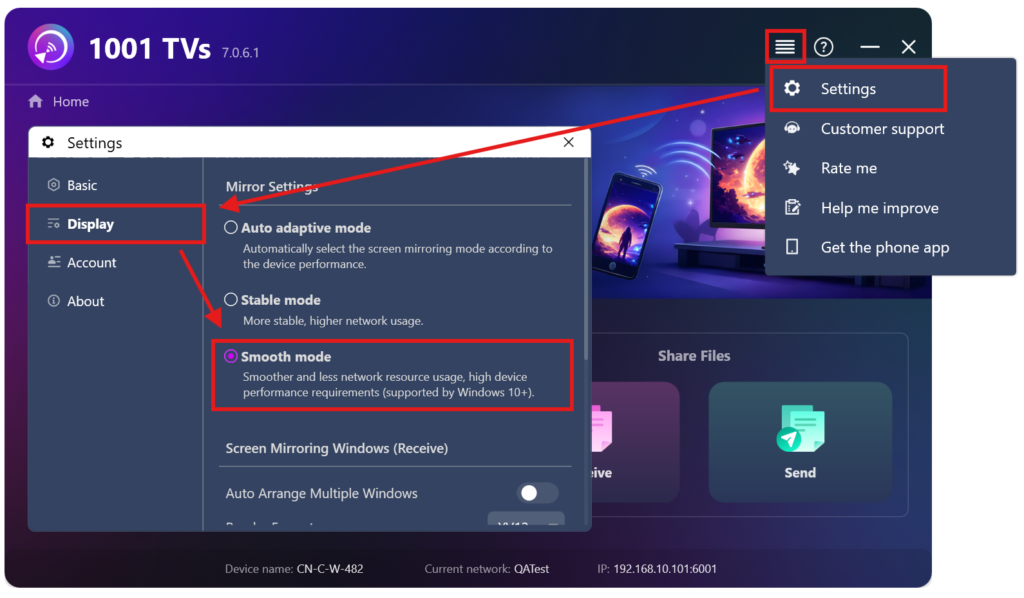
By following these steps, you can enjoy a smoother, delay-free screen mirroring experience.

Read More
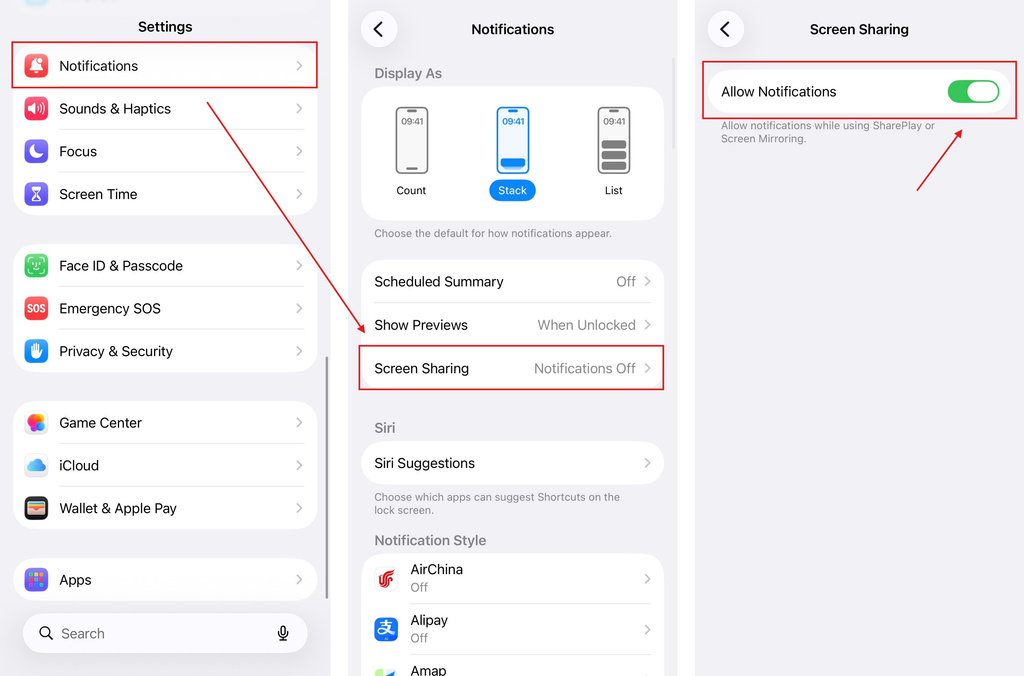 iOS: How to Fix Missing App Notifications During Screen Mirroring
Why Notifications Are Missing When you mirror your iPhone screen, notifications from other apps may not appear on the mirrored screen. This can happen…
iOS: How to Fix Missing App Notifications During Screen Mirroring
Why Notifications Are Missing When you mirror your iPhone screen, notifications from other apps may not appear on the mirrored screen. This can happen…
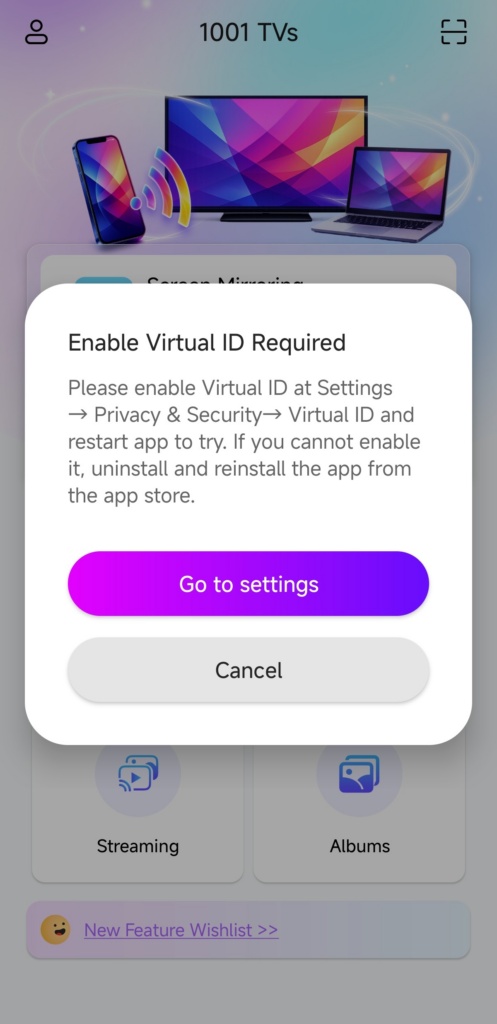 How to Fix the Enable Virtual ID Required Pop-Up
If you're using a Xiaomi or Redmi phone or tablet, you might see a pop-up that says "Enable Virtual ID Required" when you launch…
How to Fix the Enable Virtual ID Required Pop-Up
If you're using a Xiaomi or Redmi phone or tablet, you might see a pop-up that says "Enable Virtual ID Required" when you launch…

