Screen Mirroring Solutions for Sales

In sales, every second counts—whether you’re pitching to a client, training your team, or troubleshooting on the go. With 1001 TVs, sales professionals can share content wirelessly, clearly, and without the hassle of cables.
📊 Present Sales Data
Numbers tell the story—and they should be seen clearly. With 1001 TVs, you can wirelessly mirror your laptop or mobile to a larger screen, making it easy to walk clients or stakeholders through dashboards, performance reports, and projections in full HD.
✅ Smooth, lag-free visuals
✅ Compatible with Windows, macOS, iOS, Android, and TV
✅ Perfect for Excel, dashboards, charts, and live demos
✅ Choose from full-screen mirroring, extended display, or single-window mode

🎓 Train Your Team Effectively
Whether you’re onboarding new team members or running a quick refresher session, 1001 TVs makes team training sessions more effective and hassle-free. Instantly mirror your laptop or phone to a large screen—no cables, no complicated setup.
✅ Share training videos, presentations, sales scripts, and live demos
✅ Use single-window mode to focus attention on specific content while keeping other materials private
✅ Compatible with Windows, macOS, iOS, Android, and TV
✅ Great for in-person sessions or hybrid teams
Spend less time fiddling with tech and more time helping your team sharpen their skills and close more deals.

🧳 On-the-Go Sales? No Cables? No Problem.
Visiting a client’s office and the HDMI cable is missing—or just not long enough to reach your seat? With 1001 TVs, you can mirror your screen wirelessly in seconds.
✅ No need to depend on the meeting room’s setup
✅ Share your presentation, pitch deck, or demo from anywhere in the room
✅ Stay polished and flexible—no scrambling for adapters or cables
All you need is a shared Wi-Fi connection and the 1001 TVs app on both devices. It’s the perfect solution for mobile sales teams and last-minute presentations.

🔗 Download now and start screen mirroring like a pro:
1001 TVs Screen Mirroring Download Center for iOS, Android, PC, TV

Read More
 How to Cast Photos from Your Phone to a TV
You can cast phone photos to a compatible TV using AirPlay on iPhone, Google Photos with Chromecast, or 1001 TVs Streaming and Albums. The…
How to Cast Photos from Your Phone to a TV
You can cast phone photos to a compatible TV using AirPlay on iPhone, Google Photos with Chromecast, or 1001 TVs Streaming and Albums. The…
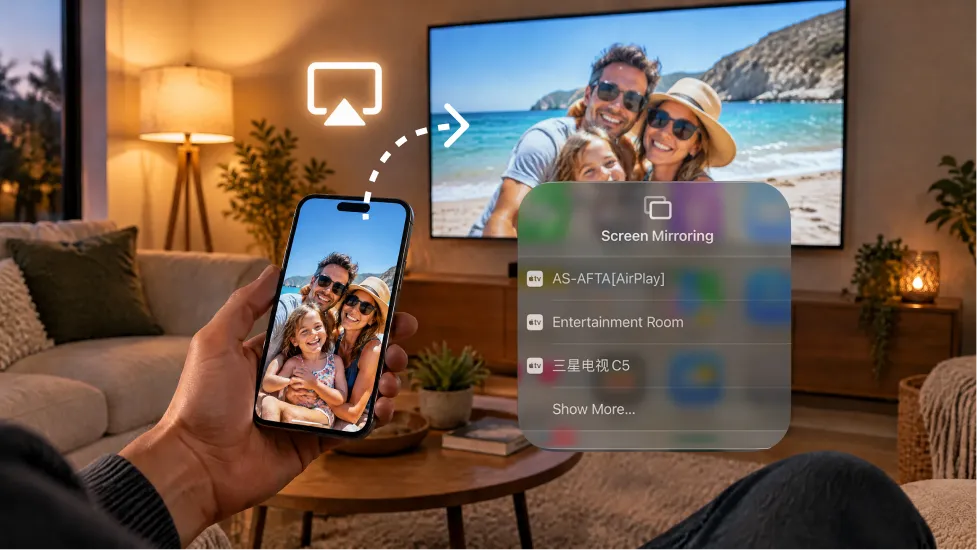 How to Turn On AirPlay on iPhone in iOS 26 (Screen Mirroring Guide)
To turn on AirPlay screen mirroring in iOS 26, open Control Center, tap the Screen Mirroring button (two overlapping rectangles), and choose your TV…
How to Turn On AirPlay on iPhone in iOS 26 (Screen Mirroring Guide)
To turn on AirPlay screen mirroring in iOS 26, open Control Center, tap the Screen Mirroring button (two overlapping rectangles), and choose your TV…

