voor zakelijke leden: hoe een volumelicentie te activeren
Deze handleiding is bedoeld voor klanten die een volumelicentie voor het 1001 TVs-lidmaatschap op pc of Mac willen aanschaffen en activeren.
1. Voor de aankoop van volumelicenties
Ga naar de website van 2Checkout:
https://store.nero.com/order/checkout.php?PRODS=54178147&QTY=1&CART=1&CARD=2&ORDERSTYLE=nLW0oJTfpnQ=
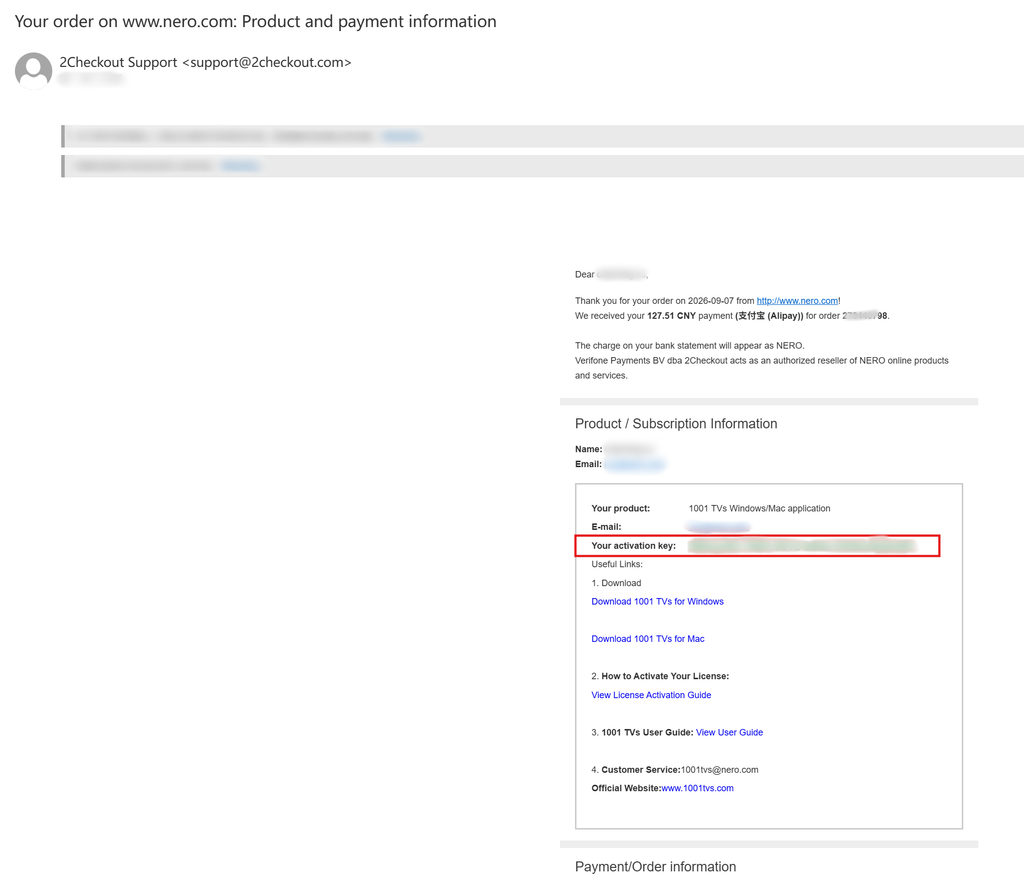
Nadat u de betaling hebt voltooid, ontvangt u een e-mail zoals hieronder weergegeven, met daarin uw bestelgegevens en activeringscode.
2. 1001 TVs App installeren en openen
Installeer en open de nieuwste versie van 1001 TVs op je Windows-pc of Mac.
PC-app: Downloaden van Microsoft Store
Raadpleeg voor gedetailleerde stappen de PC Installatiegids.
Mac-app: Downloaden van App Store
3. Activering starten
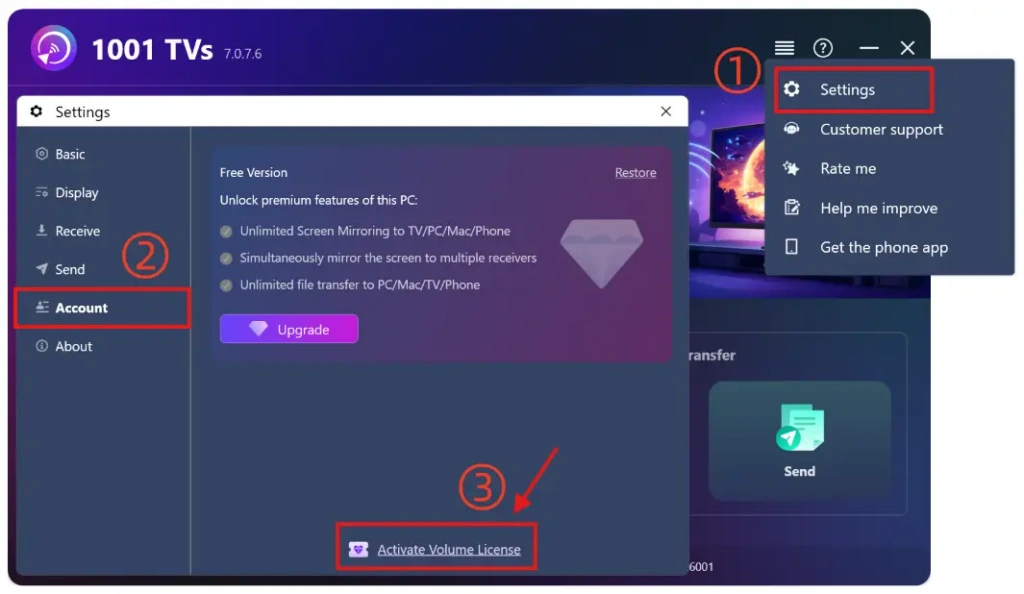
Ga naar Instellingen > Account, en klik op “Volumelicentie activeren“.
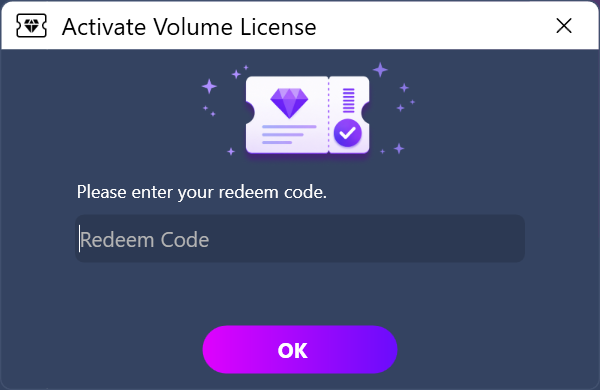
Plak vervolgens de inwisselcode uit de e-mail, klik op “OK” en wacht tot de activering is voltooid.
Als u het volgende scherm te zien krijgt, controleer dan of uw inwisselcode onjuist is of al op een andere pc is gebruikt, en probeer deze vervolgens opnieuw in te voeren.
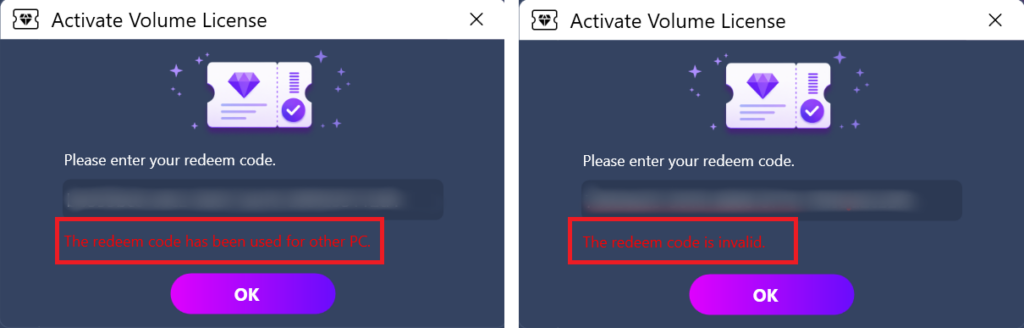
Opmerking: Elke inwisselcode is slechts op één computer (pc of Mac) geldig.
Het mag niet worden gedeeld, overgedragen of gebruikt op mobiele apparaten.
4. Activering voltooid
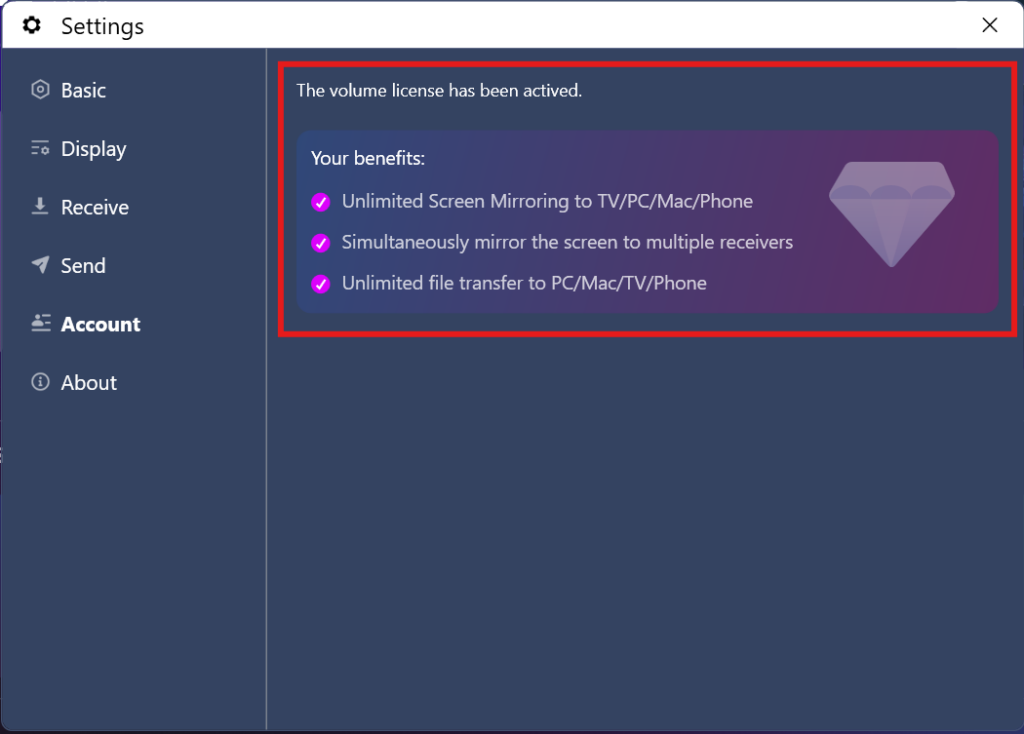
Zodra je lidmaatschapsaccount succesvol is geactiveerd, heb je volledige toegang tot alle functies.
⭐ Neem gerust contact met ons op: 1001tvs@nero.com

Lees meer
 Ontgrendel alle premium functies: Hoe krijg ik een lidmaatschap
🎁 Probeer het eerst voordat je het koopt. Geen advertenties, nooit. We hebben helemaal geen advertenties. De officiële versie van 1001 TVs is 100% zonder advertenties. Je zult...
Ontgrendel alle premium functies: Hoe krijg ik een lidmaatschap
🎁 Probeer het eerst voordat je het koopt. Geen advertenties, nooit. We hebben helemaal geen advertenties. De officiële versie van 1001 TVs is 100% zonder advertenties. Je zult...
 Hoe code inwisselen voor 1001 TVs
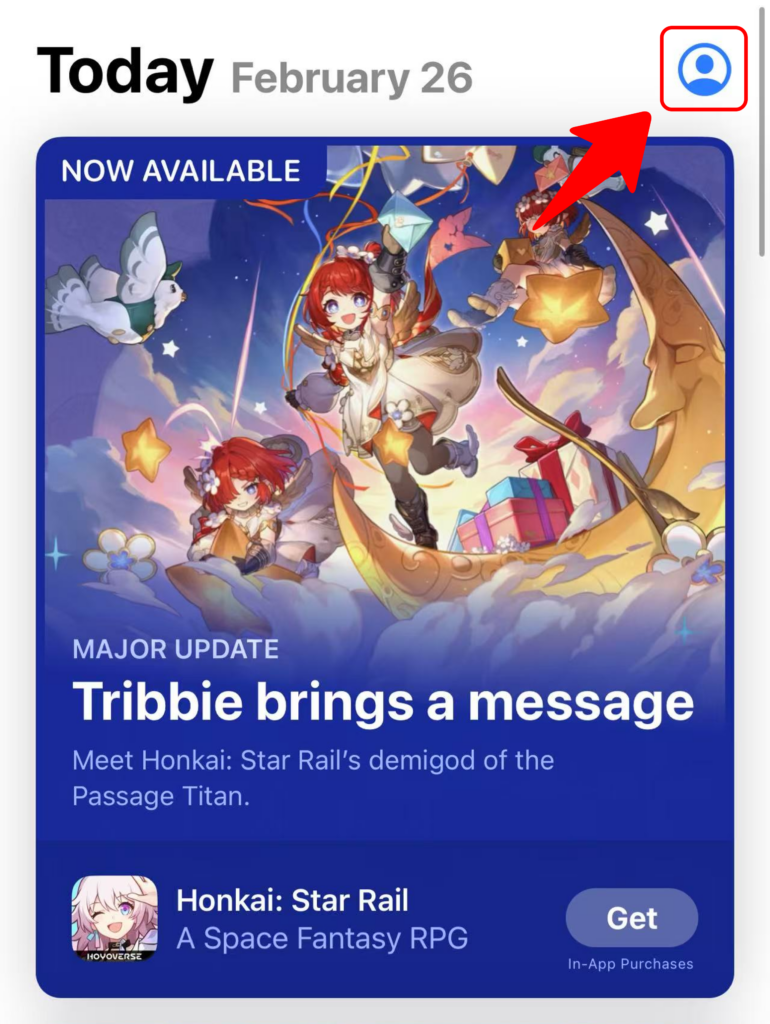
Inwisselen in de App Store (iPhone/iPad) 1️⃣ Open de App Store-app op je iPhone of iPad. 2️⃣ Tik op de inlogknop of op je profiel...
Hoe code inwisselen voor 1001 TVs
Inwisselen in de App Store (iPhone/iPad) 1️⃣ Open de App Store-app op je iPhone of iPad. 2️⃣ Tik op de inlogknop of op je profiel...

