New Feature on Android 15+: Cast a Single App to 1001 TVs
Android 15+ devices, such as the Vivo X200 series, now support a powerful new feature — Single App Casting.
We tested it with 1001 TVs and found it incredibly useful. Here’s how it works! 📸
How to Use Single App Casting?
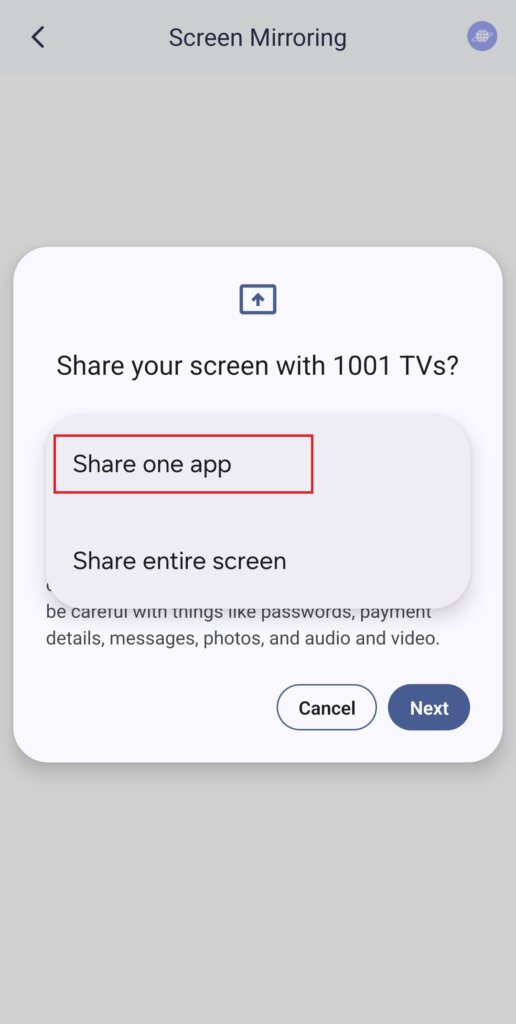
1️⃣ Select “Share one app” Mode.
(You can also choose “Share entire Screen” for regular screen mirroring).
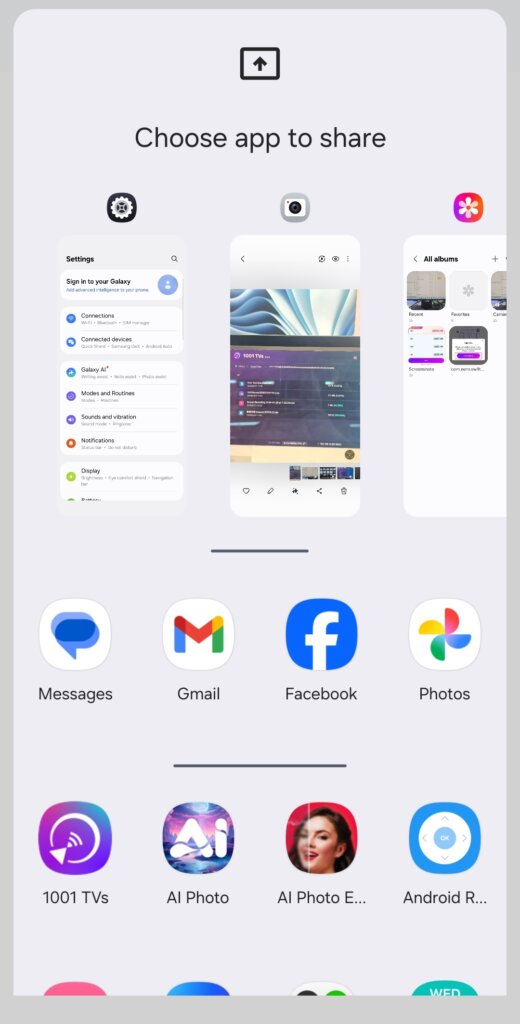
2️⃣ Choose the app you want to cast:
· Top section: Displays previews of apps that are currently open.
· Bottom section: Lists apps that aren’t open yet (e.g., Tiktok). Selecting one will automatically launch it.
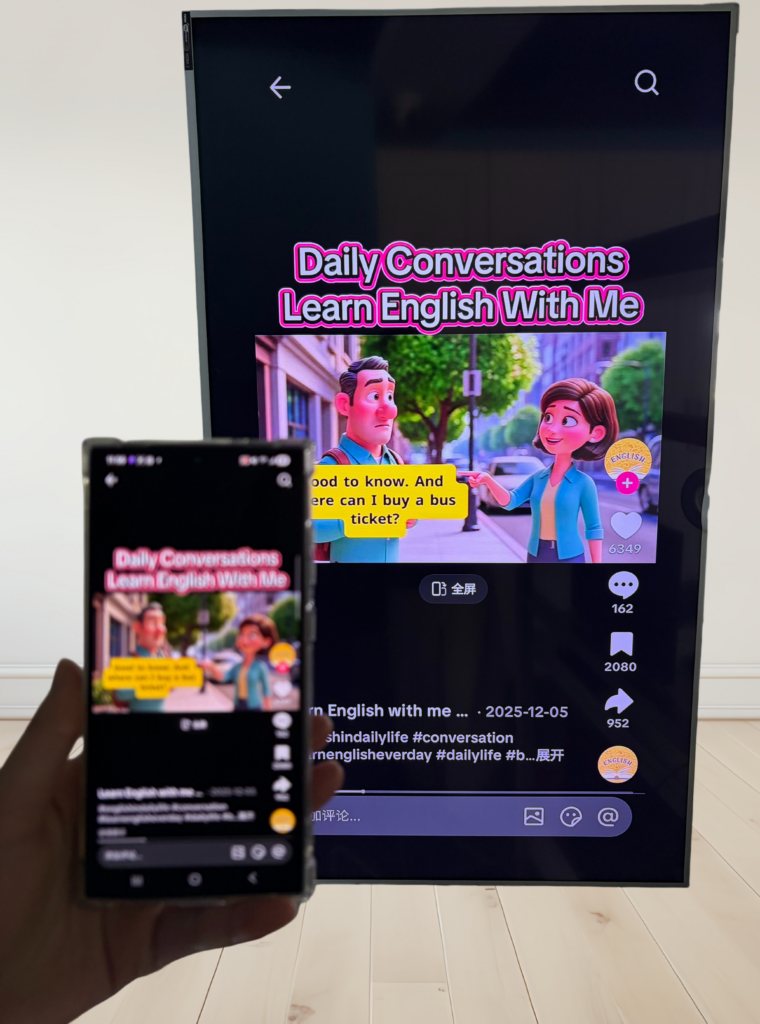
3️⃣ Start Casting!
Your TV or PC will display only the selected app, keeping everything else private.
Keep Your Privacy Intact & Avoid Awkward Moments!
💡 If you switch to another app, the cast screen will pause instead of displaying your new activity — protecting your privacy.
Imagine this: Peter is giving a presentation when his friend suddenly texts,“Let’s go to a party tonight!” — and it pops up on the big screen for everyone to see. Yikes!😱
With Single App Casting, that won’t happen!
The screen stays frozen until you return to the cast app, then resumes smoothly.
📢 Got an Android 15+ phone? Try it out now! 🎉

Read More
 New Setting: No More Pop-ups When Mirroring Ends
When you're mirroring your PC screen to a TV and stop the session using the TV remote, the 1001 TVs window pops back up…
New Setting: No More Pop-ups When Mirroring Ends
When you're mirroring your PC screen to a TV and stop the session using the TV remote, the 1001 TVs window pops back up…
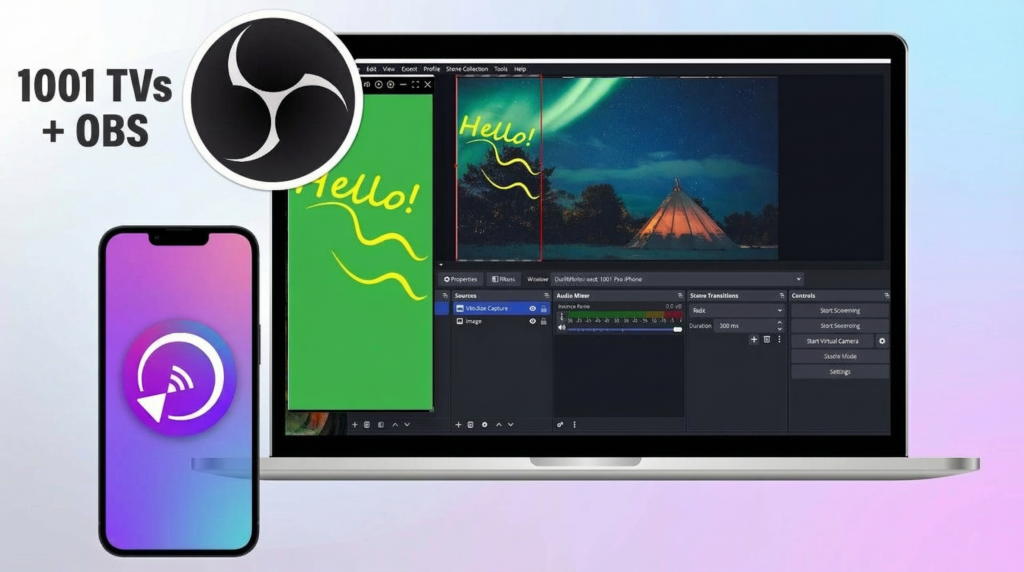 How to Capture Screen Mirroring in OBS (Android & iPhone)
Want to capture screen mirroring in OBS for mobile gameplay, tutorials, or live content? With 1001 TVs, you can easily mirror your phone screen…
How to Capture Screen Mirroring in OBS (Android & iPhone)
Want to capture screen mirroring in OBS for mobile gameplay, tutorials, or live content? With 1001 TVs, you can easily mirror your phone screen…

