
वर्टिकल मिररिंग करते समय काली पट्टियों को हटाएँ

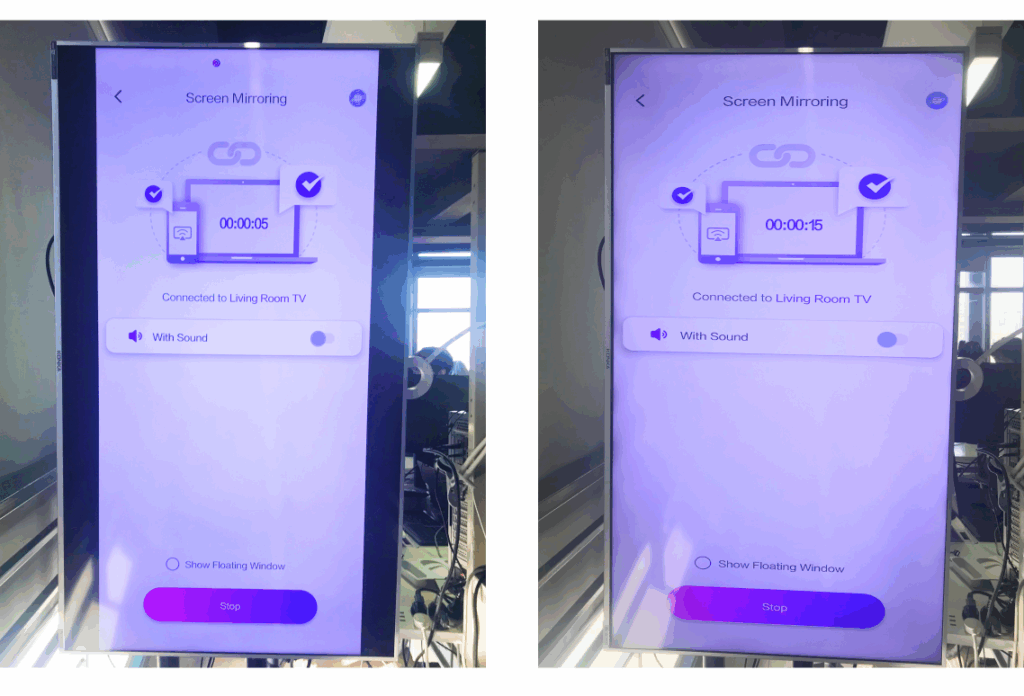
अगर आपका टीवी वर्टिकल पोजीशन में रखा है, लेकिन मिरर स्क्रीन पर अभी भी बाईं और दाईं ओर काली पट्टियाँ दिखाई दे रही हैं, तो चिंता न करें — 1001 TVs टीवी ऐप में एक साधारण सेटिंग को एडजस्ट करके इस समस्या को हमेशा के लिए ठीक किया जा सकता है। (वर्टिकल मिररिंग सेट अप करने का तरीका देखें 👉)वर्टिकल स्क्रीन मिररिंग)
अपने वर्टिकल कंटेंट को सही मायने में प्रभावी बनाने के लिए नीचे दिए गए चरणों का पालन करें। पूर्ण स्क्रीन और पूरी तरह से तल्लीन करने वाला अनुभव।.
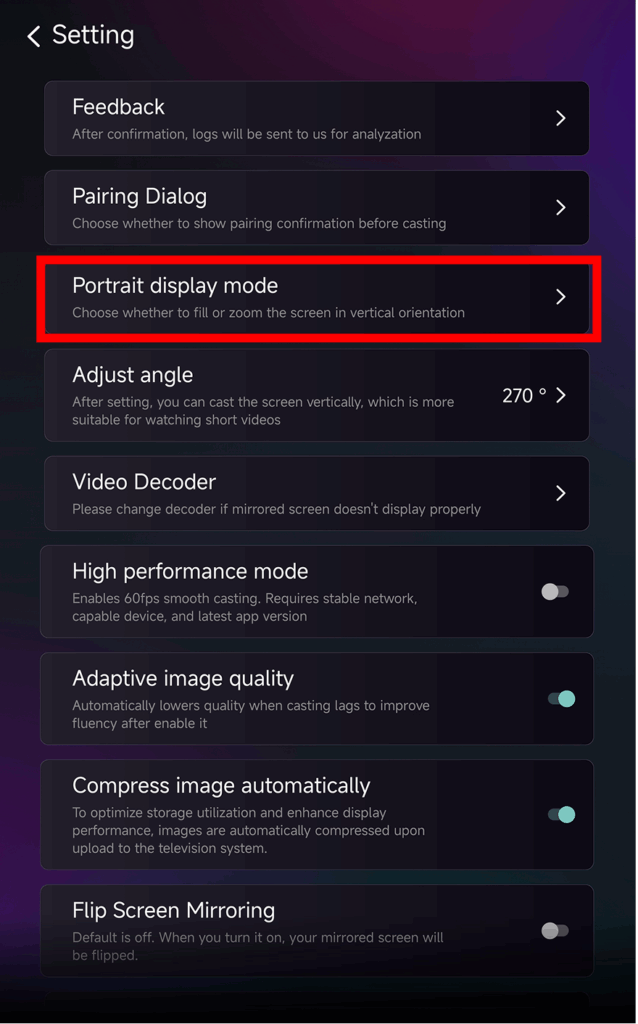
❶ 1001 TVs टीवी ऐप खोलें और “ पर जाएं“सेटिंग”

❷ "पोर्ट्रेट डिस्प्ले मोड" पर टैप करें“
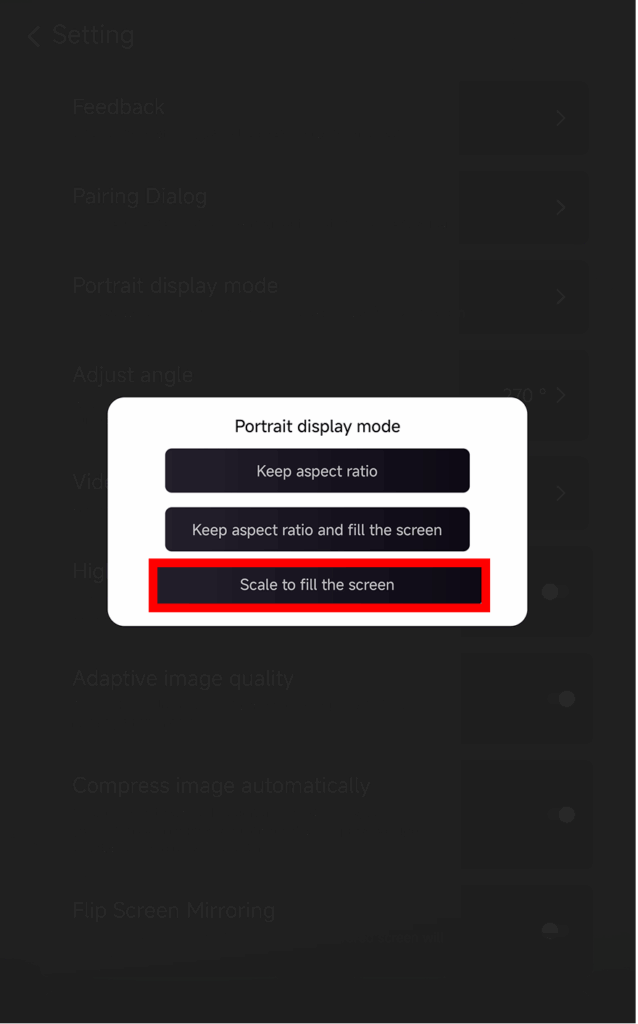
❸ डिस्प्ले को बड़ा करने के लिए "स्क्रीन भरने के लिए स्केल करें" चुनें
इस सेटिंग को सक्षम करने के बाद, अगला मिररिंग सेशन पूरी तरह से अलग दिखेगा।.
नीचे दी गई तुलना को साथ-साथ देखें:
डिस्प्ले विकल्पों के बारे में सुझाव
अंदर वर्टिकल डिस्प्ले मोड आपको तीन विकल्प दिखाई देंगे:
- पहलू अनुपात रखना
मूल अनुपात बरकरार रहता है; डिवाइस के आधार पर काली पट्टियाँ रह सकती हैं।. - आस्पेक्ट रेशियो को बनाए रखें और स्क्रीन को भरें
सही अनुपात बनाए रखते हुए एक तरफ को भरता है।. - स्क्रीन को भरने के लिए स्केल करें
यह सामग्री को विस्तारित करके ऊर्ध्वाधर टीवी को पूरी तरह से भर देता है।.
यह फीचर कब उपयोगी होता है?
यह सेटिंग इसके लिए बिल्कुल उपयुक्त है:
- ऊर्ध्वाधर डिजिटल साइनेज का उपयोग करने वाले खुदरा स्टोर
- घरेलू उपयोगकर्ता एक वर्टिकल एम्बिएंस स्क्रीन बना रहे हैं
- शिक्षक कक्षा में खड़ी सामग्री प्रदर्शित कर रहे हैं
- ऊर्ध्वाधर फ़ोटो या पोर्ट्रेट-मोड वीडियो दिखाना
- TikTok/YouTube शॉर्ट्स को फुलस्क्रीन में चलाना
- स्टूडियो, गैलरी या कला प्रदर्शन सेटअप
और भी टिप्स और ट्यूटोरियल: