
Πώς να στείλετε αρχεία από το PC/Mac σας στην τηλεόραση/PC/Mac
Με το 1001 TVs, μπορείτε να στέλνετε αρχεία από το PC/Mac σας στην τηλεόραση/PC/Mac σας μέσω του ίδιου τοπικού δικτύου.
Και ναι - PC και Mac στο ίδιο τοπικό δίκτυο μπορούν να μεταφέρουν αρχεία απευθείας μεταξύ τους, χωρίς πρόσθετη ρύθμιση.
Δεν υπάρχουν μεταφορτώσεις στο σύννεφο. Χωρίς καλώδια. Χωρίς εγγραφές - μόνο γρήγορες, ασφαλείς τοπικές μεταφορές.
Πριν ξεκινήσετε
- Βεβαιωθείτε ότι το οι συσκευές είναι συνδεδεμένες στο ίδιο δίκτυο Wi-Fi.
- Εγκαταστήστε και ανοίξτε 1001 TVs και στις δύο συσκευές σας, διατηρήστε την εφαρμογή σε λειτουργία στη συσκευή λήψης.
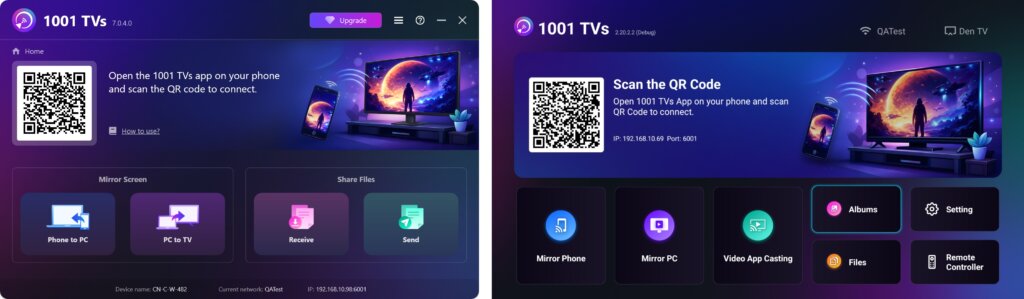
Έναρξη αποστολής
Στη συσκευή αποστολής, κάντε κλικ στο Στείλτε και η εφαρμογή θα αναζητήσει αυτόματα διαθέσιμες συσκευές στο ίδιο δίκτυο.
Επιλέξτε τη συσκευή-στόχο από τη λίστα. (π.χ., η τηλεόραση/PC/Mac σας)
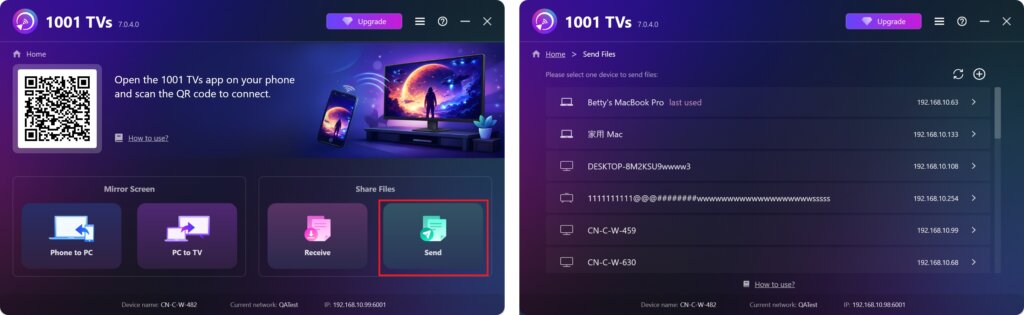
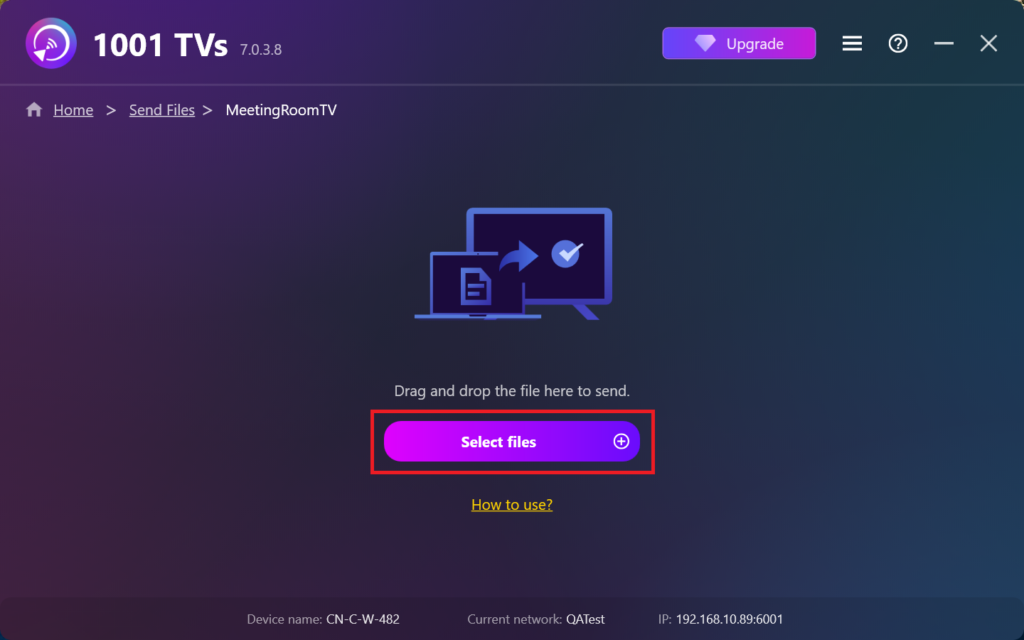
Επιλέξτε αρχεία στον υπολογιστή σας (βίντεο, φωτογραφίες, μουσική, έγγραφα και άλλα) και η μεταφορά θα ξεκινήσει αυτόματα στη συσκευή προορισμού.
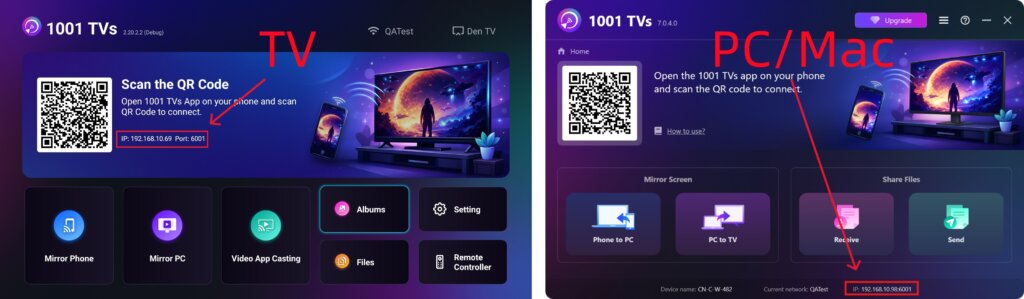
Δεν μπορείτε να βρείτε τη συσκευή-στόχο σας;
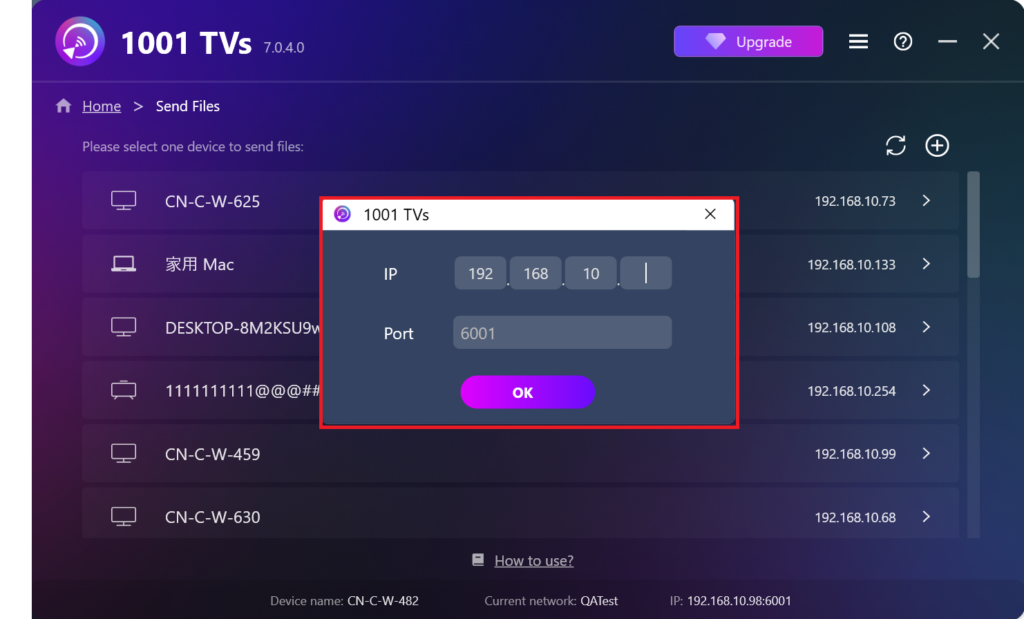
Εάν η συσκευή-στόχος δεν εμφανίζεται στη λίστα συσκευών, κάντε κλικ στο κουμπί + εικονίδιο στην επάνω δεξιά γωνία και χρησιμοποιήστε Αντιστοίχιση διευθύνσεων IP για να συνδεθείτε γρήγορα και με ασφάλεια.
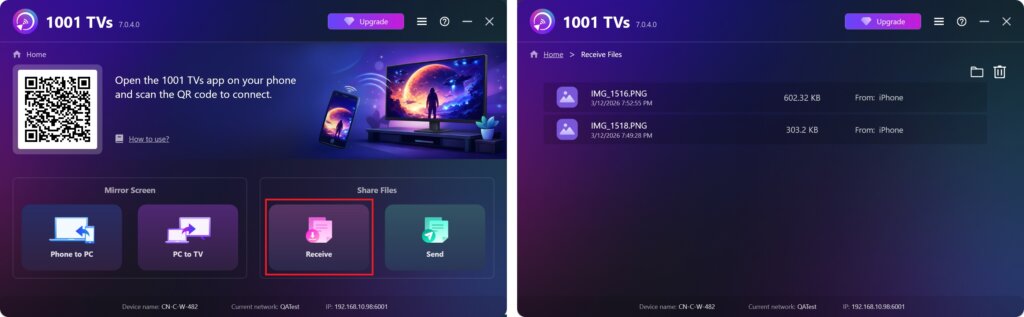
Προβολή ληφθέντων αρχείων σε PC/Mac
Κάντε κλικ στο Λάβετε στο PC/Mac σας για να δείτε όλα τα εισερχόμενα αρχεία.
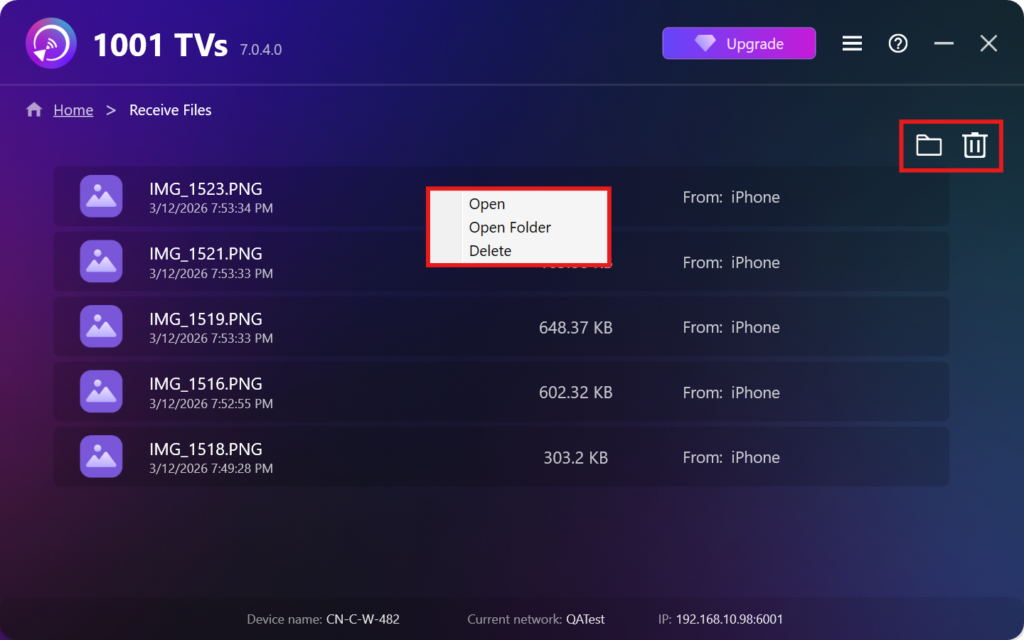
- Άνοιγμα Προβολή των ληφθέντων αρχείων – Κάντε κλικ στο ή δεξί κλικ στο και επιλέξτε “Άνοιγμα φακέλου” για να δείτε όλα τα αρχεία από τη συγκεκριμένη συσκευή (π.χ. iPhone 12123).
- Εντοπίστε τα στο Finder (Mac) ή στην Εξερεύνηση αρχείων (Windows) - Κάντε κλικ στο εικονίδιο φακέλου στην επάνω δεξιά γωνία για να αποκτήσετε πρόσβαση σε όλους τους φακέλους της συσκευής.
- Διαγραφή επιλογών – Κάντε δεξί κλικ στο ένα αρχείο και επιλέξτε “Διαγραφή” για να το αφαιρέσετε μεμονωμένα, ή κάντε κλικ στο εικονίδιο σκουπιδιών στην επάνω δεξιά γωνία για να διαγράψετε όλα τα ληφθέντα αρχεία ταυτόχρονα.
Προβολή ληφθέντων αρχείων στην τηλεόραση
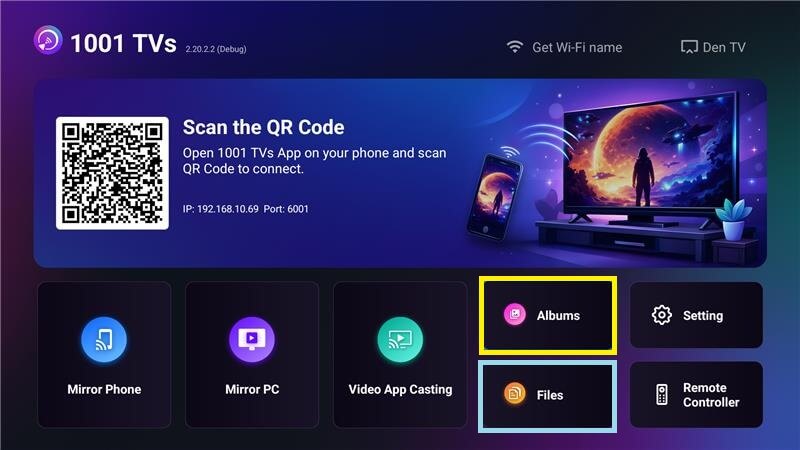
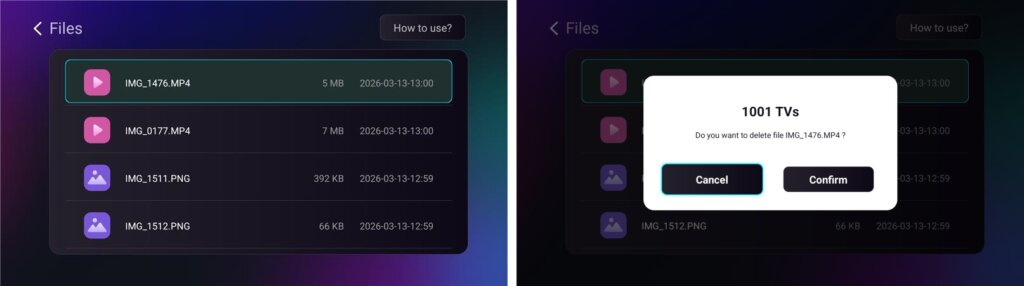
- Πλοηγηθείτε στο Αρχεία για να δείτε τα ληφθέντα αρχεία. Μπορείτε να επιλέξετε ένα αρχείο και να πατήσετε παρατεταμένα OK για να το διαγράψετε.
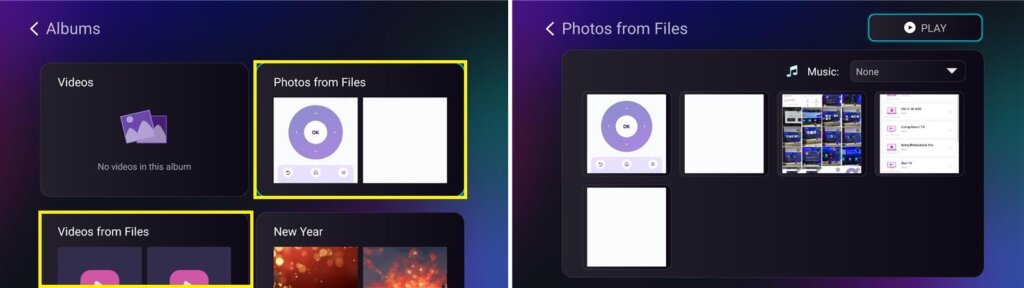
- Πλοηγηθείτε στο Άλμπουμ > Φωτογραφίες/Βίντεο από αρχεία για να δείτε τις φωτογραφίες και τα βίντεο που λάβατε. Μπορείτε να επιλέξετε ένα αρχείο και να πατήσετε παρατεταμένα OK για να τα διαγράψετε ή να τα αναπαράγετε ως slideshow.
Γιατί να χρησιμοποιήσετε το 1001 TVs;
- Γρήγορο, ιδιωτικό και εύκολο στη χρήση
- Τοπική μεταφορά - δεν απαιτείται cloud
- Δεν απαιτείται σύνδεση ή λογαριασμός
- Υποστηρίζει μεταφορές μεγάλων αρχείων
Χρειάζεστε βοήθεια;
Αν αντιμετωπίσετε οποιοδήποτε πρόβλημα, μπορείτε να επικοινωνήσετε με την ομάδα υποστήριξής μας:
📧 Email: 1001tvs@nero.com
🌐 Ιστοσελίδα: www.1001tvs.com
📖 Περισσότεροι οδηγοί: Καθοδήγηση