
Nová funkce v systému Android 15+: Odvysílání jedné aplikace na 1001 TVs

Zařízení s operačním systémem Android 15+, jako je řada Vivo X200, nyní podporují novou výkonnou funkci. Obsazování jednotlivých aplikací.
Testovali jsme ji s 1001 TVa zjistil, že je to neuvěřitelně užitečné. Tady je návod, jak to funguje! 📸
Jak používat castingy jednotlivých aplikací?
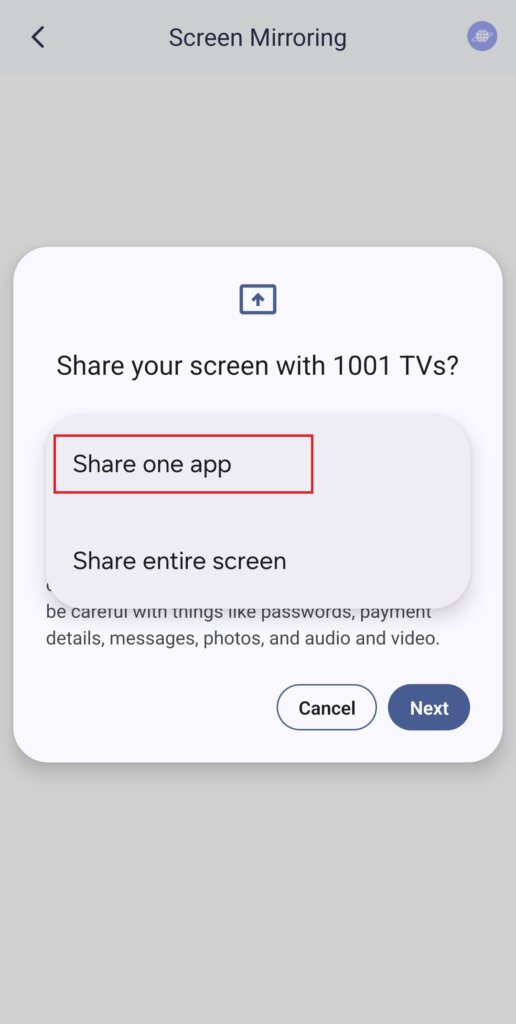
1️⃣ Vyberte režim “Sdílet jednu aplikaci”.
(Pro běžné zrcadlení obrazovky můžete také zvolit možnost “Sdílet celou obrazovku”).
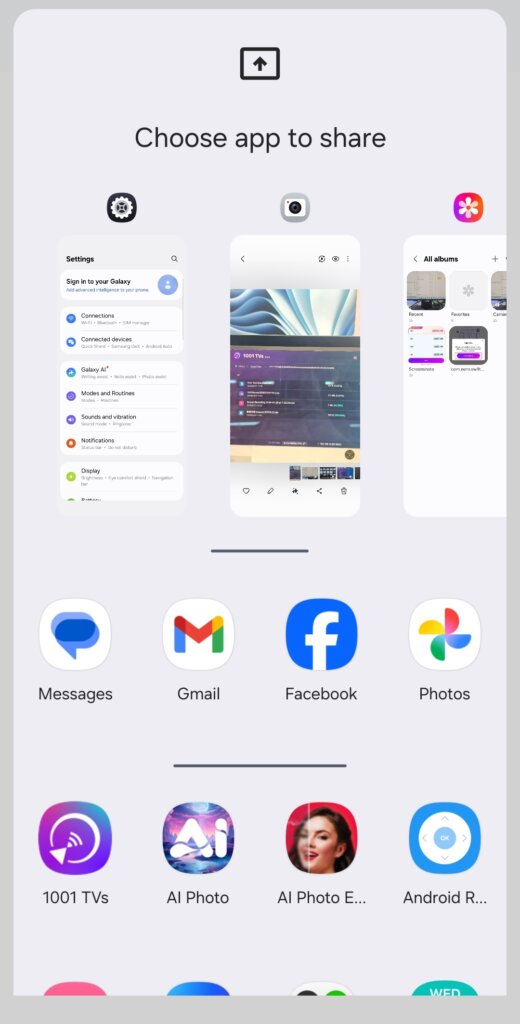
2️⃣ Vyberte aplikaci, kterou chcete obsadit:
- Horní část: Zobrazuje náhledy aktuálně otevřených aplikací.
- Spodní část: Vypíše aplikace, které ještě nejsou otevřené (např. Tiktok). Výběrem jedné z nich ji automaticky spustíte.
3️⃣ Začněte s obsazováním!
Na televizoru nebo počítači se zobrazí pouze vybrané aplikace, přičemž vše ostatní zůstane soukromé.
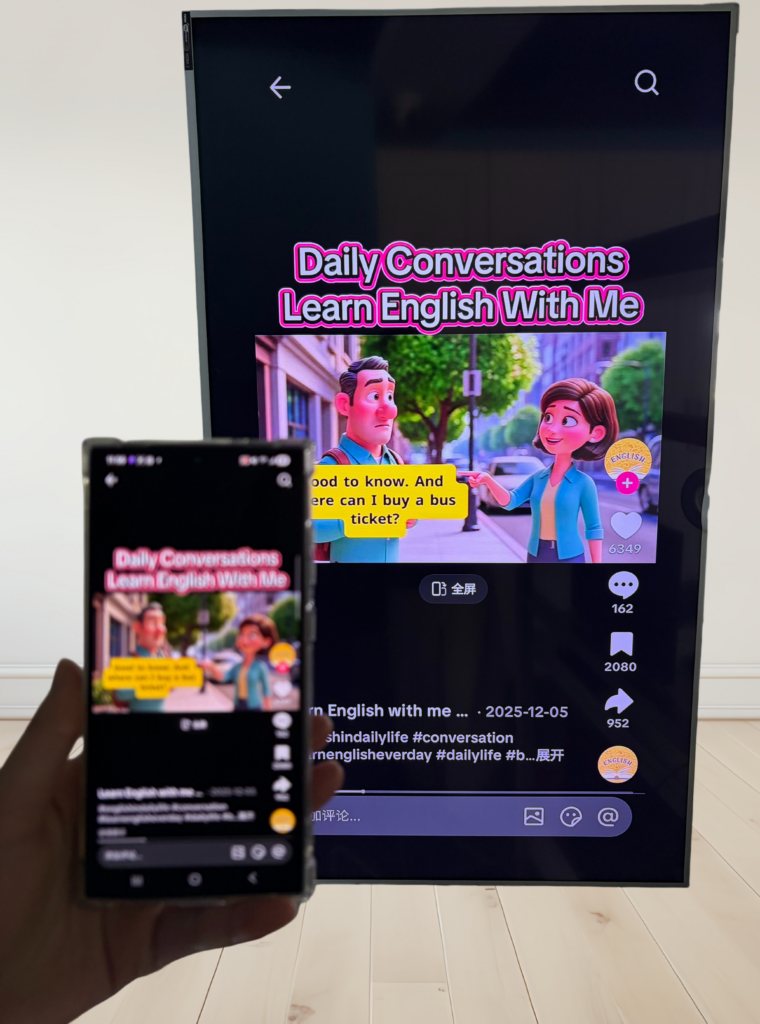
Zachovejte si své soukromí a vyhněte se nepříjemným okamžikům!
💡 Pokud přepnete na jinou aplikaci, obrazovka obsazení se místo zobrazení nové aktivity pozastaví - chrání tak vaše soukromí.
Představte si toto: “Pojďme dnes večer na večírek!” Představte si, že Petr má prezentaci a jeho kamarád najednou napíše: "Pojďme dnes večer na večírek!" - a objeví se na velké obrazovce, aby ji všichni viděli. Jéje!😱
S funkcí Single App Casting se to nestane!
Obrazovka zůstane zamrzlá, dokud se nevrátíte do aplikace Cast, a poté se plynule obnoví.
📢 Máte telefon se systémem Android 15+? Vyzkoušejte si ho právě teď! 🎉