
Nuova funzione su Android 15+: Eseguire il casting di una singola app su 1001 TVs

I dispositivi Android 15+, come la serie Vivo X200, supportano ora una nuova e potente funzione: la funzione di "controllo". Casting per singola app.
Lo abbiamo testato con 1001 TVe l'ho trovato incredibilmente utile. Ecco come funziona! 📸
Come utilizzare il casting a singola applicazione?
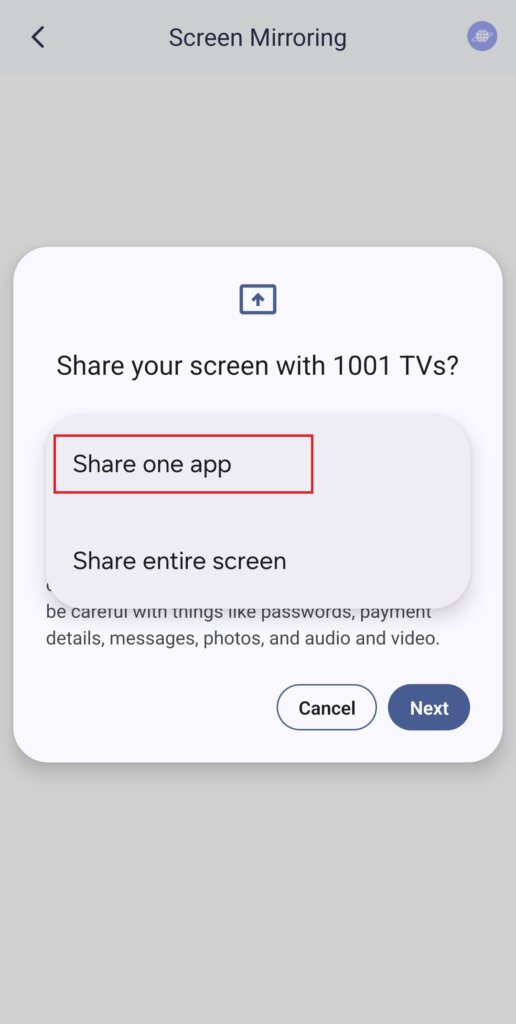
1️⃣ Selezionare la modalità “Condividi un'app”.
(È anche possibile scegliere “Condividi l'intero schermo” per un normale mirroring dello schermo).
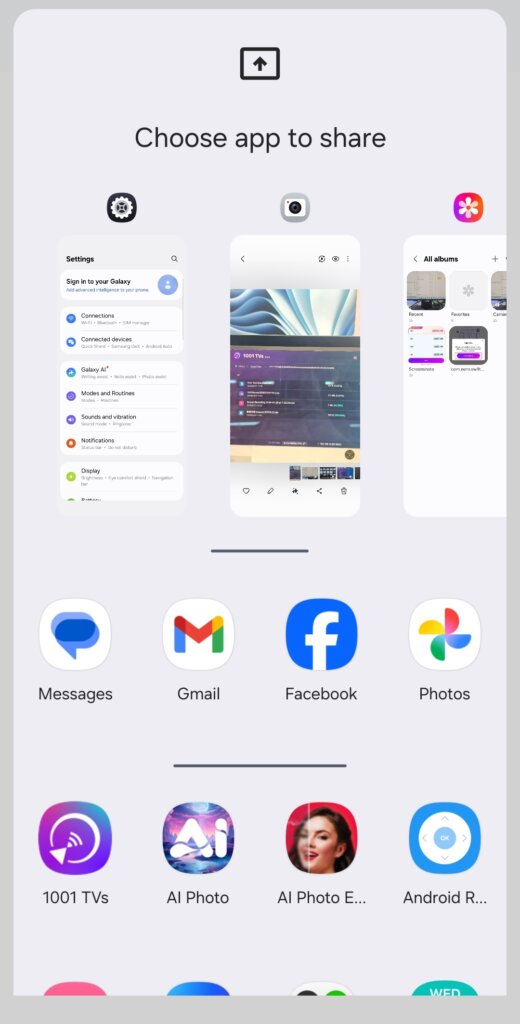
2️⃣ Scegliere l'applicazione che si desidera lanciare:
- Sezione superiore: Visualizza le anteprime delle applicazioni attualmente aperte.
- Sezione inferiore: Elenca le applicazioni non ancora aperte (ad esempio, Tiktok). Selezionandone una, la si avvia automaticamente.
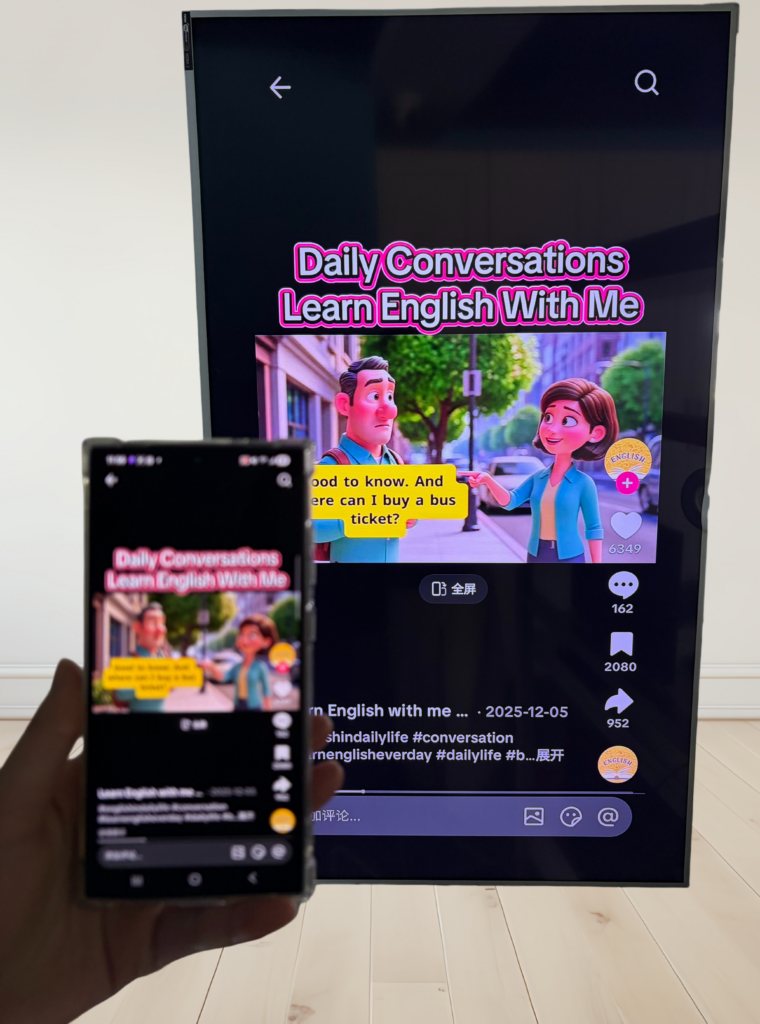
3️⃣ Iniziare il casting!
Il televisore o il PC visualizzeranno solo l'applicazione selezionata, mantenendo tutto il resto privato.
Mantenete la vostra privacy ed evitate momenti imbarazzanti!
💡 Se si passa a un'altra app, la schermata del cast si interrompe invece di visualizzare la nuova attività, proteggendo la privacy.
Immaginate questo: Peter sta facendo una presentazione quando il suo amico improvvisamente gli scrive: “Andiamo a una festa stasera!”. - e questo appare sul grande schermo per essere visto da tutti. Accidenti!😱
Con il Single App Casting, questo non accadrà!
Lo schermo rimane congelato finché non si torna all'applicazione cast, quindi riprende senza problemi.
📢 Avete un telefono Android 15+? Provatelo subito! 🎉