
Nova funcionalidade no Android 15+: Transmitir uma única aplicação para 1001 TVs

Os dispositivos com Android 15+, como a série Vivo X200, suportam agora uma nova e poderosa funcionalidade - Casting de aplicação única.
Testámo-lo com 1001 TVs e considerei-o incrivelmente útil. Eis como funciona! 📸
Como utilizar o Casting de aplicação única?
1️⃣ Selecione o modo “Partilhar uma aplicação”.
(Também pode selecionar “Partilhar todo o ecrã” para um espelhamento de ecrã normal).
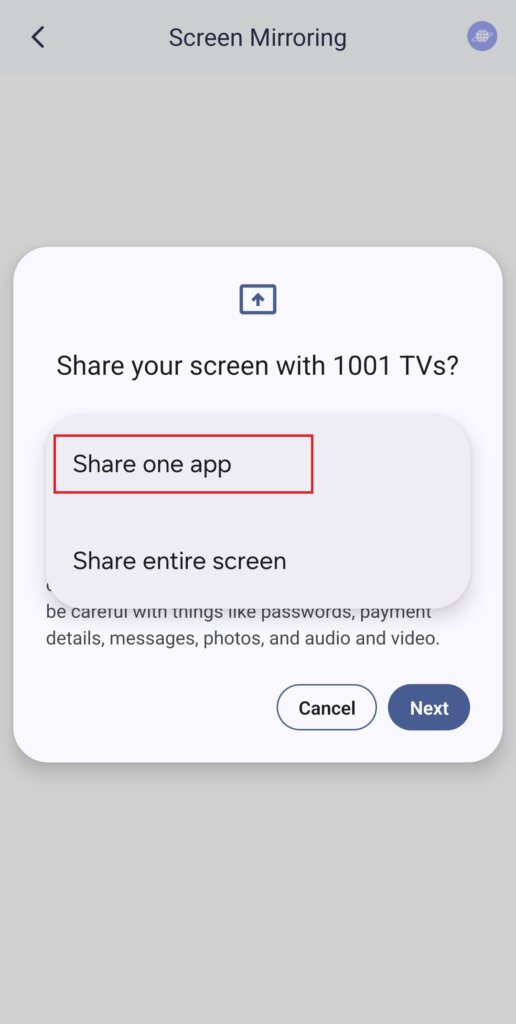
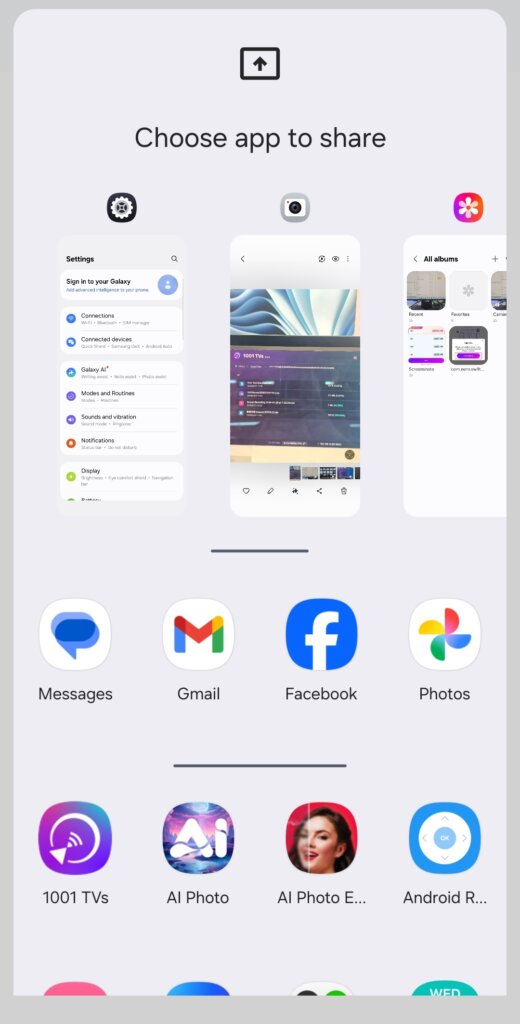
2️⃣ Escolha a aplicação que pretende transmitir:
- Secção superior: Apresenta pré-visualizações das aplicações que estão atualmente abertas.
- Secção inferior: Lista as aplicações que ainda não estão abertas (por exemplo, Tiktok). Ao selecionar uma, esta será automaticamente iniciada.
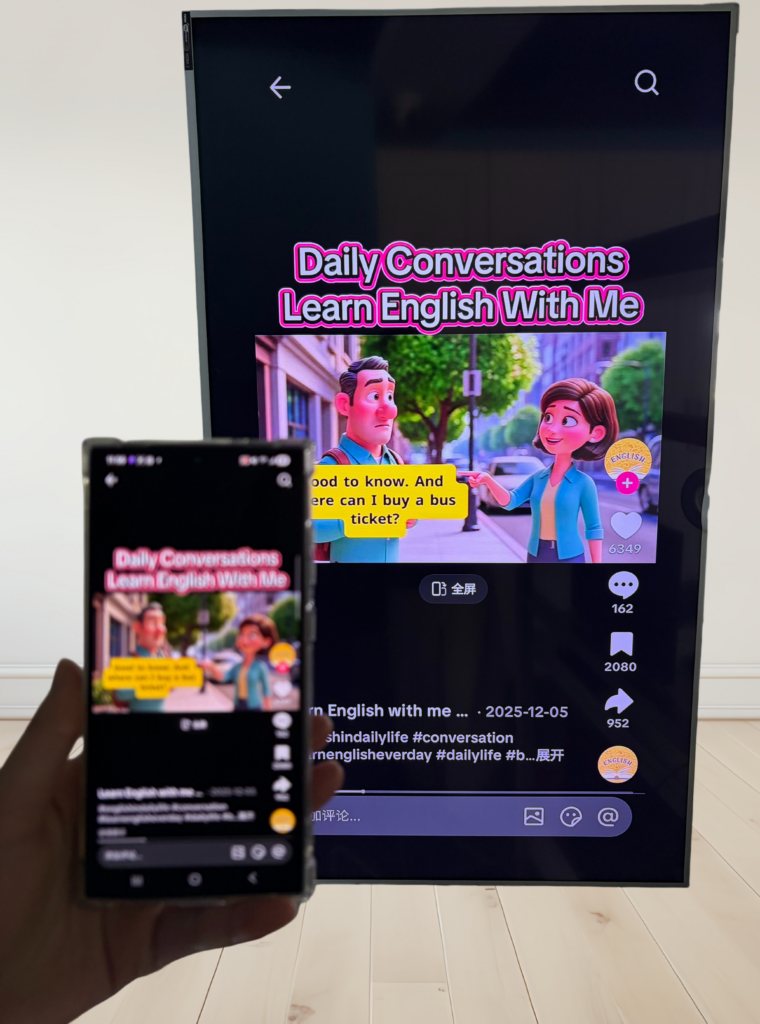
3️⃣ Comece a fazer o casting!
O televisor ou o PC apresentam apenas a aplicação selecionada, mantendo tudo o resto privado.
Mantenha a sua privacidade intacta e evite momentos embaraçosos!
Se mudar para outra aplicação, o ecrã de transmissão irá pausar em vez de apresentar a sua nova atividade - protegendo a sua privacidade.
Imagine o seguinte: O Pedro está a fazer uma apresentação quando, de repente, o seu amigo lhe envia uma mensagem de texto: “Vamos a uma festa esta noite! - e aparece no ecrã grande para todos verem. Caramba!😱
Com o Single App Casting, isso não vai acontecer!
O ecrã permanece congelado até regressar à aplicação de elenco e, em seguida, retoma suavemente.
Tem um telemóvel Android 15+? Experimente agora! 🎉