
إزالة الأشرطة السوداء عند النسخ المتطابق الرأسي

إذا كان تلفزيونك موضوعًا عموديًا ولكن الشاشة المعكوسة لا تزال تظهر أشرطة سوداء على الجانبين الأيسر والأيمن، فلا تقلق - يمكن إصلاح هذه المشكلة بشكل دائم من خلال ضبط إعداد واحد بسيط في تطبيق 1001 TVs TV. (انظر كيفية إعداد الانعكاس العمودي 👉انعكاس الشاشة العمودي)
اتبع الخطوات أدناه لجعل المحتوى الرأسي الخاص بك حقًا ملء الشاشة الكاملة وغامرة بالكامل.
❶ افتح تطبيق 1001 TVs TV وانتقل إلى “الإعداد"

❷ اضغط على “وضع العرض الرأسي”
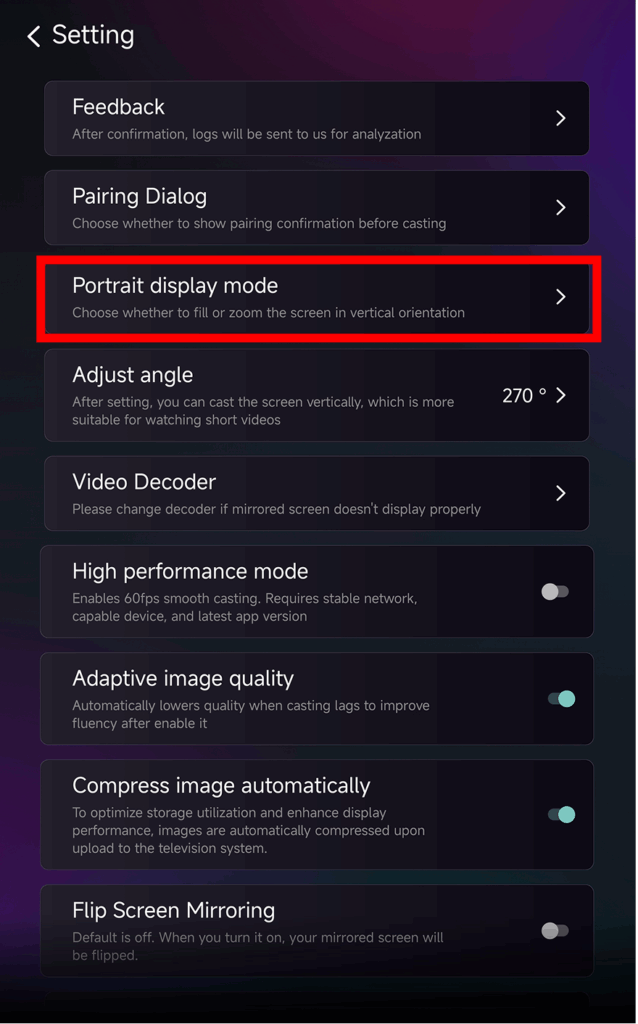
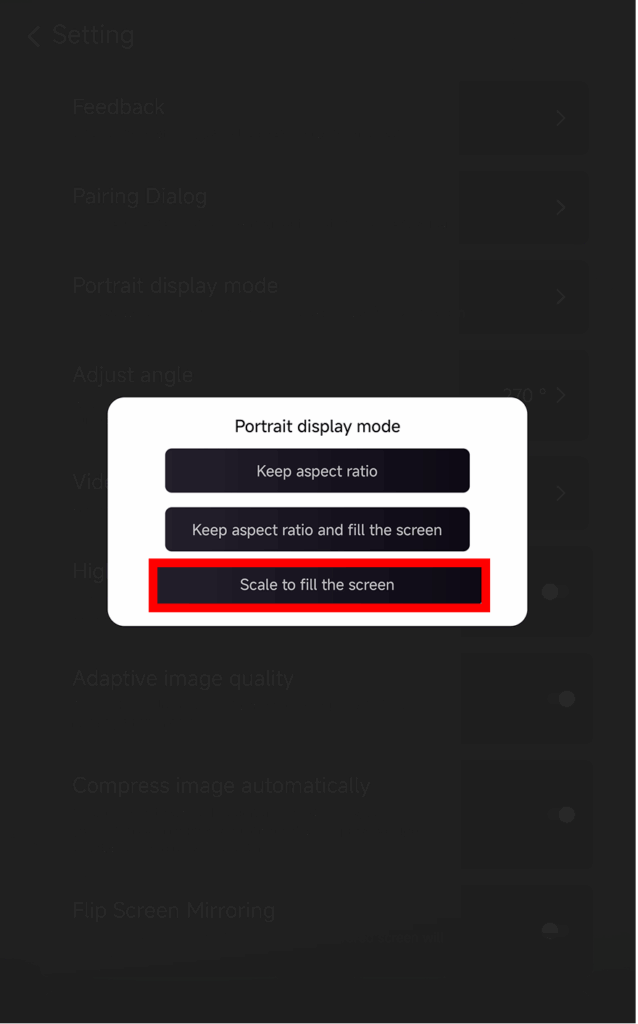
❸ اختر “تغيير الحجم لملء الشاشة” لتوسيع العرض
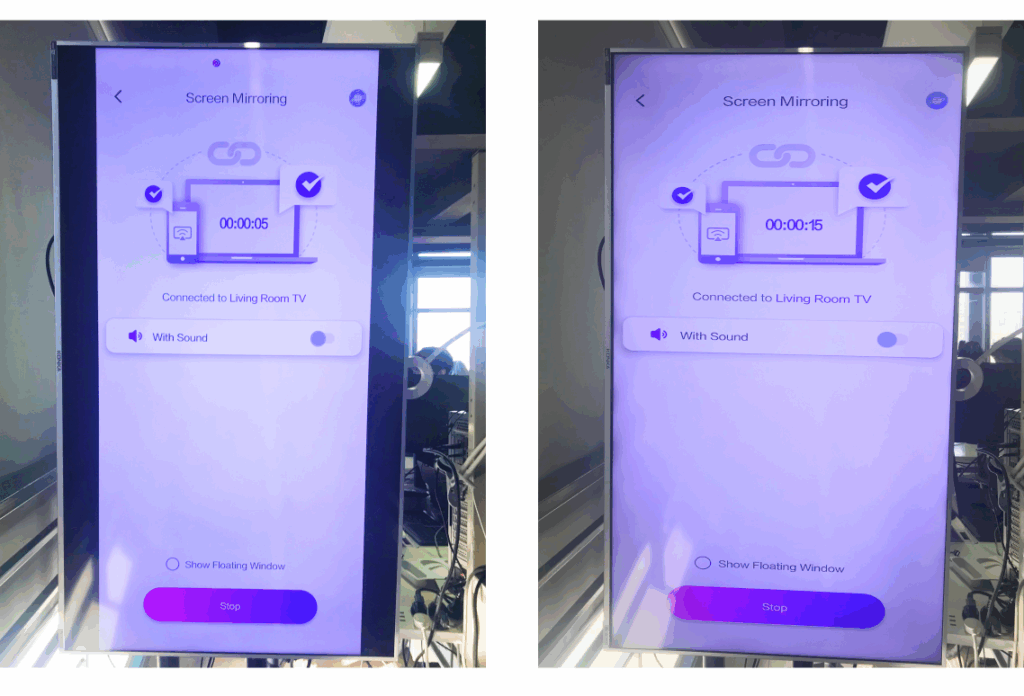
بعد تمكين هذا الإعداد، ستبدو جلسة النسخ المتطابق التالية مختلفة تماماً.
تحقق من المقارنة جنباً إلى جنب أدناه:
نصائح حول خيارات العرض
في الداخل وضع العرض الرأسي سترى ثلاثة خيارات:
- حافظ على نسبة العرض إلى الارتفاع
يحتفظ بالنسب الأصلية؛ قد تبقى الأشرطة السوداء حسب الجهاز. - حافظ على نسبة العرض إلى الارتفاع وملء الشاشة
يملأ جانب واحد مع الحفاظ على النسب الصحيحة. - مقياس لملء الشاشة
يوسع المحتوى لملء التلفزيون العمودي بالكامل.
متى تكون هذه الميزة مفيدة؟
هذا الإعداد مثالي لـ
- متاجر البيع بالتجزئة التي تستخدم اللافتات الرقمية العمودية
- المستخدمون المنزليون ينشئون شاشة أجواء عمودية
- معلمون يعرضون مواد الصفوف الرأسية
- عرض الصور الرأسية أو مقاطع الفيديو في الوضع الرأسي
- تشغيل شورتات TikTok/يوتيوب في وضع ملء الشاشة
- إعدادات الاستوديو أو المعرض أو العرض الفني
المزيد من النصائح والبرامج التعليمية :