電視 APK 安裝指南:如何透過 Wi-Fi 從您的 PC 或 Mac 將 APK 檔案傳送至電視並進行安裝
Got an APK file on your phone, PC or Mac that you want to run on your TV?
透過 1001 TVs,您可以透過 Wi-Fi 將 APK 檔案從任一裝置傳送至電視,並直接進行安裝——無需線材、無需 USB 隨身碟,輕鬆無煩惱。.
👉 透過您的手機: 參見 How to Send and Install APK Files on TV from Your Phone via Wi-Fi.
👉 From your PC or Mac: 請依照以下步驟操作。.

1. 在兩台裝置上安裝並開啟 1001 TVs
📺 電視應用程式: 如何在電視上安裝 1001 TVs
💻 PC 應用程式: 下載自 微軟商店
如需詳細步驟,請參閱 PC 安裝指南
💻 Mac App: 从 App Store 下载
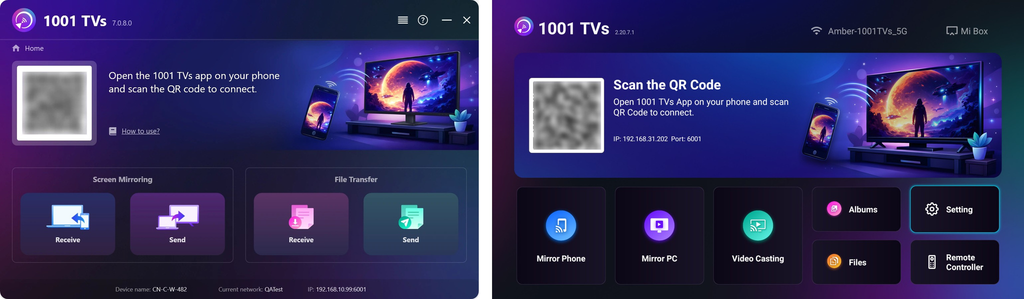
2. Connect to the Same Wi-Fi
確保您的兩台裝置都連線至相同的 Wi-Fi 網路。.
(建議使用 5G 頻段的 Wi-Fi 連線,以獲得最佳效能)。
3. 將 APK 檔案傳送至電視
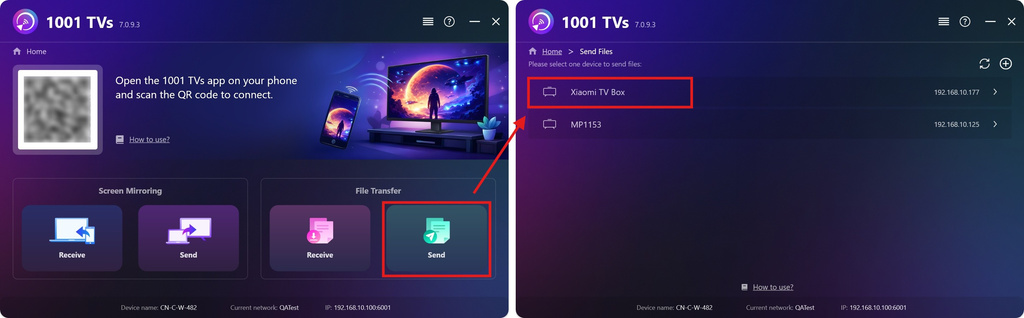
On your PC or Mac, click 发送 應用程式會自動搜尋同一網路中的可用裝置。.
Select your target TV from the device list.
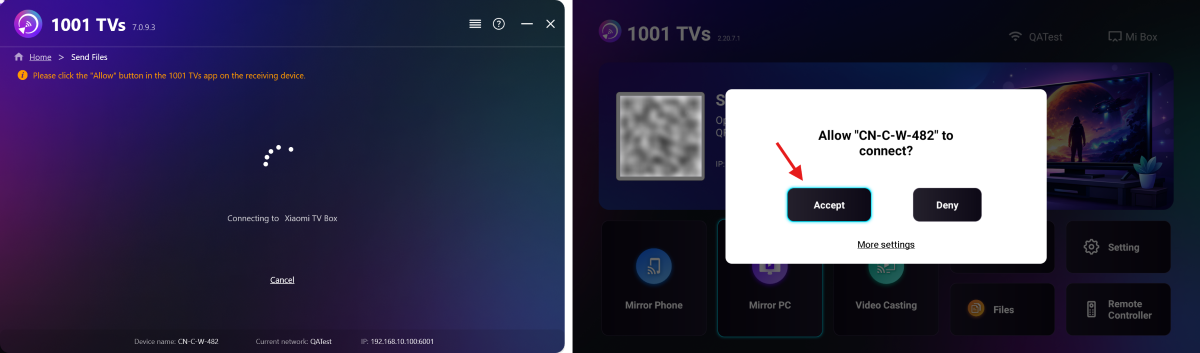
請在電視上確認配對。.
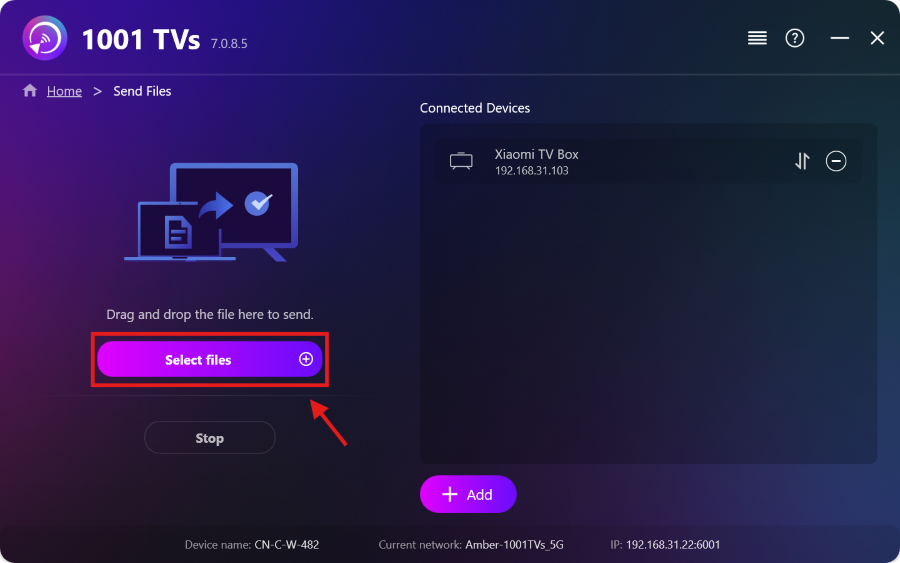
Select your APK file on your PC or Mac, or simply drag and drop it into the file area on the left.
The transfer will start automatically.
4. 在電視上安裝 APK
使用電視遙控器,開啟 檔案 然後選擇您要安裝的 APK 檔案。.
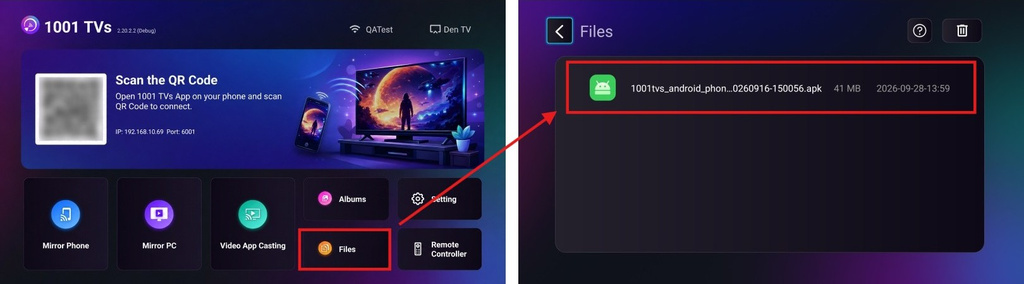
选择 透過 Google Play 安裝 並完成安裝。.
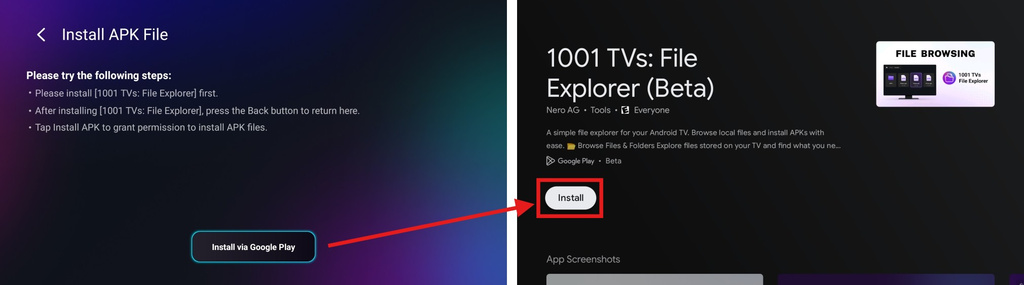
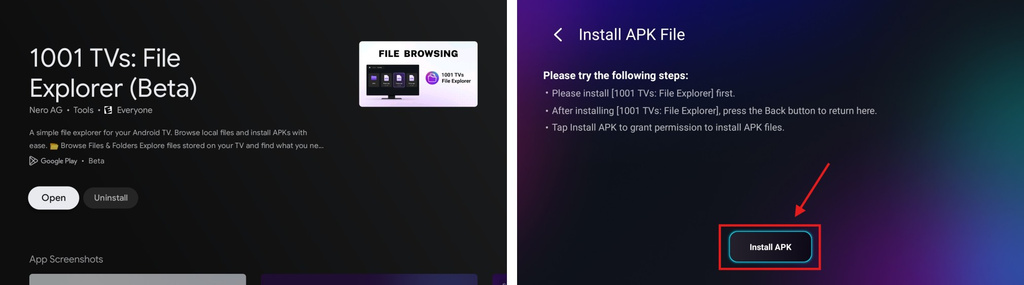
完成後,請按下 返回 按下遙控器上的按鈕即可返回上一頁。(無需開啟 1001 TVs – 檔案總管。)
下方的按鈕現在將變更為 安裝 APK. 選取此選項以前往應用程式安裝權限頁面。.
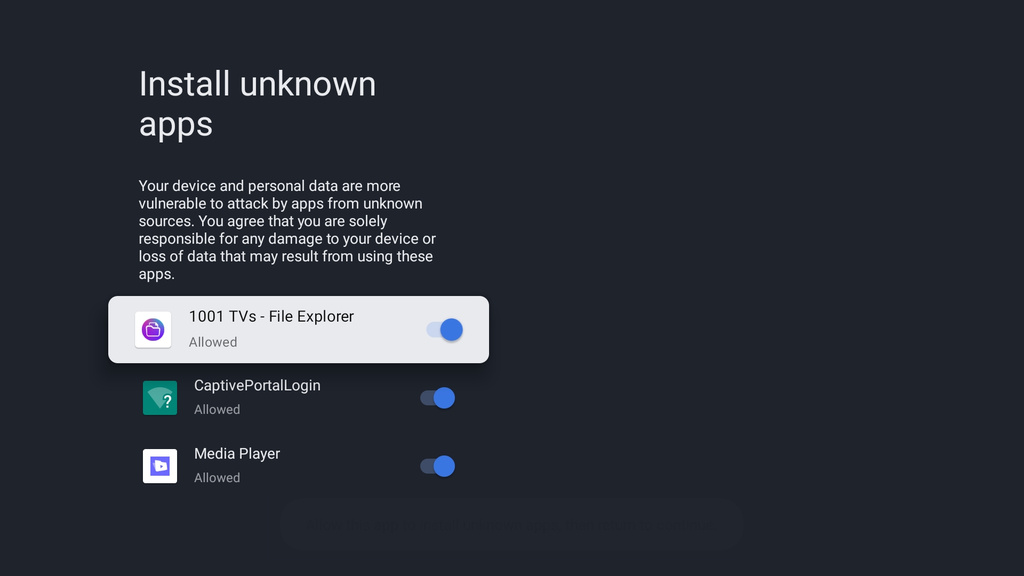
允许 1001 TVs – 檔案總管 to install unknown apps. This permission is required to install your APK file.
按下 返回 按鈕,然後選擇 安装 以安裝您的 APK。.
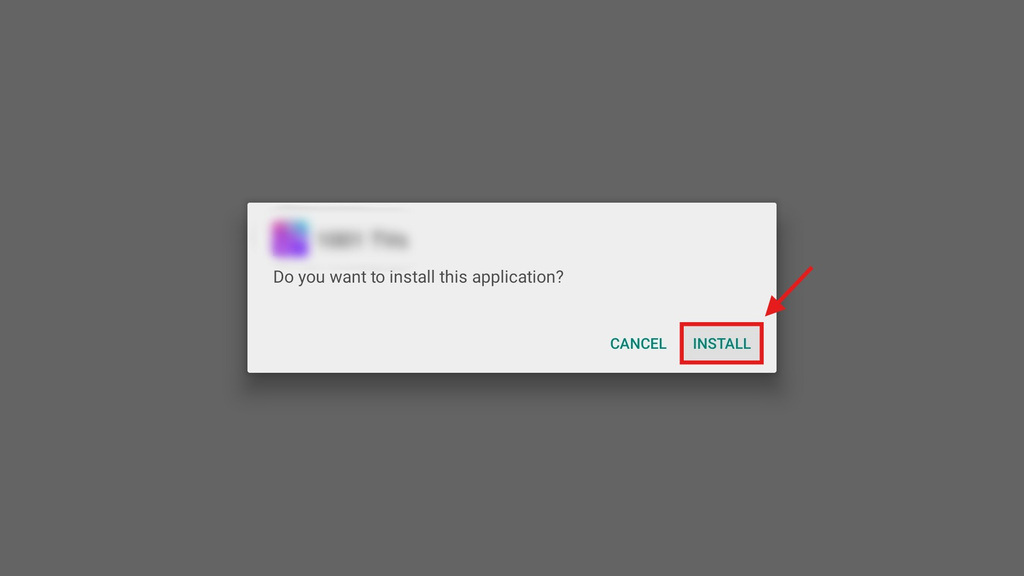
5. 安裝完成
您的 APK 現已可在電視上使用。只需從電視的應用程式清單中開啟它,即可在大螢幕上盡情享受。🚀
1001 TVs provides a simple, cable-free way to send and install APK files from your PC or Mac to your TV over Wi-Fi.
立即取得 1001 TVs
📺 電視應用程式: 如何在電視上安裝 1001 TVs
💻 PC 應用程式: 下載自 微軟商店
如需詳細步驟,請參閱 PC 安裝指南
💻 Mac App: 从 App Store 下载
免責聲明
- 使用者須對其選擇安裝的內容承擔全部責任。本應用程式僅調用系統 套件安裝程式 用於執行安裝。它不會儲存、分發或提供任何 APK 檔案的下載服務。.
- 將此安裝程式打包並發行(1001 TVs:檔案總管) 嚴禁發布含有侵權內容的內容。.



