[iOS] Screen Broadcast not available?
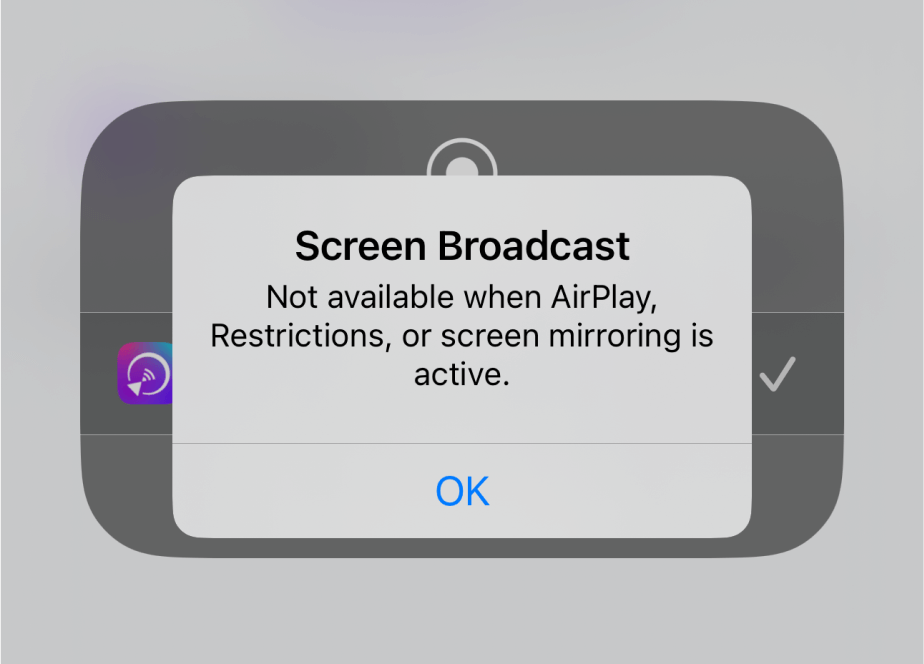
“تارقىتىشنى باشلاش” نى چەككەندىن كېيىن تۆۋەندىكى قالىپ كۆرۈنسە، ئەنسىرىمەڭ!
Just go to “Settings” and enable screen recording to fix the issue.
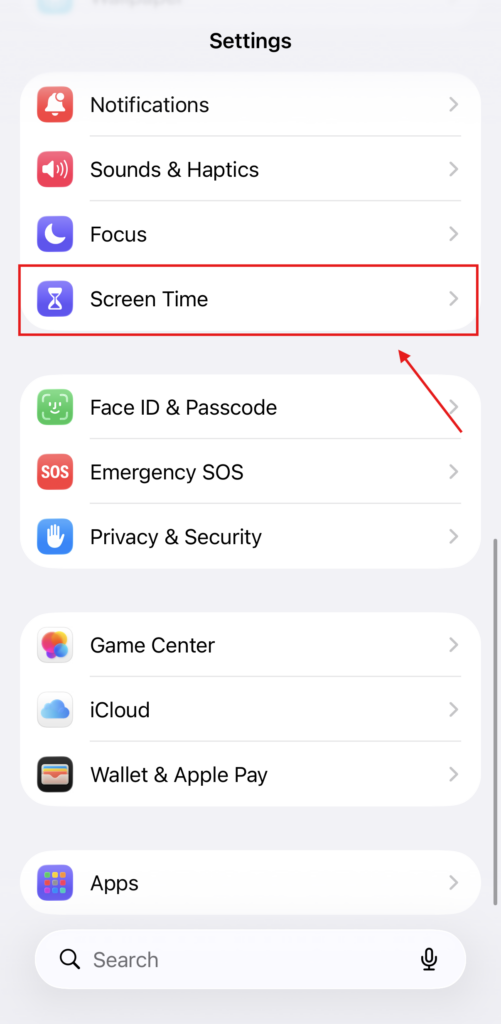
1. “ئېچىڭ»تەڭشەكلەر“. چېكىڭ“ئېكران ۋاقتى“.
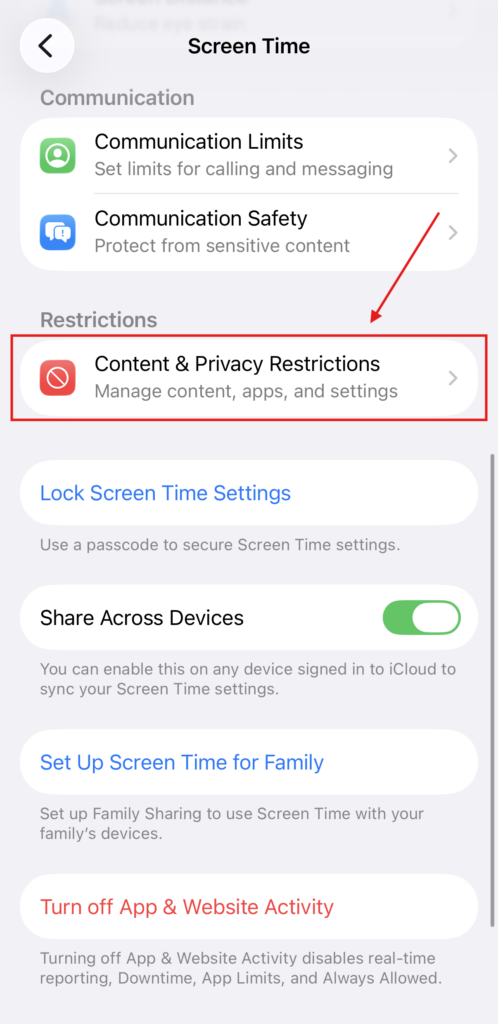
2. “ نى چېكىڭ“مەزمۇن ۋە مەخپىيەتلىك چەكلىمىسى“.
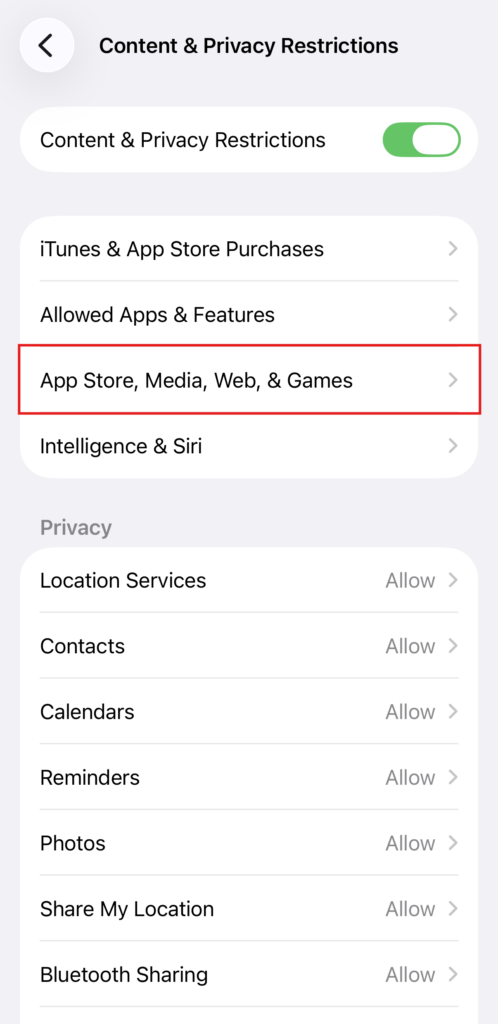
3. “نى چېكىڭ“App Store, Media, Web, & Games“.
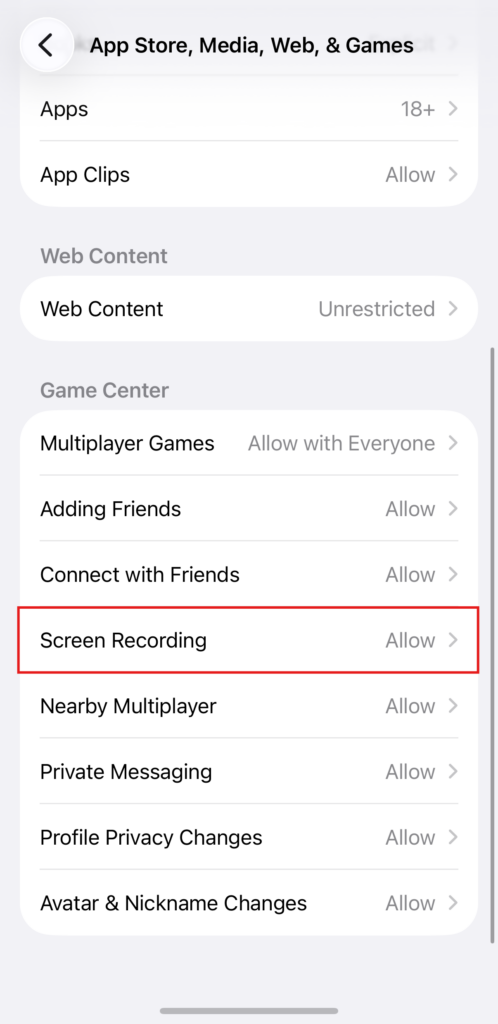
4. Tap “ئېكران خاتىرىلەش“.
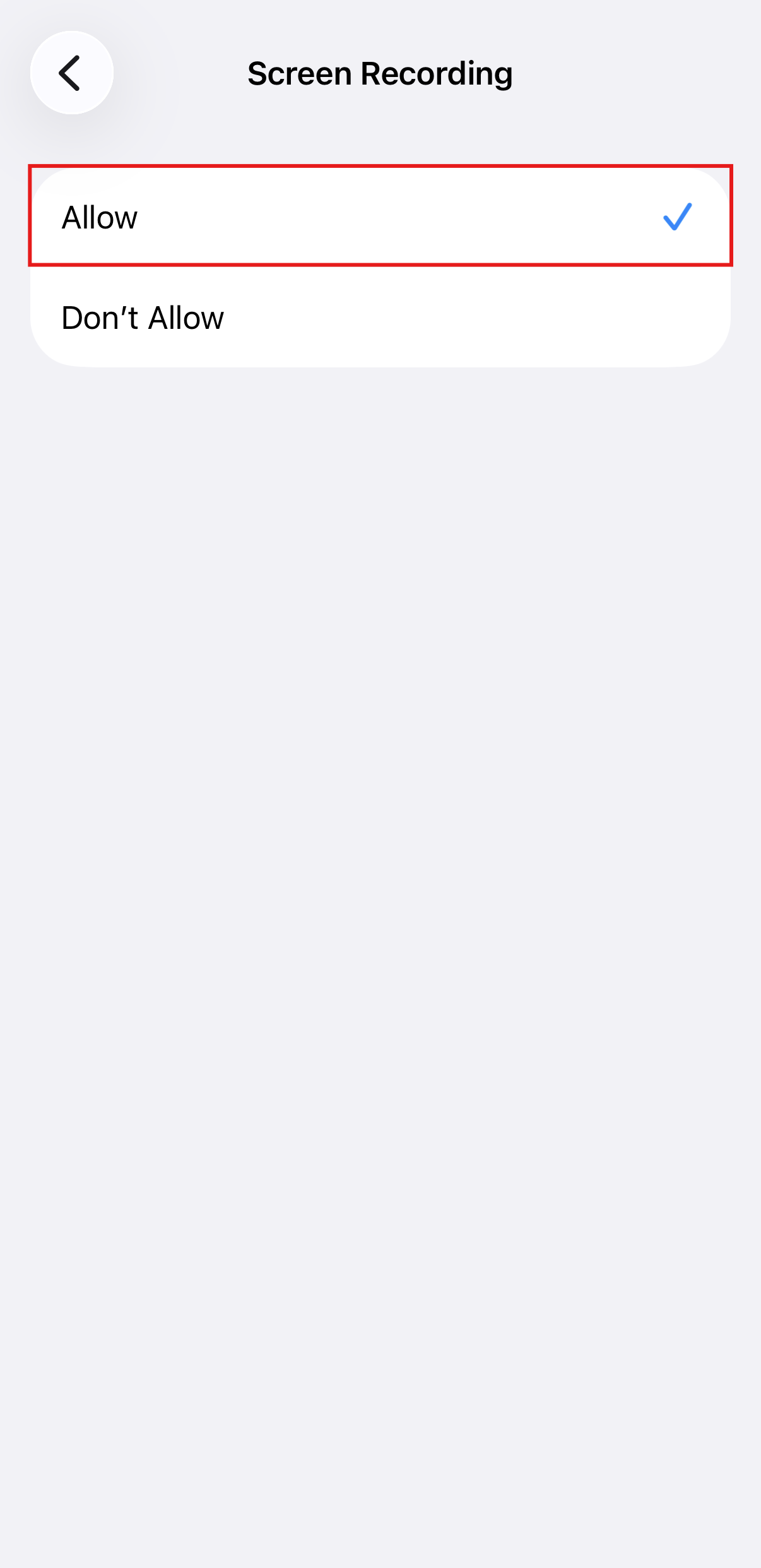
5. Tap “رۇخسەت قىلىش“.

Read More
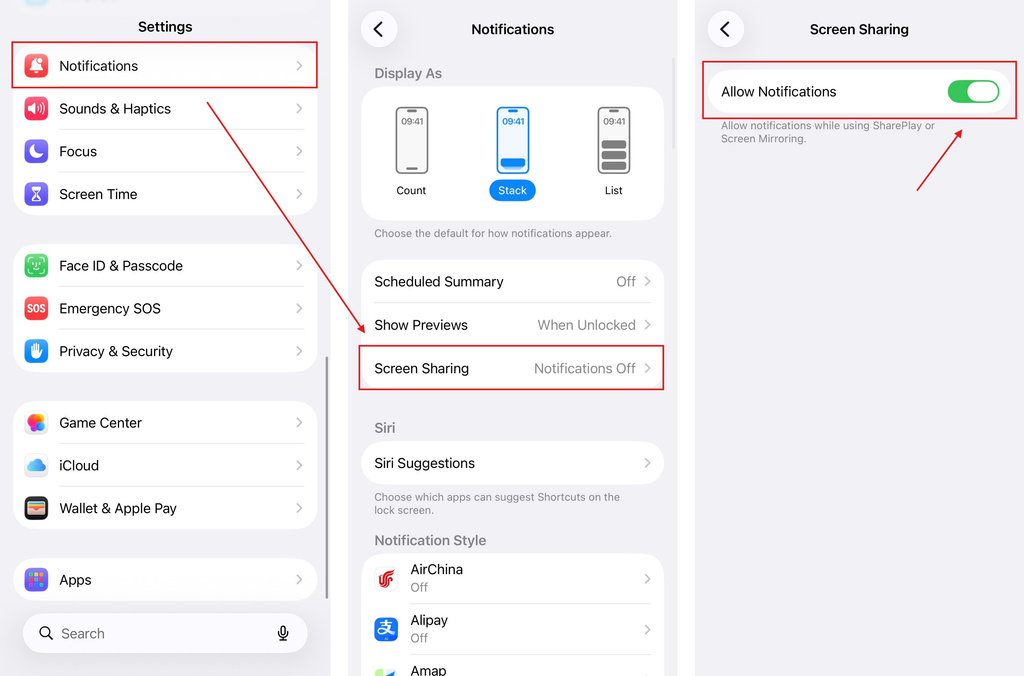 iOS: How to Fix Missing App Notifications During Screen Mirroring
Why Notifications Are Missing When you mirror your iPhone screen, notifications from other apps may not appear on the mirrored screen. This can happen…
iOS: How to Fix Missing App Notifications During Screen Mirroring
Why Notifications Are Missing When you mirror your iPhone screen, notifications from other apps may not appear on the mirrored screen. This can happen…
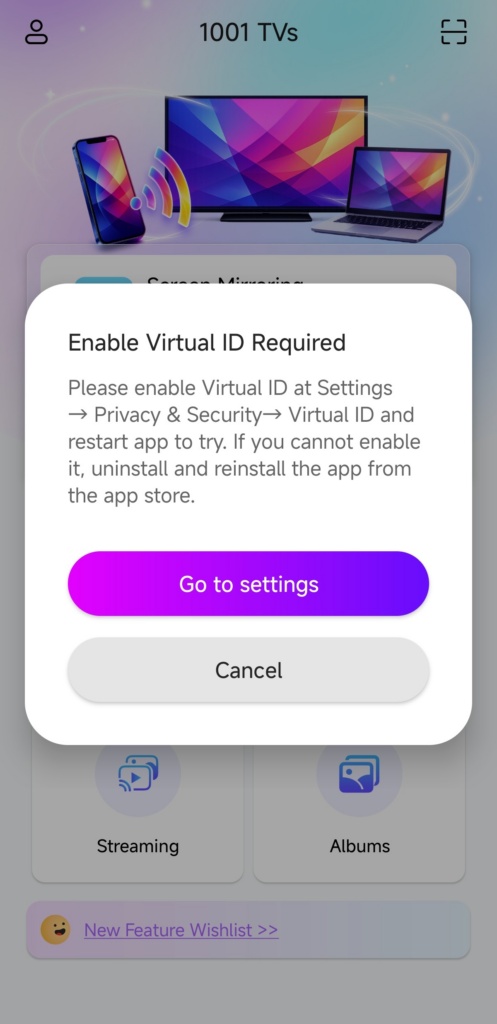 How to Fix the Enable Virtual ID Required Pop-Up
If you're using a Xiaomi or Redmi phone or tablet, you might see a pop-up that says "Enable Virtual ID Required" when you launch…
How to Fix the Enable Virtual ID Required Pop-Up
If you're using a Xiaomi or Redmi phone or tablet, you might see a pop-up that says "Enable Virtual ID Required" when you launch…

