
[iOS] iOS ئېكرانىنى تېلېۋىزورغا قانداق ئەينەك قىلىش
1. ئوخشاش Wi-Fi غا ئۇلاڭ
iPhone ۋە تېلېۋىزورىڭىزنىڭ ئوخشاش Wi-Fi تورىغا ئۇلانغانلىقىغا كاپالەتلىك قىلىڭ.
ئەڭ ياخشى ئۈنۈمگە ئېرىشىش ئۈچۈن، بىرنى ئىشلىتىڭ 5 گىگاگېرتسلىق Wi-Fi تورى كېچىكىشنى ئازايتىش ۋە مۇقىملىقنى ياخشىلاش ئۈچۈن.
2. 1001 TVs نى قاچىلاڭ ۋە ئېچىڭ
تېلېفونىڭىز ۋە تېلېۋىزورىڭىزغا 1001 TVs ئەپنى قاچىلاپ ئېچىڭ.
📥 تېلېۋىزىيە ئەپ دېتالى: تېلېۋىزورىڭىزغا 1001 TVs نى قانداق ئورنىتىش كېرەك
📱 iOS ئەپ: App Store دىن چۈشۈرۈڭ
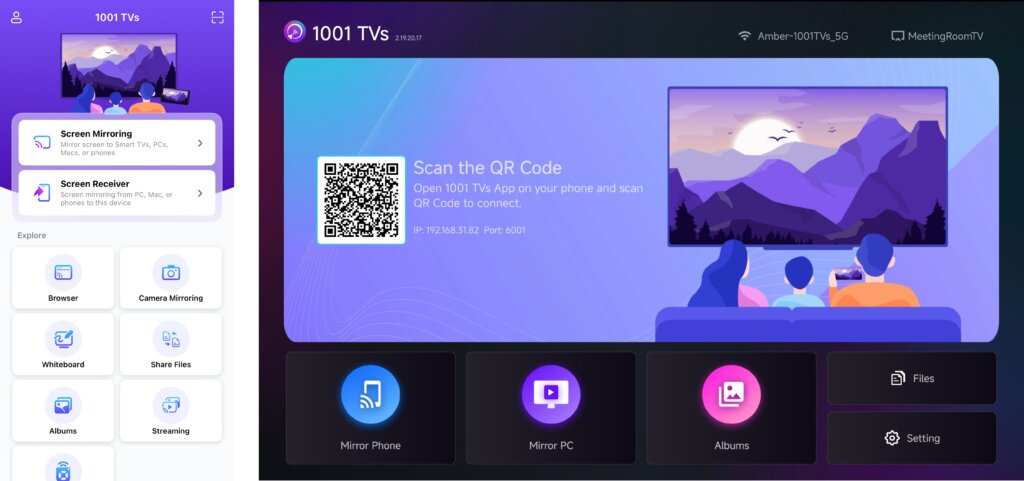
3. ئېكران ئەينىكىنى قوزغىتىش
سىز تۆۋەندىكى ئۇسۇللارنىڭ بىرى ئارقىلىق ئېكران ئەينىكىنى باشلىيالايسىز:
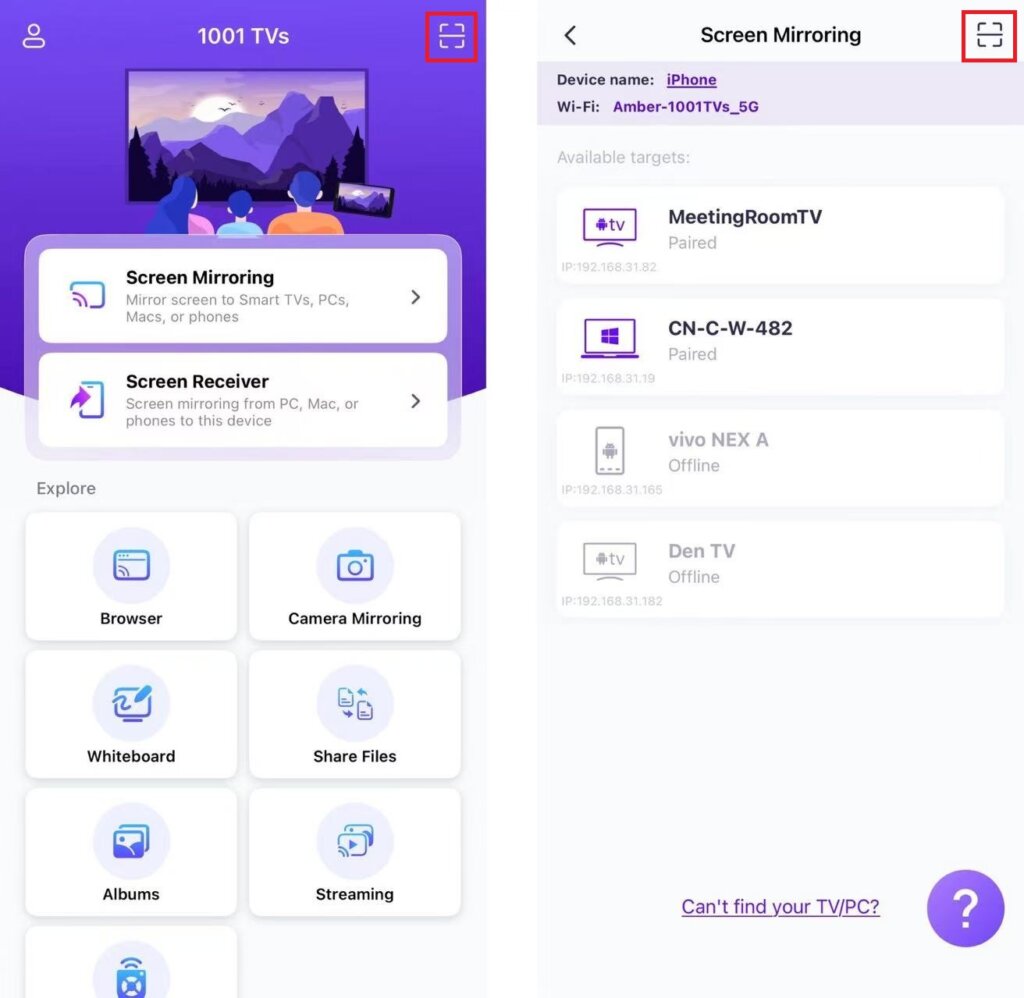
1) QR كودىنى سىكانىرلاڭ
QR كودىنى بىۋاسىتە سىكانىرلىيالايسىز باش ئېكران ياكى ئېكران ئەينىكى بەت.
(ئەسكەرتىش: تۇنجى قېتىم سىكانىرلاش ئۈچۈن كامېراغا كىرىش ھوقۇقى تەلەپ قىلىنىدۇ ۋە ئۇنى قوزغىتىشقا بولىدۇ تەڭشەكلەر.)
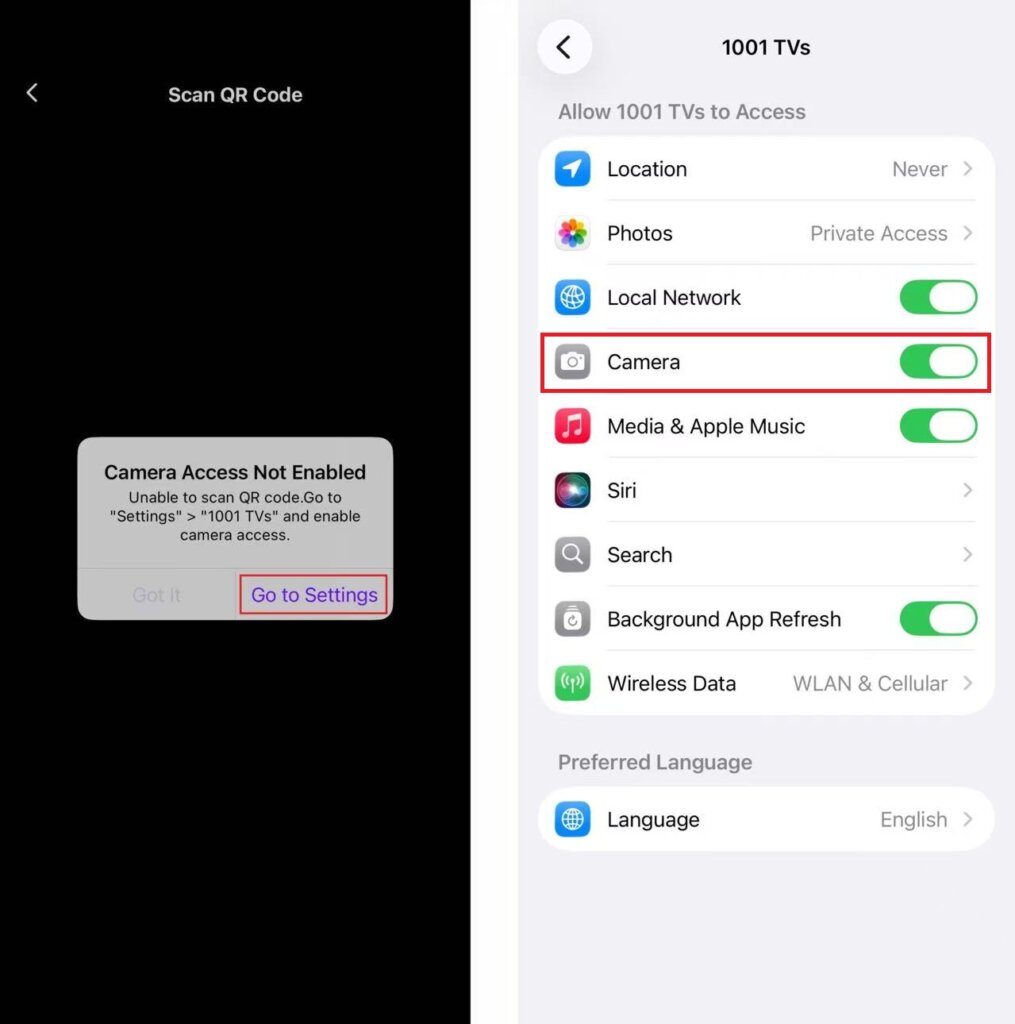
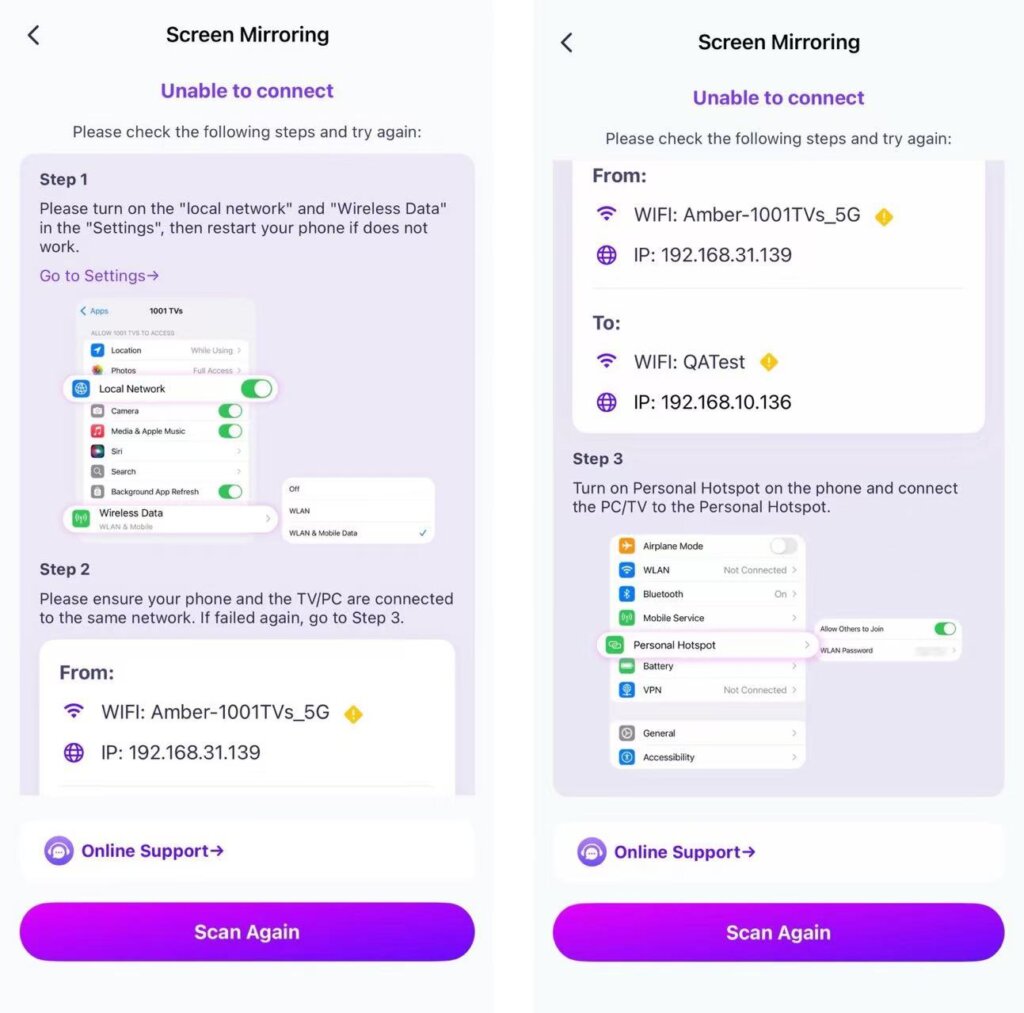
ئەگەر ئۇلىنىش مەغلۇپ بولسا، تۆۋەندىكى كۆرۈنمە يۈزى كۆرۈنىدۇ. داۋاملاشتۇرۇش ئۈچۈن ئېكراندىكى كۆرسەتمىلەرگە ئەگىشىڭ.
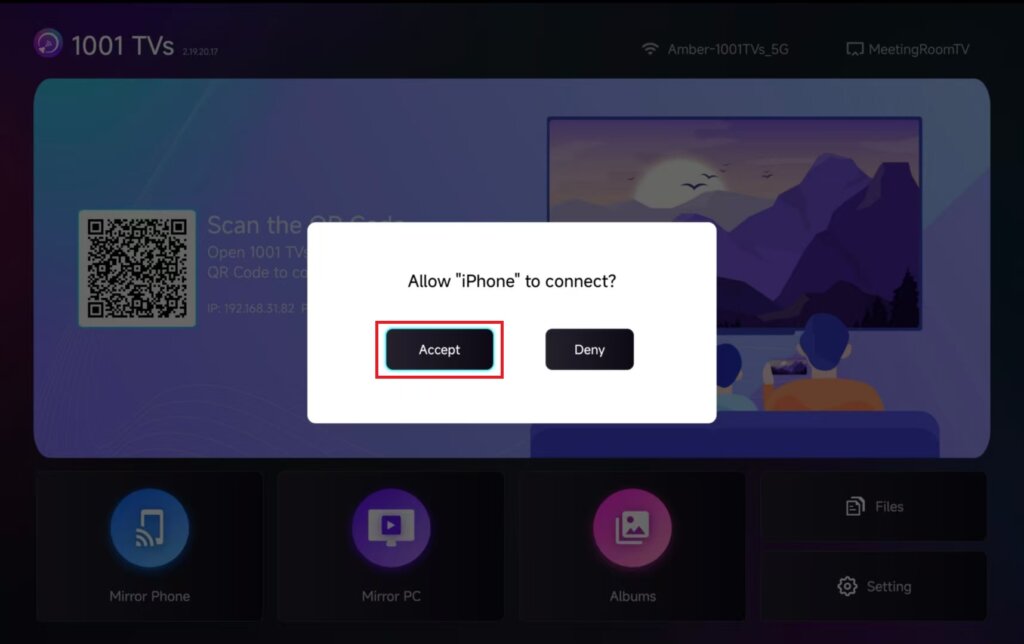
تېلېۋىزوردا كۆرسىتىلسە، تاللاڭ “قوبۇل قىلىش” ئۇلىنىشنى جەزملەشتۈرۈش ئۈچۈن.
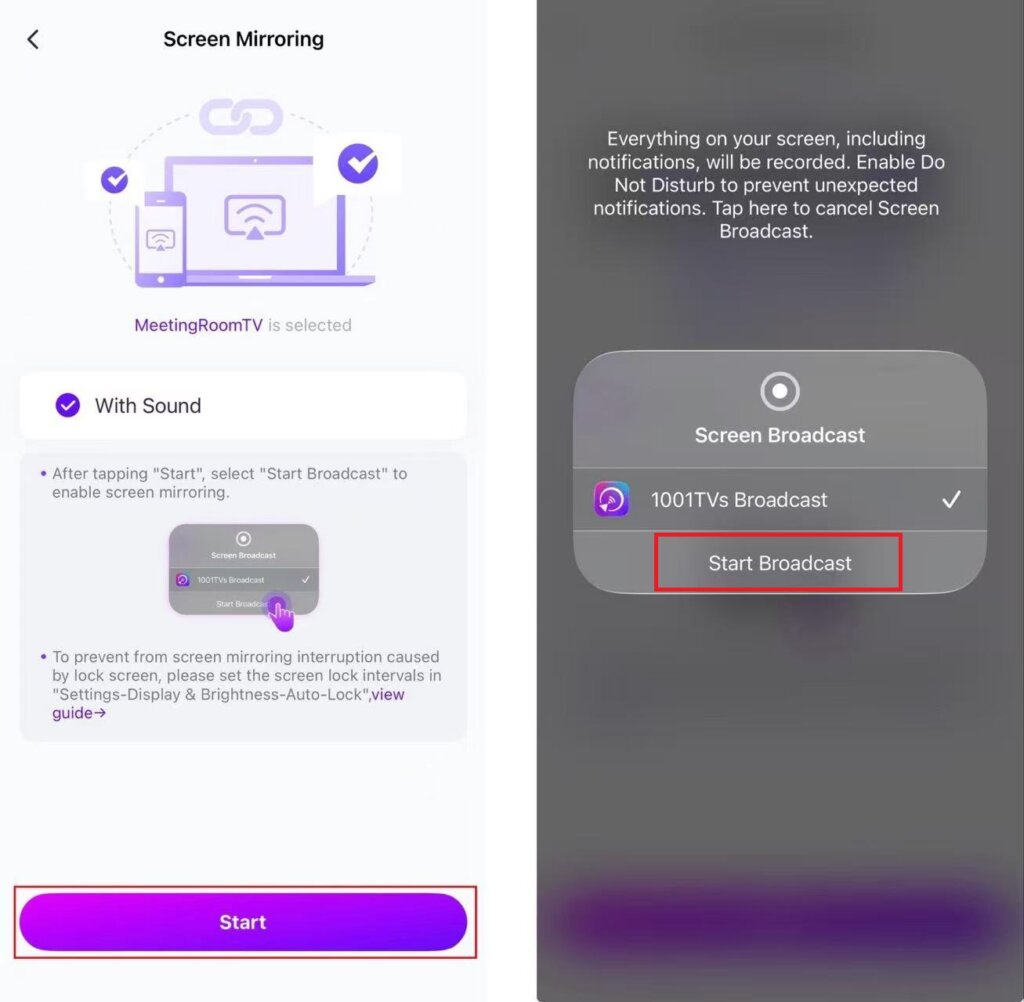
مۇۋەپپەقىيەتلىك ئۇلانغاندىن كېيىن، سىز ئەينەك كۆرسىتىش كۆرۈنمە يۈزىنى كۆرىسىز.
“نى چېكىڭ»باشلاش”➜“تارقىتىشنى باشلاڭ”ئېكرانىڭىزنى ئەكس ئەتتۈرۈش ئۈچۈن.».
2) نىشانلىق تېلېۋىزورىڭىزنى تاللاڭ
چېكىڭ “ئېكران ئەينىكى” تېلېفونىڭىزدىكى 1001 TVs ئەپ دېتالىدا.
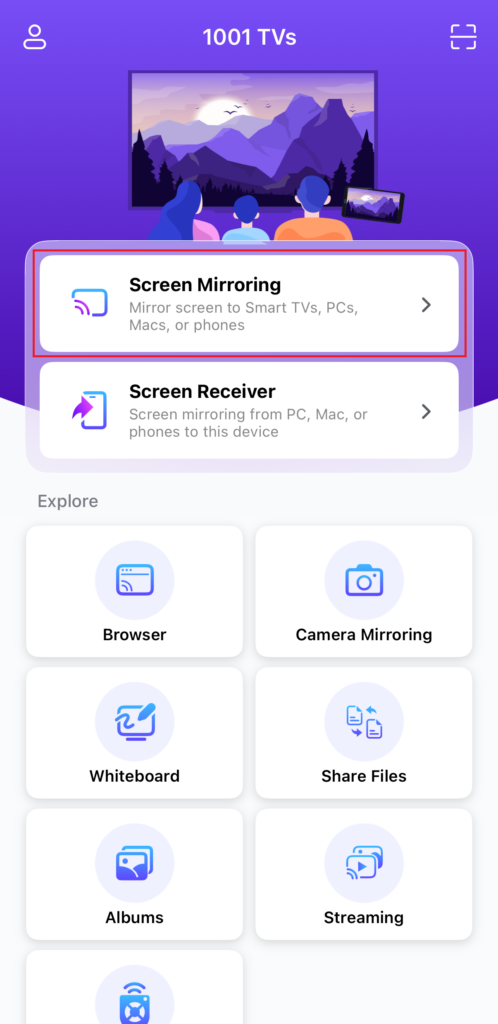
بۇ ئەپ ئاپتوماتىك ھالدا ئوخشاش Wi-Fi تورىدىكى بار ئۈسكۈنىلەرنى بايقىيالايدۇ.
ئەينەك قىلماقچى بولغان ئۈسكۈنىنى تاللاڭ.
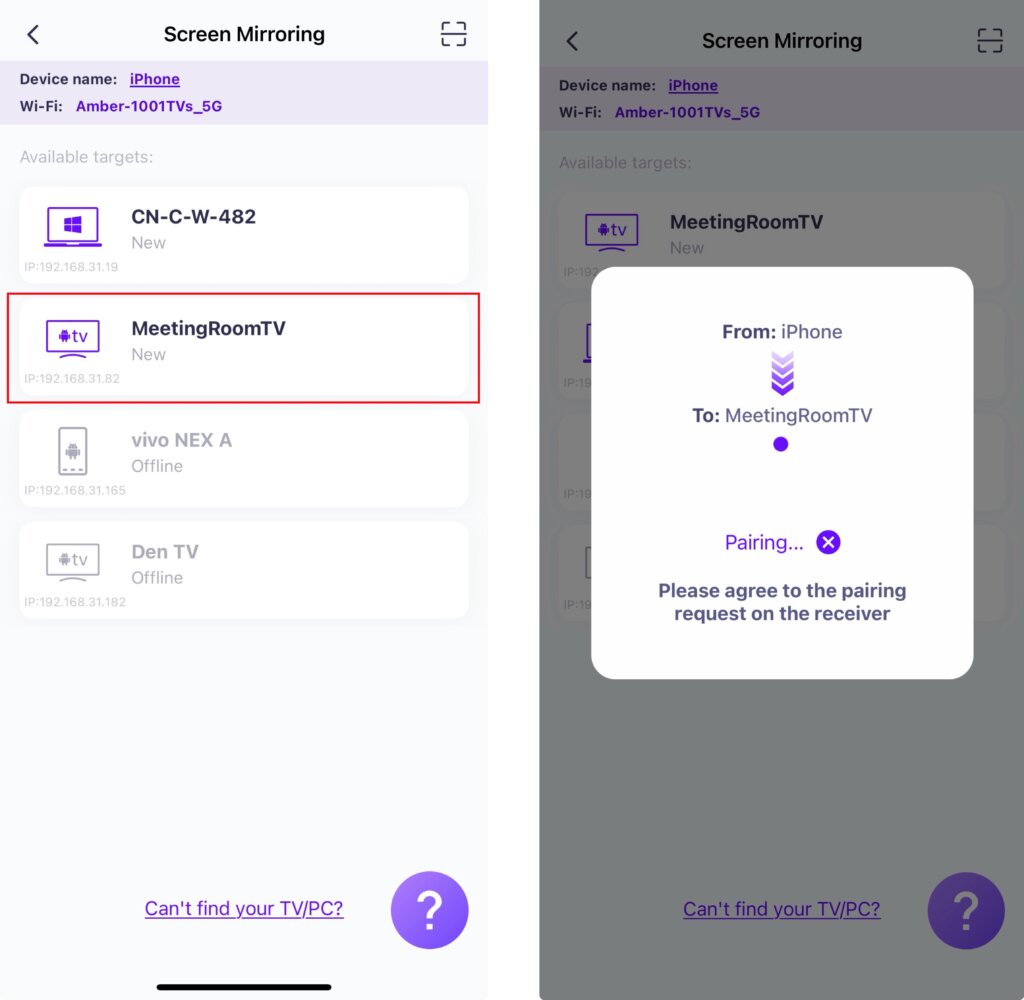
تەكلىپ: ئەگەر ئۈسكۈنە تىزىملىكتە بولمىسا، ئەپنىڭ نىشان ئۈسكۈنىدە ئىجرا بولۇۋاتقانلىقىنى جەزىملەشتۈرۈڭ، ئاندىن لازىم بولسا تىزىملىكنى يېڭىلاڭ.
تېلېۋىزوردا كۆرسىتىلسە، تاللاڭ “قوبۇل قىلىش” ئۇلىنىشنى جەزملەشتۈرۈش ئۈچۈن.
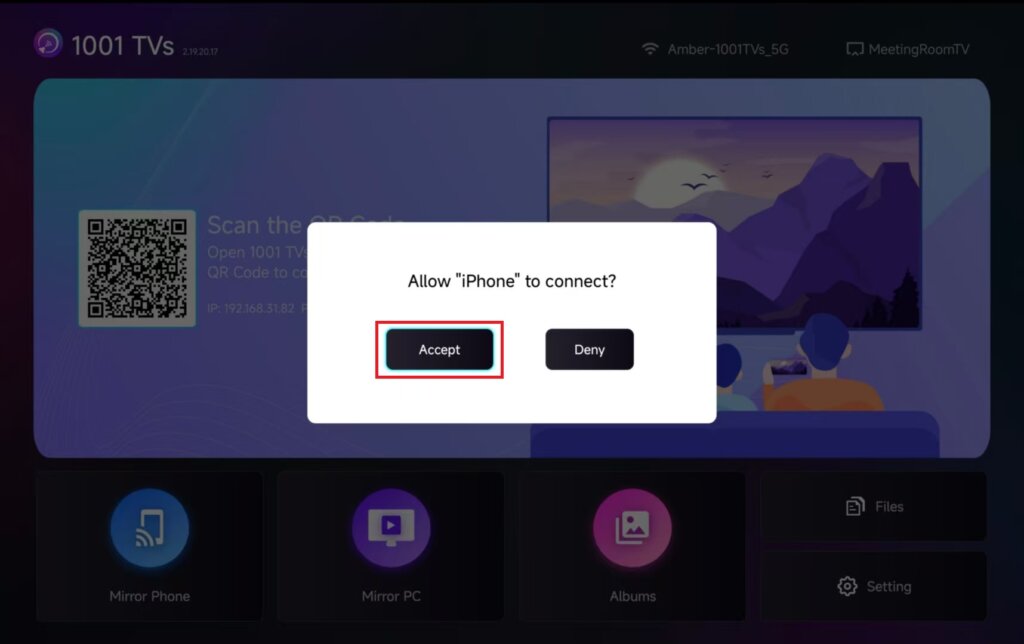
“نى چېكىڭ»باشلاش”➜“تارقىتىشنى باشلاڭ”ئېكرانىڭىزنى ئەكس ئەتتۈرۈش ئۈچۈن.».
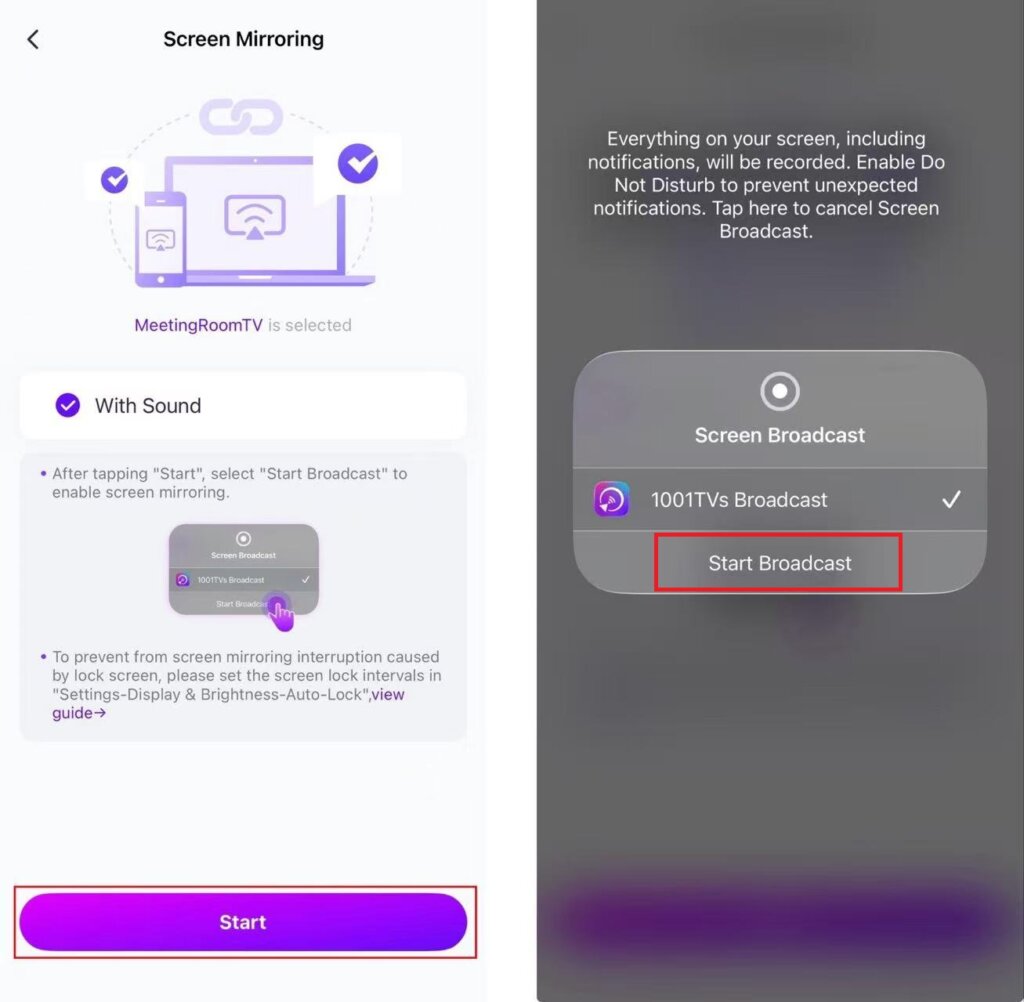
4. ئېكران ئەينىكى مۇۋەپپەقىيەتلىك ئورنىتىلدى!
بۇ ئىقتىدار تەقدىماتلارنى كۆرسىتىش، تېلېفونىڭىزنىڭ ئېكرانىنى چوڭ يىغىن ئېكرانىغا ئايلاندۇرۇش، نەق مەيدان ئويۇنىنى تارقىتىش ياكى چوڭ ئېكراندا ئېلېكترونلۇق كىتابلاردىن ھۇزۇرلىنىش ئۈچۈن ئەڭ ياخشى.
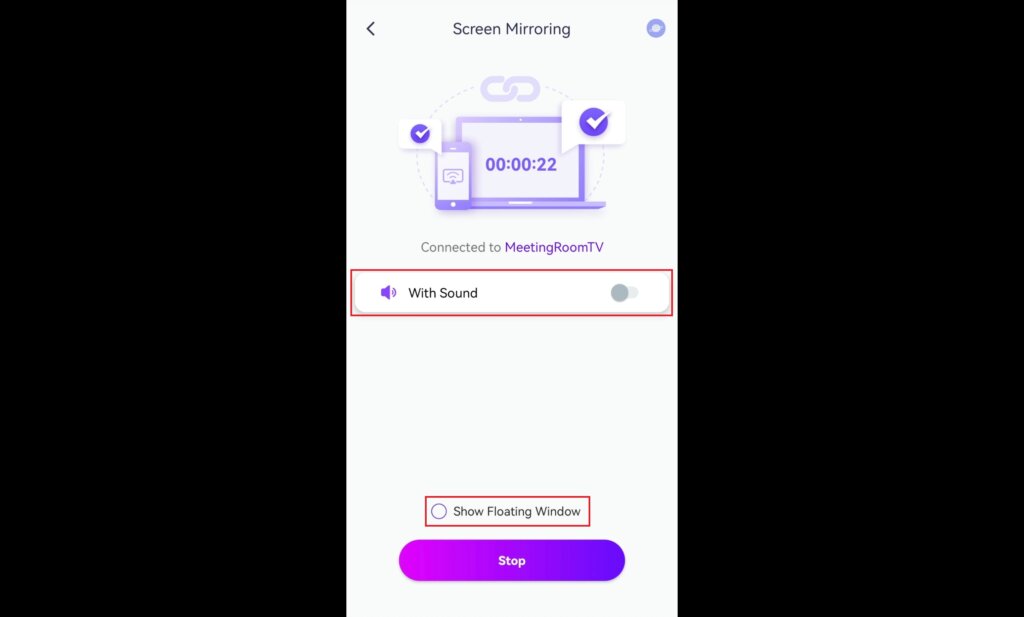
تەكلىپ: ئاۋاز ۋە لەيلىمە كۆزنەكنىڭ قويۇلۇشىنى مۇستەقىل كونترول قىلغىلى بولىدۇ.
ھازىر 1001 TVs نى ئېلىڭ!
📥 تېلېۋىزىيە ئەپ دېتالى: تېلېۋىزورىڭىزغا 1001 TVs نى قانداق ئورنىتىش كېرەك
📱 iOS ئەپ: App Store دىن چۈشۈرۈڭ