
How to Share Home Slideshow/Album from Phone to Android/Apple TV
Want to show off your latest vacation photos or share family moments on the big screen? 1001 TVs makes it easy to cast your phone’s albums to ئاندروئىد تېلېۋىزورى ياكى ئالما تېلېۋىزورى. Here’s how to set up and enjoy a seamless slideshow experience.
1. ئوخشاش Wi-Fi غا ئۇلاڭ:
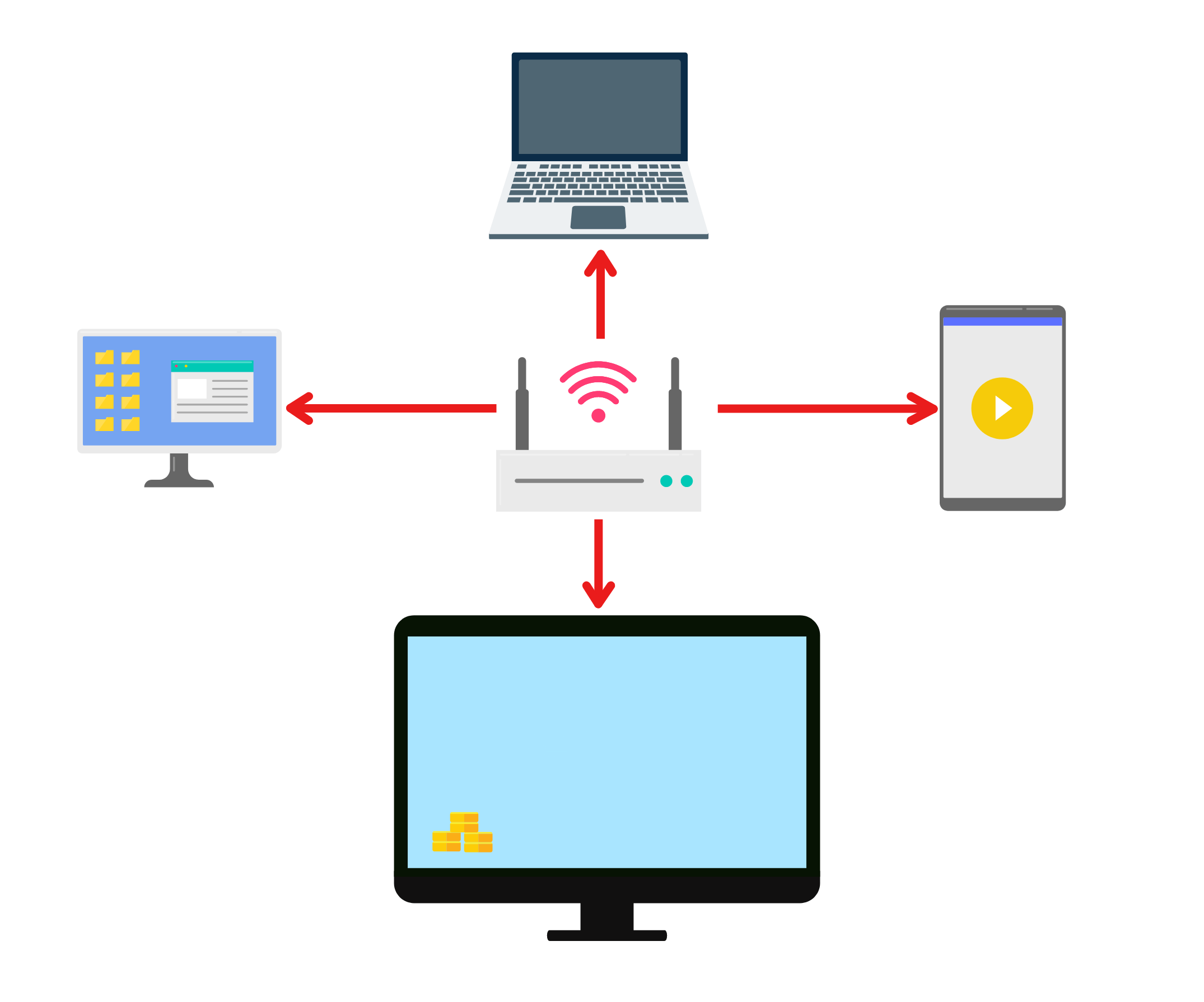
Ensure both your phone and TV are connected to the same Wi-Fi network.
(A 5 GHz Wi-Fi connection is recommended for optimal performance.)
2. Install and Open 1001 TVs on Both Devices
📥 تېلېۋىزىيە ئەپ دېتالى: تېلېۋىزورىڭىزغا 1001 TVs نى قانداق ئورنىتىش كېرەك
📱 iOS ئەپ: App Store دىن چۈشۈرۈڭ
📱 ئاندروئىد ئەپ: Google Play دىن چۈشۈرۈڭ
3. Start pairing
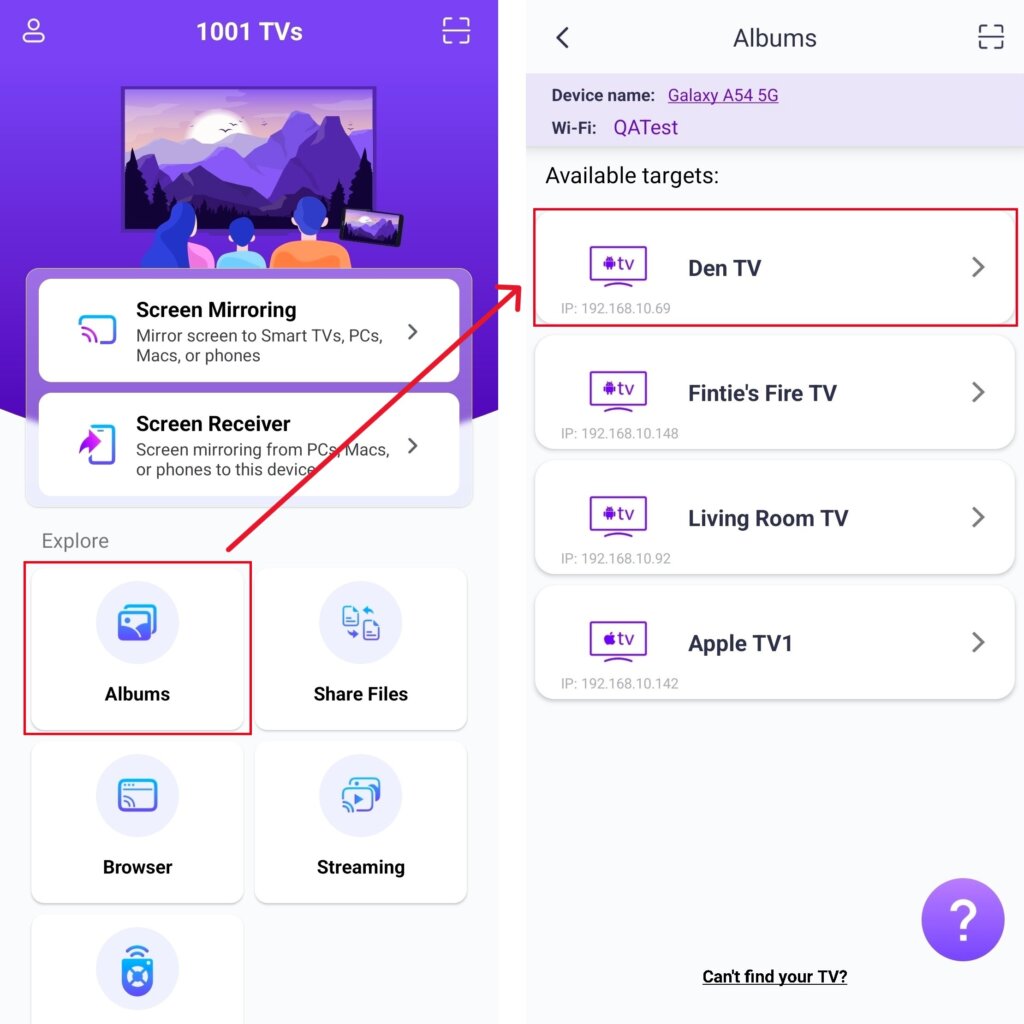
تېلېفونىڭىزدا چېكىڭ Album and select your target TV.
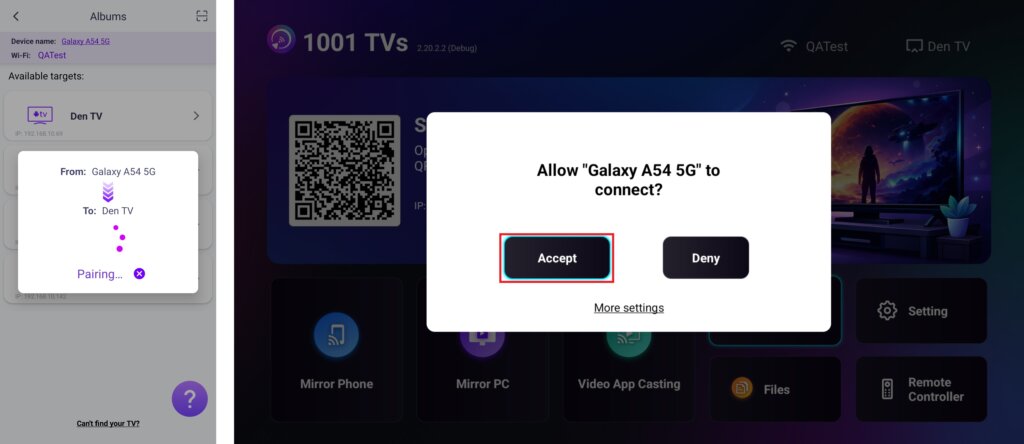
On your TV, click قوبۇل قىلىش ئۇلىنىشنى جەزملەشتۈرۈش ئۈچۈن.
4. Upload and Manage Your Media
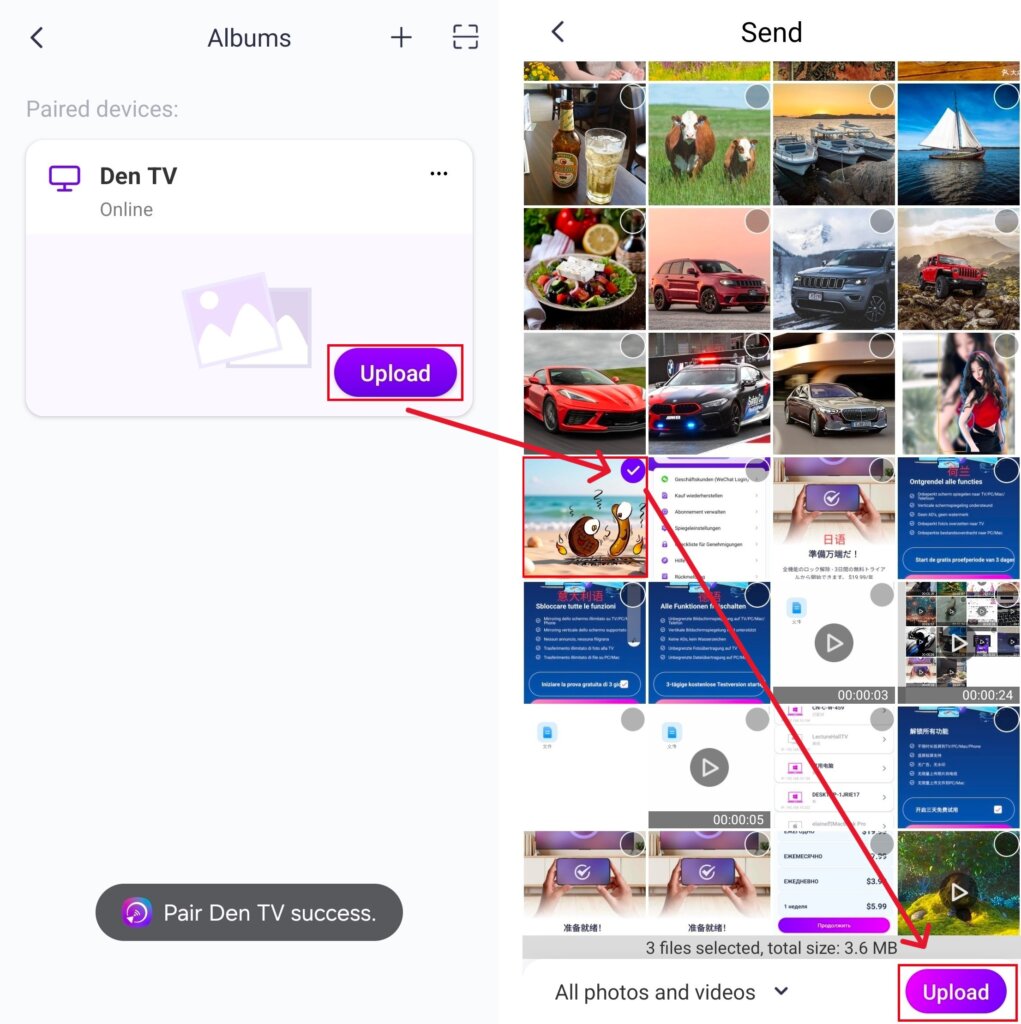
Once paired successfully, tap يۈكلەش and select the photos/videos you want to share.
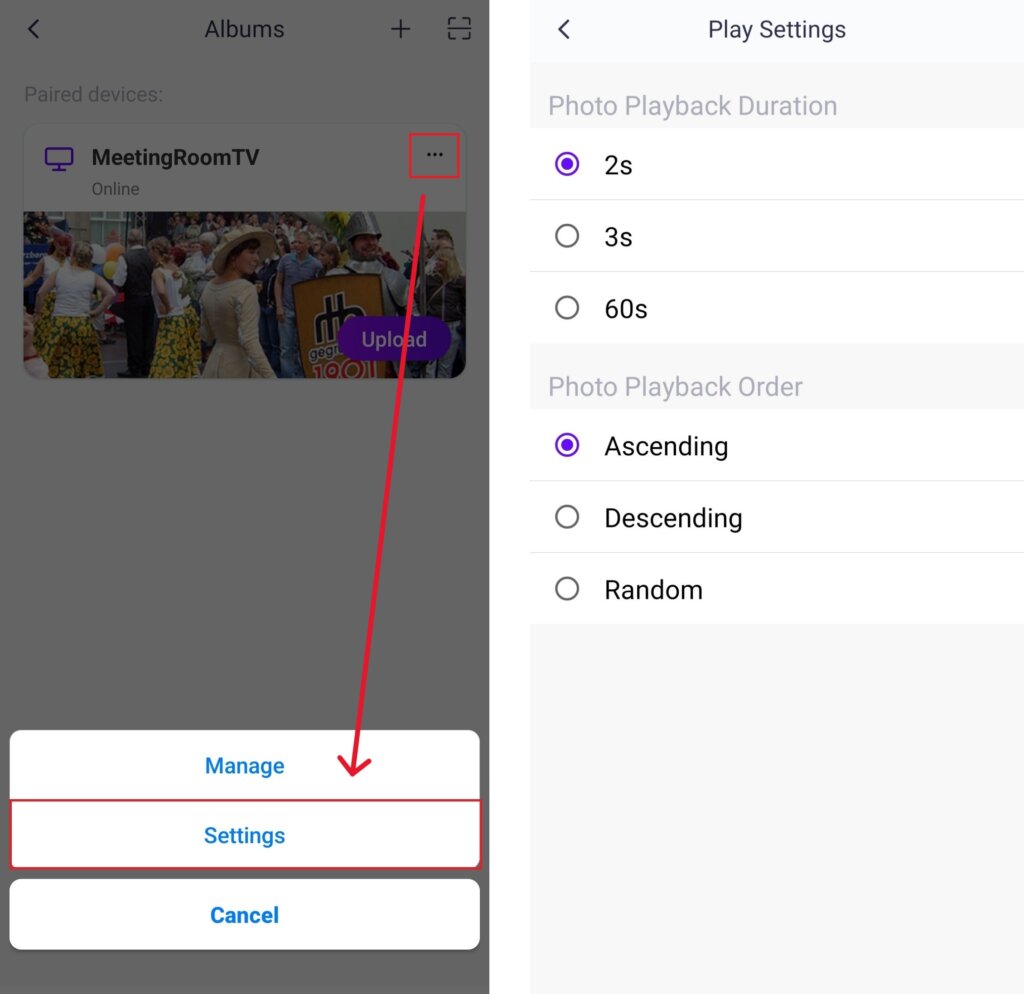
· In تەڭشەكلەر, you can set the play duration for each photo — from 2, 3, or 60 seconds — and choose the display order: ascending, descending, or random.
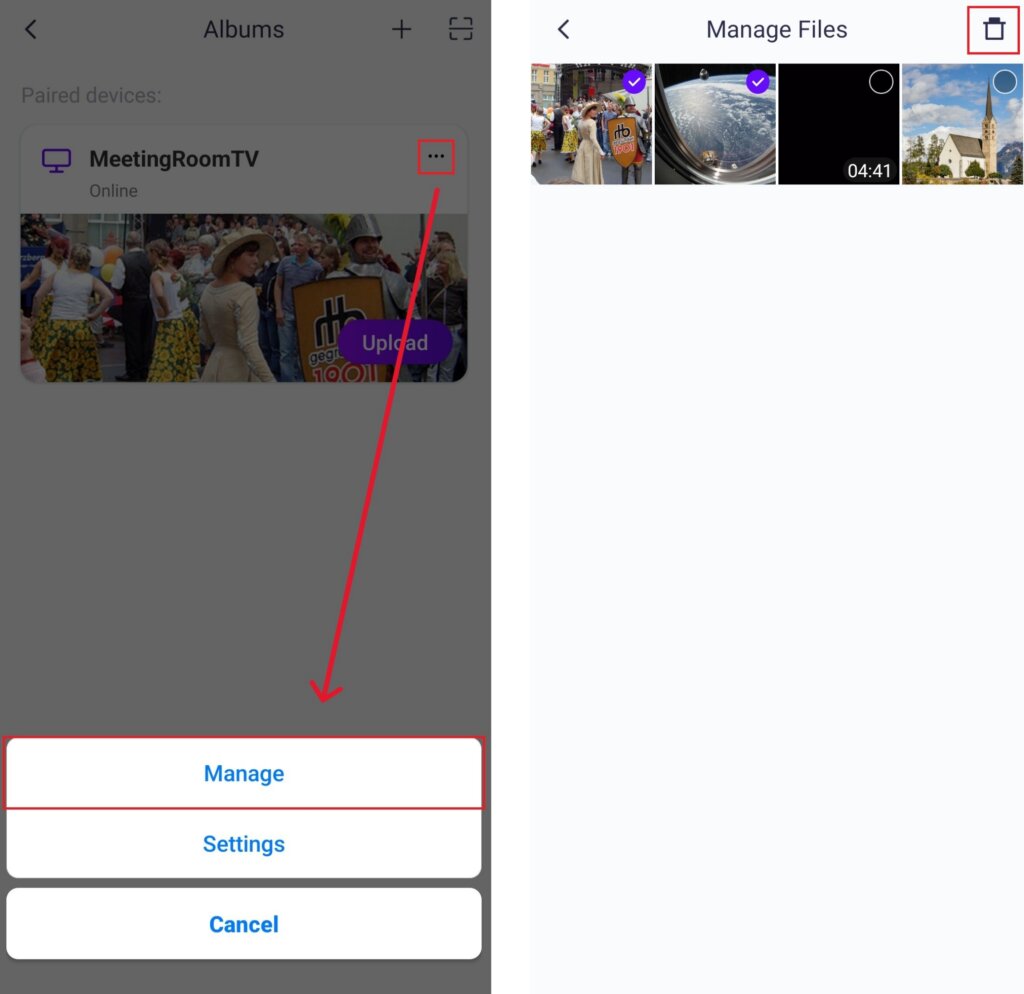
· ئىچىدە Manage, you can easily remove any photos or videos you’ve previously cast.
· To connect a new device, tap the “+” button on the top-right corner to pair.
· If a device appears تورسىز, please ensure a stable network connection. You can still view files already received on your TV at any time.
5. Start a Slideshow
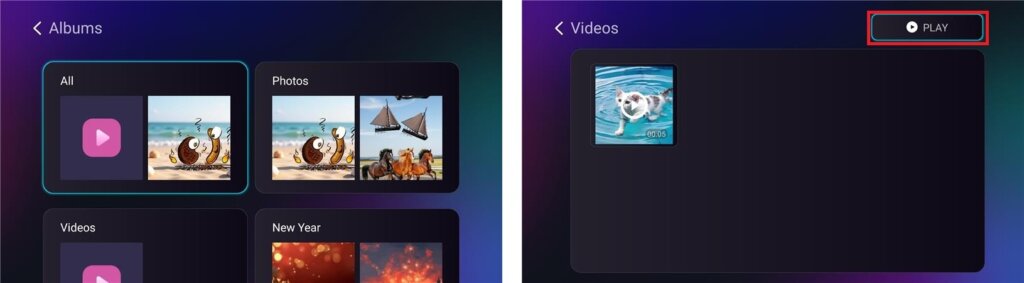
Select a folder (e.g., Photos, Videos) and click PLAY to start the slideshow.
ئەمدى سىز قىلالايسىز ئەسلىمىلىرىڭىزنى قايتا باشتىن كەچۈرۈڭ ئۈستىدە چوڭراق ئېكران ئاسانلا! 📸📺
ھازىر 1001 TVs نى ئېلىڭ!
📥 تېلېۋىزىيە ئەپ دېتالى: تېلېۋىزورىڭىزغا 1001 TVs نى قانداق ئورنىتىش كېرەك
📥 كومپيۇتېر ئەپلىرى: چۈشۈرۈش Microsoft دۇكىنى
تەپسىلىي قەدەملەر ئۈچۈن، تۆۋەندىكىگە قاراڭ كومپيۇتېر ئورنىتىش قوللانمىسى
📱 iOS ئەپ: App Store دىن چۈشۈرۈڭ
📱 ئاندروئىد ئەپ: Google Play دىن چۈشۈرۈڭ
ھازىر سىناپ بېقىڭ ۋە ئائىلىڭىزدىكى خۇشاللىق پەيتلىرىنى جانلاندۇرۇڭ! 🚀